Leveraged Publishing Workflows for Authors Explained
Leveraged publishing workflows
Estimated reading time: 7 minutes
Key takeaways
- Leveraged publishing workflows let authors publish more books with less time and fewer errors by centralizing repetitive tasks and standardizing steps.
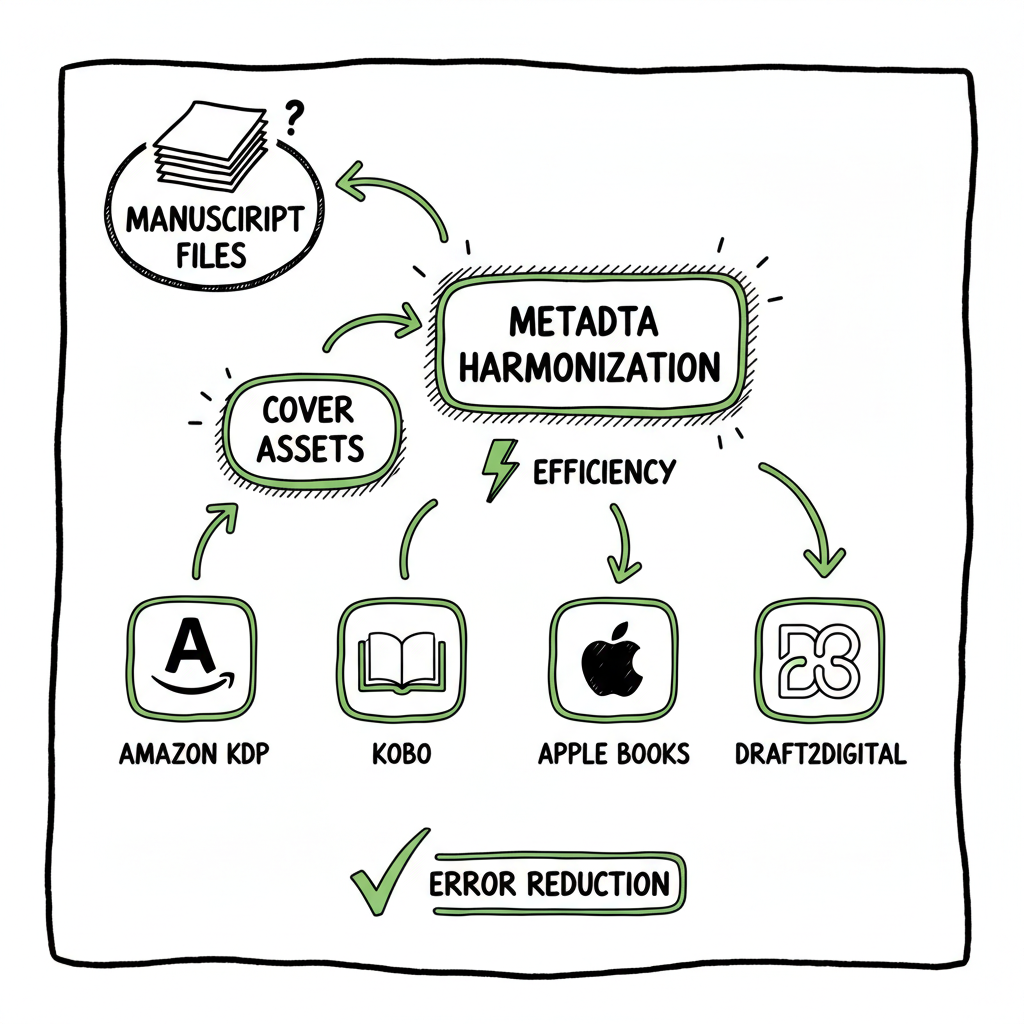
- The right system ties manuscript files, metadata, cover assets, and platform rules together so one upload can reach Amazon KDP, Kobo, Apple Books, Draft2Digital, and Ingram with minimal manual work.
- BookUploadPro is built for scale: CSV batch uploads, platform-specific intelligence, error checking, and wide distribution that saves roughly 90% of the time spent on manual uploads.
- Small, repeatable process changes—consistent file naming, a metadata template, and a single distribution checklist—deliver the biggest time savings.
- When you start publishing seriously, moving to a unified publishing pipeline is an obvious upgrade: automate the upload. Own the distribution.
Table of Contents
- What leveraged publishing workflows mean
- Build scalable author leverage systems
- Multi-platform publishing and distribution
- Practical steps, tools, and metrics
- FAQ
- Sources
What leveraged publishing workflows mean
“Leveraged publishing workflows” sounds technical, but the idea is straightforward. It means organizing your publishing work so a single set of inputs and a repeatable process produce many outputs with minimal extra effort. For an author, that looks like standard templates for metadata, a folder structure that always matches platform requirements, and a way to send one prepared package to multiple stores without rekeying every field.
Authors who use these methods stop treating each book as a one-off project. Instead, they treat publishing like an assembly line: same steps, same checks, same file names, and predictable results. That consistency reduces mistakes and frees time for writing, marketing, or producing more titles.
If your goal is to turn a growing catalog into ongoing revenue, consider reading a focused guide like Automated Passive Income With Books to see how repeatable systems scale revenue without scaling busywork.
Why this matters now
The publishing rules for each retailer keep changing. Metadata fields, file types, and cover requirements vary. When you publish once and then manually adapt that same book for every store, you waste hours and invite errors. Leveraged processes capture the differences in a single place so you don’t repeat the same micro-tasks for every title.
Advantages at a glance
- Speed: Batch operations let you prepare multiple titles at once.
- Accuracy: Standard templates reduce data entry errors.
- Coverage: One pipeline that understands platform differences gets books into every major store.
- Scale: More books without more staff or more stress.
Build scalable author leverage systems
A leveraged system has three parts: standard inputs, a tool or service that applies rules, and quality checks. You can build this with spreadsheets and careful habits, but it becomes far more practical when you use services designed for multi-platform publishing. Below are the components that matter and how to put them together.
- Standard inputs: treat assets like inventory
Create a simple, repeatable folder and file naming convention. For example:
- manuscript_TITLE_trim.pdf (or .docx)
- cover_TITLE_front.jpg
- cover_TITLE_spine.jpg
- metadata_TITLE.csv
Use a metadata template (a single spreadsheet) that captures every field each store wants: title, subtitle, description, series, contributor roles, ISBN, BISAC codes, territories, pricing tiers, and publication dates. When fields are consistent, automated systems can map them into platform-specific forms.
- 2. A mapping layer: platform-specific intelligence
Each store expects different formats and metadata. The key to leverage is a mapping layer that converts your standard inputs into platform-specific outputs. That mapping should:
- Convert your single metadata sheet into one store’s CSV or API fields.
- Reformat files (trim sizes for print, generate EPUB from a master file).
- Apply platform rules (e.g., Amazon image requirements vs. Apple Books).
This is where tools designed for multi-platform publishing shine. They reduce manual copy/paste and apply validation rules so you catch issues before upload.
- 3. Batch upload and distribution
Instead of clicking through each store, a batch upload lets you send many titles at once. That requires:
- Consistent inputs (step 1)
- Correct mappings (step 2)
- An upload tool that supports multiple endpoints and schedules
BookUploadPro was built for this use case: unified multi-platform publishing, CSV batch uploads, and platform-specific intelligence that reduces errors. It’s an obvious upgrade once authors start publishing seriously.
- 4. Validation and error reduction
Checks are everything. The system should flag missing metadata, mismatched ISBNs, cover size issues, incorrect file types for print, and pricing anomalies. Validations stop small mistakes from causing big delays.
- 5. Feedback loop
A simple dashboard that shows upload status and errors closes the loop. Track success and failures, then fix the inputs. Over time, patterns emerge and you eliminate common issues.
Why not DIY forever?
You can handcraft this approach with spreadsheets, scripts, and careful diligence. But at scale, the time cost and risk rise fast. As catalogs grow, authors spend more time repeating the same tasks. This is why many authors move from homegrown systems to a purpose-built platform that automates the repetitive parts and leaves creative control to the author.
Multi-platform publishing and distribution
The goal of leveraged publishing is wide, reliable distribution with minimal manual friction. That means treating distribution as a single step in your process, not a set of disconnected actions.
Major stores to cover
- Amazon KDP: the most complex, with paperback and Kindle options and specific image rules.
- Kobo and Apple Books: significant channels with different formatting needs.
- Draft2Digital: useful for aggregating to smaller retailers.
- Ingram: key for print distribution and wider retail reach.
Platform-specific intelligence
A leveraged system stores rules for each storefront and applies them to your standard inputs. For example:
- When you pick a trim size for print, the system generates a PDF with spine width and bleed for Ingram and a separate file for KDP if needed.
- When a subtitle field is too long for one store, the system can truncate or use an alternate subtitle.
When those rules live in one place, you save time and reduce errors. BookUploadPro includes platform-specific intelligence so a single job can create correct outputs for Amazon KDP, Kobo, Apple Books, Draft2Digital, and Ingram.
Cover, file conversion, and assets
Cover files and ebook formats are technical bottlenecks. If you need a quick cover or processing for front/back/spine, a book cover generator can turn basic art into publish-ready files without repeated back-and-forth. If you need to convert master files into EPUB for stores, use an EPUB converter that preserves structure and accessibility while meeting platform checks. For paperback and ebook generation, centralized creation tools help you produce files that work across retailers. If you plan to handle covers, EPUB conversion, or basic book creation as part of your pipeline, it’s efficient to use dedicated services that produce compliant files, so you can focus on the content and metadata rather than the technical details.
Pricing, rights, and territories
Part of leverage is standardizing pricing templates and territorial rules. Set pricing tiers by currency and country in your metadata template, then let the distribution layer apply those prices across stores. This avoids manual errors and ensures consistent royalty calculations.
Rights management should be recorded in the metadata template so you never forget exclusive windows or territory restrictions. This is especially important for authors who sell rights or run serial releases.
Practical steps, tools, and metrics
Getting leverage is mostly about discipline and the right tools. Here’s a practical plan you can implement over a few weeks.
Week 1 — Stop doing one-offs
- Build a metadata spreadsheet that has every field a store might need.
- Create a consistent folder structure for files and covers.
- Make a checklist of the steps you repeat for each title: proofread, format, cover, metadata, pricing, upload, proof check.
Week 2 — Add validation and mappings
- Add simple validation formulas to your spreadsheet (required fields, length checks).
- Create a mapping document that explains how each column maps to each store.
- Start using a single master manuscript file that can be exported to print PDF and EPUB.
Week 3 — Batch test and iterate
- Prepare 3 titles and run them through your mapping and validation process.
- Fix the common errors and update the spreadsheet rules.
- Time the process. Note how long each step takes and where it slows down.
Week 4 — Move to a multi-platform uploader
- When you’re ready to stop clicking through each store, move to a multi-platform uploader that supports CSV batch uploads, platform intelligence, and error reporting. A tool built for this will:
- Accept your metadata CSV and assets in a predictable format
- Generate store-specific outputs and highlight problems
- Upload to multiple stores or prepare export packages
Metrics to track
- Time per title (before and after): measure real savings.
- Error rate: number of flagged issues per title.
- Throughput: titles published per month.
- Distribution coverage: percent of target stores where books are live.
- Revenue per title: helps justify the time invested in scaling.
Tool checklist
- A metadata template (spreadsheet)
- Master manuscript file (DOCX or source file)
- A reliable EPUB converter for ebooks
- A cover tool or generator for print and ebook adaptations
- A multi-platform uploader that supports batch uploads and platform rules
If you need a reliable EPUB conversion service, a dedicated EPUB converter preserves structure and accessibility while matching store requirements. For covers, using a book cover generator reduces design friction and ensures correct dimensions for each retailer. For book creation and print/ebook generation, centralized book creation tools handle the technical side so you can focus on publishing more titles.
BookUploadPro fits your needs at scale with a unified multi-platform publishing approach that supports CSV batch uploads, platform-specific intelligence, and validations that cut errors. Authors report roughly 90% time savings compared to manual uploads. The platform reduces repetitive manual work and makes wide distribution practical and affordable, with a free trial to test the fit.
Final checks before launch
- Run a proof on each platform and verify metadata displays as expected.
- Check the cover thumbnails in real storefront contexts.
- Confirm pricing and territories match your plan.
- Track the first-week sales and visibility to see how distribution affected discovery.
Wrap-up operational tip: treat your publishing pipeline like a factory line. Small changes to the input template produce outsized gains in throughput and quality.
FAQ
Q: What’s the first thing I should standardize?
A: Start with metadata. A single spreadsheet that contains every field a store needs saves the most time. Once that’s reliable, all other processes become simpler.
Q: Do I need to learn APIs to get leverage?
A: No. Many multi-platform tools accept CSVs and handle the platform APIs for you. What matters is consistent inputs and a tool that understands the stores’ rules.
Q: How do I handle different cover sizes and print specs?
A: Use a cover tool or generator that can export multiple sizes from one design. Then store the generated assets alongside your metadata so the distribution tool picks the correct file for each store.
Q: Will a leveraged process limit creative control?
A: No. The system handles repetitive technical steps. You still choose cover art, writing, and marketing. The process just makes producing and distributing multiple titles practical.
Q: Is it expensive to switch to a multi-platform service?
A: Costs vary. Many platforms offer affordable plans, and several provide a free trial. Compare time saved and error reduction to the subscription cost—most authors find the ROI is compelling once they publish regularly.
Q: How scalable is a single publishing pipeline?
A: A well-designed pipeline scales with your catalog, maintaining consistency and reducing repetitive tasks as titles grow.
Final thoughts
Scaling publishing is not about magic tools. It’s about disciplined inputs, predictable processes, and the right operational platform to apply platform-specific rules at scale. Small changes—consistent file naming, a single metadata template, and reliable validation—compound quickly when you publish more than a few titles.
If you’re publishing a handful of books, a manual process can work. If you’re serious about publishing multiple titles or managing a catalog, a unified system that handles CSV batch uploads, applies platform-specific logic, and reduces errors is an obvious upgrade. BookUploadPro offers those capabilities with affordable pricing and a free trial—making wide distribution practical without adding complexity. Automate the upload. Own the distribution.
Sources
– Revolutionize content creation workflows with publishing software — https://www.woodwing.com/blog/revolutionize-content-creation-workflows-with-publishing-software
– 8 Workflow Automation Benefits for Authors & Publishers — https://manuscriptreport.com/blog/workflow-automation-benefits
– Publishing Workflow: What It Is and How It Helps – WriteSeen — https://writeseen.com/blog/publishing-workflow
– The Rise of Intelligent Workflows in Academic Publishing 2025 — https://www.luminadatamatics.com/resources/blog/the-rise-of-intelligent-workflows-in-academic-publishing-speed-accuracy-and-compliance-in-2025/
– Invited Publishing Workflows: Soliciting Content from Authors — https://www.ariessys.com/blog/invited-publishing-workflows-soliciting-content-from-authors/
– 13 Benefits of Workflow Automation – NetSuite — https://www.netsuite.com/portal/resource/articles/erp/workflow-automation-benefits.shtml
(Additional tools mentioned in the article)
– Book cover generator processing — https://www.bookautoai.com/book-cover-generator-processing
– EPUB converter — https://www.bookautoai.com/epub-converter
– Book creation tools — https://www.bookautoai.com
Sources
Leveraged publishing workflows Estimated reading time: 7 minutes Key takeaways Leveraged publishing workflows let authors publish more books with less time and fewer errors by centralizing repetitive tasks and standardizing steps. The right system ties manuscript files, metadata, cover assets, and platform rules together so one upload can reach Amazon KDP, Kobo, Apple Books, Draft2Digital,…