Kobo Dashboard Helper Tools for Faster Publishing Guide
Kobo Dashboard Helper Tools for Faster Publishing
Estimated reading time: 18 minutes
Key takeaways
- Kobo-focused dashboard helpers cut repetitive tasks and make multi-store publishing practical for active authors.
- Automation should enforce retailer-aware formatting, reduce errors, and hand off human review rather than replace it.
- Unified multi-platform upload (CSV batch uploads, platform-specific intelligence) saves time — BookUploadPro routinely delivers ~90% time savings for authors with catalogs.
- Practical workflows combine clean file preparation, metadata templates, error monitoring, and a final human check before hitting publish.
- Automate the upload. Own the distribution.
Table of Contents
- Why Kobo Dashboard Helper Tools for Faster Publishing Matter
- How automation speeds Kobo publishing
- How to build a reliable, fast Kobo workflow
- FAQ
- Sources
Why Kobo Dashboard Helper Tools for Faster Publishing Matter
Kobo Writing Life (KWL) gives authors a workable dashboard for uploads, pricing, and sales, but it still assumes you’ll repeat the same manual steps for every title. If you publish more than one book a year, those minutes add up to hours and friction. That’s where Kobo dashboard helper tools for faster publishing make an immediate difference: they automate repetitive work, catch common errors, and centralize status so you can manage dozens or hundreds of titles predictably.
If you want to scale without hiring a full-time assistant, a simple, reliable helper stack can cut a manual upload task list down to one or two checks. For authors who publish several titles or editions, we recommend using a helper that integrates metadata templates, batch uploads, and per-title error reporting — a model found in modern publishing accelerators. For authors exploring this category, a helpful primer is Kobo Publishing Automation Publish Faster, which explains how automation layers sit on top of Kobo Writing Life and free up time for writing and promotion.
What a helper tool actually does
- Standardizes metadata across platforms so your descriptions, series, and keywords fit retailer rules.
- Validates files (EPUB, audiobooks, covers) against retailer constraints before upload.
- Automates bulk uploads through CSV or API-driven flows so you don’t open a dashboard for every title.
- Tracks per-title status and flags issues in a single project view instead of checking multiple pages.
- Keeps templates for pricing, territories, and rights so choices are consistent across a catalog.
Why this matters for long-term publishing
Small errors multiply when you maintain a catalog. An incorrect metadata field, mismatched cover dimensions, or a bad EPUB can trigger manual fixes and delays on the retailer side. Helper tools reduce that noise. Once the system enforces the right lengths, line breaks, and field types for Kobo and other stores, publishing becomes predictable. That predictability is the foundation for scaling revenue, testing launches, and iterating on marketing.
How automation speeds Kobo publishing
Automation isn’t a magic button; it’s a chain of practical features that shave minutes into seconds and hours into minutes. Here are the functional layers that matter most and why each reduces friction.
1) Pre-flight validation
Every upload should start with a validation pass. That includes:
- EPUB checks for malformed markup, missing fonts, or images with wrong DPI.
- Cover checks for dimensions and safe margins for print.
- Metadata length checks for titles, subtitles, and blurbs to match Kobo’s limits.
A helper tool that runs these checks before you touch the Kobo dashboard avoids the most common rejections. It also produces clear error messages you can act on, rather than forcing you to interpret opaque retailer feedback.
2) Metadata templates and publishing profiles
Templates are the multiplier. Create profiles for:
- Genre-specific metadata (romance versus technical non-fiction will have different description needs).
- Pricing and territories (couple of regions where you prefer exclusive pricing).
- Series and edition templates that handle numbering and ISBN differences.
When templates map directly to Kobo fields, you paste a profile and upload instead of retyping or copying values between screens. That model scales horizontally — add ten titles, apply the profile, and you’re ready in the time it used to take for one.
3) CSV batch uploads and platform intelligence
For catalogs, CSV batch uploads are non-negotiable. A good helper tool imports a CSV containing:
- Title-level metadata
- File paths for EPUB/print assets
- Pricing grids and distribution choices
Platform intelligence means the tool knows Kobo-specific constraints and default behaviors. It converts fields to Kobo-friendly formats, enforces length limits, and warns about items that need attention. That reduces the number of manual corrections you’d otherwise make inside KWL.
4) Centralized dashboard and error monitoring
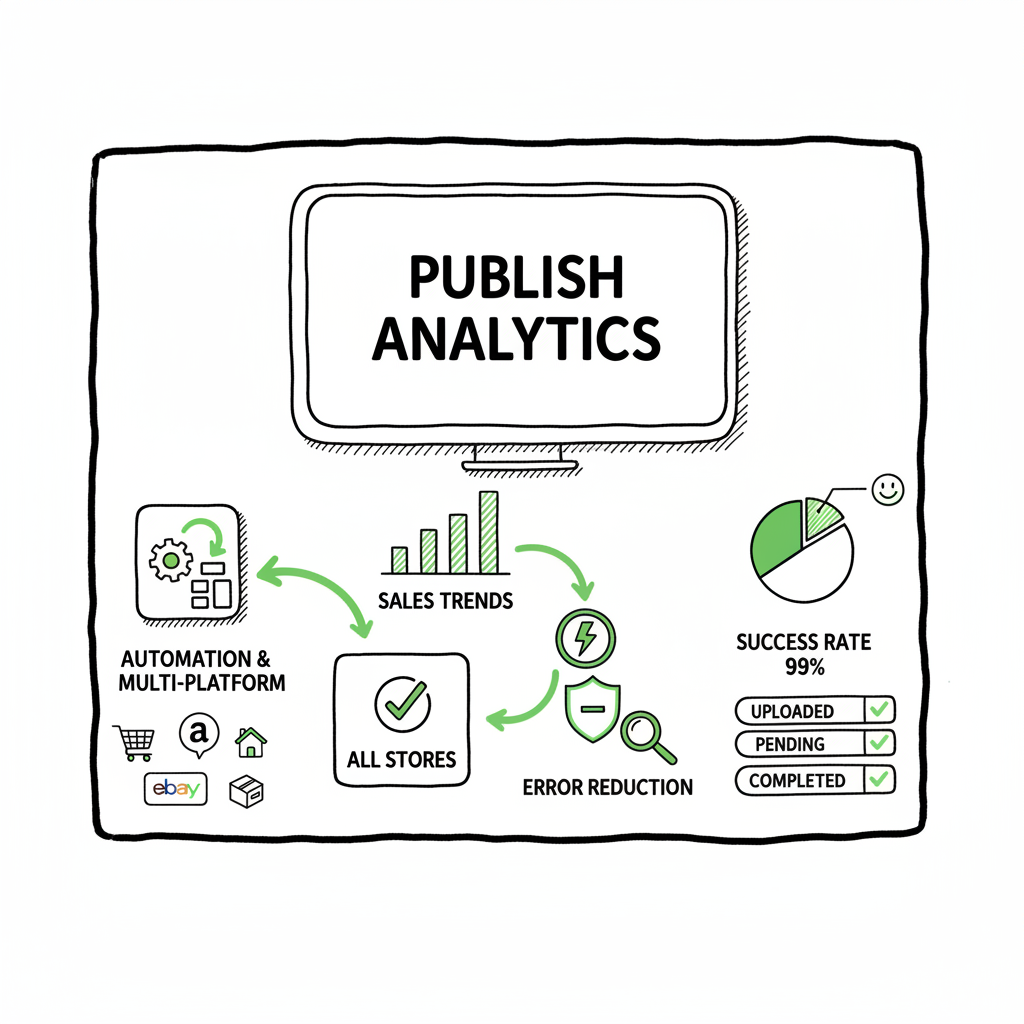
A per-title dashboard that shows upload status, pending warnings, and sales syncs gives you the view you need. Instead of switching accounts and tabs, you see which titles succeeded, which failed, and why. Some helper tools will send alerts or export error reports so you can assign fixes while the rest of the batch continues.
5) Safe automation with human review gates
Automation should not replace judgment. The best approach is automated preparation with a human signoff step for each title. That keeps the speed benefits but ensures author voice, legal checks, and creative choices remain human-controlled.
Real-world example: common time sinks removed
- Typing the same series description into each book page → replace with a series template.
- Resaving EPUB repeatedly for minor errors → automated validator points to the exact line or image.
- Uploading single titles one-by-one → CSV import uploads ten titles at once, then flags only those that need attention.
How to build a reliable, fast Kobo workflow
A reliable workflow depends on three pillars: clean inputs, smart automation, and a final human check. Below is an operator’s blueprint you can adapt.
1) Prepare clean inputs
Start with strict file hygiene. That means:
- One master manuscript file per edition.
- A validated EPUB for ebook stores and a print-ready PDF for paperback if you plan print.
- A high-quality cover file sized for each channel.
If you’re creating covers or converting formats, consider using book cover generator to remove manual friction. If you need to convert to EPUB from Word or other formats, use a dedicated EPUB converter that enforces clean markup and table-of-contents structure. Both tools remove repetitive formatting tasks so the rest of the workflow runs smoothly.
2) Build metadata templates
Define metadata templates for each title type:
- Core template (title, author, subtitle, series)
- Marketing template (description in short, medium, and long formats)
- Rights and pricing template (territories, DRM choices)
Keep marketing copy within retailer-aware lengths so descriptions paste cleanly into Kobo Writing Life. The goal is to have a single source of truth you export into CSV when batch uploading.
3) Validate assets automatically
Automate validation before upload. Your helper should:
- Check EPUB structure and images
- Ensure cover size and bleed for print
- Validate ISBNs and barcodes for paperbacks
This step prevents retailer rejections and ensures you don’t waste time on half-complete uploads.
4) Use batch upload and status tracking
Upload via CSV or API where available. Use a tool that:
- Accepts a CSV with file paths, metadata references, and pricing rows.
- Converts internal fields to Kobo-specific inputs.
- Reports back status per title with clear error codes.
When you can upload twenty titles from one CSV and only one needs correction, you’ve already won.
5) Keep a human review and launch checklist
Automation reduces drudgery; it doesn’t remove the need for quality control. A short checklist per title helps:
- Read the description in the live Kobo page for formatting quirks.
- Verify cover thumbnail at several scales.
- Confirm pricing and territory choices.
- Check sample download and table of contents.
This step can be quick — five minutes per title — because automation handled the heavy lifting.
Operational tips for scale
- Freeze content edits during batch uploads. Small changes during a multi-title batch will create confusion about which CSV version is authoritative.
- Use versioned CSVs and archive them. If you need to re-publish or correct, the CSV provides an audit trail.
- Prefer one tool that understands multiple stores. If you also publish on Amazon KDP, Apple Books, Draft2Digital, and Ingram, using a unified upload tool avoids reformatting and repeated metadata entry.
- Track errors as patterns. If a particular error repeats (e.g., image DPI), fix the root cause in the template rather than applying manual fixes each time.
How BookUploadPro fits in
BookUploadPro is built for this exact problem. It focuses on unified multi-platform publishing and automates repetitive uploads across Amazon KDP, Kobo, Apple Books, Draft2Digital, and Ingram. The platform is designed to produce retailer-compliant outputs — human-friendly descriptions and templates tuned to field length limits — and enforces clean formatting so fewer manual fixes are needed during the Kobo Writing Life upload.
Key operational advantages:
- CSV batch uploads: prepare a single CSV and let the tool push to each retailer dashboard.
- Platform-specific intelligence: the system translates your master metadata to Kobo-specific fields and enforces limits.
- Error reduction: automated validation and clear error reporting means fewer rejections and faster approvals.
- Time savings: authors report roughly 90% time savings on bulk uploads once the workflow is in place.
When authors reach the point of publishing seriously, BookUploadPro becomes an obvious upgrade: automate the upload. Own the distribution.
Practical checklist to adopt helper tools without risk
- Pilot with three titles first. Use automation on a small set to verify behavior across regions and formats.
- Keep a human review gate; don’t auto-publish without inspection.
- Maintain original master files and archive the CSVs used for upload.
- Use a tool that allows rollback on a per-title basis or at least makes corrections straightforward.
- Monitor the first month of live titles closely for unexpected display issues or metadata truncation.
When to avoid full automation
- Major brand or legal changes where human legal review is required.
- Titles with manual distribution deals or exclusivity clauses.
- Very niche formats (complex illustrated books with custom layout) where automated conversion may harm fidelity.
BookAutoAI tools that help the input side
If you handle covers, EPUB conversion, or file creation as part of your workflow, consider these tools that integrate well with batch workflows:
- For cover work, a book cover generator can automate correct dimensions and bleed settings and produce consistent branding across a series.
- If you need to convert to EPUB from manuscripts, an EPUB converter produces clean output that passes retailer validators more often than ad hoc exports.
- For building print and ebook files, book creation tools help ensure your paperback and ebook assets are retailer-ready.
FAQ
What exactly is a Kobo dashboard helper tool?
A tool or set of features that sits alongside Kobo Writing Life to automate repetitive tasks: metadata templating, file validation, CSV batch uploads, and a unified status dashboard that reports title-level success and errors.
Will automation change my book’s voice or brand?
No, not if you use templates wisely. Automation handles formatting and structure; you remain responsible for tone and brand in the content fields. A good helper preserves human phrasing while enforcing retailer constraints.
How much time can I expect to save?
That depends on catalog size. For single titles, savings are modest. For multiple titles or frequent releases, authors can see roughly 70–90% time savings on the upload and metadata task list once templates and validation are in place.
Do I still need to visit Kobo Writing Life?
You should verify final listing pages in KWL, but you won’t need to perform the repetitive entry steps. The helper pushes data and flags issues; the KWL visit becomes a final-check step.
What file formats should I prepare?
For ebooks, validated EPUB files are standard. For print, use print-ready PDF files with correct bleed and spine settings. High-quality JPG or PNG covers sized to retailer specifications complete the package.
Are there risks of errors if automation is used?
Risks are lower overall because validations catch common issues early. The main risk is a template or CSV mistake that repeats across titles. Always pilot and include human review to catch these.
Can helper tools push to multiple retailers at once?
Yes. The modern helper model is multi-platform: upload once, and the tool adapts fields for each retailer. That’s how distribution becomes practical and affordable.
Sources
- Kobo Writing Life — https://www.kobo.com/us/en/p/writinglife
- Kobo & Kobo Plus: Key Players in Wide Publishing — https://publishdrive.com/kobo-distribution-and-benefits.html
- Top Kobo Writing Life Automation Tools 2025 — https://blog.bookautoai.com/ai-book-writer-kdp-automation/
- Best Kobo Writing Life Automation Tool — https://blog.bookautoai.com/best-kobo-writing-life-automation-tool/
- Publisher Champ — https://www.publisherchamp.com
- Dashboard Development | KoboToolbox — https://www.kobotoolbox.org/services/dashboard-development/
- Automating M&E Workflows with KoboToolbox & TolaData — https://www.toladata.com/blog/automating-kobo-workflows/
- Automate KoboToolbox Workflows: From Form Submission to Excel Dashboards & Asana Tasks with OpenFn — https://www.youtube.com/watch?v=OXY7x4V67_g
- How To Publish A Book On Kobo — https://ghostwritingsolution.com/blog/how-to-publish-a-book-on-kobo/
Final thoughts
If you regularly publish more than one title a year, helper tools that integrate validation, templates, and batch upload should be part of your stack. They make scaling predictable, reduce errors, and leave room for the creative work that matters. BookUploadPro is designed for authors who want that practical upgrade: unified multi-platform publishing, CSV batch uploads, platform-specific intelligence, and meaningful time savings.
Wrap up: embrace a practical upgrade and test with a small batch to confirm behavior before a full release.
Kobo Dashboard Helper Tools for Faster Publishing Estimated reading time: 18 minutes Key takeaways Kobo-focused dashboard helpers cut repetitive tasks and make multi-store publishing practical for active authors. Automation should enforce retailer-aware formatting, reduce errors, and hand off human review rather than replace it. Unified multi-platform upload (CSV batch uploads, platform-specific intelligence) saves time —…