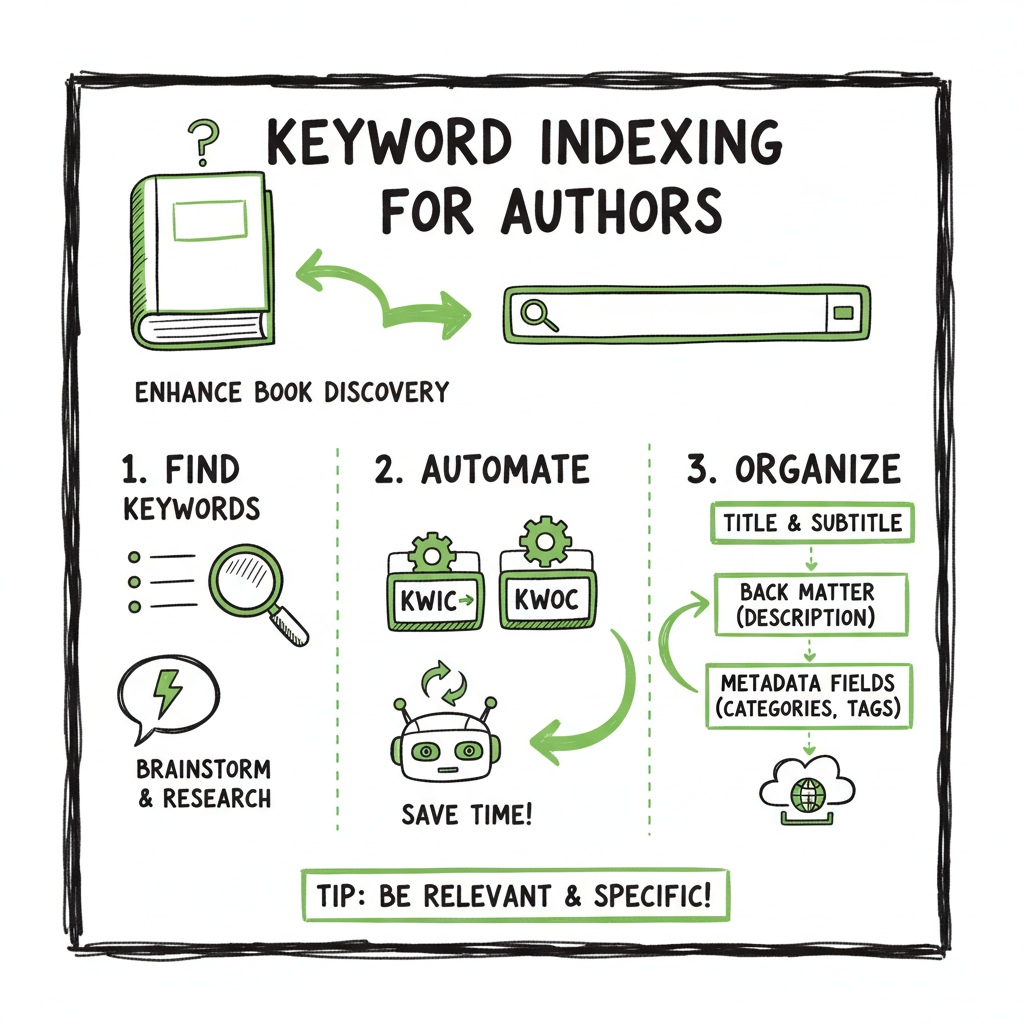
Keyword Indexing for Books Practical Steps for Authors
Keyword indexing for books: a practical guide for self-publishing authors
Estimated reading time: 9 minutes
Key takeaways
- Keyword indexing for books makes your title, back matter, and metadata searchable across systems; it mixes simple automation (KWIC/KWOC) with human judgment.
- Authors should apply keyword selection, contextual entries, and platform-aware metadata to improve discovery on stores and libraries.
- Use automation and batch tools to scale indexing tasks, but keep human review for nuance; unified publishing platforms cut repetitive work by ~90%.
- When preparing files, cover, and EPUBs, use purpose-built tools to avoid formatting errors and speed distribution.
Table of Contents
- What is keyword indexing for books?
- Practical steps for authors: KWIC, KWOC, and metadata
- Automation and multi-platform publishing
- FAQ
What is keyword indexing for books?
Keyword indexing for books is the practice of selecting significant words and phrases from a work’s title, chapter headings, back matter, or full text and turning them into searchable entries that preserve context. The goal is simple: let readers, librarians, and discovery systems find the book when they search for relevant terms.
There are two common technical approaches:
– KWIC (Keyword in Context): keywords are extracted with surrounding words preserved so each index entry shows how the word is used.
– KWOC (Keyword out of Context): keywords are listed without context, often useful for compact listings but weaker for meaning.
For self-publishers the practical value is threefold: better metadata for stores, clearer back-of-book indexes for non-fiction, and machine-readable keywords that improve routing in library and retail systems. Effective keyword indexing balances automated extraction with human curation so you don’t miss important concepts or introduce misleading entries.
Practical steps for authors: KWIC, KWOC, and metadata
Start with the manuscript and title. Early tasks that improve indexing and discoverability include:
- Build a targeted stop list. Remove common stop words (a, the, in) so your index focuses on meaningful terms.
- Create keyword entries from chapter titles and headings. Use a KWIC-style entry when context helps the reader; use KWOC for short lists like cataloging fields.
- Distinguish derived versus assigned keywords. Derived terms come from your text (useful for automated tools). Assigned terms are chosen by you to capture themes or genre labels that the text may not state plainly.
- Add platform-specific metadata. Retailers and aggregators accept keyword fields and subject codes. These fields are short; prioritize terms readers use and platform-recognized subjects.
Practical example workflow
- Export a clean, paginated proof or manuscript.
- Scan chapter titles and headings to pull candidate keywords.
- Run a KWIC tool or script to generate context windows for those candidates.
- Curate the list: remove duplicates, collapse synonyms, and group related terms under a primary term.
- Map the final list into your retailer metadata fields and back-of-book index as appropriate.
When you get to store uploads, metadata differs by platform. Optimizing fields for Amazon, Apple, Kobo, and Ingram requires small changes rather than a one-size-fits-all list. For a deeper look at Amazon-specific practices, this guide on Amazon Book SEO for Authors explains how keywords and metadata work on that platform and what to prioritize for discoverability.
Indexing vs. concordance vs. keywords
A concordance lists every occurrence of a word. A back-of-book index curates concepts, includes subheadings, and points readers to the most useful pages. Keyword indexing sits between those: compact and searchable, but ideally curated enough to guide readers and catalogers.
Automation and multi-platform publishing
At scale, manual indexing is slow. Automation can handle repetitive tasks like extracting candidate keywords and generating KWIC entries, but it has limits: nuance, ambiguous terms, and implied concepts still need human judgment.
Where automation helps most
- Bulk extraction from titles and headings.
- Generating KWIC context windows.
- De-duplicating and grouping synonyms using simple rules.
- Mapping keyword lists into CSV templates for platform uploads.
Where to keep humans in the loop
- Final curation of subject terms and genre labels.
- Ensuring back-of-book indexes are useful (not just exhaustive).
- Spot-checking paginated proofs for correct page numbers and references.
Tools and file preparation
- Use an EPUB converter early so you can test reflow and internal navigation; bad EPUBs can break indexing and table-of-contents links. A reliable EPUB tool reduces formatting errors and speeds distribution. EPUB converter
- Make or check covers with a dedicated cover generator so metadata used by retailers links to the correct image and color profile.
- For paperback and ebook creation, use services that handle trim sizes, bleed, and spine math to avoid last-minute rework. BookAutoAI
Scaling across platforms
If you publish to Amazon KDP, Kobo, Apple Books, Draft2Digital, and Ingram, a unified upload system turns repeated manual entries into a single CSV-driven process. Batch uploads and platform-specific intelligence (field mapping, formatting rules) cut repetitive work by roughly 90% and reduce errors that cause delistings or delays. When authors move from occasional releases to steady publishing, such systems are an obvious upgrade: automate the upload. Own the distribution.
Quality checks before distribution
- Test your keyword list against a sample search to verify it surfaces your book.
- Review back-of-book index entries on a paginated proof to confirm page numbers.
- Validate EPUB and cover specifications for each platform to avoid rejections.
FAQ
How is keyword indexing different from SEO?
Keyword indexing focuses on creating searchable entries tied to the book’s internal structure and cataloging systems. SEO for retailers emphasizes discoverability within a store’s ranking algorithms. Both overlap in metadata choices, but indexing is about precise retrieval and reader guidance, while SEO includes conversion signals like cover and description.
Can I automate back-of-book index creation?
You can automate candidate extraction (titles, headings, frequent phrases), but human editing is essential for a useful back-of-book index. Automated lists tend to be noisy; an index that helps readers requires curation.
Do I need separate keyword lists for each platform?
Yes. Platforms accept different field lengths, subject schemas, and controlled vocabularies. Use a core keyword list, then adapt it into platform-specific fields during upload. Batch upload tools and CSV templates make this practical.
What files should I prepare for indexing and uploads?
Prepare a paginated PDF for back-of-book indexing, a clean EPUB for ebook stores, high-resolution cover files for each channel, and a CSV of metadata for batch uploads. Use dedicated tools to reduce formatting errors and save time on repetitive tasks.
Should metadata be consistent across platforms?
Consistency helps readers and catalog systems, but platform-specific fields may require adjustments. Plan a core set of terms and map them to each storefront’s preferred conventions during uploads.
Is keyword indexing useful for fiction?
Yes, to improve discoverability of themes, motifs, and genres. The approach emphasizes meaningful terms that readers might search for when considering similar works or themes.
Sources
- Keyword in Context (KWIC) Indexing
- UNIT 13 KEYWORD INDEXING – eGyanKosh
- Keyword (IEKO) – International Society for Knowledge Organization
- Five-Step Process for Writing a Book Index
- Indexing guidelines | UCL Press
- Overview Of Indexing « Kari Kells Index West
Keyword indexing for books: a practical guide for self-publishing authors Estimated reading time: 9 minutes Key takeaways Keyword indexing for books makes your title, back matter, and metadata searchable across systems; it mixes simple automation (KWIC/KWOC) with human judgment. Authors should apply keyword selection, contextual entries, and platform-aware metadata to improve discovery on stores and…