KDP release date issues and how to avoid delays for authors
KDP Release Date Issues
Estimated reading time: 14 minutes
Key takeaways
- KDP release date issues usually come from confusing publication vs release dates, time‑zone rollouts, and KDP’s review and lockout windows.
- Plan around KDP’s timelines (3–10 business days review; 5 days for scheduled print lockout; 72 hours for ebook pre‑orders) and allow extra propagation time after 12:00 AM GMT.
- Automation that prepares KDP‑ready files and metadata reduces last‑minute changes and cuts the risk of live‑date delays — once you publish seriously, a tool that batches uploads is an obvious upgrade.
Table of Contents
- What causes kdp release date issues?
- How to plan launches and avoid timing problems
- Using automation to protect your release schedule
- FAQ
What causes kdp release date issues?
Authors see a “missed” launch for a few predictable reasons. Understanding those causes will let you plan around them instead of reacting in panic.
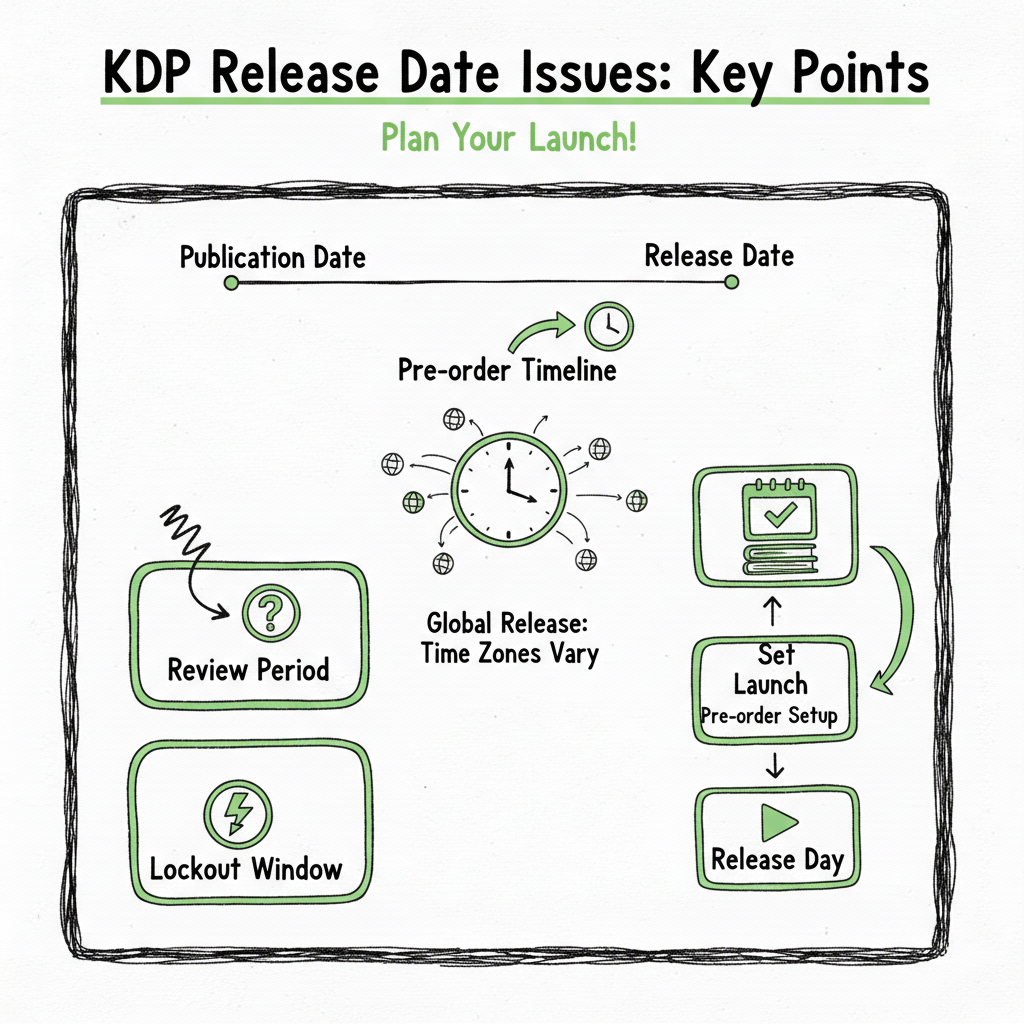
Publication date vs release date
KDP stores two related but different dates. The publication date is bibliographic — it’s when the work was first published in any form. The release (or on‑sale) date is the moment Amazon makes the book available for purchase. Those dates can be different on purpose. If you previously published an ebook elsewhere, or you schedule a later print release, the two dates won’t match and the detail page can look inconsistent.
Hidden detail pages and midnight rollouts
For scheduled print releases, KDP will keep the product detail page hidden until the chosen release date. On the day of release, Amazon turns buying on at 12:00 AM GMT. That’s a hard fact that trips authors up: 12:00 AM GMT is not midnight in all time zones, and regional marketplaces often need extra hours to index and show the item in search and storefronts. Authors see the date arrive but don’t always see the buy button instantly; that lag looks like a delay.
Review queues and submission timing
KDP runs automated and sometimes manual review. Typical processing takes roughly 3–10 business days. If you submit files too close to your target release date, the review can push the live moment later. For many authors the single biggest cause of problems is setting an aggressive release date without giving Amazon time to process uploads.
Lockout windows and last‑minute edits
KDP enforces no‑change periods that are blunt by design. For scheduled print releases you cannot change the release date, unpublish, or update files within five days before release. For ebook pre‑orders, manuscript and details are locked within 72 hours of the launch. If you discover an error inside those windows, you can’t push fixes without triggering penalties or needing to cancel the pre‑order. Those rules are helpful for stability, but they also mean last‑minute corrections are often impossible.
Pre‑order delay policy
If you use a pre‑order, KDP allows a one‑time delay of up to 30 days without penalty. After that, further delays or cancellations can make you ineligible to set up new pre‑orders for a year. That rule exists to prevent abuse of the pre‑order mechanism, but it raises real risk if your process or files are unreliable.
Format‑specific behavior
Different formats behave differently. A paperback might be hidden until release and roll out at 12:00 AM GMT, while an ebook pre‑order becomes available at the specified moment but still needs index time. Community reports show paperback dates sometimes shift while ebook or hardcover display correctly; that happens because the platform recalculates or displays dates differently across formats during processing and marketplace propagation.
Why authors misinterpret delays
The layer of internal processing, lockouts, and propagation makes the visible date on Amazon a complex output — not a single fixed timestamp that always reflects when the title was ready inside your account. Authors expect a precise live moment; KDP’s systems are built to be safe and consistent across many regions, which produces delays or surprising displays when expectations don’t match operational reality. If you want more context on how KDP’s review flow can change what you see, read this piece on Amazon KDP Review Delays for deeper background.
For more context on how KDP’s review flow can change what you see, read this piece on Amazon Kdp Review Delays for deeper background.
How to plan launches and avoid timing problems
The practical approach is simple: add buffers, prepare final files early, and limit last‑minute changes. Below are specific steps that work at scale.
Start with realistic timelines
Assume at least 7 business days for full review and propagation, and allow up to 10 when you publish in multiple formats or during holiday season. That gives breathing room for review flags or small corrections. If you have a pre‑order, schedule the release after that buffer or use the pre‑order date as a soft target, not a hard deadline.
Set the publication and release dates correctly
Know the difference between publication date and release date and set both intentionally. If you want a consumer to see a particular on‑sale date, make sure the release date is the one you use for scheduling — the publication date is a bibliographic field and will not force the on‑sale behavior.
Respect KDP’s lockout windows
Finish updates before the 5‑day (print) or 72‑hour (ebook pre‑order) lockout windows. If you must revise inside the window, expect disruption: you may need to delay or cancel, and you risk losing future pre‑order eligibility. Treat those cutoffs as fixed and plan content freezes for production workflows.
Avoid last‑minute metadata edits
Metadata changes (title, contributors, publication date) can prompt reprocessing. If your metadata needs frequent last‑minute edits, build review steps earlier in the schedule and lock the metadata before the buffer window begins.
Account for time zones and propagation
Remember the 12:00 AM GMT rollout for scheduled print releases. A title may show as “live” in some regions while still propagating in others. Expect several hours after the nominal release time for search and buy buttons to appear globally.
Prepare final files in KDP‑friendly formats
Files that are already formatted to KDP standards are less likely to trigger review comments. That means correct margins, embedded fonts, image resolution, and an accurate table of contents. If your workflow requires EPUB conversion or cover work, do those steps early rather than in the last week.
Create a freeze and review checklist
Adopt a content freeze: no substantive manuscript, metadata, or pricing changes inside your chosen buffer. Use a short checklist to confirm front matter, copyright page, BISAC codes, pricing, and review the Amazon detail preview before you lock the record. That reduces risky changes close to launch.
Use test ISBNs and soft launches for complex titles
If you’re worried about a new format or a complex paperback, consider a soft launch in a smaller marketplace or use a test ISBN to validate files and workflows before your global release. That reveals potential problems without risking a primary launch window.
Track progress rather than panic
KDP will often be processing while you check the page. Use a simple tracking method: record upload timestamp, status messages in KDP, and the date you will stop edits. If KDP indicates manual review or asks for changes, act quickly but within the rules. Understanding the system’s steps removes uncertainty and reduces frantic reuploads that make things worse.
Using automation to protect your release schedule
Automation helps, and what it can and cannot do is important to recognize.
What automation fixes
- Consistent files and metadata: Automation generates KDP‑ready manuscripts with margins, TOC, and embedded fonts that match platform expectations. That lowers the chance of rejections or review comments that push a live date.
- Batch uploads: Upload many books at once using CSVs or structured metadata. That removes human copy‑paste errors and speeds up the submission process so you meet the 3–10 business‑day review window comfortably.
- Platform intelligence: Good systems understand the differences between Amazon, Kobo, Apple Books, Draft2Digital, and Ingram. They prepare slightly different packages where needed so you don’t have to rework a file for each store.
- Time savings and repeatability: Automation reduces repetitive steps by roughly 90% for authors publishing at scale. That time back is where reliable scheduling comes from — you have time to QA instead of rushing uploads.
What automation does not change: Automation can’t change KDP policy. It can’t override KDP’s review queues, force an earlier 12:00 AM GMT release, or prevent KDP from enforcing lockout windows. You still need to plan buffers and comply with the rules. Automation is a tool to reduce your side of the risk, not to change platform behavior.
How a practical workflow looks
- Finalize manuscript and cover early. Use a good cover generator to produce print‑ready art and accurate spines.
- Convert to EPUB early and validate it with a conversion tool to catch errors before upload.
- Generate the KDP packages and metadata files via automation, export CSVs for bulk upload, and schedule a release date that respects review time.
- Perform a quality check on a representative sample file rather than every single book if you publish in volume.
- Lock the project before the 5‑day or 72‑hour window and monitor KDP processing logs.
If you are doing any of the steps above, BookUploadPro was built for this workflow. It prepares KDP‑ready files and metadata, supports CSV batch uploads, and offers platform‑specific intelligence for Amazon KDP, Kobo, Apple Books, Draft2Digital, and Ingram. The service aims to reduce errors that force last‑minute changes and to help authors respect KDP’s review times and lockout windows.
Key benefits at a glance
- Unified multi‑platform publishing from one interface.
- CSV batch uploads that cut repetitive error and speed the submission process.
- Formatting tuned for KDP requirements so files are less likely to trigger reprocessing.
- ~90% time savings on repeat uploads, so you can build realistic buffers.
- Affordable pricing and a free trial, which makes wide distribution practical for serious authors.
Limits and best practices
Remember that automation is about risk reduction. KDP still controls the final live timestamp and date displays. Use BookUploadPro to generate final files early, run internal QA, and submit with a comfortable buffer. That approach lowers the chance of encountering kdp book live date delay or kdp publish date issues, but it does not eliminate the need to understand KDP’s official timelines.
Cover, EPUB, and paperback preparation (tool links)
When you need a print‑ready cover, a reliable cover generator speeds layout and reduces spine errors. For EPUB conversion, use an EPUB converter that produces KDP‑compatible files so the ebook review is smooth. If you are creating a paperback or ebook in volume, consider a platform that supports bulk generation and distribution to multiple stores. These three tasks — cover, EPUB, and generation of print/ebook files — are often the steps that cause last‑minute changes if left to the final day, so move them earlier in your schedule. For practical tool options, try a trusted cover generator, an EPUB converter, and a service that supports bulk book creation to lower risk across the board.
FAQ
Q: Why does my paperback show a different date than my ebook?
A: Paperback and ebook follow different processing steps. A paperback scheduled for release may remain hidden until 12:00 AM GMT on the release date, and its marketplace propagation can lag. Ebook pre‑orders or immediate releases use a different flow, so dates can appear inconsistent across formats.
Q: I scheduled a release but the buy button didn’t appear at midnight. What happened?
A: Even after the scheduled release time, marketplace indexing and content propagation can take hours. If you hit the KDP lockout windows correctly and gave enough review time, wait a few hours for the storefront to index the title globally.
Q: Can I change my pre‑order release date at the last minute?
A: KDP allows a one‑time delay of up to 30 days for a pre‑order without penalty. After that, further delays or cancellations can block pre‑orders for a year. Also, changes within 72 hours of release are disallowed for pre‑orders. Plan carefully and reserve the one‑time delay for true emergencies.
Q: What if KDP asks for changes during review and I’m inside the lockout window?
A: If KDP requires changes and you’re inside the lockout window, your options are limited. You may need to delay or cancel the release, which can have penalties for pre‑orders. The safest approach is to prevent that scenario by validating files and metadata before the buffer period.
Q: Will an automation tool guarantee my release date?
A: No tool can guarantee Amazon’s internal processing times or policy outcomes. Automation lowers the chance of file‑related problems and speeds submissions, which statistically reduces live‑date delays. But KDP’s review queues and propagation rules remain in Amazon’s control.
Final thoughts
KDP release date issues are usually a predictable set of timing and process problems, not mysterious bugs. The three control points are: (1) submit final files early to respect the 3–10 business‑day review window, (2) freeze significant edits before the 5‑day print or 72‑hour ebook lockouts, and (3) allow hours of propagation after the 12:00 AM GMT rollout for scheduled print releases. For authors publishing multiple titles, automation that creates KDP‑ready files, handles EPUB conversion and covers, and supports CSV batch uploads lowers the operational risk and saves time. When you reach the point of publishing seriously, an automated, multi‑platform upload service is an obvious upgrade.
If you’re trying to remove late glitches and missed launches from your publishing calendar, start by moving finalization tasks earlier and consider a tool that prepares platform‑specific files and metadata automatically.
Visit BookUploadPro to try the free trial and see how batch uploads and KDP‑aware file generation can simplify your release schedule.
Sources
- Release Date Options – Kindle Direct Publishing Help
- Schedule a Release – Kindle Direct Publishing Help
- Delay or Cancel a Pre-order Release – Kindle Direct Publishing Help
- Timelines – Kindle Direct Publishing
- KDP keeps changing the release date! – KDP Community
- Book cover generator and processing
- EPUB converter
- Bulk paperback and ebook generation
- Amazon KDP Review Delays (further reading)
KDP Release Date Issues Estimated reading time: 14 minutes Key takeaways KDP release date issues usually come from confusing publication vs release dates, time‑zone rollouts, and KDP’s review and lockout windows. Plan around KDP’s timelines (3–10 business days review; 5 days for scheduled print lockout; 72 hours for ebook pre‑orders) and allow extra propagation time…