KDP Listing Optimization Guide for Better Book Sales
kdp listing optimization guide
Estimated reading time: 14 minutes
Key takeaways
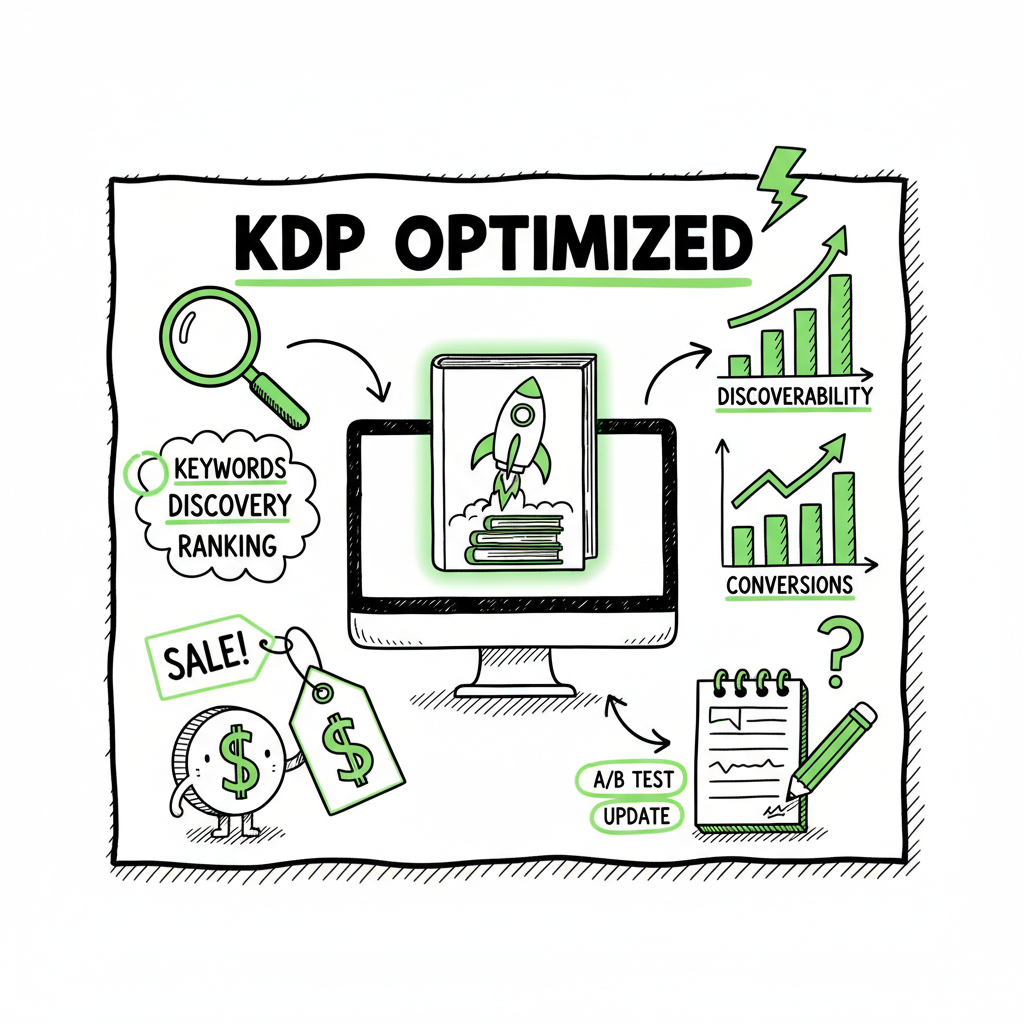
- KDP listing optimization means tuning title, subtitle, description, keywords, categories, price, and cover to improve discoverability and conversions.
- Treat optimization as ongoing: test pricing, track performance, and update metadata quarterly for steady gains.
- When you publish at scale, automation and batch tools cut repetitive work and reduce errors—BookUploadPro saves time across platforms.
Table of Contents
- Why KDP listing optimization matters
- Step-by-step KDP listing optimization guide
- Measuring, testing, and scaling your listing strategy
- FAQ
- Sources
Why KDP listing optimization matters
Good book ideas still need good listings. On Amazon, your listing is the bridge between a search and a sale. A clear title, a sharp subtitle, a useful description, smart keyword choices, accurate categories, attractive cover, and sensible pricing all work together. This is what “kdp listing optimization guide” covers: practical changes that increase discoverability, click-through rate, and conversions.
Optimization is not one-off. Search behavior changes, competitors change, and Amazon updates category rules. The work that pays off is continuous: track what moves the needle, make small changes, and keep learning. For authors who publish more than one or two books a year, automation becomes essential. For example, for deeper automation on metadata, see Amazon Kdp Metadata Optimization Automation which explains how to batch and standardize metadata updates without repeating the same manual entries.
When you manage many titles, the human cost of copying fields, resizing covers, and repeating uploads adds up. That’s where unified multi-platform publishing matters. BookUploadPro connects Amazon KDP with Kobo, Apple Books, Draft2Digital, and Ingram, using CSV batch uploads and platform-specific intelligence to cut time and errors. That kind of scale makes advanced listing strategies practical rather than exhausting. Automate the upload. Own the distribution.
Practical tactic: start with 3–4 cover options and show them as thumbnails. If you need a reliable, automated option to create many covers efficiently, consider using a Book Cover Generator Processing to keep sizes consistent and speed up production.
Step-by-step KDP listing optimization guide
This section walks through the pieces of a listing and practical steps you can take. Follow these in order and test changes methodically.
1) Title and subtitle: precision first
- Keep the title accurate and readable. Avoid keyword stuffing. Your primary keyword phrase can appear if it reads naturally, but clarity for the reader is more important than search-engine tricks.
- Use the subtitle to include a few target phrases that describe the book’s benefit or niche. Subtitles are visible in search results and can influence clicks.
- Aim for concise, genre-appropriate phrasing. For fiction, strong emotional hooks and genre signals matter. For nonfiction, use benefit-led subtitles that include niche keywords.
Practical tactic: make a short list of 3–5 titles/subtitles and run them by a small test list of readers or other authors. Track which version gets more clicks in Kindle Deals or in-store A/B tests (if you run ads).
2) Keywords: targeted, not generic
- KDP allows up to seven keyword slots, 50 characters each. Use them wisely.
- Focus on high-traffic, lower-competition phrases that match reader intent for your book’s niche. Long-tail keywords often perform better than generic high-competition words.
- Don’t repeat the same word across multiple slots; combine different natural phrases to broaden reach.
Practical tactic: create a keyword bank from competitor title/subtitle phrases and tools you already use. Pick seven complementary entries that cover genre, subgenre, audience, and problem your book solves.
3) Categories: niche over crowded
- Choose categories where you can rank with fewer sales. Narrower, less competitive categories give you faster visibility.
- KDP lets you select categories and request additional ones via support or use the “Browse Categories” option on the backend. Keep an eye on category rules—Amazon updates them periodically.
Practical tactic: pick one or two more niche categories in addition to a broader one. If your book fits multiple niches, rotate categories between updates to test where you gain rank faster.
4) Description: sell the read, not the idea
- The description is where readers decide to buy. Lead with a short hook, then outline what the book delivers and who it’s for. Finish with a simple call to action.
- Use short paragraphs, bold or italics sparingly (KDP supports HTML tags), and make it scannable for mobile readers.
- Naturally embed your primary keywords. Don’t turn the description into a keyword list—make it readable and convincing.
Practical tactic: structure descriptions with three parts—hook (1–2 lines), what’s inside (three short bullets or short paragraphs), and reader benefit (1–2 lines). Test different CTAs like “Start reading today” versus “Download now.”
5) Cover: genre-first design
- Covers are the visual shorthand for genre and quality. Invest in a genre-appropriate cover that reads well as a thumbnail.
- If you’re doing many covers, consider a template approach so series have coherent branding.
- If you need a fast, consistent solution for many titles, use a book cover generator that handles sizing and templates so you don’t waste time on every single upload.
Practical tactic: start with 3–4 cover options and show them as thumbnails. If you need a reliable, automated option to create many covers efficiently, consider using a Book Cover Generator Processing to keep sizes consistent and speed up production.
6) Format and files: clean EPUB and paperback interiors
- Uploading the right file types matters. For ebooks, a clean EPUB reduces conversion issues and customer complaints.
- For paperbacks, ensure the interior PDF matches trim size and has proper margins.
- If you convert manuscripts frequently, use a reliable EPUB converter to avoid formatting errors and rework.
Practical tactic: keep a standard checklist for formatting: table of contents links work, images have DPI 300 for print, fonts are embedded, and margins match the chosen trim size.
7) Pricing and royalties: test, then optimize
- Price strategically. For fiction, entry-level prices can drive volume. For nonfiction, value-based pricing often works better.
- Use short promotions and pricing experiments. Amazon’s ranking algorithm responds to sales velocity, so temporary discounts or Kindle Countdown Deals can boost long-term visibility.
- Consider regional pricing and expanded distribution; different markets respond to different price points.
Practical tactic: pick a baseline price and test two lower/higher prices for a few weeks each. Track page reads (if enrolled in KDP Select) and conversion rate.
8) A+ Content and enhanced pages
- If your account is eligible, use A+ Content or Enhanced Brand Content for author pages and product details. These elements can improve conversions by showing sample chapters, clean facts, or author bios.
- Keep these sections focused on reader benefit rather than marketing copy.
Practical tactic: add a simple author bio and a short sample chapter or table of contents in A+ content. Measure whether the changes increase conversions.
9) Reviews and social proof
- Reviews build trust. Ask early readers and newsletter subscribers for honest reviews after they’ve read the book.
- Avoid incentivized reviews which violate platform rules; instead, focus on outreach to genuine readers.
Practical tactic: set a soft schedule: ask readers two weeks after publication for feedback, and again after one month if they haven’t responded. Use reader magnets and email lists to build an initial review base.
10) Metadata hygiene and updates
- Keep a record of the keywords, categories, titles, and pricing you test. Update the listing regularly—quarterly is a good cadence for most titles.
- Small, consistent changes matter more than massive rewrites. Treat metadata like a living asset.
Practical tactic: maintain a CSV with each title’s current metadata and results. If you publish multiple titles, use CSV batch uploads to update many listings consistently and safely.
Practical notes on scale and automation
If you publish multiple titles, the time spent on each manual upload multiplies. BookUploadPro is built for that problem: CSV batch uploads, platform-specific intelligence that adjusts ISBNs and cover requirements, and error reduction that keeps your catalog clean. For many authors and small presses, the shift from manual uploads to automated workflows saves around 90% of the time spent on distribution tasks. It’s an obvious upgrade once authors start publishing seriously.
When to consider automation
- You have more than three books and plan to publish several per year.
- You want wide distribution to Apple Books, Kobo, Draft2Digital, and Ingram without repeated manual entry.
- You value consistent metadata across platforms and fewer rejections or formatting errors.
Measuring, testing, and scaling your listing strategy
Optimization is measurement-driven. Here’s how to structure your tests and scale what works.
1) Define the metrics that matter
- Discoverability: search impressions and page views.
- Engagement: click-through rate from search to product page.
- Conversion: sales or borrows (KDP Select) per page view.
- Retention: long-term sales trends and series performance.
Practical tactic: use a simple dashboard (spreadsheet is fine) tracking page views, sales, price changes, and whether you ran promotions. Note the dates of metadata changes so you can correlate actions and results.
2) Run controlled experiments
- Change one element at a time. If you test title and cover simultaneously, you won’t know which change produced the shift.
- Run tests for a meaningful period—typically two to four weeks—unless you see immediate errors or problems.
Practical tactic: schedule changes quarterly for each title and rotate which element you test: Q1 covers, Q2 descriptions, Q3 keywords, Q4 pricing. That way you build a steady cycle of improvements.
3) Scale winning variants
- When a change produces consistent gains, roll it out to similar titles. For example, a new subtitle structure that improves conversions for one nonfiction book may help a whole series.
- Keep templates for genres and series so updates are faster and consistent.
Practical tactic: maintain a template library with tested title patterns, description formats, and cover styles. Use batch uploads to update multiple listings with the same change.
4) Reduce human error with platform-aware uploads
- Different platforms have slightly different requirements: image sizes, file types, and category mappings vary.
- Use a tool that understands each platform’s rules to avoid rejections. Platform-specific intelligence means the tool will adapt fields like ISBN handling or image dimensions automatically.
Practical tactic: save platform presets for Amazon KDP, Kobo, Apple Books, and Ingram. When you export a CSV, the file matches each platform’s expected columns.
5) Maintain a steady update cadence
- Optimization loses steam if it’s random. A quarterly review forces you to check metrics, run experiments, and keep metadata current.
- Quarterly updates also help you react to seasonality, new competitors, or changes in reader behavior.
Practical tactic: set calendar reminders and block a half-day each quarter to review the performance spreadsheet and implement up to two changes per title.
Practical tools and common pitfalls
Tools: keyword research tools, simple analytics spreadsheets, and a reliable EPUB converter are the basics. If you publish multiple books, you’ll also want batch upload tools and a cover solution that outputs correctly sized images at scale. If your workflow repeatedly mentions converting manuscripts to epub, use a trusted EPUB converter to avoid formatting problems that cost time and reader complaints.
- Pitfalls to avoid
- – Changing too many things at once. Isolate variables.
- – Over-optimizing for keywords at the expense of clarity. People buy books; algorithms rank titles.
- – Ignoring platform differences when expanding distribution—what works on KDP may not map directly to Apple Books or Kobo.
When to hire help, and when to automate
If you publish one book every year, manual uploads and occasional A/B tests may be adequate. If you plan multiple titles, translations, or wide distribution, automation is the practical path. Automation keeps metadata consistent, avoids repetitive errors, and frees your time for writing and promotion. BookUploadPro offers an entry point with affordable pricing and a free trial so you can test batch uploads, CSV templates, and platform-specific intelligence before committing.
FAQ
Q: How often should I update my KDP listing?
A: Quarterly reviews are a good baseline. If you’re running promotions or ads, review before and after campaigns. Small, data-driven changes work better than constant random edits.
Q: What is the most important part of a listing?
A: For discoverability, keywords and categories matter. For conversion, cover and description lead. Treat the listing as a funnel—visibility first, then persuasion.
Q: Can I use the same metadata across platforms?
A: Yes and no. You can reuse titles, subtitles, and descriptions, but format and category fields may differ. Use platform presets or platform-aware tools to ensure the metadata maps correctly.
Q: How do I pick the best categories?
A: Look for niche categories with lower competition where your book can rank with fewer sales. Combine one broader category with one or two niche categories that match the audience.
Q: Should I worry about exact keyword placement in the title?
A: Place keywords only when they read naturally. Human readability and genre signals are more important than squeezing in exact phrases.
Q: What if my book series has inconsistent covers?
A: Consistent series branding improves recognition and conversions. Use templates or a consistent cover approach to align titles visually.
Sources
- How to Optimise Your Amazon KDP Book Listing
- How to Optimize Your Kindle Book Listing for Maximum Visibility
- Quarterly Listing Optimization for KDP
- Make Your Book More Discoverable with Keywords
- A Guide to Optimizing Amazon KDP Metadata for Books Listing
kdp listing optimization guide Estimated reading time: 14 minutes Key takeaways KDP listing optimization means tuning title, subtitle, description, keywords, categories, price, and cover to improve discoverability and conversions. Treat optimization as ongoing: test pricing, track performance, and update metadata quarterly for steady gains. When you publish at scale, automation and batch tools cut repetitive…