KDP ISBN vs ASIN — What They Mean and Do You Need One
kdp isbn vs asin (do you need isbn)
Estimated reading time: 9 minutes
Key takeaways
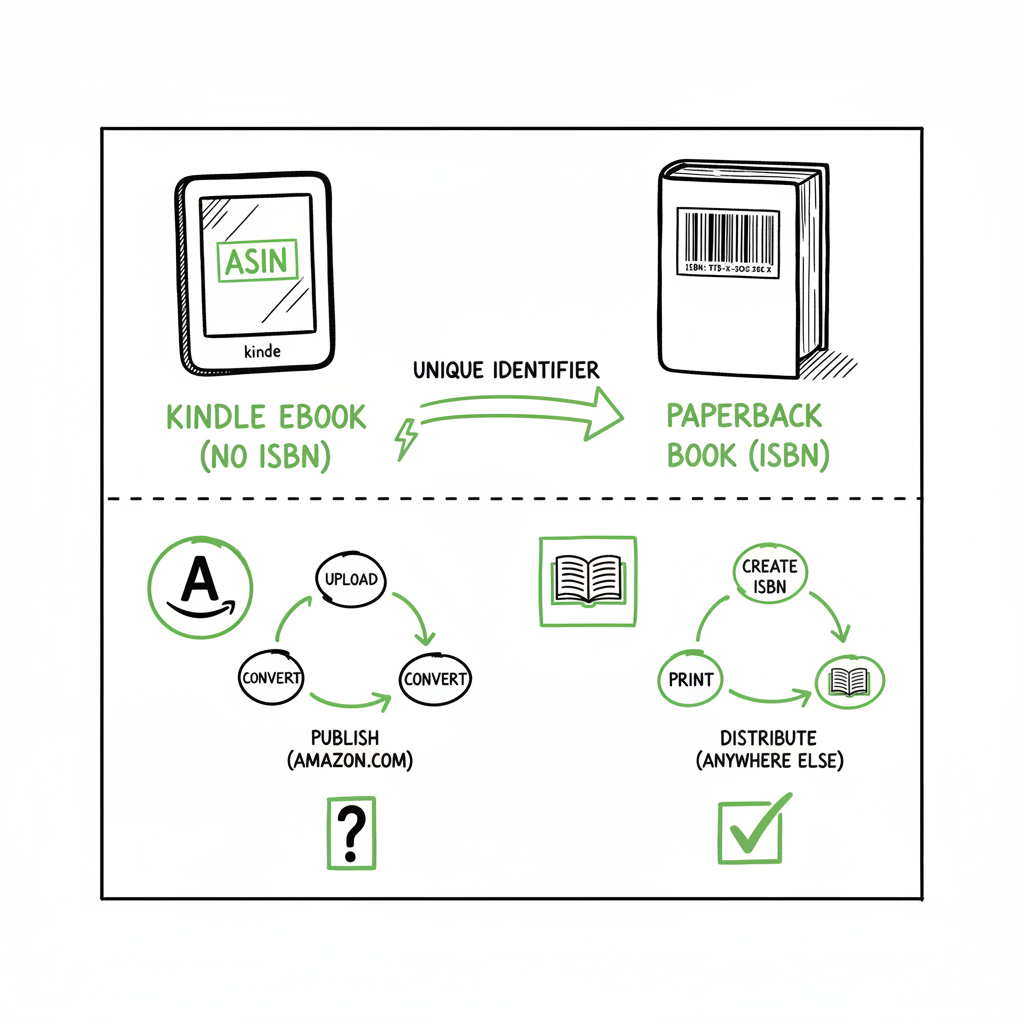
- KDP assigns an ASIN to every Amazon listing; paperbacks and hardcovers on KDP also require an ISBN. Kindle eBooks do not need an ISBN to publish on Amazon alone.
- A free KDP ISBN is fine for Amazon-only print distribution but lists Amazon as the publisher and limits control over metadata; owning your ISBN keeps control and is required for wide distribution.
- Decide by your distribution goal: Amazon-only authors can rely on ASIN + free KDP ISBN for print; authors who want bookstores, libraries, or wide retailers should buy their own ISBNs for each format.
Table of Contents
- What ASIN and ISBN mean for your book
- Choosing the right identifier for your goals
- Frequently asked questions
- Sources
What ASIN and ISBN mean for your book
If you’re asking “kdp isbn vs asin (do you need isbn),” start with the goal. The primary choice is not a technical mystery: Amazon uses an ASIN (Amazon Standard Identification Number) for every item on its site, including Kindle ebooks. Paperbacks and hardcovers sold through KDP, however, must have an ISBN. Kindle files do not need an ISBN to appear on Amazon, because Amazon gives the listing an ASIN automatically.
That practical split is what trips authors up. ASINs are platform IDs that only work inside Amazon. If your plan is to stay inside Amazon—sell Kindle ebooks and use KDP print with Amazon’s free ISBN—you can publish without buying your own ISBNs. If you want to sell the same book in bookstores, libraries, or on other retailer platforms, an ISBN is the internationally recognized identifier those channels require.
If you prefer to offload the upload work, check how Self Publish Book Amazon Kdp handles metadata and identifier choices as part of a done‑for‑you upload process. That service is useful when you want someone to pick the right ID strategy for your distribution plan and set the correct metadata across formats.
- ASIN: Amazon-only SKU. Good for Kindle listings and internal tracking. Not usable outside Amazon.
- ISBN: Global book identifier. Required by retailers, libraries, and distributors outside Amazon’s listing system. Each format (ebook, paperback, hardcover) should have its own unique ISBN when you go wide.
A note about ebooks and ISBNs: KDP does not require an ISBN for Kindle ebooks. If you later move that file to other ebook stores, those platforms often expect an ISBN (or use their own identifier systems), so planning matters. If you plan to distribute widely from the start, assign an ISBN that you control to avoid re-keying metadata later.
Practical tools you might use: When you prepare print files or distribute to multiple stores, you’ll often convert manuscripts to EPUB for wide ebook distribution or generate print-ready files for paperback. If your workflow includes that step, an EPUB conversion tool can save time and avoid submission errors — for example, an EPUB conversion service will handle the technical formatting for retailers that require EPUB files.
Choosing the right identifier for your goals
Match the identifier to the distribution plan, not the fear of rules. Below are the common scenarios and what they mean for ASIN, free KDP ISBN, and owning your own ISBNs.
Scenario 1 — Amazon-only, minimal cost
What it looks like: You plan to sell Kindle ebooks and use KDP print primarily on Amazon.
What you need: Nothing to buy for Kindle; KDP will give an ASIN automatically. For print, you can accept a free KDP ISBN.
Tradeoffs: Free KDP ISBN maps control of the official publisher metadata to Amazon. It’s quick and costs nothing, but you cannot list yourself as publisher on that ISBN. If you later want to sell that same paperback through other distribution channels, having used Amazon’s free ISBN can complicate things.
Scenario 2 — Intend to go wide (Kobo, Apple Books, Ingram, bookstores)
What it looks like: You want the book available beyond Amazon, through multiple retailers and libraries.
What you need: Own your ISBNs for each format (ebook, paperback, hardcover). Own metadata and publisher name centrally.
Tradeoffs: Buying ISBNs costs money and requires managing them. The upside is long-term control over metadata, easier wide distribution, and consistent cataloging for bookstores and libraries.
Scenario 3 — Mixed approach (start Amazon, then go wide)
What it looks like: You want to test on Amazon but expect to expand later.
What you need now: You can publish on Amazon with ASIN for Kindle and free KDP ISBN for print. If you intend to move wide later, plan to reissue print editions under your own ISBNs to avoid metadata conflicts.
Tradeoffs: Re-launching under new ISBNs is work. If you care about discoverability and consistent sales history, buy your own ISBNs before the first wide release.
ASIN vs ISBN explained — simple rules
- ASINs are generated by Amazon. They’re fine for Amazon’s catalog and are mandatory for Kindle items.
- ISBNs are global. Use them when you need universal discoverability across retailers and trade channels.
- Each format needs its own ISBN when you go wide.
- A free KDP ISBN is a practical shortcut, not a long-term solution for wide distribution.
How BookUploadPro fits in
If handling those decisions feels like a distraction from writing, a publishing automation service can help. BookUploadPro automates multi-platform uploads across Amazon KDP, Kobo, Apple Books, Draft2Digital, and Ingram. It uses CSV batch uploads and platform-aware checks to save time, reduce errors, and keep metadata consistent across formats and stores. For authors publishing seriously, it’s an obvious upgrade: automate the upload. Own the distribution.
Formatting and file preparation tips
- When you create a paperback or ebook, keep format-specific files separate. Print files need bleed and margin settings; ebooks need reflowable formats and clean HTML structure.
- If you plan to distribute outside Amazon, prepare an EPUB version from the start. Using a reliable EPUB conversion process ensures fewer rejections from wide retailers and smoother metadata imports.
- You can use online tools to create paperback and ebook files, but if you want batch processing or consistent outputs for many titles, look for services that handle both EPUB conversion and print file generation.
A quick workflow for a single title you want wide
- Finish manuscript and interior formatting.
- Create a print-ready PDF for paperback and an EPUB for ebooks (use a conversion tool if you need help).
- Buy ISBNs for each format and register them to your imprint name.
- Upload simultaneously to wide retailers and KDP, ensuring the same ISBNs and metadata everywhere.
- Use distribution automation to keep listings synchronized and avoid duplicate metadata entries across platforms.
If you plan to sell a paperback only on Amazon at first, the free KDP ISBN shortens time to market. But remember that moving from a free KDP ISBN to your own later requires new ISBNs and an update of all catalog records.
Frequently asked questions
Can I publish a Kindle ebook on KDP without an ISBN?
Yes. Kindle ebooks listed only on Amazon receive an ASIN automatically. You do not need an ISBN to publish a Kindle ebook on KDP.
Does KDP require an ISBN for paperback and hardcover?
Yes. KDP requires an ISBN for paperbacks and hardcovers. KDP offers a free ISBN option or you can use your own purchased ISBN.
What’s the downside of a free KDP ISBN?
A free KDP ISBN lists Amazon as the publisher and limits your control over the book’s official metadata. It also can complicate distribution outside Amazon.
If I have an ASIN, can bookstores order my book?
No. ASINs are Amazon-specific. Bookstores, libraries, and most non-Amazon retailers use ISBNs to order books.
Do I need a separate ISBN for ebook and print?
If you are distributing wide, yes. Each distinct format should have its own ISBN. Some retailers allow non-ISBN identifiers for ebooks, but the cleanest approach for cross-channel distribution is one ISBN per format.
What if I want to convert my manuscript to EPUB for multiple stores?
Use a reliable EPUB conversion tool to produce clean, validated EPUB files that meet retailer specifications. That reduces rework and improves acceptance rates at wide retailers.
How can I avoid metadata mismatches across platforms?
Use one source file for metadata and push it consistently to every retailer. Automation services that support CSV batch uploads and platform-specific intelligence can save up to ~90% of the manual time and reduce human error when you manage multiple titles.
How many ISBNs do I need if I publish multiple formats?
One ISBN per format per edition. If you release a revised edition, assign a new ISBN to the updated edition.
Will owning my ISBN make me the publisher?
Yes. If you buy and register ISBNs under your imprint or your company name, you appear as the publisher in industry databases.
Can a free KDP ISBN be changed later?
You can publish a new edition with a new ISBN you own, but the original KDP ISBN remains tied to the original edition and its Amazon catalog entry. Replacing it in every sales channel requires reuploads and metadata updates, which is why planning ahead is simpler.
Sources
- https://kdp.amazon.com/help?topicId=G7DMSKCM9DVS65TC
- https://kdp.amazon.com/help/topic/G201834170
- https://www.isbnservices.com/isbn-number-vs-asin/
- https://www.foglioprint.com/blog/isbn-vs-asin-canada-2025
- https://www.youtube.com/watch?v=w50DoIrXszA
kdp isbn vs asin (do you need isbn) Estimated reading time: 9 minutes Key takeaways KDP assigns an ASIN to every Amazon listing; paperbacks and hardcovers on KDP also require an ISBN. Kindle eBooks do not need an ISBN to publish on Amazon alone. A free KDP ISBN is fine for Amazon-only print distribution but…