KDP Author Workflow Streamline Publishing Steps and Scale
KDP Author Workflow: Streamline Publishing and Scale Across Platforms
Estimated reading time: 14 minutes
Key takeaways
- A repeatable KDP author process reduces mistakes, speeds publishing, and frees time for writing.
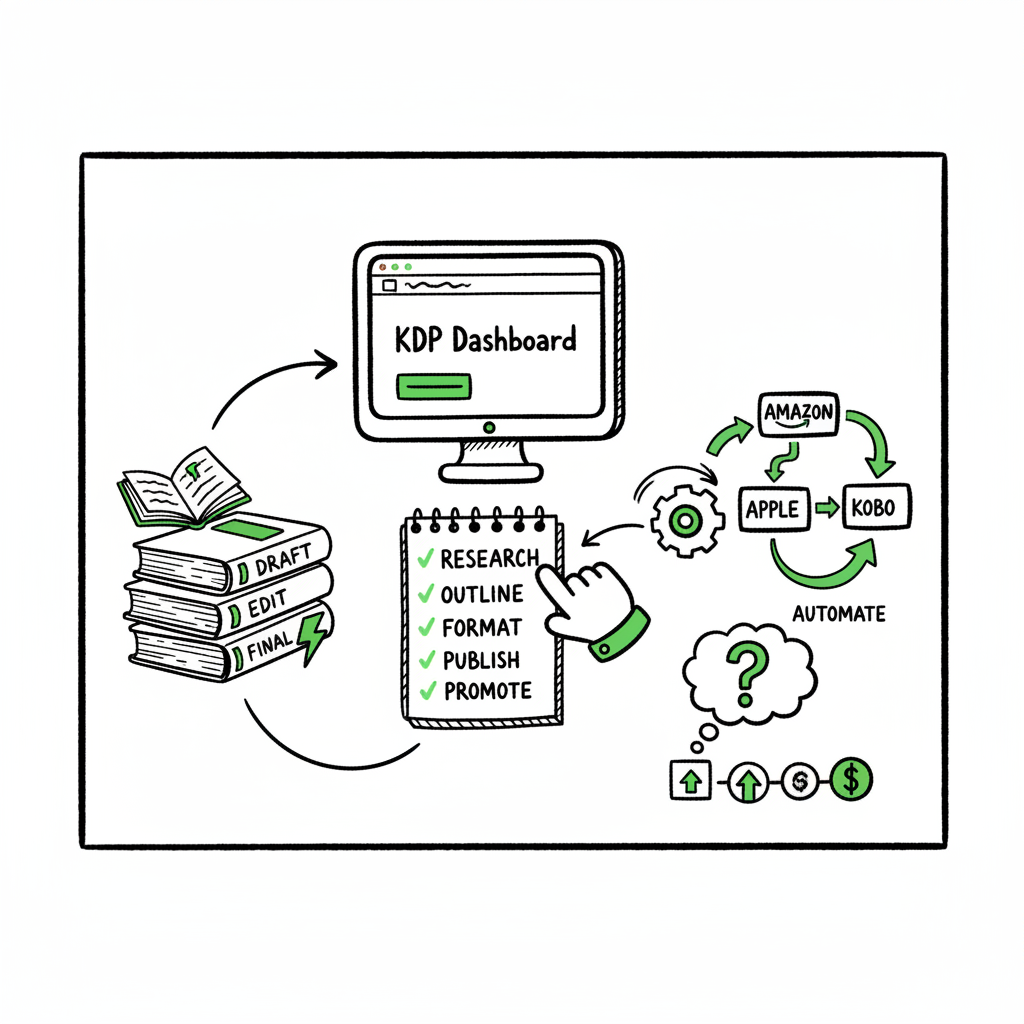
- Break the process into preparation, formatting, platform entry, proofing, and distribution; automate what repeats.
- Use multi-platform automation (CSV batches, platform intelligence) to scale from one book to many with minimal extra effort.
Table of Contents
- Why a repeatable KDP author process matters
- Core steps of an efficient KDP author process
- Practical ways to streamline KDP author process and reduce errors
- Wrap-up and next steps
- FAQ
- Sources
Why a repeatable KDP author process matters
The first time you upload a book to Kindle Direct Publishing the process feels linear: write, format, upload, publish. After the second and third book that “linear” process turns into repetitive detail work that eats time and leads to small, costly mistakes — wrong metadata, cover mismatches, or formatting glitches that appear in the previewer. A clear, repeatable KDP author process locks down those moving parts so you can ship reliably.
If you plan to publish more than one or two books a year, treating KDP as a system rather than a single task becomes the difference between hobby publishing and a sustainable author business. It’s helpful to frame the process around inputs and outputs: manuscript, cover, metadata, and distribution rules. From that perspective you can see which steps need human creativity and which can be automated. For a practical primer focused on Amazon-specific entry and best practices, see Amazon KDP for Authors for a quick primer on Amazon’s expectations and submission fields.
Core steps of an efficient KDP author process
An efficient KDP author process separates creative steps from mechanical tasks and creates a short checklist you follow every time. Keep this list visible while you work:
- Plan metadata and discoverability
- Decide title, subtitle, series name, and author credit before final formatting.
- Research keywords and categories once per book, and record the choices in a single document you reuse for all listings.
- Finalize the manuscript for upload
- Use a consistent manuscript template or export process that produces a clean DOCX or validated EPUB.
- Lock the interior structure: front matter, chapters, images, and TOC.
- Design and validate the cover
- Produce front cover and full-wrap files for print, plus thumbnail versions for ebook displays.
- Confirm spine and bleed specs for paperbacks before upload.
- Prepare platform files and packaging
- Export the EPUB (preferred for ebooks) and industry-standard PDF for print where required.
- Keep a record of file versions and where each was uploaded.
- Enter metadata and upload files on KDP
- Paste the title, description, and keywords directly from your metadata document to avoid typos.
- Upload the manuscript and cover, then use KDP’s previewer thoroughly.
- Set pricing, rights, and distribution
- Decide marketplaces and royalty options, and set pricing consistently across editions.
- Use series links and edition mappings when you have multiple formats.
- Publish, monitor, and iterate
- Track proof approvals, live listing checks, and sales reporting.
- Note any marketplace-specific issues and update your process accordingly.
This list looks simple because it is—what makes it durable is that every step has a defined owner (you, a formatter, or a process) and a single source of truth (a project CSV or spreadsheet). Over time you swap manual tasks for automated ones and reduce the per-book time dramatically.
Practical ways to streamline KDP author process and reduce errors
Streamlining the KDP author process is both tactical and architectural. Tactics reduce friction immediately. Architecture changes what you repeat. Below are practical tactics and the platform-level approach that turns those tactics into scalable processes.
Standardize metadata and use a project file
Create one master file per book that holds all metadata fields: title, subtitle, author name, description, keywords, BISAC categories, series info, and pricing. When you keep this as a simple CSV or spreadsheet, you can reuse the rows for batch uploads, avoid typos, and track history.
Use templates for manuscript and front/back matter
Save a clean manuscript template in your word processor or preferred formatting tool. A reliable template removes the small errors that show up in the KDP previewer: stray page breaks, incorrect images, or inconsistent styles.
Automate repetitive uploads and distribution
Once you’re publishing at scale, manual entry becomes the bottleneck. Multi-platform publishing tools convert a single metadata source and set of book files into the required formats and entry screens across Amazon KDP, Kobo, Apple Books, Draft2Digital, and Ingram. These tools often accept a CSV batch or API-driven feed so you can upload many titles at once rather than repeating the same 15 fields for each book.
BookUploadPro automates those repetitive uploads and converts your CSV rows into platform-ready submissions. It includes platform-specific intelligence to handle KDP’s quirks, applies consistent data across marketplaces, and reduces time spent on each title by roughly 90% for teams that publish regularly. Automating the upload makes wide distribution practical; the platform supports CSV batch uploads and checks platform-specific rules to cut down failures.
Editor’s note: The term automation here refers to smart tooling that handles repetitive steps; the goal is to minimize manual entry and human error, not replace creative work.
Streamline file preparation and conversions
Producing a clean EPUB and print-ready PDF remains essential. Several tools help format manuscripts, but automation is the lever when you have dozens of books. If your workflow calls for quick cover testing, a cover generator speeds iteration; for authors who handle their own covers, using a dedicated processor avoids common file errors. For automated cover processing, consider a cover generator that standardizes sizes and checks bleed and spine. If you need to convert manuscripts to EPUB reliably, an EPUB converter can take your DOCX or HTML and produce a validated EPUB without manual cleanup. For full book creation workflows that include both print and ebook outputs, look for book creation tools that integrate conversion and packaging into one pass.
A brand example you may see mentioned is BookUploadPro, which can manage multi-platform packaging and reporting across stores.
Validate everything before you publish
Use the KDP previewer, but also maintain your own checklist for internal QA: metadata matches on all editions, interior images render, hyperlinks work, and the table of contents links to chapters. Automated tools can run many of these checks for you, but the human pass is still valuable for the finish: readability, layout, and final cover verification.
Optimize keyword and category choices once, revisit quarterly
Keyword and category optimization isn’t a one-time task. Test different keywords in your book description and storefront fields, and record which combinations correlate with better placement. Use your master metadata file to push updated keywords to multiple platforms when a test proves effective.
Batch similar tasks together
Group similar steps across books and do them in batches: all title metadata entries in one session, all cover checks in another. Batching reduces context switching and speeds up the routine work.
Leverage platform-specific intelligence
Each storefront has its own quirks: accepted file types, interior trim sizes, or maximum title lengths. When you publish across platforms, use a system that understands these differences and adapts your submission automatically. That prevents cross-platform rework and reduces rejection rates.
Where automation helps the most
- CSV batch uploads: populate hundreds of listings from a single spreadsheet.
- Platform mapping: one metadata set translated to multiple storefronts.
- Error reduction: automated validation for required fields and file specs.
- Time savings: swap repeated manual entries for one upload that powers multiple markets.
Practical example: From manuscript to live listing in four hours
Hour 0–1: Final checks and exports — Lock the manuscript in the template and export EPUB and DOCX. Export interior PDF for print and create cover files for ebook and paperback.
Hour 1–2: Metadata and batch prep — Fill the master CSV row with title, description, keywords, categories, pricing, and rights. Assign ASIN/ISBN handling options and series data.
Hour 2–3: Platform upload through an automation layer — Use a multi-platform tool to validate uploads, map metadata to KDP fields, and queue submissions. The system performs pre-checks and flags mismatches before KDP submission.
Hour 3–4: Proof, approve, and schedule — Use KDP’s previewer to sanity-check the ebook. Approve paper proof or order a physical proof copy if needed. Schedule the publish date or hit the publish button.
With automation, the hours spent on entry and re-entry shrink; the bulk of work becomes creative and quality-focused rather than repetitive.
Wrap-up and next steps
BookUploadPro is built to handle the mechanical side of multi-platform publishing. It accepts your CSV or feed, validates platform rules, maps your master metadata to each storefront, and performs batch uploads. Those capabilities are the architectural change I mentioned earlier: once your files and metadata are tidy, BookUploadPro removes the repetitive gating tasks so you operate at author speed, not admin speed.
Key advantages that matter in practice:
- Unified multi-platform publishing: One source of truth for multiple storefronts.
- ~90% time savings: For teams publishing several titles, the per-book time drops dramatically.
- CSV batch uploads: Scale from single uploads to batch operations without extra work.
- Platform-specific intelligence: The system knows field limits, trim sizes, and accepted file types for each platform.
- Error reduction: Pre-submission checks cut down rejected uploads and preview surprises.
- Affordable pricing + free trial: Low friction to test the system on a few titles.
BookUploadPro becomes an obvious upgrade once authors publish seriously. Automate the upload. Own the distribution.
Tools and small investments worth the time
Some tools are tactical and inexpensive; others are platform-level investments. Here’s a short list of practical tech you’ll use in a repeatable process:
- Manuscript formatting: Atticus, Vellum, or a consistent DOCX template.
- EPUB conversion: Use a reliable converter that produces validated EPUB files automatically to avoid manual fixes.
- Cover processing: A cover generator or processing tool that standardizes sizes and checks bleed and spine.
- Previewing: KDP previewer plus a local EPUB reader for another sanity check.
- Multi-platform upload: A platform that supports CSV batch uploads and translates your metadata for each store.
When to build in-house vs. buy a service
If you publish a handful of books a year, a mix of manual work and lightweight tools will suffice. If you publish monthly or have a catalog, buy the automation. Building in-house usually costs far more in time and maintenance than a service that handles platform rules, updates, and edge cases.
Real examples of time saved
– A solo author with a 20-book backlog used CSV batch uploads to add 18 existing titles to multiple storefronts in one week—work that would otherwise take months.
– A publisher reduced common listing errors by 80% after switching to a system that enforces platform-specific file rules during upload.
Practical tips that don’t require new software
– Keep an upload checklist that lists every KDP metadata field and where you store its canonical value.
– Version filenames clearly: title_v1_ebook.epub, title_v2_print.pdf.
– Maintain a short decision log per book: why a certain keyword was chosen, why pricing was set that way, and what test results showed.
– Batch screenshots: when you approve KDP previewer results, save a screenshot that documents the state at publish time.
FAQ
Question?
What format should I upload to KDP for ebooks?
KDP accepts EPUB and DOCX for ebooks. Exporting a validated EPUB is generally the best practice because it’s the native ebook format KDP prefers. Use an EPUB converter to produce a clean file and check it in an EPUB reader before uploading.
Question?
How do I choose keywords and categories?
Start with reader-focused keywords that describe genre, theme, and audience. Use a mix of broad and niche phrases. Record your choices in the master metadata file and test small changes over time to see which combinations improve discoverability.
Question?
Can I publish the same book on multiple platforms?
Yes. Publishing widely is standard for most indie authors. A multi-platform process that maps metadata and files to each storefront reduces manual work and ensures consistent listings across marketplaces.
Question?
What if I want to update metadata after publishing?
You can update most metadata fields on KDP after a book goes live. Maintain your master metadata source and propagate updates through your multi-platform process to keep listings consistent.
Question?
When should I consider automation or a managed upload service?
When you publish multiple titles or edition types, automation pays off. If you regularly spend hours entering the same fields or checking the same issues, a service that supports CSV batch uploads and platform mapping will save you time and reduce errors.
Sources
- How To Publish A Book On Amazon – 2025 KDP Guide – LivingWriter
- AI-Assisted KDP Publishing: Step-by-Step Guide – Jack Righteous
- Create a Book – Kindle Direct Publishing
- A 101 Guide to Kindle Direct Publishing Basics: Insider Secrets
- Start publishing with KDP – Amazon.com
- Getting Started with Kindle Create
KDP Author Workflow: Streamline Publishing and Scale Across Platforms Estimated reading time: 14 minutes Key takeaways A repeatable KDP author process reduces mistakes, speeds publishing, and frees time for writing. Break the process into preparation, formatting, platform entry, proofing, and distribution; automate what repeats. Use multi-platform automation (CSV batches, platform intelligence) to scale from one…