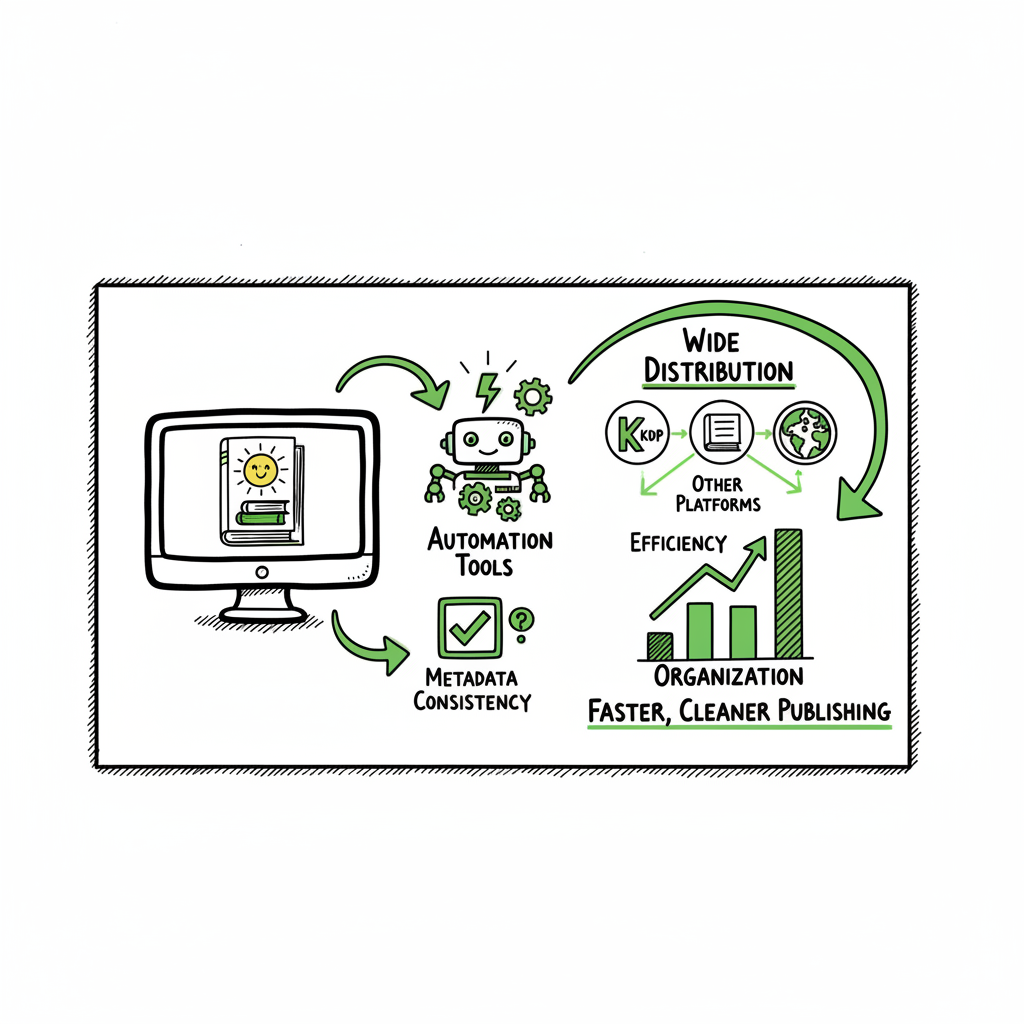
KDP author workflow for faster, cleaner publishing
kdp author workflow: how to publish faster, cleaner, and wider
Estimated reading time: 14 minutes
Key takeaways
- A modern kdp author workflow reduces repetitive tasks and keeps metadata consistent across formats.
- Automating uploads and using platform-aware formatting saves time and cuts errors — making wide distribution practical.
- Once you publish at scale, a multi-platform uploader that supports CSV batch uploads and platform-specific intelligence is an obvious upgrade.
Table of Contents
- What a modern kdp author workflow looks like
- Streamline the KDP author process and scale distribution
- FAQ
- Sources
What a modern kdp author workflow looks like
Anchor: #what-a-modern-kdp-author-workflow-looks-like
Every author who moves from one book to many quickly notices the same friction points: repeated data entry, inconsistent metadata, cover and file formatting mistakes, and time lost clicking through multiple publisher dashboards. That set of problems is the core of the kdp author workflow — the sequence of steps you repeat to get a manuscript from draft to live on Amazon and beyond.
A clean workflow treats those steps as repeatable operations:
– collect and lock final metadata (title, subtitle, contributors, categories, keywords),
– produce platform-ready files (ebook EPUB, paperback print PDF or print-ready files),
– prepare artwork (cover and thumbnail variants),
– upload files and settings,
– and verify listings, pricing, and distribution options.
If you want a practical walkthrough or need to standardize the work across many titles, a reference that walks through the Amazon side can be useful: Amazon KDP for Authors. Early in the process, locking metadata and filenames matters more than clever marketing copy. When metadata drifts between formats, you create search and royalty problems that are painful to fix at scale.
Why structure matters
A defined workflow reduces errors and makes each book predictable. Instead of treating uploads as one-off tasks, you assemble a repeatable pipeline:
– One canonical source for metadata (a CSV or spreadsheet).
– One place for the final manuscript master (DOCX or a validated EPUB).
– One place for images and cover masters.
– A checklist that includes platform-specific checks (trim sizes, gutter settings, preview verifications).
This is where authors begin to see the real savings. Small teams or solo authors can handle ten titles a year with manual steps, but once you push beyond that, even simple mistakes multiply and slow you down.
Common pain points that break workflows
– Manually typing metadata into multiple publisher portals.
– Re-exporting files into slightly different formats for each retailer.
– Cover files that need multiple sizes and color profiles.
– Forgotten settings (territories, KDP Select choices, ISBN assignment).
– Upload errors not caught until after publishing.
A workflow that anticipates those pain points keeps every file and decision linked back to the book master so fixes are fast and consistent.
Streamline the KDP author process and scale distribution
Anchor: #streamline-and-scale
A practical kdp author workflow focuses on two goals: reduce manual repetition and ensure platform-specific correctness. That’s the intersection where time savings and fewer errors happen.
Core steps to streamline the process
1. Start with a single metadata master
Keep title, subtitle, author name, series data, BISACs, and keywords in one spreadsheet or CSV. That file should be the source for all platform uploads and the basis for generating descriptions, retailer categories, and publisher records. Using a unified CSV means you type the info once and reuse it.
2. Use platform-aware file outputs
Different retailers expect different formats. Amazon accepts EPUB for ebooks and print-ready PDFs for paperbacks with specific margins and bleed. Preparing these outputs systematically avoids rework. If you use a toolchain that validates EPUBs and can convert DOCX to EPUB reliably, you skip the “why is my ebook broken on Kindle” step.
Convert once, reuse many
When you convert a manuscript to EPUB, validate it and keep that validated file as your master ebook. If you need to produce a print PDF, create it from the same manuscript source, applying the print template. For EPUB conversion, dedicated converters reduce format drift — for example, a reliable EPUB converter can turn a single DOCX into an EPUB that works across stores.
3. Centralize cover production and variants
Covers need to be delivered in different sizes and color profiles. Use a cover master that can export a spine+front back for print and square thumbnails for stores. If you create covers with a generator or a template system, keep the master and export the variants you need for each retailer.
If you work with automatic cover tools, consider a processing pipeline that accepts a single design file and outputs both ebook thumbnails and print-ready covers with the correct spine dimensions. For authors who want a fast, repeatable approach, a dedicated cover processing tool is useful: try the book cover generator processing tool that automates export and formatting to match retailer specs.
4. Automate the upload where possible
Manual uploading is slow and error-prone. When you start to publish multiple titles, automating uploads is the scale play. A multi-platform uploader that supports CSV batch uploads and applies platform-specific intelligence cuts repetitive clicks, aligns metadata across stores, and flags errors before you hit publish.
Automation benefits
– Batch create listings using one CSV.
– Apply platform-specific checks (file type, trim sizes, image DPI).
– Reduce repeated data entry across Amazon KDP, Apple Books, Kobo, Draft2Digital, and Ingram.
This is practical when you want to publish seriously — the time saved is real, typically up to ~90% on the upload phase compared with manual work.
5. Add verification and preview into the workflow
Automation can upload files, but you still need to preview each format. An automated workflow should include preview passes: an automated EPUB check, a print preview with bleed and gutter validation, and a metadata consistency check. If the system integrates previews or flags likely issues before upload, you avoid long back-and-forth fixes after publishing.
Platform-specific intelligence matters
A platform-aware uploader knows the difference between KDP paperbacks and Ingram print settings. It understands trim sizes, interior color options, and where ISBNs are required. That intelligence prevents uploads that get rejected or create poorly formatted printed books.
Scaling across stores: practical considerations
– Pricing strategies differ — set a baseline and use rules to adjust for store royalty structures and currency conversions.
– Distribution choices matter — some stores have exclusive options; others require different rights settings.
– ISBN management — decide whether to use your own ISBNs or platform-assigned ones, and track them in the metadata master.
When authors use a system that automates the repetitive parts, they free time for creative work: writing, marketing, and strategic planning. For teams, a publish-at-scale approach means standard operating procedures that reduce onboarding time for contractors and freelancers.
Where automation fits in the kdp author workflow
Automation is not a black box you hand over to a vendor. Think of automation as an operator tool that performs the repetitive tasks you’d otherwise do by hand. Good automation:
– Reads your CSV or spreadsheet and creates draft listings.
– Uploads validated EPUB and print files to each store.
– Exports platform-sized cover variants and attaches them correctly.
– Reports back with a summary of what succeeded, what failed, and what needs manual attention.
That last part — clear feedback — is the operational difference between a helpful tool and a frustrating one. An uploader that reports errors with clear lines to fix (e.g., “bleed too small for selected trim size”) saves hours.
Practical tools in the workflow
– Manuscript editors that export clean DOCX and/or EPUB.
– An EPUB converter to produce and validate the ebook file.
– A cover processor to export required image variants and color formats.
– A multi-platform uploader that can accept CSVs and perform platform-aware uploads.
For EPUB conversion, a reliable EPUB converter streamlines creating a validated ebook that works across stores. For cover processing, a generator that produces correctly sized print covers and ebook thumbnails avoids repeated design re-exports. For paperback and ebook creation broadly, a book creation workflow that centralizes exports keeps things tidy.
BookUploadPro: how it fits
BookUploadPro automates repetitive uploads across Amazon KDP, Kobo, Apple Books, Draft2Digital, and Ingram. It uses CSV batch uploads, platform-specific intelligence, and verification checks to reduce manual work and errors. For authors publishing seriously, the service becomes an obvious upgrade: automate the upload. Own the distribution.
Operational gains you can expect
– Unified multi-platform publishing from a single CSV source.
– ~90% time savings on upload and setup for each title.
– Reduced human error through platform-aware validation.
– Affordable pricing plus a free trial to test the process on a few titles.
Integrating covers, files, and final checks
When a workflow includes separate steps for cover generation, EPUB validation, and print preparation, you avoid last-minute surprises. Insert each output into the uploader and let it apply store-specific rules:
– Upload the validated EPUB to the ebook channel.
– Upload print-ready PDF and spine+cover assets to print channels.
– Validate previews and accept or adjust pricing and distribution.
This approach tightens the loop between creation and distribution and turns publishing into a regular production cycle rather than a disruptive one-off.
Practical examples from the field
– An author with 20 backlist titles standardized metadata in a CSV, created validated EPUBs and print PDFs, and pushed all titles through a batch uploader. The time to publish drops from days per title to hours.
– A small press uses a cover processing tool to export print-ready covers and ebook thumbnails from a master file, eliminating repeated design work and color-profile mistakes.
When to move from manual to automated
If you find yourself repeating the same upload steps more than twice, automation pays. The threshold is low: even a handful of titles with different formats benefits from a system that ensures consistency and speeds uploads.
FAQ
Q: What is the single most important change to make my KDP workflow efficient?
A: Create one source of truth for metadata. A single CSV or spreadsheet that drives all uploads eliminates most duplicate work and prevents mismatched details across formats.
Q: Should I convert my manuscript to EPUB or upload DOCX to KDP?
A: Convert and validate to EPUB for ebooks whenever possible. A validated EPUB reduces format issues and offers a consistent file to reuse across stores. Use a trusted EPUB converter to create a clean file and keep it as your master ebook.
Q: How do I handle cover variants for paperback and ebook?
A: Create a cover master and export the variants you need. Use a cover processing tool to generate flat-front thumbnails for ebooks and wrap-around covers with correct spine dimensions for print. That keeps designs consistent and avoids last-minute rework.
Q: Can I publish to KDP and other stores at the same time?
A: Yes. Multi-platform uploaders let you push to Amazon KDP, Kobo, Apple Books, Draft2Digital, and Ingram from one interface. They map the same metadata to platform-specific fields and apply the rules each store requires.
Q: Will automation decrease my control over listings?
A: No. Good tooling gives you templates and rules but lets you preview and approve listings. Automation handles repeatable work; you still review key creative decisions like descriptions and pricing.
Q: My manuscript needs a specific EPUB fix. Will automation handle custom fixes?
A: Automation handles the common cases. For custom layout or complex formatting, you still fix the master manuscript first and then let the automation upload the corrected outputs.
Sources
- https://kdp.amazon.com/help
- https://bookuploadpro.com
- https://www.bookautoai.com/book-cover-generator-processing
- https://www.bookautoai.com/epub-converter
- https://www.bookautoai.com
Final thoughts
If you publish more than a few books, the workflow changes from occasional project to ongoing production. Treat your metadata and your file masters as the trusted pieces of record, automate the repetitive uploads, and keep manual work for creative and strategic tasks.
When you’re ready to reduce uploading time and headaches, visit BookUploadPro and try the free trial — a practical way to see how unified multi-platform publishing, CSV batch uploads, and platform-specific intelligence handle the heavy lifting. Automate the upload. Own the distribution.
kdp author workflow: how to publish faster, cleaner, and wider Estimated reading time: 14 minutes Key takeaways A modern kdp author workflow reduces repetitive tasks and keeps metadata consistent across formats. Automating uploads and using platform-aware formatting saves time and cuts errors — making wide distribution practical. Once you publish at scale, a multi-platform uploader…