KDP Author Workflow and Repeatable Publishing Steps
kdp author process
Estimated reading time: 15 minutes
Key takeaways
- A clear KDP author process reduces wasted time and prevents predictable upload errors.
- Standardize files (manuscript, cover, metadata) once; reuse them across platforms and editions.
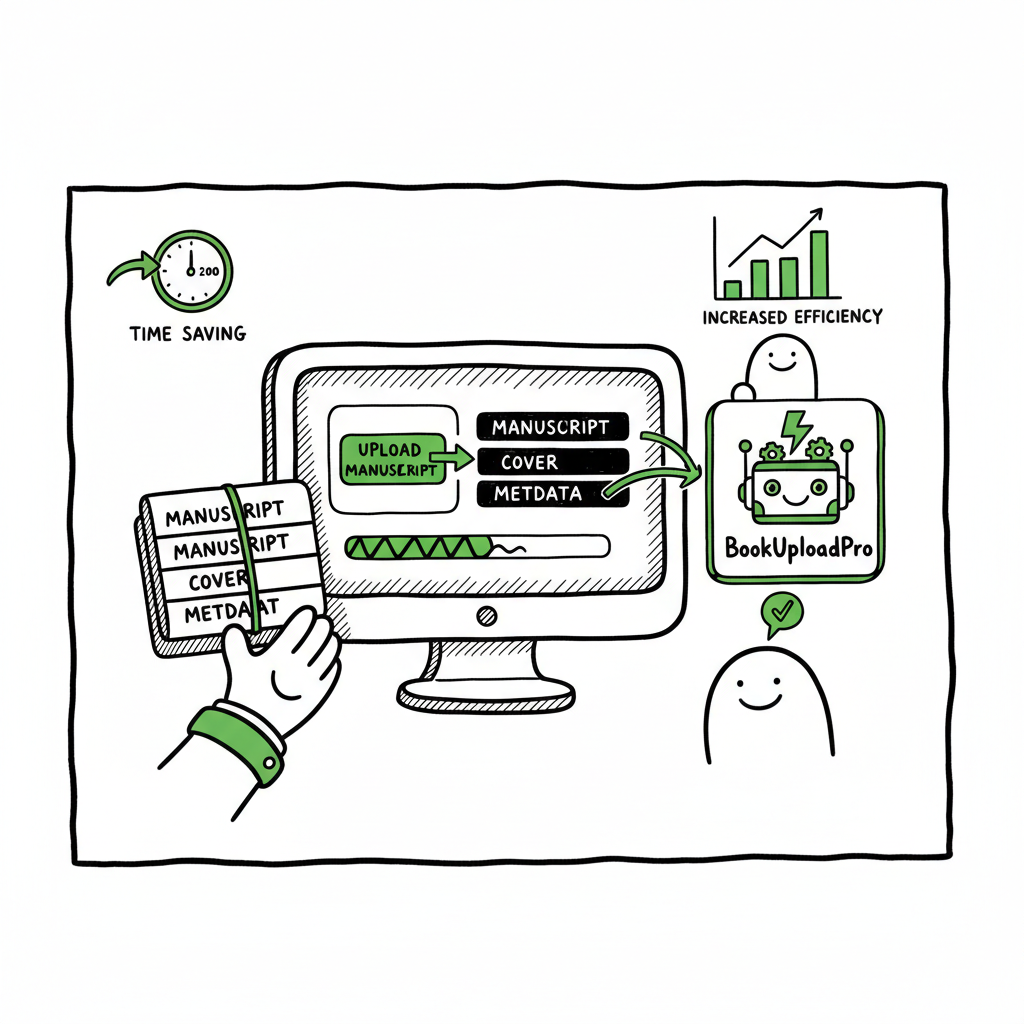
- Automation tools like BookUploadPro turn repeated uploads into CSV-driven batches, saving up to ~90% of manual effort.
- Focus first on a repeatable process; scale with multi-platform distribution and platform-aware checks.
- Small investments in templates and automation pay off when you publish multiple books or editions.
Table of Contents
- Why a reliable kdp author process matters
- Designing a repeatable publishing process
- Scaling with BookUploadPro: multi-platform batch publishing
- Frequently asked questions
- Sources (bottom of page)
Why a reliable kdp author process matters
If you publish one book, manual uploads feel manageable. By the time you publish a handful, you’ll notice the same mistakes, the same missing files, and the same wasted hours. A consistent kdp author process turns one-off effort into a predictable routine. That saves time, reduces errors, and frees you to focus on writing and marketing.
A process is not a rigid rulebook. It’s a set of repeatable steps that cover manuscript prep, cover checks, metadata assembly, pricing, and distribution choices. When those steps are stable, you can start to automate the mechanical parts. For example, storing metadata in a spreadsheet lets you generate multiple editions without retyping information. When your process is stable, it’s easy to apply platform-specific tweaks for Amazon, Apple, Kobo, Draft2Digital, and Ingram.
If you want an organized walkthrough of Amazon specifics that fits into a larger multi-platform routine, see Amazon KDP for Authors. That resource complements a cross-platform routine by focusing on the KDP console and its quirks.
Why this matters in practice
- Fewer rejected uploads: Common KDP rejections often come from cover size issues, embedded fonts, or missing metadata. A repeatable process catches these before you hit upload.
- Faster turnaround: With a template for files and metadata, a new title moves from final draft to live in days instead of weeks.
- Lower cost per book: As you repeat the same steps, the time and cost per title drops sharply — the point at which automation makes sense is when you publish more than occasional titles.
Designing a repeatable publishing process
Start by mapping the end-to-end steps you currently follow. A typical efficient kdp publishing steps checklist looks like this:
- Finalize manuscript (format to submission spec)
- Prepare cover files for each edition (ebook, paperback)
- Assemble metadata (title, subtitle, keywords, categories)
- Generate ISBNs and match editions
- Upload files to each platform or build a batch CSV
- Proof, price, and schedule release
- Monitor post-live settings (royalties, expanded distribution)
Below I break those steps into practical habits that scale.
Manuscript preparation: clean, consistent, export-ready
- Use a single source master manuscript in a reliable format (Word or Markdown exported to a validated EPUB or print-ready PDF). Keep a version history so formatting edits do not overwrite content.
- Standardize headings, chapter breaks, and front/back matter. Small variations in page breaks or paragraph styles often create formatting surprises when converting to EPUB or print.
- Convert to EPUB early in the process to find ebook-specific issues: weird line breaks, image sizing, or TOC problems. If you need a reliable converter, use a tested EPUB converter to ensure consistent output.
Cover design and sizing
- Design covers with both ebook and paperback templates in mind. Paperbacks require spine width calculations; ebooks need a single rectangle.
- Automate export sizes from your designer or template generator so files meet platform specs every time. If you need automated help generating and processing covers, a book cover generator can speed production and enforce consistent dimensions.
- Keep a cover source file (PSD, Affinity, or layered format). Regenerating sizes or retouching is much faster from a source file than re-creating a cover each time.
Metadata templates and keyword strategy
- Create a metadata sheet (CSV) for each title with fields for every platform: title, subtitle, series, contributor roles, description, keywords, BISAC categories, publication dates, ISBNs, price, territories.
- Use a short, consistent keyword list for each book and adjust platform-tailored fields where needed.
- Save common descriptions and series blurbs in a snippet library to avoid retyping.
Formats and editions: ebook, paperback, and beyond
- Decide which editions you’ll publish up front and prepare files for each. Creating a paperback or ebook should be part of the same process, not separate, disconnected tasks.
- If you convert to EPUB, review the EPUB in an actual reader to catch issues the converter missed. For paperbacks, build a print-ready PDF with accurate bleeds and spine calculation.
- Automate where possible: bulk conversions and template-based exterior and interior layouts reduce manual file-by-file work.
Proofing and final checks
- Use a short pre-upload checklist: cover dimensions, embedded fonts, table of contents link integrity, image DPI, metadata completeness, and correct ISBN per edition.
- Keep a “soft launch” step: upload to a sandbox or an account for preview before publishing live. The previewer catches many publisher mistakes.
Batching and CSVs
- Once your files and metadata are stable, create CSVs to batch upload multiple editions and titles. That transforms repetitive manual uploads into a smooth batch job.
- Save a CSV template that maps to platform fields. The template becomes the starting point for every new title and edition.
Practical habits to maintain consistency
- One person or role owns the final check before upload. Accountability reduces overwork and mistakes.
- Build a shared folder structure and naming convention for master files, covers, and proofs.
- Record the time each step takes for a few books; the resulting data helps decide when automation or a service will pay back.
Scaling with BookUploadPro: multi-platform batch publishing
When you publish more than a handful of titles, the value of automation becomes obvious. BookUploadPro focuses on the repetitive part: upload, map, and distribute. It is built for authors and small publishers who need platform-aware batch jobs rather than one-off uploads.
What BookUploadPro automates
- CSV-driven batch uploads across Amazon KDP, Kobo, Apple Books, Draft2Digital, and Ingram.
- Platform-specific intelligence: automatic field mapping, file checks, and error avoidance tuned to each retailer’s rules.
- Reuse of metadata and assets across platforms so you don’t re-enter the same information five times.
- Error reduction through preflight checks that catch common issues before submission.
Why that matters
- Time savings: authors report up to ~90% time savings when switching from manual uploads to automated batch processing.
- Practical wide distribution: uploading to multiple stores manually is tedious and error-prone. Automation makes wide distribution practical and consistent.
- Affordable scale: BookUploadPro is priced to be the obvious upgrade once authors publish seriously. The system supports CSV batch uploads and handles platform-specific edge cases.
A realistic process with BookUploadPro
- Prepare files and populate your standard metadata CSV.
- Let BookUploadPro map and validate the fields against each retailer.
- Upload assets once and reuse them across editions and stores.
- Review flagged items and fix only the exceptions; most books pass preflight checks without changes.
Integration with your process
- BookUploadPro does not replace editorial or design work. It sits after your final files and before distribution.
- If your process creates EPUBs, PDFs, and covers consistently, BookUploadPro will accelerate distribution. If you still need reliable file generation, tools like an EPUB converter can help upstream.
- Automate the upload. Own the distribution.
Common objections and realities
- “I’m not technical.” The interface is designed for authors. You still prepare the manuscript and cover, but the upload and mapping steps are simpler and less error-prone.
- “I don’t publish enough titles.” Automation pays off when you publish multiple books or versions. For occasional single titles, manual uploads still work.
- “I need platform-specific tweaks.” BookUploadPro includes platform-aware logic and lets you set per-platform overrides so you keep control.
BookUploadPro is an obvious upgrade once authors start publishing seriously. It reduces routine work and lets you focus on creative and promotional tasks instead of repetitive console clicks.
Practical example: From manuscript to live everywhere
- Day 1: Final draft approved. Export EPUB and print-ready PDF. Generate high-res cover and paperback cover with spine.
- Day 2: Fill metadata CSV and run preflight checks locally. Convert remaining files as needed with the EPUB converter.
- Day 3: Upload CSV and assets to BookUploadPro. Review flagged errors (if any). Schedule releases.
- Day 4: Titles go live across the stores. Time spent on upload task drops from hours per store to a single batch job.
Tools that make the process consistent
- A reliable EPUB converter takes much of the format guesswork out of ebook creation.
- A cover generator or well-set up template yields consistent assets at the required sizes for every retailer.
- A CSV-driven upload tool handles mappings and per-platform quirks so you don’t.
Automate the repetitive. Keep the creative.
Frequently asked questions
Q: What is the core of a kdp author process?
A: The core is repeatability: one reliable method for preparing the manuscript, cover, and metadata so uploads are predictable. Repeatability lets you automate the upload portion and reduces human error.
Q: When should I move from manual uploads to automation?
A: When you find yourself repeating the same upload steps for multiple titles, editions, or formats. For many authors that point is after 3–5 titles or when you plan reprints and multiple editions.
Q: How much time can I expect to save?
A: Savings vary, but many users report up to ~90% reduction in time spent on uploads when they switch to a batch, platform-aware tool. The real savings come from eliminating repeated console work across retailers.
Q: Do I still need to format my files and design covers?
A: Yes. Automation starts after you have final files. Reliable EPUB conversion, print-ready PDFs, and correctly sized covers are prerequisites. If you need help generating ebooks or paperbacks, consider tools that streamline creation and conversion.
Q: What are the most common upload errors to avoid?
A: Wrong cover dimensions, embedded font issues in EPUB, missing or mismatched ISBNs, incomplete metadata, and incorrect file formats. Preflight checks and consistent templates catch most of these before you upload.
Q: Will automation change my metadata strategy?
A: It should make metadata management easier. Use a master CSV that stores the core metadata and allows platform-specific overrides. Automation reduces the friction of applying consistent keywording and descriptions across platforms.
Q: Can I use BookUploadPro if I only publish on KDP?
A: Yes. BookUploadPro supports Amazon KDP and other platforms. Even if you focus on KDP, the platform-aware checks and batch workflows can reduce repetitive manual work. For a focused dive into Amazon steps, pair your process with an Amazon KDP guide.
Q: How do I handle cover variants or different file versions?
A: Keep a clear naming scheme and a single source for each cover variant. Use your cover generator or template to export consistent versions. Store these in the same folder structure referenced by your CSV so the batch upload maps them correctly.
Final thoughts
A practical kdp author process balances repeatable preparation with thoughtful platform adjustments. Start by standardizing your files and metadata. Move to batch uploads when repetition becomes costly. Use tools that understand each platform’s rules to avoid wasted time and rejected files. BookUploadPro sits at the distribution step: it automates uploads, enforces platform-aware checks, and makes wide distribution practical.
If you routinely create covers, convert manuscripts to EPUB, or publish both ebooks and paperbacks, integrate tools that automate those upstream tasks. For example, an EPUB converter speeds ebook formatting, a book cover generator ensures consistent cover sizes, and a book creation workflow tool helps manage paperback and ebook outputs.
Automate the upload. Own the distribution.
Visit BookUploadPro to try the free trial and see how batch publishing can simplify your process.
Sources
- https://blog.bookuploadpro.com/amazon-kdp-for-authors
- https://www.bookautoai.com/book-cover-generator-processing
- https://www.bookautoai.com/epub-converter
- https://www.bookautoai.com
- https://bookuploadpro.com
kdp author process Estimated reading time: 15 minutes Key takeaways A clear KDP author process reduces wasted time and prevents predictable upload errors. Standardize files (manuscript, cover, metadata) once; reuse them across platforms and editions. Automation tools like BookUploadPro turn repeated uploads into CSV-driven batches, saving up to ~90% of manual effort. Focus first on…