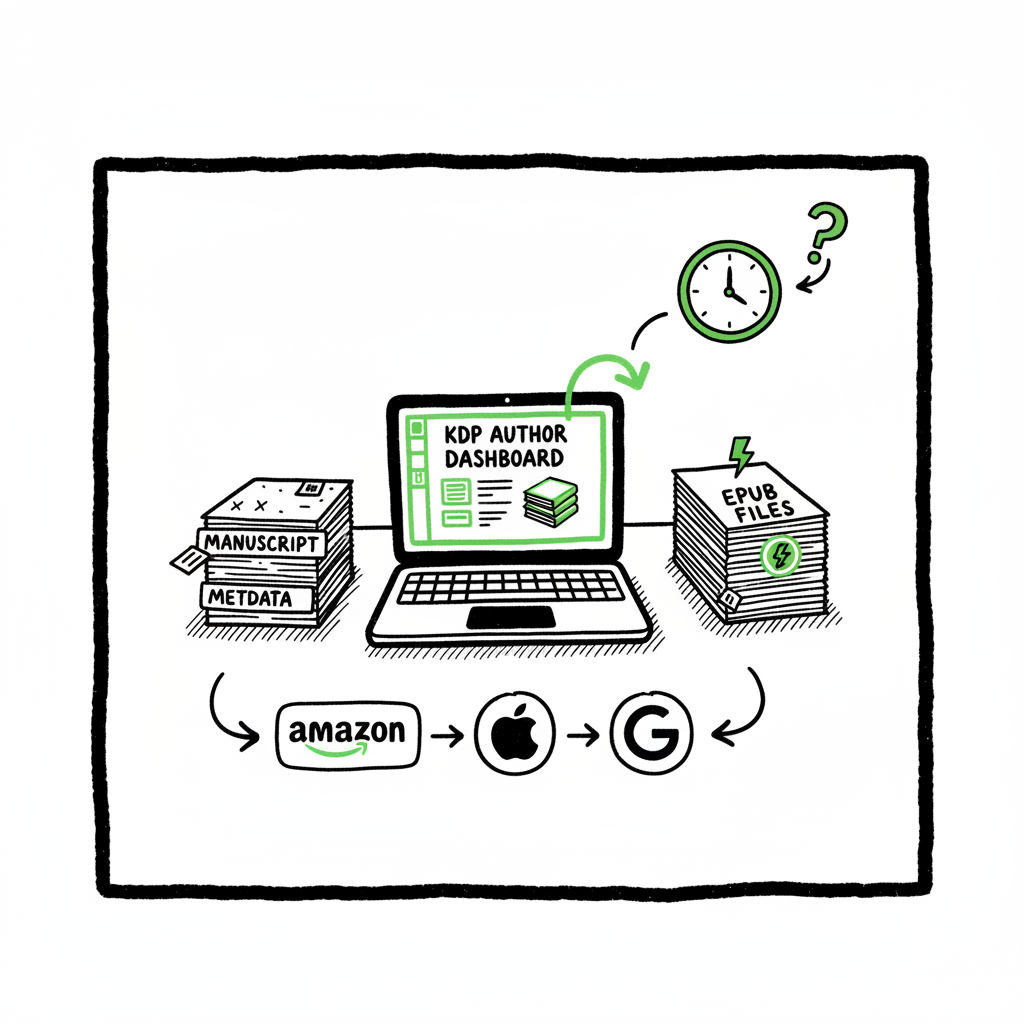
KDP author workflow explained for faster publishing
kdp author workflow: How to streamline publishing from manuscript to marketplaces
Estimated reading time: 9 minutes
Key takeaways
- A clear kdp author workflow reduces rejections, speeds publishing, and prevents lost sales across formats.
- Batch-prep metadata, use EPUB-ready files, and automate uploads when you publish multiple titles.
- Multi-platform publishing tools like BookUploadPro cut repetitive work by ~90% and make wide distribution practical.
Table of Contents
- Why the kdp author workflow matters
- A streamlined kdp author workflow: step-by-step
- Scaling beyond KDP with batch uploads and platform intelligence
- FAQ
- Final thoughts
- Sources
Why the kdp author workflow matters
Anchor: #why-it-matters
Most authors start with one book and then discover the real work is repetition. The kdp author workflow is not just the steps on Amazon’s site; it’s the set of decisions and files you reuse every time you publish. When workflows are sloppy, small errors multiply: mismatched metadata stops automatic linking between ebook and paperback, margin mistakes trigger print rejections, and inconsistent keywords make discoverability worse.
A disciplined workflow gives you a predictable path from manuscript to live listing. It reduces the chance of rework and keeps marketing plans on schedule. For authors who plan to publish multiple books or editions, a repeatable process is essential.
If you want a focused reference for Amazon specifics, see Amazon KDP for Authors — it’s a concise resource that explains the fields and options you’ll use every time you publish.
Why that reference matters: KDP enforces specific file sizes, page setups, and metadata rules. Following those rules is the core of any efficient kdp author workflow. Once your files and metadata match Amazon’s expectations, the rest of the process becomes routine.
A streamlined kdp author workflow: step-by-step
Anchor: #streamlined-steps
The kdp author workflow breaks into three practical stages. I’ll keep this tight and actionable so you can turn it into templates.
Stage 1 — Prepare the master files and metadata
Start here and be honest about naming and consistency. Good prep is the time you save later.
- Master manuscript: Keep a single source file. Prefer an EPUB or a clean Word document that you can export to EPUB. If you need conversion help, use an EPUB converter to avoid reflow and font issues.
- Metadata master sheet: Use a single CSV or spreadsheet with columns for title, subtitle, author name (exactly the same everywhere), series name, edition, keywords, BISAC category, short description, and long description. That file becomes the source of truth for all platform uploads.
- Cover assets: Produce a high-resolution cover and separate cropped versions for thumbnails. If you don’t have a designer, a book cover generator can speed rough drafts and iteration.
- ISBNs and identifiers: Decide whether you’ll use free platform ISBNs or buy your own. Record them in the metadata master sheet.
Why master files matter: KDP links ebook and print editions when title, author, and ISBN/identifiers match. Matching metadata means a cleaner author page and fewer issues with sales attribution.
Stage 2 — Format, validate, and preview
Formatting mistakes are the most common cause of delays. Build a short validation checklist you run for every file.
- EPUB first: KDP prefers EPUB for ebooks. Convert once from your master and check the flow, table of contents, and fonts.
- Print-ready PDF for paperbacks: Export a print-ready PDF with correct trim size, embedded fonts, and margin settings. Use the print preview tools on KDP to check for layout issues and cutoff.
- Use native preview tools: Always preview the ebook and print proofs. Check table of contents links, image placement, and front/back matter order.
- Validate metadata: Ensure title casing, author name, and subtitle match your metadata master sheet exactly.
Practical tip: Keep a staging account or a private log where you record the exact files you uploaded and the time. If KDP flags a problem, it’s much faster to find the right version to replace.
Stage 3 — Upload, set rights, and price briskly
This is where a tight workflow pays off. The more standardized your inputs, the faster the upload.
- Book details: Copy from your metadata master sheet. Use consistent author name and exact title text.
- Manuscript and cover: Upload the validated EPUB and print-ready PDF/cover files.
- Rights and territories: Decide once and keep records. If you plan to distribute wide, choose the broadest territories from the start.
- Pricing and royalty checks: Use KDP’s price/royalty calculator to test price points. Store the final price in your master sheet.
Small steps that prevent rework
- Keep front matter and copyright pages consistent across formats.
- Use a single link for author bio and sales page in your marketing docs.
- Maintain a version log: file name, upload date, and platform.
Common friction points and fixes
Anchor: #common-friction (This anchor appears in the text but will not be in the Table of Contents to keep link count tight.)
- Metadata mismatches
Problem: Ebook and paperback don’t link on Amazon.
Fix: Verify exact title, author name, and ISBN. Even punctuation differences can stop automatic linking. - Formatting failures and print rejections
Problem: KDP rejects the paperback for margin or bleed issues.
Fix: Use the exact trim-size template for your page count. Confirm embedded fonts and export as a print-ready PDF. - Uneditable fields after publishing
Problem: You published and later want to change a field that’s locked.
Fix: Double-check non-editable items (series positions, certain identifiers) before you push live. Keep a publishing checklist with the non-reversible fields called out. - Preview differences across platforms
Problem: The book looks different in other stores.
Fix: Preview on each platform’s reader when possible. EPUB rendering varies. Convert and test early to avoid late changes.
Scaling beyond KDP with batch uploads and platform intelligence
Anchor: #scale-multi-platform
Once you have one book down, you’ll want to publish more. Scaling is where automation and batch work become essential.
Why scale is different from single-title publishing
- One book is a one-off. Ten books require repeatable inputs, consistent metadata, and a way to push many files to different marketplaces without manual entry for each field on each site.
Batch-prep the right way
- CSV master: Your spreadsheet becomes the source for all platforms. Columns should map to fields each store expects. CSV batch uploads are the fastest path to scaling.
- Template assets: Have a folder structure for each title: manuscript, ebook, print PDF, cover front, cover wrap, thumbnails, and metadata CSV row.
- Platform intelligence: Each store has quirks. For example, KDP prefers EPUB uploads for ebooks; some stores require separate ISBN handling for paperbacks and hardcovers. Record those rules in a short platform guide and include them in your process.
Automating uploads without losing control
For authors serious about volume, moving from manual uploads to automated multi-platform publishing is an obvious upgrade. A service that supports unified multi-platform publishing, CSV batch uploads, and platform-specific intelligence reduces time on repetitive tasks by roughly 90%. It also reduces errors that cost time and money.
BookUploadPro is built around those ideas: unified multi-platform publishing across Amazon KDP, Kobo, Apple Books, Draft2Digital, and Ingram; CSV batch uploads; platform-specific intelligence to avoid common rejections; and pricing that makes sense as you scale. For many authors, it becomes the logical next step once they start publishing seriously. BookUploadPro is an operational upgrade. Automate the upload. Own the distribution.
Practical checks for multi-platform publishing
- Keep a column for platform exceptions: stores that need different description lengths or cover ratios.
- Track ASINs and store IDs in your master sheet as they go live.
- Schedule releases by platform to match marketing efforts.
Tools that solve common scale problems
- Cover generation: If you frequently iterate covers, a reliable book cover generator can speed creation and testing.
- EPUB conversion: A solid EPUB converter lets you produce consistent ebook files that work across stores.
- Integrated upload services: Services that accept a CSV and push files to multiple stores preserve your author time and reduce data entry errors.
Note on tools: quick tools save time, but they’re not a replacement for a consistent master workflow. Convert once, validate once, then distribute.
Quick checklist to go from one book to many
- Standardize filenames and folders.
- Maintain a single metadata CSV that maps to each platform.
- Use templates for descriptions and back matter.
- Adopt a tool or service for batch uploads when you hit a steady cadence.
FAQ
Anchor: #faq
Q: What exactly is the kdp author workflow?
A: It’s the repeatable process authors use to take a manuscript through formatting, validation, and listing on KDP. At scale, it includes the way you prepare master files, standardize metadata, and push files to KDP and other stores.
Q: Do I need to create an EPUB before uploading to KDP?
A: Yes—EPUB is the recommended format for ebooks on KDP. Convert from your master file and validate with a preview tool. If you need help converting manuscripts reliably, an EPUB converter keeps formatting consistent across titles.
Q: How do I avoid paperback print rejections?
A: Use the correct trim-size template, check bleeds and margins, embed fonts, and preview the print-ready PDF. Keep a short checklist for print files and re-use the same template for titles with the same trim and page counts.
Q: Can I reuse the same metadata for multiple platforms?
A: Mostly yes, but platforms have small differences. Keep a master CSV and add columns for platform-specific tweaks like description length, category codes, and territory settings.
Q: When should I consider an upload automation service?
A: When you are publishing multiple titles or editions and spend more time on uploads than writing or marketing. Automation becomes an obvious upgrade once you’re publishing seriously.
Final thoughts
A clear kdp author workflow turns a messy process into a predictable assembly line. Start with master files and a metadata CSV. Use EPUB as your ebook master and a print-ready PDF for paperbacks. Validate early and keep a version log. When you publish more than a few books, batch uploads and multi-platform publishing tools save time and reduce errors.
BookUploadPro is designed to be that operational upgrade: unified multi-platform publishing, CSV batch uploads, platform-specific intelligence, and error reduction. For authors who want to scale, it makes wide distribution practical while cutting repetitive work by roughly 90%—an obvious next step for serious publishers.
Sources
- https://kdp.amazon.com/help/topic/G202172740
- https://reedsy.com/blog/guide/kdp/how-to-publish-a-book-on-amazon/
- https://damyantiwrites.com/kindle-direct-publishing/
- https://kdp.amazon.com/help/topic/GHKDSCW2KQ3K4UU4
- https://kdp.amazon.com/help/topic/GUGQ4WDZ92F733GC
kdp author workflow: How to streamline publishing from manuscript to marketplaces Estimated reading time: 9 minutes Key takeaways A clear kdp author workflow reduces rejections, speeds publishing, and prevents lost sales across formats. Batch-prep metadata, use EPUB-ready files, and automate uploads when you publish multiple titles. Multi-platform publishing tools like BookUploadPro cut repetitive work by…