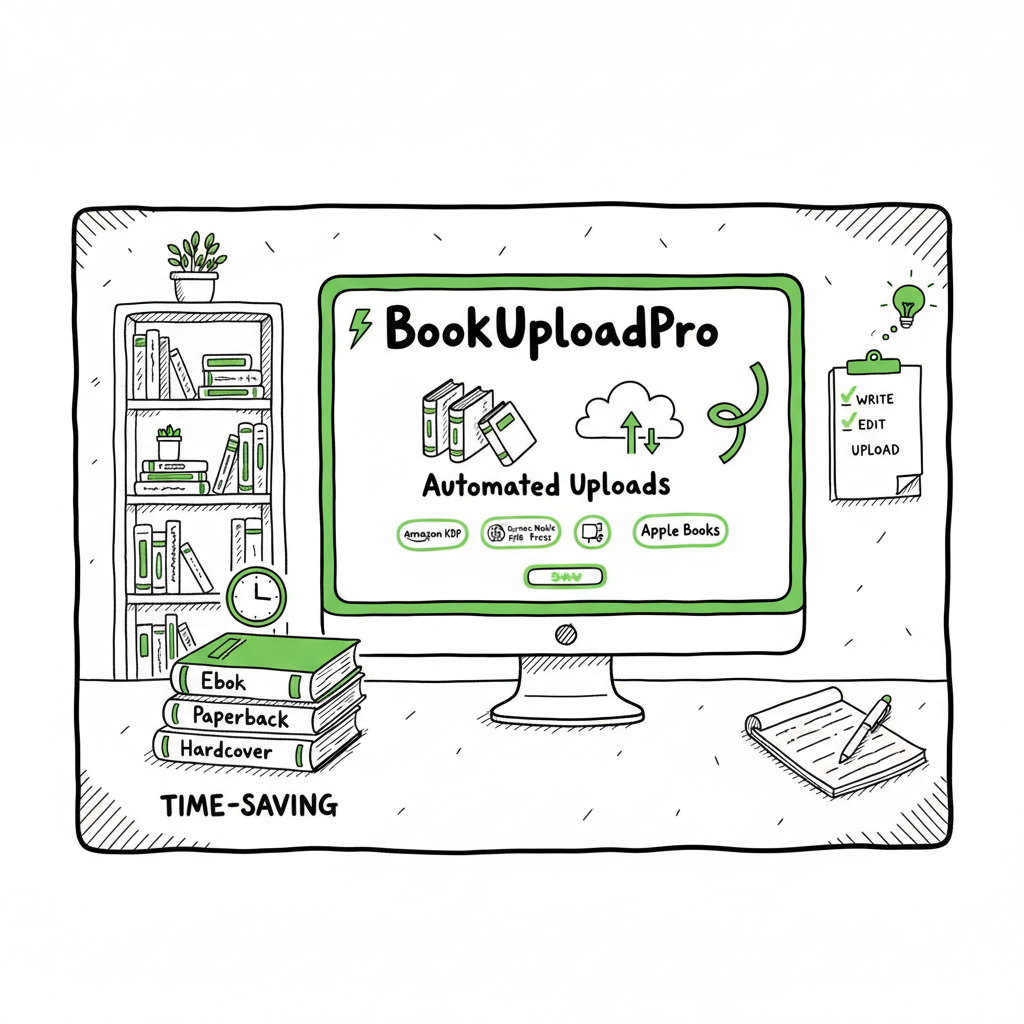
KDP author workflow for repeatable, efficient publishing
kdp author workflow
Estimated reading time: 13 minutes
Key takeaways
- A repeatable kdp author workflow reduces mistakes and cuts time per book by a large margin.
- Automating uploads and platform-specific checks lets you publish more formats without reinventing the process.
- BookUploadPro turns repeatable files into fast multi-platform distribution, saving around 90% of manual upload time.
Table of Contents
- Start with repeatable files and templates
- Automate steps and avoid errors
- Scale distribution and reporting
- FAQ
- Sources
Start with repeatable files and templates
If you want to publish more than one book a year, the kdp author workflow must be repeatable. That means a small set of files and a tiny set of rules you run for every title. Early standardization pays off: consistent metadata, consistent file names, and consistent export settings make it easy to spot problems and automate steps.
What to standardize first
- Manuscript source. Keep a single master manuscript file (Word, Google Doc, or InDesign) named with a predictable pattern: Author_LastName_Title_V1.docx.
- Exports. Choose and lock the export formats you use for uploads. Most pros export a clean EPUB for ebooks and a print-ready PDF for paperbacks.
- Metadata CSV. Put title, subtitle, author name, series details, BISAC codes, language, and price into a single spreadsheet row per book. That row becomes the source for batch uploads later.
- Cover files. Save a flat cover image for ebook and a print-ready PDF for paperback with predictable names.
A simple folder structure
/Master/
  Manuscript.docx
  Cover.psd (or final PDF)
  Metadata.csv
  Exports/
    Title.epub
    Title_print.pdf
These conventions turn a messy pile of files into a machine-readable set. Once you have them, you can use tools or services to map fields automatically during upload.
Why the spreadsheet matters
Putting metadata into a CSV is the biggest multiplier for scaling. A single row maps to one book. Fields like ASIN/ISBN, territory, and royalty choices become columns. A clean CSV lets you run batch uploads and produce consistent storefront pages.
If you need a primer on the platform-specific side, see Amazon KDP for Authors — it’s a useful reference if you’re still learning KDP’s interface and required fields.
Design and production checklist
- Before you export:
- Run a quick proofread pass focused on formatting issues (widows, orphans, page breaks).
- Validate EPUB with an EPUB validator.
- Check cover spine width against final page count.
- Confirm metadata matches the manuscript (title spelling, author name, ISBN).
On covers and final assets
Covers are a distinct part of the pipeline. If you want fast, repeatable cover assets, consider a cover generator processing that standardizes sizes and export settings; that saves a lot of back-and-forth late in the process. For automated cover creation and processing workflows, a reliable tool can export the exact specs each platform expects, reducing rework and upload rejections. For hands-off cover preparation, try a proven book creation and packaging solution.
Automate steps and avoid errors
Once your files follow a pattern, automation is where you get scale. Automation doesn’t mean you remove quality control — it means you move manual, repeatable steps into a safer, faster system and run checks where errors are most likely.
What to automate first
- File exports. Automate exports from your manuscript master into consistent EPUB and PDF outputs.
- Metadata population. Map your CSV columns to platform fields so metadata is never typed twice.
- ISBN and identifier management. Track assigned ISBNs in the spreadsheet and insert them into the right upload fields automatically.
- Conversion checks. Have an automated EPUB validation step that flags broken nav or missing fonts.
Efficient KDP publishing steps for scale
- EPUB validation with a tool that lists errors and warnings.
- Cover dimension verification against final page count for print.
- Metadata completeness check (title, author, description, BISAC).
- Price and territory sanity checks (e.g., ensuring ISBN and country pairings are correct).
File conversion and ebook formatting
Converting manuscripts to EPUB is a routine but critical step. Automate the conversion and validation so you don’t ship a broken ebook. A dedicated EPUB converter can standardize fonts, margin settings, and image handling across your catalog, which keeps your reader experience consistent across devices and platforms. If you need a reliable converter that integrates into a production flow, there are tools that will convert and validate EPUBs automatically.
Platform-specific intelligence
Each distributor has its own quirks: Amazon KDP wants certain image resolutions and metadata shapes, while Ingram and Apple Books behave slightly differently with interior files and pricing. The smartest systems apply platform-specific rules during the upload, so the same CSV and exports can produce correct listings across multiple stores. That reduces the rework that eats time when a title is rejected for a small mismatch.
Where automation pays most
- Batch uploads. Upload tens or hundreds of titles using a CSV-based job rather than clicking through browser forms.
- Error grouping. Capture failed uploads and classify them by error type so you fix the root cause once for many books.
- Routine reporting. Automate daily or weekly status reports listing live titles, pending approvals, and distribution issues.
A note about quality control
Automation should never replace a final manual spot-check for the first copy of a new template, a new series, or a major format change. But once a template is validated, automation can carry identical titles safely across platforms.
Tooling and practical choices
There are two paths: build an internal pipeline or use a service that accepts your CSV and exports and pushes to retailers. For most authors and small publishers, using a service that understands platform differences is the obvious upgrade once you publish seriously. Services that support CSV batch uploads and platform rules let you focus on producing books, not on form-filling.
Practical tip: keep a small checklist you run after an automated upload completes. Confirm the cover appears, the description is formatted correctly, and price and territory values are right. Those three items catch most customer-facing problems.
Scale distribution and reporting
The highest-leverage part of a mature kdp author workflow is distribution and reporting. Getting a book live once is useful; getting 50 books live with correct metadata and consistent distribution is what builds a real business.
Why unified multi-platform publishing matters
If you only use Amazon, you avoid some complexity. But wide distribution makes books available where readers actually buy, and it also reduces single-channel risk. A unified multi-platform publishing approach means you prepare one set of master files and one metadata source, then push those across Amazon KDP, Kobo, Apple Books, Draft2Digital, and Ingram with platform-specific intelligence applied automatically.
What a unified publishing engine should do
- Accept a single CSV and export folder for a batch of titles.
- Apply platform-specific transforms (cover size, file format, price currency).
- Submit uploads and capture receipts or platform warnings.
- Retry transient failures and group permanent errors for human review.
- Produce a dashboard that shows live status per store per title.
BookUploadPro as an operational step
A service that automates uploads and understands platform requirements saves time and reduces errors. By handling KDP plus other retailers in one flow, you avoid entering the same metadata five times. That’s how you move from publishing a handful of titles to publishing dozens without adding hours per book.
Distribution details that matter
- Territory management. Make sure your pricing and rights are mapped correctly by territory to avoid accidental KDP Select conflicts or territory-blocking issues.
- ISBN handling. Track print ISBNs separately from ebook identifiers; use the CSV to ensure each format has the right number.
- Royalties and pricing bands. Automate price calculations for different currencies and platform thresholds so your margins remain consistent.
- Expanded distribution. For paperbacks, make sure Ingram and Aggregators see the right metadata for distribution to bookstores.
Reporting and bookkeeping
Good reporting solves two problems: operational friction and accounting. A proper publishing dashboard lists the status of each title (uploaded, live, under review, rejected), shows platform receipts, and exports sales-ready reports for finance. If you publish at scale, these reports let you reconcile platform statements quickly instead of hunting through email confirmations.
Reducing manual uploads by ~90%
A system that accepts your CSV and batch uploads reduces manual work dramatically. Authors who publish seriously find it obvious to upgrade to a multi-platform distributor that automates repetitive uploads and minimizes human error. Automate the upload. Own the distribution.
Making wide distribution practical and affordable
Scaling publishing is not just for big houses. Affordable services now let individual authors and small presses push dozens of titles to stores without building a custom tech stack. Look for features like CSV batch uploads, platform-specific intelligence, and automated error handling when you evaluate options.
Practical scenarios
- Releasing a backlist: Update the CSV with revised pricing and create one batch job to relist 20 titles across five platforms.
- Multiple formats: Use the same row to publish ebook, paperback, and audiobook metadata so listings stay consistent.
- Series launches: A single metadata template with consistent series numbering avoids mistakes that split sales across variations.
Operational discipline
Track a weekly cadence: new title exports on Monday, batch submission on Tuesday, spot-check on Wednesday, and reporting on Friday. Consistency beats heroic one-off efforts.
FAQ
Q: How do I start turning my manuscript into an upload-ready EPUB?
Answer. Start with a clean master file and export a validated EPUB. Use a converter that preserves headings and images and then run an EPUB validator. If you work with a service, it can accept your master and run conversion and validation for you.
Q: Do I need different covers for ebook and paperback?
Answer. Yes. Ebooks use a single flat image, while papersbacks need a full PDF combining front, back, and spine sized to the final page count. Many production tools can create both assets from a single source.
Q: Is a CSV necessary for scaling?
Answer. Not strictly necessary, but effectively required for scale. A clean CSV with one row per title unlocks batch uploads and automation. It also becomes your canonical record for bookkeeping.
Q: What mistakes do teams make when they first automate?
Answer. The top mistakes are skipping validation, not tracking ISBNs properly, and not applying platform-specific transforms. Each leads to rework, refunds, or rejected uploads.
Q: How much time can automation save?
Answer. It depends on volume, but many publishers report saving about 80–95% of the time they used to spend on manual uploads. The time saved compounds as you publish more titles.
Final thoughts
If you publish multiple books or plan to, the practical move is to make the BookUploadPro workflow repeatable, validate it once, and then automate the rest. That reduces rework, stops small errors from becoming big problems, and frees you to focus on writing and marketing.
Call to action
Visit BookUploadPro.com and try the free trial.
Sources
- https://kdp.amazon.com/help/topic/G202172740
- https://reedsy.com/blog/guide/kdp/how-to-publish-a-book-on-amazon/
- https://damyantiwrites.com/kindle-direct-publishing/
- https://www.automateed.com/kdp-author-central
kdp author workflow Estimated reading time: 13 minutes Key takeaways A repeatable kdp author workflow reduces mistakes and cuts time per book by a large margin. Automating uploads and platform-specific checks lets you publish more formats without reinventing the process. BookUploadPro turns repeatable files into fast multi-platform distribution, saving around 90% of manual upload time.…