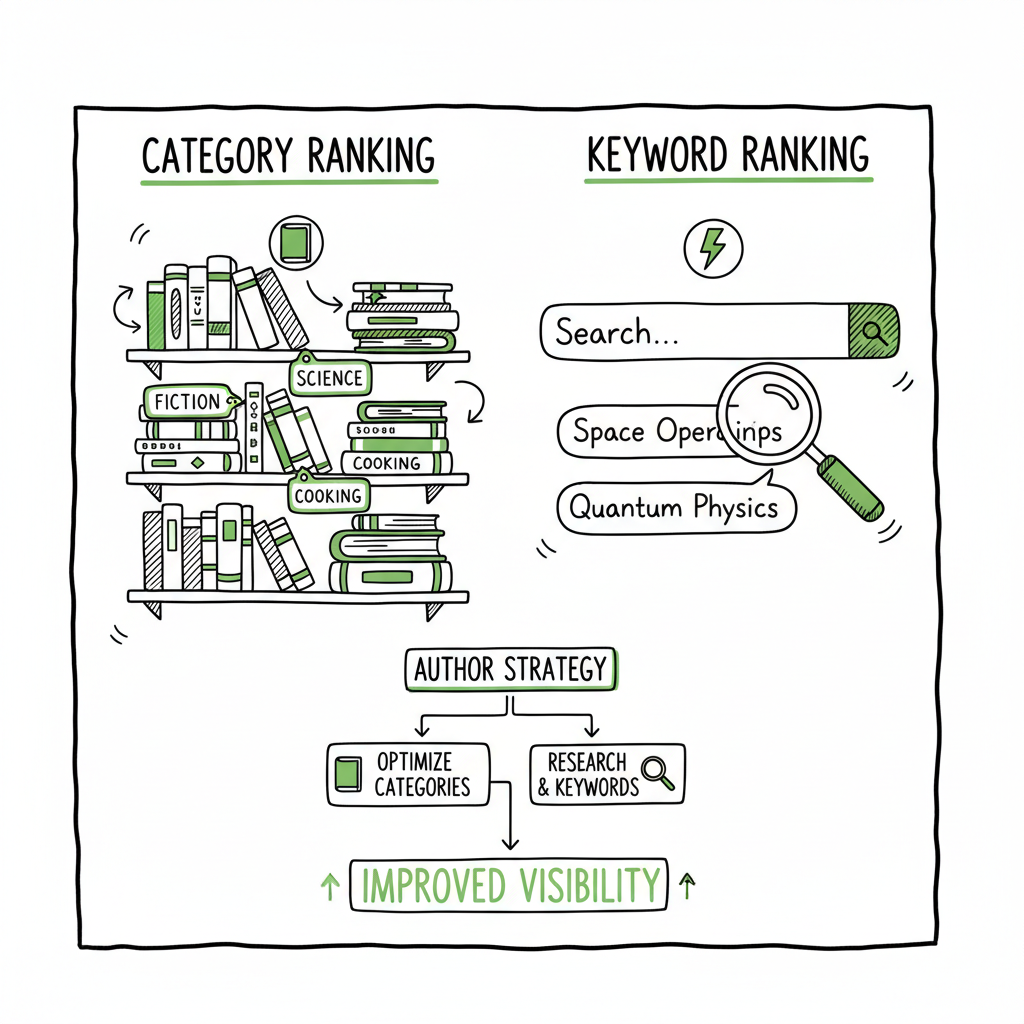
Category Ranking vs Keyword Ranking in Self-Publishing
Category ranking vs keyword ranking: How authors should use both
Estimated reading time: 9 minutes
Key takeaways
- Category ranking and keyword ranking are different signals: categories organize discovery, keywords drive search relevance.
- Use categories to reach the right shelf and use keywords to win search queries; both improve visibility when combined.
- Practical workflow: pick tight categories, research long-tail keywords, test listings, and automate multi-platform uploads to scale.
Table of Contents
- What category ranking vs keyword ranking means
- Why both matter for self-publishing
- Practical publishing workflow and platform tips
- FAQ
- Sources
What category ranking vs keyword ranking means
When authors compare category ranking vs keyword ranking they’re looking at two different ways books get found.
Category ranking is about where your book sits in a store’s hierarchy. On Amazon, a category can be very broad (Fiction → Mystery) or narrow (Cozy Mysteries → Cat Mysteries). A good category placement makes your book visible on the right browsable shelves and in category-specific best-seller lists. It matters for readers who browse by topic or genre.
Keyword ranking is about search relevance. When a shopper types words into the search box, the platform matches those words against your title, subtitle, back-end keywords, description, and metadata. Keyword ranking determines whether your book appears for specific queries and how high it shows up in search results.
Both systems work together. Categories get your book in front of readers who browse a topic; keywords get it in front of readers who search for a specific idea or phrase. The primary focus for many authors should be keyword relevance, but without thoughtful category selection you can miss buyers who never search.
If you want practical tips for optimizing book pages on Amazon specifically, see Amazon Book SEO for Authors.
Mentioning book production tasks: if you need to generate a cover quickly, a reliable BookAutoAI cover generator can speed design without blocking your release timeline. If you’re assembling files, an EPUB converter helps get your manuscript into platform-ready form. And when you create paperback and ebook files together, book creation tools that support book creation streamline the process.
Why both matter for self-publishing
For authors publishing across multiple platforms, ignoring either signal limits reach.
- Browsing behavior: Some readers still discover books by exploring a category or a storefront collection. Categories influence those placement-based discoveries.
- Search behavior: Other readers search by problem, trope, or keyword phrase. Good keyword targeting captures that intent.
- Sales momentum: A tight category with fewer competing new releases can let you rank in a category bestseller list more quickly. That rank drives visibility, which can boost keyword performance.
- Platform differences: Each retailer treats categories and keywords slightly differently. KDP has specific category slots and backend keyword fields; Apple Books and Kobo rely more on curated categories and search relevance.
BookUploadPro helps here by automating uploads so you can test category and keyword permutations across Amazon KDP, Kobo, Apple Books, Draft2Digital, and Ingram without repeating manual work. That makes systematic testing practical: change one variable, publish a new listing, track results.
Mentioning book production tasks: if you need to generate a cover quickly, a reliable BookAutoAI cover generator can speed design without blocking your release timeline. If you’re assembling files, an EPUB converter helps get your manuscript into platform-ready form. And when you create paperback and ebook files together, book creation tools that support book creation streamline the process.
Practical publishing workflow and platform tips
Start with a repeatable workflow that treats categories and keywords as testable variables.
-
1) Research, then choose one primary goal
Decide if your immediate goal is visibility in a narrow category, higher search impressions, or both. For a new indie author, a narrow category can deliver quicker rankings and social proof; for an author with an existing audience, keywords help capture search-driven sales.
2) Keyword research you can use
Find 5–10 keyword phrases that match how readers search for your book. Pick a mix of:
- One exact-match short phrase (primary)
- Two or three long-tail phrases (less competitive)
Put the most important phrase where it matters: title, subtitle, or first line of description if it reads naturally.
3) Category selection strategy
Pick one primary category that’s as specific as possible and one secondary that makes sense. On Amazon, use the category selector and consider contacting KDP support to add a second BISAC if it clearly fits your content. Narrow categories often have lower absolute sales but less competition.
4) Test and iterate
Use staged uploads to try small changes: swap a long-tail keyword, move to a slightly different category, or adjust your subtitle. Measure impressions, clicks, and sales. Because this requires many uploads, automation helps: a CSV batch upload with platform-specific intelligence reduces repetitive work and cuts errors.
5) Platform-specific notes (short)
– Amazon KDP: Backend keywords and subtitle text are powerful. Categories affect bestseller lists. Watch conversion from impressions to purchases.
– Kobo and Apple Books: Descriptions and metadata feed search heavily; category placement varies by region.
– Draft2Digital and Ingram: Distribution metadata controls how listings appear in retail partner catalogs; consistent keywords across platforms help.
BookUploadPro fits into this workflow by letting you push the same master metadata, cover, and files across multiple vendors while tailoring platform-specific fields. Automate the upload. Own the distribution. The time savings are real—about 90% in repetitive tasks—so testing dozens of listing variations becomes practical and affordable.
Practical file tools you’ll use
– If you need a clean EPUB, use an EPUB converter early in the process to catch formatting issues before upload.
– For covers, a reliable cover generator speeds iteration when you want to test thumbnail performance.
– When producing both paperback and ebook files, use a book creation workflow that keeps trim sizes and metadata consistent across formats.
FAQ
Q: Which matters more for a new indie release, category or keyword?
A: Start with a specific category to get early visibility, but prioritize at least one keyword-focused title/subtitle so searchers can find you. Then iterate.
Q: Can changing categories hurt ranking?
A: Temporary changes can reset momentum on some platforms, so test deliberately and monitor sales. Use automation to revert quickly if needed.
Q: How many keywords should I use per platform?
A: Use all available keyword slots but focus on relevance. Don’t stuff. Pick 5–10 well-researched phrases and rotate them in tests.
Q: Do descriptions affect keyword ranking?
A: Yes. Descriptions inform search relevance on many platforms. Put natural, readable phrases that match your researched keywords.
Q: Is it worth automating multi-platform uploads?
A: For authors publishing more than a few titles or doing frequent updates, automation reduces manual errors and saves time—making wider distribution practical.
Sources
- Alison K Consulting — Keywords vs. categories discussion
- Alliai — Page category SEO context
- BookAutoAI — Book cover generator
- BookAutoAI — EPUB converter
- BookAutoAI — Book creation and publishing tools
Final thoughts
Categories and keywords are complementary tools. Categories place your book in the right browsing context; keywords match specific search intent. Use both deliberately: select tight categories, optimize title/subtitle and backend keywords, and run systematized tests across platforms. When you’re ready to scale tests and updates, automation that supports CSV batch uploads and platform-specific intelligence is an obvious upgrade once authors start publishing seriously.
Visit BookUploadPro.com to try the free trial.
Category ranking vs keyword ranking: How authors should use both Estimated reading time: 9 minutes Key takeaways Category ranking and keyword ranking are different signals: categories organize discovery, keywords drive search relevance. Use categories to reach the right shelf and use keywords to win search queries; both improve visibility when combined. Practical workflow: pick tight…