Bulk Publishing Books Practical Guide to Platform Uploads
Bulk publishing books: A practical guide to scale multi-platform book uploads
Estimated reading time: 18 minutes
Key takeaways
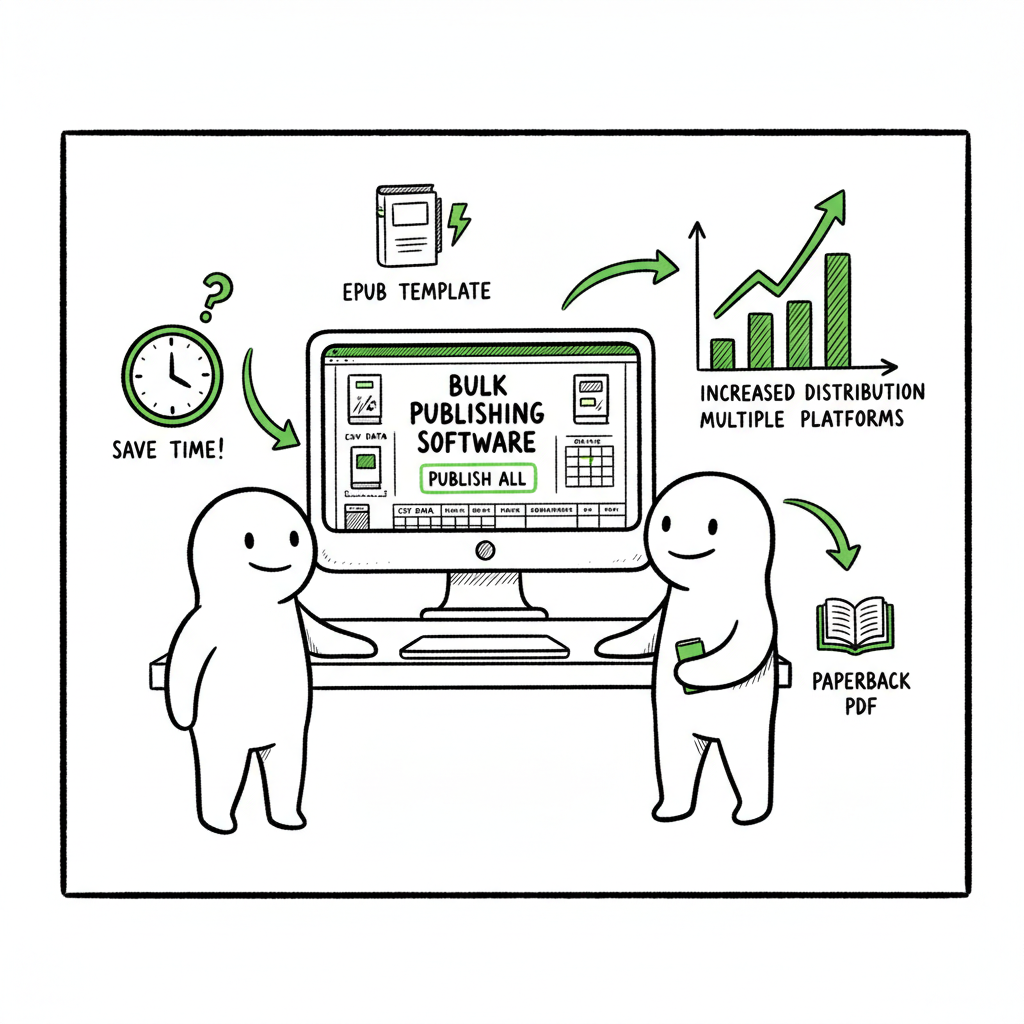
- Bulk publishing books saves time and lets you distribute widely without repeating manual uploads.
- A reliable mass book publishing workflow combines clean CSV data, platform-aware files (EPUB, paperback PDFs), and a batch upload tool that reduces errors.
- BookUploadPro automates CSV batch uploads across KDP, Kobo, Apple Books, Draft2Digital and Ingram, cutting upload time by ~90% and making wide distribution practical.
Table of Contents
- Why bulk publishing books matters
- Designing a repeatable mass book publishing process
- Common errors and platform intelligence
- FAQ
Why bulk publishing books matters
Bulk publishing books is the step that separates hobby publishing from a scalable business. When you publish one title, manual uploads, proof checks, and metadata tweaks are manageable. When you publish dozens or hundreds, those same processes become a bottleneck. Authors who move to batch kdp book uploads and a mass book publishing workflow stop repeating low-value tasks and start controlling output, quality, and distribution.
A few practical benefits matter in operations:
- Speed: Preparing a CSV and a package of ready-to-upload files speeds up rollout. A good system reduces repetitive clicks and keyboard typing.
- Consistency: Templates enforce uniform metadata, cover rules, and pricing ties across formats and retailers.
- Coverage: Multi-platform distribution increases discoverability and revenue. Managing KDP, Kobo, Apple Books, Draft2Digital and Ingram manually is slow. Automating uploads across platforms makes wide distribution practical.
If you plan to scale, read our guide on Scaling an Amazon KDP Business for process-level tips that apply directly to bulk publishing. That article digs into organizing SKU families, rolling out series, and the business signals to watch as publication velocity increases.
What changes when you go from one book to many
- Metadata becomes structured data. You stop thinking in single-description fields and start building CSV rows.
- File standards matter. One EPUB that fails validation can hold up a whole batch.
- Error handling needs to be predictable. If a platform rejects an ISBN or a cover, you want a clear correction path, not isolation by individual uploads.
When to choose bulk publishing
- You have a catalog strategy: series, calendar, or niche stacks.
- You publish variations: ebook, paperback, wide paperback, audio metadata, translations.
- You want to test pricing or keywords across many titles quickly.
Tools and tactics that support scale
- CSV batch uploads to centralize metadata and link each row to files.
- Platform-specific intelligence (rules for KDP, Kobo, Apple, Ingram) baked into the upload engine to avoid rejections.
- Central error reporting so one fix can re-run the failed items.
BookUploadPro exists to automate repetitive uploads so authors and small teams can publish seriously without hiring full-time operations staff. The platform pairs CSV batch uploads with platform intelligence to lower error rates and deliver roughly 90% time savings compared with manual entry—an obvious upgrade once authors start publishing seriously.
For bulk publishing, simple decisions compound into reliable results. If you plan to scale, read the linked guide above for a practical blueprint to implement quickly.
Designing a repeatable mass book publishing process
A repeatable process is how you keep scale predictable. The goal is to make each book a predictable output of the same inputs and checks.
Start with a CSV as the single source of truth
Think of the CSV as the contract between your content and the publishing platforms. Each row represents a title and columns capture:
– Title, subtitle, series name and number
– Primary language and territories
– ISBNs or ASINs (if reserved)
– Price by marketplace or default price and currency
– File names for manuscript (EPUB or PDF) and cover
– Categories and keyword slots
– Distribution flags (KDP, Kobo, Apple, Ingram, Draft2Digital)
– Royalty and expanded distribution options
Make your CSV schema explicit. Use consistent column headers, example rows, and a short data dictionary. That prevents errors when team members or contractors add rows.
File preparation: format once, reuse often
Quality files are the easiest way to reduce rejects. Treat file preparation as a step that runs before you touch the CSV.
- Ebook files: Validate your EPUBs. EPUBs should pass common validators and meet platform requirements for images, cover embedding, and metadata. If you convert from Word or InDesign, keep a standardized conversion process.
- Paperback files: Generate a print-ready PDF with correct trim size, bleed, and embedded fonts.
- Covers: Keep separate files for ebook and paperback. The ebook cover is usually JPEG/PNG; paperback covers must include back and spine art when required.
If you need a cover or a routine EPUB conversion, use a processing tool that handles these steps predictably. For simple, repeatable cover creation or batch processing, consider a dedicated cover generator that accepts templates and outputs compliant images. For EPUB conversions, use a converter that accepts your manuscript source and returns validated EPUB files ready for distribution — that saves time and prevents common format issues.
For bulk cover handling, a tool like book cover generator processing can help at scale.
For EPUB conversions, use an EPUB converter.
If you publish both ebooks and paperbacks, a single service such as BookAutoAI that supports both creation and distribution reduces handoffs and errors.
Platform-aware uploads
Each retailer behaves differently. A mass publishing tool with platform-specific intelligence reduces friction by:
– Applying the right file checks for each retailer before upload
– Mapping CSV fields to each platform’s metadata fields (e.g., KDP subject categories vs. Kobo categories)
– Handling optional fields only when required (ISBNs, contributor roles)
– Staging uploads and reporting back detailed rejection messages
Batch kdp book uploads are a good example: KDP expects specific values for categories and has distinct requirements for manuscript formats and territories. A tool that understands KDP rules will pre-validate rows and flag the exact column causing an issue.
Version control and audit trails
When you run batches, track every change. A simple version number column in your CSV, combined with automated logging in your upload tool, gives you:
– A rollback point if metadata is wrong
– Clear proof of what was uploaded and when
– The ability to re-run only failed rows instead of the entire batch
Testing and staged rollouts
Before publishing a full batch, test with a small set of representative titles. Use staged rollouts to:
– Validate cover and manuscript rendering across retailers
– Confirm category and keyword mapping work as expected
– Verify pricing across territories
Operational patterns for higher velocity
- Templates: Use a set of title templates for series entries, singletons, and reprints.
- Naming conventions: File names that embed ASIN or ISBN plus format prevent mix-ups.
- Automate repetitive creation: If you regularly publish similar covers or interior templates, script the file generation or use a processing service that accepts inputs and produces compliant files.
Why CSV + batch engine beats manual uploads
Manual uploads scale linearly with title count; CSV + batch engine scales sub-linearly because the engine reuses the same routines. Bandwidth spent on data cleanup, file validation, and error resolution is reduced to what truly needs human judgment.
Practical example: a monthly series rollout
- Day 1: Finalize 4 manuscripts and 4 covers.
- Day 2: Prepare 4 EPUBs and 4 print-ready PDFs using the same templates.
- Day 3: Populate CSV with metadata, prices, categories, and file pointers.
- Day 4: Run a test batch (one title) and fix discovered issues.
- Day 5: Execute full batch and monitor reports.
Common errors and platform intelligence
As you scale, certain errors repeat. Anticipating and preventing them is operational leverage.
File failures
- EPUB validation failures: Missing cover image in the EPUB, bad table of contents, or invalid XHTML. Use an EPUB converter with validation or an EPUB validator before upload.
- Print PDFs with font issues: Fonts not embedded, wrong trim dimensions, or incorrect bleed settings. Standardize print templates to avoid this.
- Image resolution and color profile problems: Low-resolution covers or incorrect color spaces (RGB vs CMYK) for print can cause rejections.
Metadata problems
- Bad ISBN handling: Some platforms accept a publisher-supplied ISBN only if the ISBN agency records match metadata. Decide whether to use platform-assigned ISBNs or your own and stick to the rule across platforms.
- Mismatched series and numbering: Maintain a consistent series name and numeric format in the CSV to avoid category confusion.
- Incorrect categories and keywords: Different channels have different category systems. Mapping errors cause discoverability problems.
Platform-specific quirks
- KDP: Requires different category selection process and has strict price/royalty rules per territory.
- Apple Books: Often requires a validated EPUB and specific pricing formats.
- Kobo: Has its own category tree and promotional features that need attention.
- Ingram: Print and distribution metadata must match physical book standards for on-demand printing.
Batch upload intelligent checks
A platform-aware batch tool pre-checks the above issues and flags the exact field causing trouble, instead of returning a generic rejection. That saves time because the correction is targeted to a CSV column or a specific file.
Retry and re-run strategies
- Re-run only failed rows: Don’t re-upload successful items. Your tool should separate success and failure rows.
- Keep a fix-and-retry flow: Make a small correction in the CSV or file and resend the specific row.
- Record root causes: Track the reason for each failed upload to spot recurring problems (e.g., cover size mismatches).
Quality control without manual rework
Use automated previewing tools when possible to render the ebook and print files the way a reader sees them. Spot checks are still necessary, but automation reduces the number of manual proofs required per batch.
Operational governance
- A staging environment: If your batch tool allows staging, validate a full batch in staging before publishing live.
- Access controls: Limit who can push live batches. Use roles: creator, reviewer, and publisher.
- Change logs: Ensure every batch run produces a log stating which rows ran, which succeeded, which failed, and why.
The economics of reducing errors
Every rejected file costs time to fix and delays revenue. As you scale, even small per-title error rates compound. Investing in pre-validation and platform-aware tooling pays off quickly. The time savings from automation are often quoted around ~90% compared with manual entry—time that moves from clicking through forms to strategic work like marketing, new content, or quality improvements.
Operational checklist
- Treat files and metadata as code: versioned, reviewed, and validated.
- Use templates for everything repeatable: Templates keep consistency.
- Automate validation: Let humans handle edge cases.
- Keep runs small during early testing: Then scale confidently.
Practical resources and helpers
- For cover generation at scale, a cover processing tool that accepts templates and produces compliant images can remove a frequent bottleneck.
- For consistent EPUBs, a converter that integrates with your pipeline prevents format drift between titles.
- If you publish both ebooks and paperbacks, a single service that supports both creation and distribution reduces handoffs and errors.
(When creating covers or converting manuscripts, consider dedicated processing tools that handle bulk cover generation and EPUB conversion to keep files platform-compliant.)
FAQ
Q: What exactly counts as bulk publishing?
A: Bulk publishing means preparing and uploading multiple titles in a coordinated batch. That could be 5 titles at once or hundreds. The key is that you use a structured process—CSV, standardized files, and a batch engine—instead of manual, one-by-one uploads.
Q: Is a CSV required?
A: No single tool requires CSV, but CSV is the practical standard for batch workflows. It provides structured metadata, file pointers, and flags for distribution that a batch engine can ingest reliably.
Q: Do I need separate covers for ebook and paperback?
A: Yes. Ebook covers are front-only images and must meet pixel-size expectations. Paperback covers often require a full wrap (front, spine, back) and must account for trim size and bleed. Use templates for both.
Q: How do I handle ISBNs in bulk?
A: Decide a policy: platform-assigned ISBNs or your own. Record your choice in the CSV. If you use your own ISBNs, ensure metadata matches your ISBN agency record to avoid marketplace warnings.
Q: How long before books appear in stores?
A: Each retailer is different. KDP updates can be fast, but global storefront propagation takes time. Expect initial processing hours to a few days, depending on the platform and any reviews.
Q: Can I re-run only failed rows?
A: A good batch tool separates successes from failures and lets you re-run only the failed items after corrections. That avoids duplicate uploads and keeps your audit trail clean.
Q: How do I prevent category mismatches across platforms?
A: Maintain a category-mapping table that converts your internal categories to platform-specific categories. Store the mapping in your workflow so the batch tool applies the right values automatically.
Sources
- https://kdp.amazon.com/help
- https://www.kobo.com
- https://authors.apple.com
- https://www.draft2digital.com
- https://support.ingramcontent.com
- https://www.bookautoai.com/book-cover-generator-processing
- https://www.bookautoai.com/epub-converter
- https://www.bookautoai.com
Estimated reading time: 18 minutes
Bulk publishing books: A practical guide to scale multi-platform book uploads Estimated reading time: 18 minutes Key takeaways Bulk publishing books saves time and lets you distribute widely without repeating manual uploads. A reliable mass book publishing workflow combines clean CSV data, platform-aware files (EPUB, paperback PDFs), and a batch upload tool that reduces errors.…