Automating Book Prep with AI for Authors and Publishers
Automating Book Prep with AI: A practical guide for authors and small publishers
Estimated reading time: 14 minutes
Key takeaways
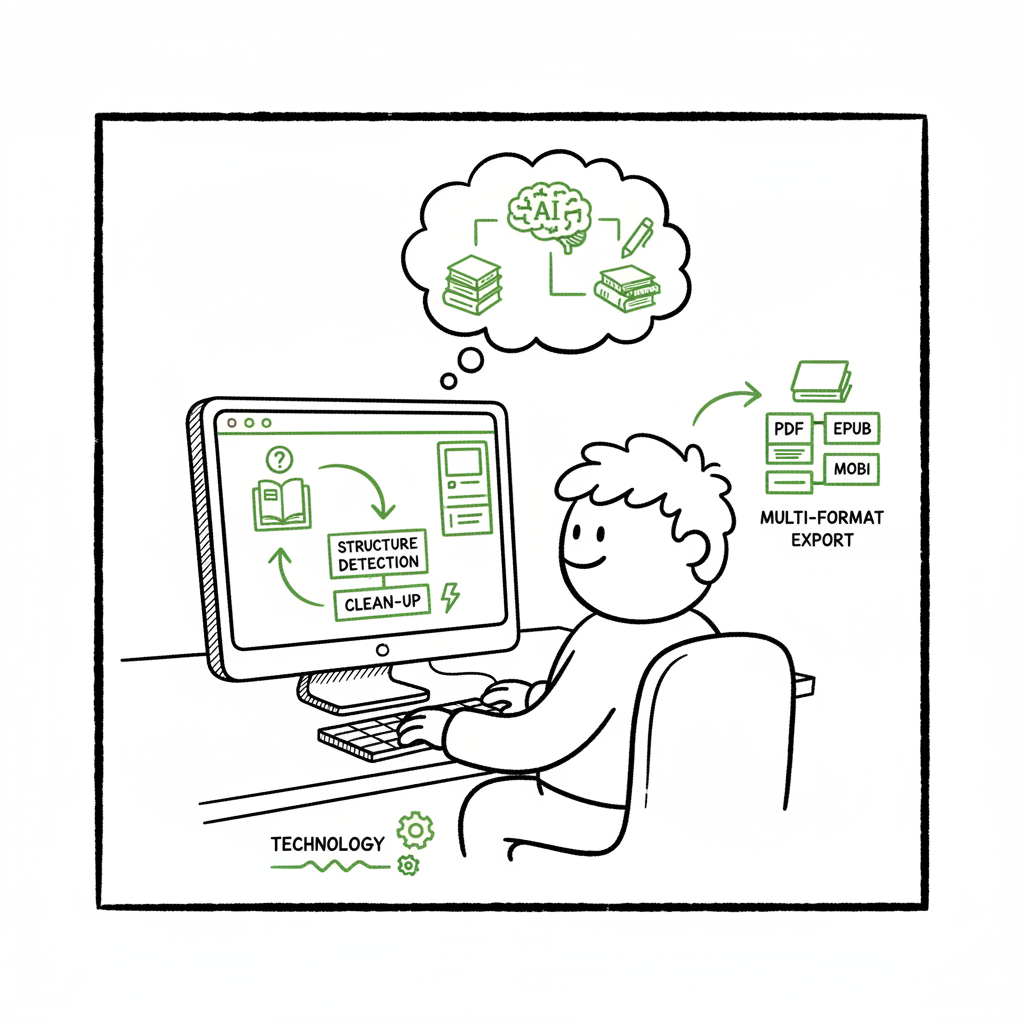
- Automating book prep with AI speeds the repetitive work—structure detection, clean-up, and multi-format export—so you can publish more titles faster.
- AI-driven systems work best as production assistants inside a defined process: machine rules plus human review for quality and edge cases.
- Use tools that support unified multi-platform publishing and CSV batch uploads to cut turnaround times and reduce errors.
Table of Contents
- How automating book prep with AI works
- Where automation helps and where to keep humans
- Implementing scalable multi-platform processes
- FAQ
How automating book prep with AI works
If you are serious about publishing multiple titles, automating book prep with AI is no longer an experimental trick. It’s a repeatable production pattern that turns a messy manuscript into consistent outputs—print-ready PDFs, EPUBs, and platform-specific packages—faster than a person can do every step manually. For a practical primer on how AI fits into publishing processes, see the AI in Self Publishing Guide.
At a simple level, modern AI book prep is a layered system:
- Ingestion: the tool accepts your manuscript in common formats (DOCX, Google Docs, Markdown, or PDF).
- Structure detection: models and rules detect chapters, headings, front matter, and back matter.
- Cleanup and normalization: inconsistent quotes, em dashes, spaces, and list styles are corrected to your house style.
- Formatting and templating: detected structure is mapped into templates for ebooks and print.
- Multi-format conversion: the manuscript is exported to EPUB, PDF, and platform packages with style and layout applied.
This is not “AI writes your book.” It’s AI + rules doing the heavy lifting on format and structure. Large language models (LLMs) handle ambiguous structure and phrasing decisions; deterministic rules handle predictable transformations. The result is an automated process that removes repetitive errors and produces consistent files across platforms.
What the pipeline actually does
Start by uploading a draft. The system reads the file, looks for patterns, and builds a document model. It tags headings, indicates paragraph breaks, converts lists and blockquotes, and extracts images and captions. Next, style normalization runs: smart replacements for quotes, consistent use of dashes, standardizing citations and footnotes, and fixing common OCR or export artifacts.
After normalization, the system maps the document model into templates. Those templates define margins, fonts, running heads, chapter openers, and table-of-contents behavior for print PDFs. For ebooks, the process produces clean HTML and then converts to EPUB with accessible structure and metadata. If you need a platform-specific package—KDP, Apple Books, Kobo, Draft2Digital—the process packages the correct files and metadata.
Why this works now
Two trends make this effective:
- LLMs have gotten good at pattern recognition in long text, making structure detection reliable on most trade manuscripts.
- Robust conversion tools and templating engines turn structured HTML or XML into platform-ready files with predictable results.
Where automation still struggles
Complex layouts—heavy figures, multi-column pages, scientific notation, tables with precise alignment, or image-heavy art books—need human layout work. The automated process handles the bulk of the book but flags these elements for manual intervention.
If your goal is to convert dozens or hundreds of backlist titles or to publish many similar books, intelligent automation is the right trade-off: enormous time savings with controlled human oversight.
Practical note on EPUB conversion and cover work
A core benefit of automating book prep with AI is reliable multi-format export. For many publishers that means converting to EPUB without repeated formatting errors; automated EPUB conversion lets you generate accessible, standards-compliant ebook files quickly (see an epub converter that teams with production pipelines).
You’ll also need a cover that matches your template. If you generate or process covers as part of the process, treat cover creation as another production step and test how the image and spine metrics translate into print. For practical cover generation and processing, use a dedicated service that handles sizing and export for both ebooks and print.
Where automation helps and where to keep humans
What automation does well
- Style normalization: consistent quotes, dashes, and spacing across an entire catalog.
- Structure and TOC: reliable detection of chapters, front matter, and back matter so tables of contents and chapter links work in ebooks.
- Repetitive formatting: applying templates consistently across titles so all books look like they came from the same press.
- Multi-format output: one source manuscript converted into EPUB, PDF, and platform packages.
- Batch processing: applying identical rules to many manuscripts at once using CSV batch uploads or a managed queue reduces per-title time dramatically.
These are workhorses of production. If you are publishing at scale, they are the difference between one staff member handling dozens of titles per month and the same staff drowning in manual fixes.
What still needs human attention
- Tone and content changes: never let the system rewrite author voice without review. Automated suggestions are fine; wholesale edits are risky.
- Complex layouts and figures: detailed tables, scientific figures, and multi-column spreads should be handled by a designer or specialist.
- Accessibility and compliance: automated tagging can help but always validate reading order, alt text, and navigation in final EPUBs and PDFs.
- Final proofing and spot checks: automated QA is valuable, but a person should sample and sign off on the final files before distribution.
Common failure modes
- Hallucinated edits: the model may “fix” phrasing incorrectly. Always track changes and review editorial changes.
- Broken structure: heading hierarchies can be flattened or mis-tagged, making the TOC wrong in an EPUB or causing chapter opens in the wrong place in print.
- Image issues: low-resolution images or incorrect color profiles can create a print failure.
- Metadata mismatches: automations occasionally map fields incorrectly to platform-specific metadata—double-check ISBNs, contributor roles, and pricing.
Operational controls you should use
- Style definitions: keep a concise style sheet (fonts, chapter breaks, heading sizes) that the automation uses as a source of truth.
- Human-in-the-loop review: require a checklist and final sign-off from the author or production lead before distribution.
- Sample checks: spot-check the first, middle, and last chapter plus the cover and TOC in every output format.
- Error reporting: use a process that flags structural and asset problems and creates tickets for manual fixes.
Implementing scalable multi-platform processes
If your aim is distribution to Amazon KDP, Apple Books, Kobo, Draft2Digital, and Ingram, design the process to be unified and repeatable. The practical goal is predictable, automated outputs that require minimal per-title manual work.
Process elements to implement
- Single-source manuscript: keep one canonical master file (DOCX, Markdown, or structured HTML). Avoid hand-editing multiple format-specific copies.
- Structured metadata: maintain one CSV or metadata file that includes title, subtitle, contributors, descriptions, BISAC, languages, ISBNs, pricing, and territory rules. Use that CSV to drive batch uploads.
- Template library: build templates for print sizes, trim options, and ebook styles. Templates reduce per-book decisions and keep branding consistent.
- Conversion pipeline: set up a conversion chain that turns the master file into EPUB, print PDF, and distribution packages. The pipeline should be able to apply different templates based on metadata fields.
- Platform packaging: ensure the final step creates the exact file package and metadata required by each retailer.
CSV-driven workflows scale. Populate rows with per-title metadata and let the system process dozens of titles. Smart pipelines map fields to each platform’s requirements (for example, KDP needs different identifiers and interior PDFs sized to trim; Apple Books prefers EPUB bundles).
Good automation will also include rules that handle platform quirks—image limits, metadata field mapping, and file naming patterns—so you don’t have to memorize each retailer’s quirks.
Using a tool like BookUploadPro
When you reach the point of publishing seriously—multiple titles or frequent new releases—moving to a unified, automated platform is an obvious upgrade. BookUploadPro automates the upload to Amazon KDP, Kobo, Apple Books, Draft2Digital, and Ingram. It focuses on production helpers: structure detection, formatting, and multi-format output with CSV batch support and platform-specific intelligence. The result is ~90% time savings on repetitive production work and fewer manual errors.
Practical rollout plan
- Start with a pilot: pick 2–3 titles that represent your catalog variety (short trade, long non-fiction, illustrated) and run them through the process.
- Define pass/fail criteria: produce a checklist for structural integrity, image quality, TOC correctness, and metadata accuracy.
- Iterate templates: update templates based on pilot feedback, then rerun the pilot to validate improvements.
- Scale with CSVs: once templates are stable, move to batch processing with CSV uploads and set up scheduled runs or queue-based processing.
- Monitor KPIs: time per title, post-upload errors, rework rate, and days-to-live across channels.
Cost and quality trade-offs
Automating book prep with AI reduces unit cost and turnaround time. The trade-off is that you must invest in setup: building templates, defining styles, and setting up QA gates. For single-title publishers, manual production may still make sense. For anyone publishing multiple titles or converting large backlists, automation lowers marginal costs and makes wide distribution practical.
Practical checklist for production-grade automation
- One master source file per title.
- Clear style guide and template library.
- Metadata CSV with required fields for all target platforms.
- QA checklist and human-in-the-loop sign-off.
- Version control and backup of final files.
- Reporting on errors and fixes.
Final operational notes
Automation reduces friction. You still need an editor and a designer for certain jobs; automation is about removing repetitive technical tasks so humans can do higher-value work. Treat the process as a production line: keep inputs clean, define outputs clearly, and require human sign-off before distribution.
FAQ
Q: Can AI prepare a manuscript from raw notes?
No. Automating book prep with AI is designed to process completed or near-complete manuscripts. It cleans and formats, but it is not a substitute for writing and substantive editing. Use AI-assisted drafting tools if you need help with idea generation, but always treat production automation as a finishing and conversion step.
Q: Which formats should I supply as the master file?
DOCX is still the most common master for trade books because it carries structure and is easy to edit. Markdown and structured HTML are excellent if you prefer a text-first workflow. PDFs are harder to reverse-engineer for structure; they are best reserved for final proofs, not masters.
Q: How much human review is necessary?
At minimum, do a spot check of the first, middle, and last chapters across all output formats, verify the cover and spine, and confirm metadata and pricing. For complex titles, do a page-by-page proof for print. Automation should reduce manual time, not eliminate it.
Q: Does automation handle ISBNs and metadata for each retailer?
Good platforms accept CSV metadata and map fields to each retailer. Some retailers require specific fields or have unique constraints—double-check mapping rules. Automation helps ensure consistency and reduces manual copy-paste errors.
Q: What about cover sizing and print-ready PDFs?
Accurate cover sizing depends on trim, page count, and bleed. The system can calculate spine width and generate print-ready PDFs, but always verify the final proof from the print vendor. A dedicated cover processing tool helps ensure images meet resolution and color profile requirements.
Sources
- https://intelligentautomationbook.com
- https://www.goodreads.com/book/show/55664646-intelligent-automation
Final thoughts
Automating book prep with AI is a practical, production-focused approach to publishing. It is best when treated as part of a system: a master file, templates, metadata, conversion pipelines, and human oversight. For authors and small publishers ready to scale, the combination of CSV batch uploads, platform-specific packaging, and consistent templates makes multi-platform distribution achievable without ballooning costs.
Automate the upload. Own the distribution.
Visit BookUploadPro to try the free trial.
Automating Book Prep with AI: A practical guide for authors and small publishers Estimated reading time: 14 minutes Key takeaways Automating book prep with AI speeds the repetitive work—structure detection, clean-up, and multi-format export—so you can publish more titles faster. AI-driven systems work best as production assistants inside a defined process: machine rules plus human…