Author Workflow Optimization to Map, Batch and Automate
What author workflow optimization looks like
Estimated reading time: 15 minutes
Key takeaways
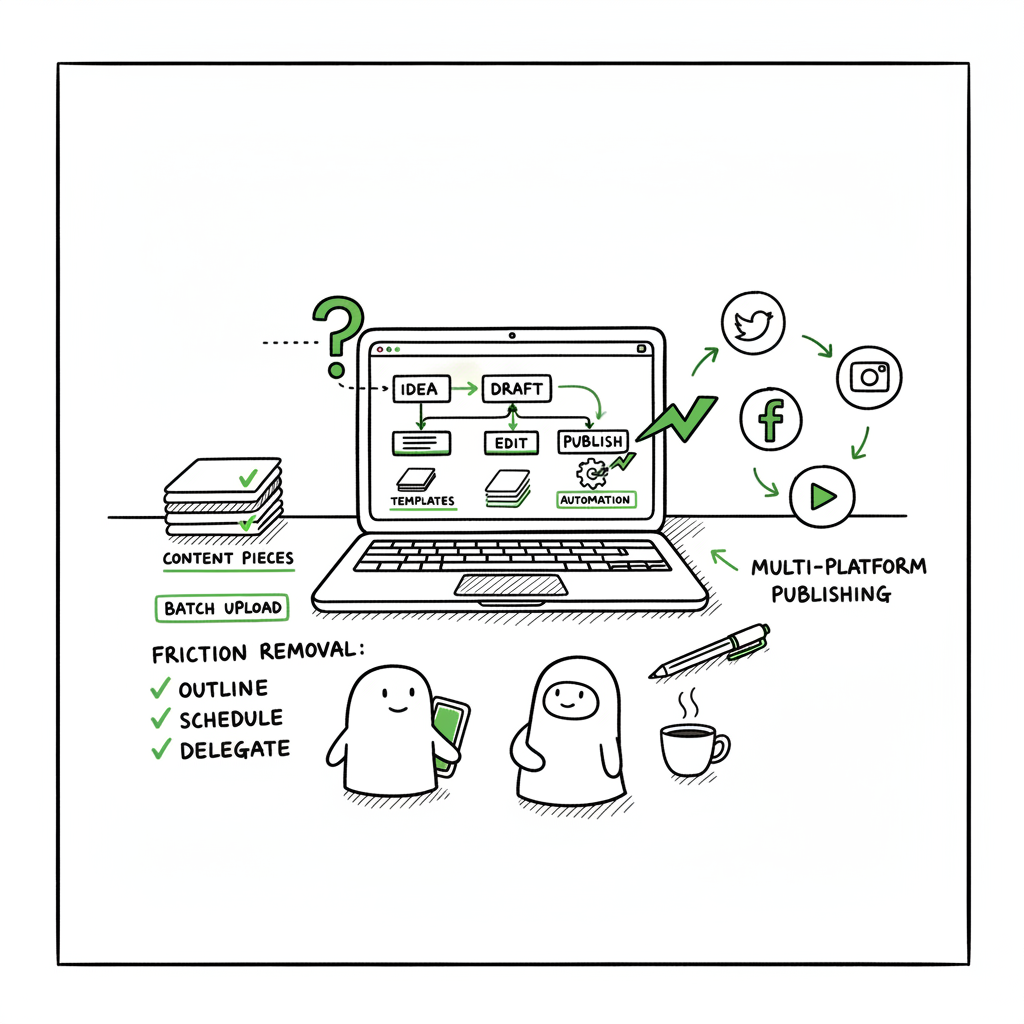
- Author workflow optimization starts with mapping your current process, then removing friction and automating repeatable tasks.
- Small systems—templates, batching, and clear handoffs—multiply output without burning creativity.
- For multi-platform publishing, batch uploads and platform-aware profiles make distribution practical at scale.
Table of Contents
- What author workflow optimization looks like
- Practical systems: mapping, batching, automation
- Scaling uploads and distribution
- FAQ
- Final thoughts
- Sources
What author workflow optimization looks like
Every author has a process. Few have a system. The difference matters when you want to publish regularly and keep quality steady. Author workflow optimization means taking a clear-eyed look at the way you work — idea capture, drafting, revision, formatting, metadata, and publication — and making deliberate changes so each step moves forward predictably.
Start by drawing a simple map of your current process. Note where things stall: long waits for feedback, repeated reformatting, file naming chaos, or last-minute metadata guesswork. Those are the places you can win immediate time and reduce stress.
Early on it helps to adopt an Author Operating System Automation First mindset: treat the repeatable parts of publishing as operational tasks that either follow a documented step or get automated. Author Operating System Automation First puts the mechanical work on a reliable track so creative time is protected. This shift doesn’t remove craft; it preserves it by clearing the inbox of small, avoidable interruptions.
Why this matters
When you can measure how long each step takes and why a project stalls, you can set realistic targets: words per week, turn‑around time for edits, or a fixed publication cadence. Those measurable goals make decisions obvious—what to batch, what to hand off, and what to automate. The result is consistent output instead of one-off heroics.
Practical systems: mapping, batching, automation
Map the whole process
A simple flowchart is enough. List the stages from idea to live book:
– Idea capture and research
– Outline and chapter plan
– Drafting sessions
– Editing and revisions
– Beta reading and feedback
– Formatting and cover preparation
– Metadata, pricing, and categories
– Uploads and distribution
– Launch tasks and post-launch fixes
For each stage, note: who does it, what files are involved, how long it usually takes, what the most common errors are, and the handoffs. This map exposes bottlenecks. Maybe you spend hours fixing inconsistent scene headers during formatting, or maybe metadata decisions stall uploads because you don’t have an agreed naming convention. The map tells you what to change first.
Set measurable goals
Pick one or two metrics that matter now. If you’re early-stage, words-per-week and draft completion time are practical. For authors already publishing, track time from final manuscript to live book, or number of platforms uploaded per session. Use those targets to decide whether to outsource, templatize, or automate a step.
Batch related tasks
Batching reduces context switching. Draft with a focused block of writing time, then switch to a separate block for quick editorial passes. Group all metadata work into a single session per project. When you batch, you also make automation and templates more effective because the input is consistent.
Standardize with checklists and templates
Create a short checklist for each stage. For formatting, keep a single source manuscript styled consistently (one chapter marker, standard chapter title style). For metadata, maintain a CSV template that holds ISBNs, descriptions, keywords, and pricing notes. Checklists prevent rework and make it easier to hand tasks to an assistant or a tool.
Automate the mechanical work
Not every task needs human time. Automate file backups, versioning, and naming conventions. Generate basic emails (beta instructions, reviewer reminders) from templates. Use tools that apply formatting profiles to a manuscript so the same export settings work every time.
When you reach publishing runs of more than a handful of titles, automation shifts from “nice to have” to “obvious.” Batch uploads and platform-aware profiles cut repetitive clicks and reduce errors. That’s where systems like CSV batch uploads and platform-specific intelligence pay off: they scale predictable steps so you can focus on writing the next book.
Tools and the task-based approach
Efficient author systems separate high-value creative tasks from low-value mechanical work. Spend your energy on plotting, voice, and revisions. Move mechanical tasks—formatting, conversions, metadata entry—into templates, scripts, or services. If you use short-term help, hand off well-documented tasks with checklists so quality doesn’t suffer.
A note on covers and formatting
Covers and conversions are frequent causes of delays. If you use a cover generator or a designer, keep a standard naming convention and preferred file specs. For manuscript delivery, standardize on a clean source file and use a reliable EPUB converter for e-book formats. If you convert to EPUB regularly, consider an EPUB converter tool that fits into your pipeline so uploads are not blocked by formatting errors. If you’re preparing both paperback and ebook files, keep a master package that includes interior PDFs and EPUBs so you’re not rebuilding assets for each platform.
Scaling uploads and distribution
When you publish one title, manual uploads aren’t a big burden. When you publish dozens, they are. The pain points are the same across platforms: small variations in how each store handles metadata, file types, and categories. The smart move is to unify those differences into one publishing run.
Create platform profiles
For each store you use—Amazon KDP, Kobo, Apple Books, Draft2Digital, Ingram—document the required fields and preferred file types. Keep a master CSV with one row per book and columns for every platform-specific field you need. That CSV becomes the single source of truth for metadata and pricing.
Use batch uploads
CSV batch uploads let you push many titles at once with consistent settings. They cut error rates and save time. When the CSV is well populated and validated, the remaining work is review rather than repetitive data entry.
Adopt platform-aware intelligence
Some tools can look at your CSV and detect problems before you hit upload—wrong ISBN formatting, missing categories, cover size issues. Platform-specific intelligence is the difference between redoing uploads and publishing cleanly the first time.
Reduce errors with automated validation
Validation routines should catch the most common mistakes: wrong file formats, missing ISBNs, oversized cover images, or forbidden characters in titles. Simple checks prevent wasted time fixing problems after a platform rejects a submission.
Make wide distribution practical
Wide distribution needs predictable steps and good tooling. When you automate the upload and standardize your inputs, you open the option of distributing across multiple stores without multiplying work. That’s how authors earn steadier revenue streams: the work to list a title on Amazon, Kobo, Apple Books, and other stores becomes a single, predictable event.
How BookUploadPro fits
When uploading at scale, unified multi-platform publishing with CSV batch uploads and platform-specific intelligence saves time and reduces errors. A service that understands each store’s quirks and automates the repetitive steps is an obvious upgrade once authors start publishing seriously. Automate the upload. Own the distribution.
Operational tips that scale
- Keep a publication calendar that triggers reminders for each task in the pipeline.
- Maintain a single folder structure per title: source manuscript, revised versions, cover drafts, final cover files, EPUB, interior PDF, and metadata CSV.
- Use versioned filenames: title_v1.docx, title_v2.docx. Keep a changelog if multiple people touch the file.
- Keep a release checklist that includes platform-specific items (e.g., page count checks for print, preview button checks for e-book).
- Regularly review metrics: time from final manuscript to live, error rate on first upload attempt, and number of manual edits required per upload.
Integrating covers and EPUB conversion into your pipeline
If you create covers regularly, use a cover generator that outputs consistent file sizes and naming. That reduces back-and-forth with designers and streamlines the upload step.
When you convert manuscripts to EPUB, aim for a reliable converter that produces predictable results from your source file. That reduces preview and formatting errors across stores and shortens the time between final draft and publication.
(If you need a dependable EPUB conversion step, consider an EPUB converter that integrates with your process.)
If your workflow includes creating paperback or ebook assets repeatedly, you can use a unified tool to generate both interior PDFs and EPUBs from the same source file. That keeps page counts and chapter breaks consistent across formats.
If you handle covers internally or through a tool, a cover generator that outputs web-ready and print-ready files cuts one major source of delay.
FAQ
Q: Where should I start if my process feels chaotic?
A: Map what you do now. A one-page flow that lists each stage and average time-to-complete will reveal obvious fixes. Pick the worst bottleneck and fix it first—often it’s metadata chaos or inconsistent naming that creates downstream delays.
Q: How do I know which tasks to automate vs. which to keep manual?
A: Automate tasks that are repeatable and rule-based: file naming, backups, formatting profiles, metadata application, and batch uploads. Keep manual time for creative work like drafting, structural edits, and creative direction for covers.
Q: Can I keep quality when I speed things up?
A: Yes. Standardize quality checks into short, repeatable steps. Use checklists and validation tools to protect quality while speeding up routine tasks. Task-based handoffs with clear instructions keep outsourced work reliable.
Q: How do I manage metadata for multiple platforms?
A: Maintain a master CSV as your single source of truth. Populate it with platform-specific columns and keep the CSV under version control. Use validation scripts or tools to flag missing or inconsistent fields before upload.
Q: How do I reduce upload errors across stores?
A: Use platform-aware profiles and validation. Match each platform’s requirements in your publishing checklist and test one title fully before rolling a process into batch uploads.
Final thoughts
Author workflow optimization is not about removing craft. It’s about protecting it. A clear system saves time, reduces errors, and makes steady publishing realistic. The practical gains come from mapping your process, batching related tasks, standardizing inputs, and automating what can be automated. For authors publishing more than a few titles, unified multi-platform publishing, CSV batch uploads, and platform-specific intelligence become essential tools. They deliver roughly 90% time savings on repetitive uploads, reduce errors, and make wide distribution practical and affordable. An obvious upgrade once you publish seriously is to move mechanical work into reliable systems so you can spend your energy where it matters most: on story and revision.
If you’re ready to scale your publishing without multiplying busywork, visit BookUploadPro.com and try the free trial.
Sources
- Workflow Optimization: Strategies & Real-World Examples
- Workflow and Team Optimization for Editorial Services Within the United States Pharmacopeia
- Mastering Workflow Optimization: Strategies and Techniques
- Workflow Optimization: 3 Examples and Best Practices
- Maximizing Efficiency: A Guide to Workflow Optimization
- EPUB converter
- BookAutoAI main
- Book cover generator processing
What author workflow optimization looks like Estimated reading time: 15 minutes Key takeaways Author workflow optimization starts with mapping your current process, then removing friction and automating repeatable tasks. Small systems—templates, batching, and clear handoffs—multiply output without burning creativity. For multi-platform publishing, batch uploads and platform-aware profiles make distribution practical at scale. Table of Contents…