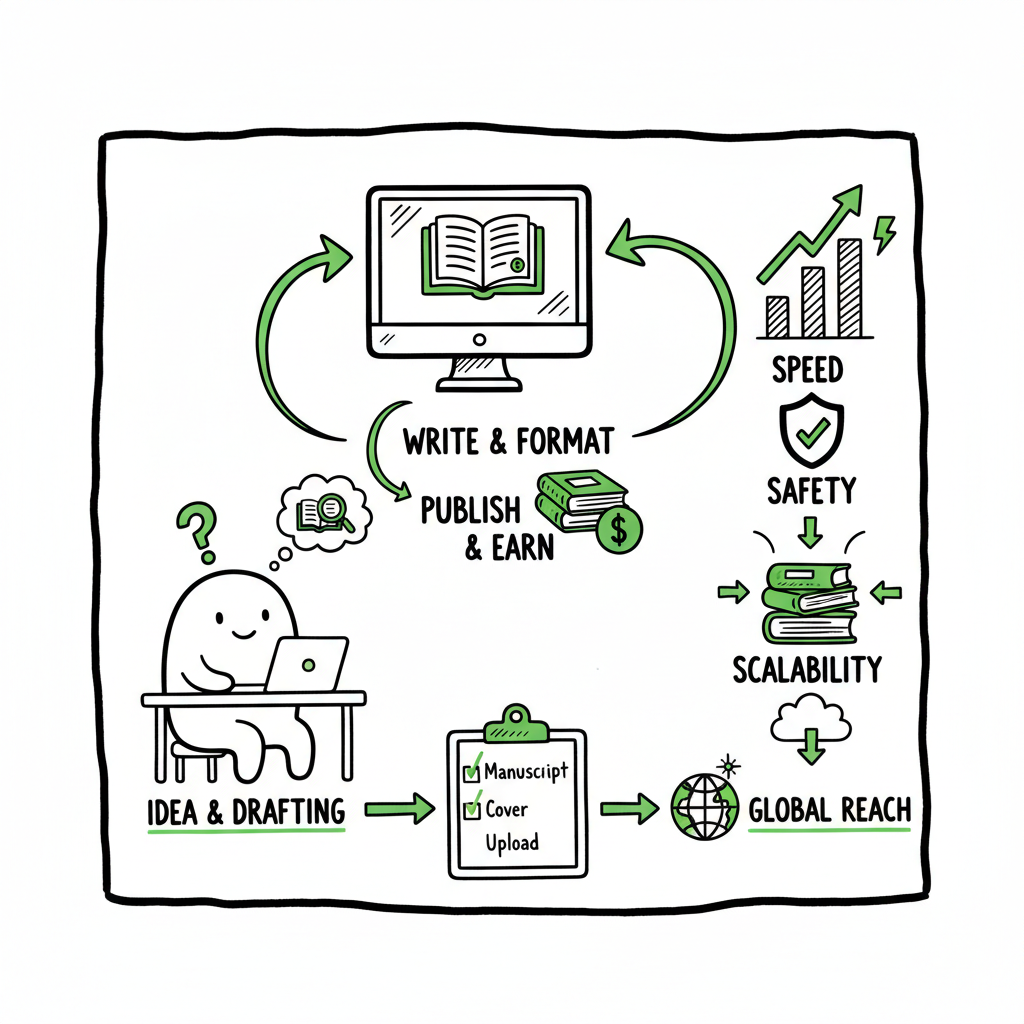
Amazon KDP Workflow Optimization for Faster Publishing
Amazon KDP Workflow Optimization: How to Publish Faster, Safer, and at Scale
Estimated reading time: 18 minutes
Table of Contents
- Why amazon kdp workflow optimization matters
- Design an industrialized KDP process
- Tools, batching, and multi-platform publishing at scale
- Measuring performance without burning time
- FAQ
- Key takeaways
- Sources
Key takeaways
- Amazon KDP workflow optimization is about system design: keep strategic decisions human, automate repeatable steps, and batch production.
- Standardize metadata, use templates and SOPs, and run lightweight weekly checks on ads and keywords to protect sales while saving time.
- Use tools that support multi-platform publishing and CSV batch uploads to scale reliably; automation should reduce errors, not replace human checks.
Why amazon kdp workflow optimization matters
Publishing one book by hand teaches you what not to do for the twentieth. Authors who publish a single title learn the platform; authors who publish many titles learn the process. Amazon KDP workflow optimization is the difference between a hobby and a repeatable operation. It helps you reduce errors, shorten cycle time, and get more testable ideas live.
Optimization begins with a mindset: separate decisions that require your judgment from tasks that are mechanical. Choosing niches, titles, covers, and positioning are strategic. Formatting manuscripts, preparing metadata files, resizing covers, and uploading the same fields across platforms are repeatable. Systematize the latter.
When you reach the point where repetitive uploads become the bottleneck, it’s time to scale the operational side. One practical step is to Automate Amazon KDP Publishing using tools and templates so you stop re-entering the same metadata and file settings for every title. That move saves time and reduces mistakes, and it keeps your human attention for the decisions that actually move the needle.
Practical gains are straightforward: consistent metadata that obeys a tested template, fewer rejected uploads, and faster turnarounds. These are the levers that let you publish more titles without adding headcount.
Design an industrialized KDP process
A reliable KDP workflow looks less like a creative sprint and more like a factory line with quality checkpoints. The goal is predictable throughput that preserves quality.
1. Define roles and handoffs
– Who researches niches and keywords? (Usually the publisher or strategist.)
– Who writes outlines and drafts? (Writers or AI-assisted editors.)
– Who polishes descriptions and metadata? (Editor + publisher final check.)
– Who formats and uploads? (Dedicated operator or automation tool.)
Put these roles into a project board (Asana, Trello, or similar) and make each book a ticket with a single owner. The owner’s job is to move the ticket across stages, not to act as an information relay.
2. Templatize every repeatable step
Create standard operating procedures (SOPs) for:
- Metadata sets (title, subtitle patterns, keyword sets, categories)
- File naming conventions for manuscripts and covers
- Upload checklists (price, territories, DRM, BISAC codes)
- Post-launch checks (sales tracking, ad baseline tests)
Templates reduce cognitive load. When you use the same metadata structure for similar books, you build a pattern that’s easier to iterate on. For example: title pattern → subtitle pattern → five priority keywords constructed using intent + modifier + niche.
3. Batch production
Group similar tasks and do them together. That could mean:
- Writing three outlines in one session with the same brief
- Formatting five manuscripts in a single batch run
- Uploading a CSV of 10 titles at once instead of one-by-one
Batching reduces context switching and friction. If your formatting pipeline expects the same trim size and font family for a category of books, a batch run will run cleanly and fast.
4. Keep strategic control
Never hand off high-leverage decisions. The publisher must sign off on:
- Niche selection and positioning
- Final title and subtitle
- Brand-aligned cover choices
- Primary keywords and category choices
Those are the long-term drivers of discoverability and sales. Outsource or automate the rest, but keep final approval in your hands.
5. Build lightweight quality gates
Automation should include checks, not blind passes. Example gates:
- Cover dimension and spine calculation checks
- EPUB validation (no errors)
- Metadata completeness (all required fields filled)
- Preview and proof review reminder
These gates stop simple mistakes before they become live problems and force minimal human review at a predictable point.
6. Use brief post-mortems
After a batch of releases, run a short review: what took longest, where did errors happen, and which SOPs need updates? Keep the post-mortem practical—three fixes per cycle at most. That keeps the system improving without slowing work.
Alongside these process rules, remember the technical side: creating a consistent supply of platform-ready assets (covers, EPUBs, paperbacks, and metadata packages) is what lets you scale.
If you’re converting manuscripts to EPUB regularly, a reliable converter reduces iterations and fixes downstream issues like bad TOCs or image placement. For cover production, use a repeatable process that produces correctly sized files and layered source art so you can tweak for different trim sizes. If you publish both paperback and ebook formats, prepare both assets in parallel to avoid version drift.
(If you use automated conversion tools, a short, industry-standard validator step keeps problems out of live stores. For converting to EPUB, consider an EPUB converter that preserves layout and cleans up metadata automatically.)
Tools, batching, and multi-platform publishing at scale
Optimization in practice usually means integrating a small set of tools that cover the production line: keyword research, manuscript formatting, cover generation, and upload automation. Choose tools that fit into your SOPs and that don’t try to replace the publisher’s final judgment.
What automation should do
- Assemble the upload package: manuscript file, ebook/EPUB, print-ready PDF, cover, metadata CSV.
- Apply templates to metadata and file names.
- Validate files against platform rules.
- Execute batch uploads to multiple stores when requested.
When you publish across Amazon KDP plus Kobo, Apple Books, Draft2Digital, and Ingram, the same fields appear repeatedly in different forms. CSV batch uploads and platform-specific intelligence let you reuse the same metadata without retyping it. That’s where unified publishing tooling is most valuable: it maps your canonical metadata to each store’s required fields and rules.
Practical tooling examples
– A straightforward EPUB converter that cleans up formatting, fixes TOC entries, and creates valid EPUBs saves hours per title. Use a converter that supports batch jobs so you can process many manuscripts in one run. A good EPUB converter will also let you set style rules and trim presets so output is consistent across titles. For reliable EPUB conversion, use a tool designed for publishers that can queue multiple files and produce validated output with error reports.
– A reliable book cover generator or processing pipeline helps maintain visual consistency across a series. It should output print-ready PDFs and correctly sized images for each platform. Keep layered source files to allow quick edits, and store versions tied to SKU or ISBN.
– For paperback production, a tool that calculates bleed, spine width, and PDF export settings removes a frequent source of upload rejection. If you create a paperback or ebook, keep both assets in the same project folder with clear naming and version control.
If you produce covers, a repeatable cover generator workflow is useful for iterations and resizing; if you convert manuscripts to EPUB, a dedicated converter keeps the results consistent; and when you publish ebooks and paperbacks together, coordinate assets so the publisher can quickly approve both.
Automating platform uploads
Uploading to multiple platforms manually multiplies work and errors. Tools that support CSV templates and platform-specific mappings let you push many titles at once. A good multi-platform tool applies platform intelligence—field limits, image dimensions, and category mapping—to prevent rejections.
For publishers moving beyond a few titles, this shift is an obvious upgrade: automation lets you focus on choosing the right concepts and improving discoverability instead of wrestling with repeated form fields.
When choosing tools, look for:
- CSV batch upload support
- Platform-specific validation rules
- Ability to store and reuse metadata templates
- Error reporting and logs for failed uploads
- Integration with your task management and file storage
A side note on covers, EPUBs, and paperbacks:
- If you generate covers as part of the workflow, make sure the pipeline outputs both print-ready and ebook-ready versions.
- When you convert manuscripts to EPUB, run a validation step and check the file in an EPUB reader before publishing.
- For paperbacks, confirm spine and bleed settings and export a print-ready PDF that matches the book’s final trim size.
If you want an example of a practical, step-by-step way to reduce manual uploads and tie your templates into a repeatable process, exploring how to Automate Amazon KDP Publishing will show you how the pieces fit together in an industrialized operation.
Note: When you mention tools like an EPUB converter or a cover generator, choose options that allow batch processing and retain source files so you can make quick revisions without rebuilding from scratch. For converting manuscripts to EPUB, a one-click converter that supports multiple files and returns a report of issues is worth its weight in saved hours. For cover work, a generator or processing pipeline that outputs layered source and final images avoids repeated resizing errors.
Product-level trade-offs
- Avoid tools that promise fully automatic success without human review. The right balance is tools that remove repetitive friction while preserving human control over brand and titles.
- Prioritize tools that surface errors early and give clear logs; silent failures are worse than manual steps.
How BookUploadPro fits this model
For teams that publish across Amazon KDP, Kobo, Apple Books, Draft2Digital, and Ingram, a unified uploader that handles CSV batch uploads, template-driven metadata, and platform mappings is the most efficient next step. Systems that reduce repeated data entry and apply platform-specific checks deliver the kind of ~90% time savings publishers notice once they move from manual uploads to automation. When you publish seriously, automation is an obvious upgrade: it reduces errors, speeds releases, and makes wide distribution practical.
If you handle many titles, choose a solution that’s built for scale: CSV batch support, per-platform intelligence, reusable templates, and clear error reporting. Those features let you maintain quality control without adding hands to the process.
Automating platform uploads
Uploading to multiple platforms manually multiplies work and errors. Tools that support CSV templates and platform-specific mappings let you push many titles at once. A good multi-platform tool applies platform intelligence—field limits, image dimensions, and category mapping—to prevent rejections.
For publishers moving beyond a few titles, this shift is an obvious upgrade: automation lets you focus on choosing the right concepts and improving discoverability instead of wrestling with repeated form fields.
When choosing tools, look for:
- CSV batch upload support
- Platform-specific validation rules
- Ability to store and reuse metadata templates
- Error reporting and logs for failed uploads
- Integration with your task management and file storage
A side note on covers, EPUBs, and paperbacks:
- If you generate covers as part of the workflow, make sure the pipeline outputs both print-ready and ebook-ready versions.
- When you convert manuscripts to EPUB, run a validation step and check the file in an EPUB reader before publishing.
- For paperbacks, confirm spine and bleed settings and export a print-ready PDF that matches the book’s final trim size.
If you want an example of a practical, step-by-step way to reduce manual uploads and tie your templates into a repeatable process, exploring how to Automate Amazon KDP Publishing will show you how the pieces fit together in an industrialized operation.
Note: When you mention tools like an EPUB converter or a cover generator, choose options that allow batch processing and retain source files so you can make quick revisions without rebuilding from scratch. For converting manuscripts to EPUB, a one-click converter that supports multiple files and returns a report of issues is worth its weight in saved hours. For cover work, a generator or processing pipeline that outputs layered source and final images avoids repeated resizing errors.
Measuring performance without burning time
Optimization doesn’t end after a launch. You need a lightweight measurement loop that tells you whether a title is performing and where to intervene.
1. Baseline tracking (first two weeks)
- Sales per day and units per day
- Impressions and click-through rate for ads
- Conversion from product page visits to purchases
- Keyword ranking for 3–5 priority search terms
2. Weekly lightweight checks
- Ads: prune losing keywords, pause low-converting campaigns, and reallocate to top performers. Keep the check to 15–30 minutes per catalog.
- Metadata: review top-performing titles for keyword ideas and small copy tests on underperformers.
- Pricing: ensure price parity across platforms where appropriate to avoid confusion.
3. Monthly portfolio review
- Which niches scale? Which don’t?
- Retire or update titles that never gained traction.
- Double down on formats and categories that consistently perform.
4. Quick experiments over deep rewrites
- Run small changes—alternate subtitles, different description formatting, small price moves—one at a time and measure results. Don’t overhaul multiple variables simultaneously.
5. Automate data collection
Use a simple dashboard or spreadsheet that pulls in sales and ad metrics at least weekly. The goal is to reduce manual reporting so you make decisions, not reports.
KPIs to watch
- Revenue per title per month
- Advertising ACoS and return on ad spend
- Conversion rate on product pages
- Time to publish (how many hours from manuscript to live)
- Error rate during uploads
These KPIs show whether your process improvements reduce friction and improve outcomes. If time to publish drops and error rate falls, your workflow optimization is working.
A note on advertising and keywords
Ad management should be routine, not reactive. Run a short weekly cycle:
- Pause poor-performing keywords
- Increase spend on high performers
- Seed new keywords to test via low-budget runs
This lightweight approach preserves ROI without consuming excessive time.
Final operational tip
Document every change. A simple change log for metadata and advertising moves is the fastest way to know what caused an uptick or drop. When you can trace a result to a single change, you can repeat successes.
FAQ
Q: What exactly is “workflow optimization” for KDP?
A: It’s the organized set of steps, templates, and tools that let you publish reliably at scale. It separates strategic choices—like niches and titles—from repeatable execution—like file formatting and uploads—then automates or templates the repeatable parts to save time and reduce errors.
Q: How much time can I expect to save?
A: That depends on volume. For single titles, gains are modest. For teams or publishers with multiple titles, moving to template-driven, batch uploads and platform mappings can save the equivalent of many hours per title—often approaching the majority of time spent on repetitive tasks.
Q: Do I still need final human review if I automate uploads?
A: Yes. Automation should handle mechanical steps; human review should approve strategic choices and final proofs. Automated reports and checkpoints help human reviewers focus on the handful of decisions that matter.
Q: What assets should I standardize first?
A: Metadata templates, cover sizing rules, manuscript naming conventions, and a validated EPUB output are priorities. Standardize those before you automate uploads.
Q: Can I publish to multiple stores without duplicating metadata work?
A: Yes. Use a platform that maps your canonical metadata to each store’s specific fields. That way you edit once and deploy to many.
Q: I need to convert many manuscripts to EPUB and prepare print files. Any tips?
A: Use a batch-capable EPUB converter and a cover processing pipeline that outputs both ebook and print-ready files. Keep source files organized and use validators to catch errors before uploading.
Q: Are there tools you recommend for covers, EPUB conversion, and batch uploads?
A: Choose tools that support batch processing and produce validated output. For EPUB conversion, look for a converter that produces clean, validated EPUBs and returns error reports. For cover processing, use a generator or processing pipeline that outputs layered source and final images sized correctly for each trim. For multi-platform uploads, pick software that supports CSV batch uploads and platform-specific mappings so you avoid repeating the same entries. For converting to EPUB, an EPUB converter that handles multiple files in one job will cut hours from your schedule. When you create a paperback or ebook, use a system that keeps both assets in sync so a single change propagates correctly.
Q: What should be my first operational improvement?
A: Start with templates and a single batch run. Create a metadata template and run one batch creation and upload of 3–5 titles using the templates. Track time and errors, then iterate. That one experiment will show where automation buys you the most time.
Final thoughts
Optimizing your Amazon KDP workflow is not about removing human choice; it’s about removing repetitive work so you can focus on the choices that matter. Systematize your uploads, standardize assets, and use tools that validate and batch-process files. Keep strategic decisions human, automate the rest, and measure outcomes with lightweight routines.
If you publish more than a handful of books, unified multi-platform publishing with CSV batch uploads, platform-specific intelligence, and repeatable templates becomes an obvious upgrade. It reduces errors, speeds releases, and makes wide distribution practical. Automate the upload. Own the distribution.
Try the free trial at BookUploadPro.com to see how automation can shorten your publishing cycle and reduce repetitive work.
Visit BookUploadPro.com — try the free trial.
Sources
- https://coconote.app/notes/c6cb3078-dcf8-4065-861b-d1518790ac9e
- https://manuscriptreport.com/blog/7-proven-steps-to-optimize-book-metadata-for-amazon
- https://boundhive.com/blog/revolutionizing-self-publishing-ai-amazon-kdp-workflows
- https://sellermetrics.app/amazon-kdp-advertising/
- https://bookbolt.io/amazon-optimization-guide-remember-your-book-is-a-product/
- (Additional resources mentioned in the article: EPUB converter — https://www.bookautoai.com/epub-converter; book cover generator — https://www.bookautoai.com/book-cover-generator-processing; paperback and ebook production — https://www.bookautoai.com)
Amazon KDP Workflow Optimization: How to Publish Faster, Safer, and at Scale Estimated reading time: 18 minutes Table of Contents Why amazon kdp workflow optimization matters Design an industrialized KDP process Tools, batching, and multi-platform publishing at scale Measuring performance without burning time FAQ Key takeaways Sources Key takeaways Amazon KDP workflow optimization is about…