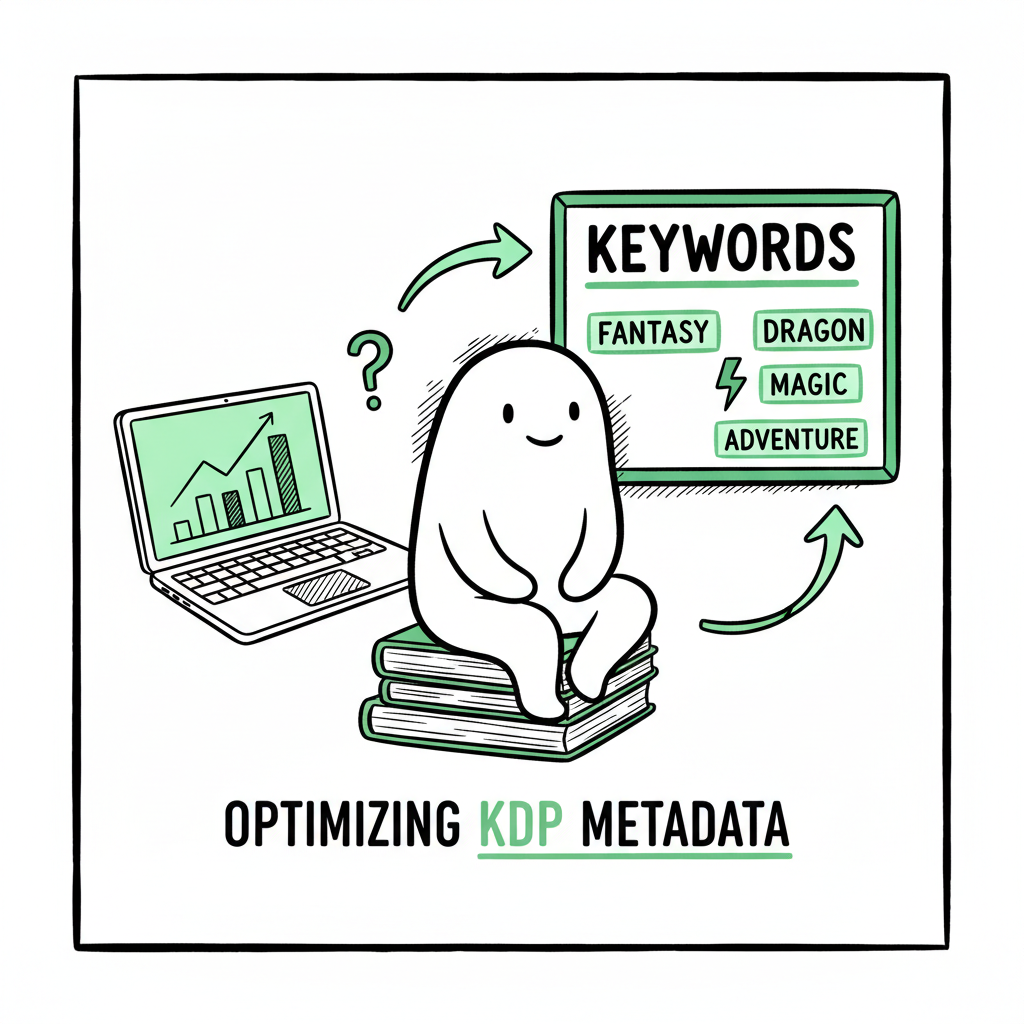
Amazon KDP Metadata Optimization Guide for Authors
Amazon KDP Metadata Optimization: A Practical Guide for Self-Publishing Authors
Estimated reading time: 9 minutes
Key takeaways
- Metadata is the single highest-leverage listing element on Amazon: clean titles, targeted keywords, accurate categories, and a scannable description move both search and conversions.
- Treat metadata as repeatable, measurable work: use a simple research process, test changes, and update seasonally or after market shifts.
- If you publish multiple books, batch-upload processes (with platform-specific rules) save time and reduce errors—an obvious upgrade once you publish seriously.
Table of Contents
- What metadata matters and why it pays
- A practical step-by-step process to optimize KDP metadata
- Scaling metadata across platforms and multiple books
- Measuring results and iterating metadata
- Final thoughts
- FAQ
- Sources
What metadata matters and why it pays
When people search on Amazon, the system reads your title, subtitle, series, keywords, categories, and description. Getting those fields right — and compliant with KDP rules — is the fast path to more impressions, clicks, and sales. That is the core of amazon kdp metadata optimization: aligning what you enter with both Amazon’s indexing behavior and real reader search intent.
Start with the obvious rules. Amazon expects truthful, non‑spammy metadata. Your title should be the real book title, your subtitle should add useful context, and you must not stuff brand names, competitor titles, or misleading claims into keyword slots. Following those rules protects your listing from suppression and ensures readers have a smooth experience.
A few practical notes on the main fields:
- Title and subtitle: Title is the strongest search signal. Keep it focused, readable, and consistent with the cover. Subtitles are for secondary keywords, genre signals, or a short benefit line. Avoid cramming every keyword into the title.
- Series and contributors: Use the series field for actual series data only. Contributor fields are for author names and real contributors — not keywords.
- Seven keyword slots: Fill every slot with distinct long‑tail phrases that match likely reader queries (2–4 words each). Avoid repetition of words already in title and subtitle; Amazon counts those separately.
- Categories: Pick precise categories that match your book’s niche. Niche categories help you appear in smaller, targeted bestseller lists.
- Description: This is your sales copy. Hook quickly, state the promise, add proof (reviews or credentials), and end with an action prompt. Format for scannability: short paragraphs, bullet points, and bolding where Amazon allows.
If you’re publishing more than one title, this process becomes routine. Automation that respects platform rules and formats — and that can produce consistent metadata at scale — saves time and reduces mistakes. For authors managing portfolios, services that offer CSV batch uploads and platform‑specific intelligence are the practical upgrade. If you want a sense of automating research and uploads, see Amazon KDP Metadata Optimization Automation as one way teams handle that scale. (This links to BookUploadPro’s in‑depth approach and automation options.)
Note: The following sections provide a practical, hands-on approach to scaling metadata, including how to localize for different stores and how to validate changes before publishing.
A practical step-by-step process to optimize KDP metadata
This section walks through a reproducible process that I use when preparing or improving a KDP listing. It’s written so you can repeat it for every title with minimal overhead.
1. Define the book’s core sellable identity
Write a one‑sentence hook that states genre, target reader, and the promise. Example: “A cozy mystery for readers who like small‑town settings and culinary sleuths.” Keep that sentence visible while you write titles, subtitles, and descriptions. The core identity keeps metadata honest and discoverable.
2. Research keywords and phrases
Look for 10–20 long‑tail search phrases readers might use. Use a mix of:
- Genre + trope (e.g., “small town cozy mystery”)
- Audience + problem/benefit (e.g., “easy recipes for busy parents”)
- Setting or unique hook (e.g., “Victorian historical romance London”)
Avoid stuffing single keywords. Your goal is phrases that match actual queries. Slot the best seven distinct phrases into KDP’s keyword fields.
3. Choose categories deliberately
Pick two KDP categories that match your core identity. If your book fits a subcategory with lower volume and reasonable competition, prefer that. You can also request additional categories from Amazon after upload by contacting KDP support — use this sparingly and only when the book genuinely matches.
4. Create title and subtitle that balance brand and search
Titles should be concise but clear about genre. Use the subtitle to add searchable phrases or clarify the promise. Keep titles consistent with the cover and back‑of‑book copy.
5. Write a scannable description
Open with a hook in the first 1–2 lines — this appears above the fold on many screens. Then show stakes, offer a few selling points, and finish with a short call to action. Break text into short paragraphs (1–2 sentences), and use bullets for features or reasons to buy. Where KDP allows formatting, use it to guide the eye.
6. Localize and adapt for different platforms
If you publish wide, you’ll need to adapt metadata for other stores. Category names differ across platforms, and subtitle length limits vary. Keep a simple mapping sheet so metadata remains equivalent in intent across Amazon, Apple Books, Kobo, Draft2Digital, and Ingram.
7. Upload with checks and a checklist
Before you hit publish, run a quick checklist: title matches cover, subtitle correct, keywords distinct, categories accurate, price set correctly, and manuscript/cover files meet specs. If you manage many titles, a CSV upload process with validation removes human error.
8. Monitor and record changes
Track impressions, clicks, and sales after each metadata change. Use a simple spreadsheet that logs the date, which fields changed, and performance deltas. That log will make future tests faster.
1. Define the book’s core sellable identity
Write a one‑sentence hook that states genre, target reader, and the promise. Example: “A cozy mystery for readers who like small‑town settings and culinary sleuths.” Keep that sentence visible while you write titles, subtitles, and descriptions. The core identity keeps metadata honest and discoverable.
2. Research keywords and phrases
Look for 10–20 long‑tail search phrases readers might use. Use a mix of:
- Genre + trope (e.g., “small town cozy mystery”)
- Audience + problem/benefit (e.g., “easy recipes for busy parents”)
- Setting or unique hook (e.g., “Victorian historical romance London”)
Avoid stuffing single keywords. Your goal is phrases that match actual queries. Slot the best seven distinct phrases into KDP’s keyword fields.
3. Choose categories deliberately
Pick two KDP categories that match your core identity. If your book fits a subcategory with lower volume and reasonable competition, prefer that. You can also request additional categories from Amazon after upload by contacting KDP support — use this sparingly and only when the book genuinely matches.
4. Create title and subtitle that balance brand and search
Titles should be concise but clear about genre. Use the subtitle to add searchable phrases or clarify the promise. Keep titles consistent with the cover and back‑of‑book copy.
5. Write a scannable description
Open with a hook in the first 1–2 lines — this appears above the fold on many screens. Then show stakes, offer a few selling points, and finish with a short call to action. Break text into short paragraphs (1–2 sentences), and use bullets for features or reasons to buy. Where KDP allows formatting, use it to guide the eye.
6. Localize and adapt for different platforms
If you publish wide, you’ll need to adapt metadata for other stores. Category names differ across platforms, and subtitle length limits vary. Keep a simple mapping sheet so metadata remains equivalent in intent across Amazon, Apple Books, Kobo, Draft2Digital, and Ingram.
7. Upload with checks and a checklist
Before you hit publish, run a quick checklist: title matches cover, subtitle correct, keywords distinct, categories accurate, price set correctly, and manuscript/cover files meet specs. If you manage many titles, a CSV upload process with validation removes human error.
8. Monitor and record changes
Track impressions, clicks, and sales after each metadata change. Use a simple spreadsheet that logs the date, which fields changed, and performance deltas. That log will make future tests faster.
Scaling metadata across platforms and multiple books
Once you publish more than a few books, manual entry becomes the bottleneck. This is where repeatable processes and tools matter.
Why scale matters
Publishing more titles widens distribution but multiplies the same tasks: metadata research, title checks, keyword entry, category selection, and uploads. Doing these manually invites typos, inconsistent style, and platform errors that harm discoverability. Building repeatable steps means you spend time on positioning, covers, and reader engagement — not copy‑typing.
How scalable tooling helps, without losing control
- CSV batch uploads: Build a spreadsheet where each row is a book and columns map to platform fields. A well‑designed CSV can push dozens of books through upload validation, reducing entry mistakes and saving time.
- Platform‑specific intelligence: Different platforms treat fields differently. Good tooling knows which metadata to trim for Apple Books, which categories map from Amazon to Kobo, and which subtitle length is safe for each store.
- Error reduction: Validation rules catch missing ISBNs, incorrect file types, and prohibited characters before they reach the platform.
- Time savings: Reliable tooling can reduce repetitive work by roughly 80–90% for teams that publish at scale. When the process is reliable, publishing a series can feel like a routine operation rather than a stressful project.
If you do wide distribution, remember technical tasks like EPUB conversion and cover processing are part of the pipeline. Converting manuscripts to EPUB with consistent formatting avoids rework and platform‑specific rejections; for a reliable conversion flow, consider tools built for publishers that automate EPUB creation. For cover production and processing, another part of the workflow is making sure cover files meet each platform’s size and bleed rules — efficient pipelines handle these checks automatically.
A practical map for scaling
- Standardize: Create a metadata template for each genre you publish. The template includes title rules, preferred keyword themes, and category mappings.
- Automate validation: Add checks for required fields and common errors.
- Batch upload: Use CSVs and platform connectors to push metadata and files in groups.
- Review and publish: Keep a brief human review step to catch exceptions and confirm creative choices.
Tools and services
Some tools and services focus on metadata research and consistency; others help with conversion and cover processing. If you use outside tools, maintain one source of truth for each book so changes propagate correctly to all stores. When dealing with EPUB conversion, you can use EPUB conversion as part of the workflow, and for cover processing, consider cover processing services to keep the assets aligned with store requirements.
When to outsource vs. automate
Outsource research when you want professional keyword selection and category mapping for a single high‑value title. Automate when you publish multiple titles and need consistency, fast turnarounds, and error control.
BookUploadPro is built around this problem set
Unified multi‑platform publishing, CSV batch uploads, platform‑specific intelligence, and error reduction that makes wide distribution practical. For authors who publish seriously, automating the upload is an obvious upgrade.
Measuring results and iterating metadata
Metadata is not “set and forget.” Market language shifts, seasonal demand changes, and new competitors appear. Treat metadata as a testable asset.
What to track
– Impressions: How often your page shows up in search and browse.
– Click‑through rate (CTR): How often searchers click your listing when they see it.
– Conversion rate: How often clicks convert to sales.
– Sales rank and units: Downstream metrics that reflect overall performance.
A simple testing rhythm
– Baseline: Record current metrics for at least two weeks.
– Small change: Alter one field at a time (e.g., subtitle tweak, swap a keyword phrase).
– Measure: Allow two to four weeks for stable data; longer if book sells slowly.
– Revert or iterate: If the change helps, keep it. If not, revert and try a different variable.
Common tests that move metrics
– Subtitle wording: Adding clearer genre signals often improves CTR.
– First line of description: A stronger hook can lift CTR and conversion.
– Swapping one keyword phrase: Replacing a low‑relevance phrase with a closer long‑tail variant can net more impressions from targeted readers.
– Category adjustments: Moving into a more precise category can improve visibility within a niche. Be conservative: don’t pick categories that misrepresent the book.
Recording tests
Maintain a simple change log with date, field changed, exact copy before/after, and the metric window. Over time you’ll build a quick library of what works for your niche.
When metrics don’t move
If impressions are low, your discovery signals (title, keywords, categories) likely need work. If impressions are high but CTR is low, improve the cover, title clarity, and the first lines of your description. If CTR is good but conversion is low, look at price, blurb accuracy, and sample quality.
Practical guardrails
– Don’t over‑optimize in ways that mislead readers. Short‑term gains from clickbait titles often end poorly with returns and negative reviews.
– Respect KDP’s rules. Violations risk delisting and account issues. Keep metadata consistent with the book content. Mismatches reduce long‑term reader trust.
Final thoughts
BookUploadPro is designed for the latter use case: unified multi‑platform publishing with CSV batch uploads, platform‑specific intelligence, and consistent metadata generation that saves time and reduces mistakes. It positions itself as a practical, affordable tool for authors who want to treat metadata as a repeatable business process rather than a one‑off task. Automate the upload. Own the distribution.
FAQ
Q: How many keywords should I use in KDP?
A: Fill all seven keyword slots with distinct long‑tail phrases. Avoid repeating words from the title or subtitle; focus on related phrases, tropes, audience terms, and settings.
Q: How often should I update my metadata?
A: Check performance every 8–12 weeks and after major market events. Small tests can run on a 4–8 week cycle if you have enough traffic to measure changes reliably.
Q: Can changing metadata harm my ranking?
A: Poor or misleading changes can reduce conversion and ranking. That’s why test one variable at a time and track results. Always follow KDP’s metadata guidelines to avoid enforcement.
Q: Should my title include exact search keywords?
A: Use title space for clear, brandable titles that reflect the book. Use the subtitle and keyword fields to cover search phrases. Titles that read like keyword lists usually underperform.
Q: Do categories really help?
A: Yes. Precise categories increase the chance of appearing in niche bestseller lists and help readers who browse by category. Choosing accurate, narrow categories is usually better than broad ones.
Sources
- https://sellermetrics.app/amazon-kdp-metadata/
- https://kdp.amazon.com/help/topic/G201298500
- https://kdp.amazon.com/help/topic/G201097560
- https://janefriedman.com/amazon-book-description/
- https://www.authorimprints.com/book-metadata-optimization-primer-self-publishing-authors-businesses/
- https://blog.bookbaby.com/how-to-promote-your-book/book-promotion/optimizing-amazon-meta-description
- https://www.bookautoai.com/book-cover-generator-processing
- https://www.bookautoai.com/epub-converter
- https://www.bookautoai.com
Amazon KDP Metadata Optimization: A Practical Guide for Self-Publishing Authors Estimated reading time: 9 minutes Key takeaways Metadata is the single highest-leverage listing element on Amazon: clean titles, targeted keywords, accurate categories, and a scannable description move both search and conversions. Treat metadata as repeatable, measurable work: use a simple research process, test changes, and…