Amazon KDP Launch Delays Explained for Self-Publishers
How Amazon KDP launch delays work
Estimated reading time: 14 minutes
Key takeaways
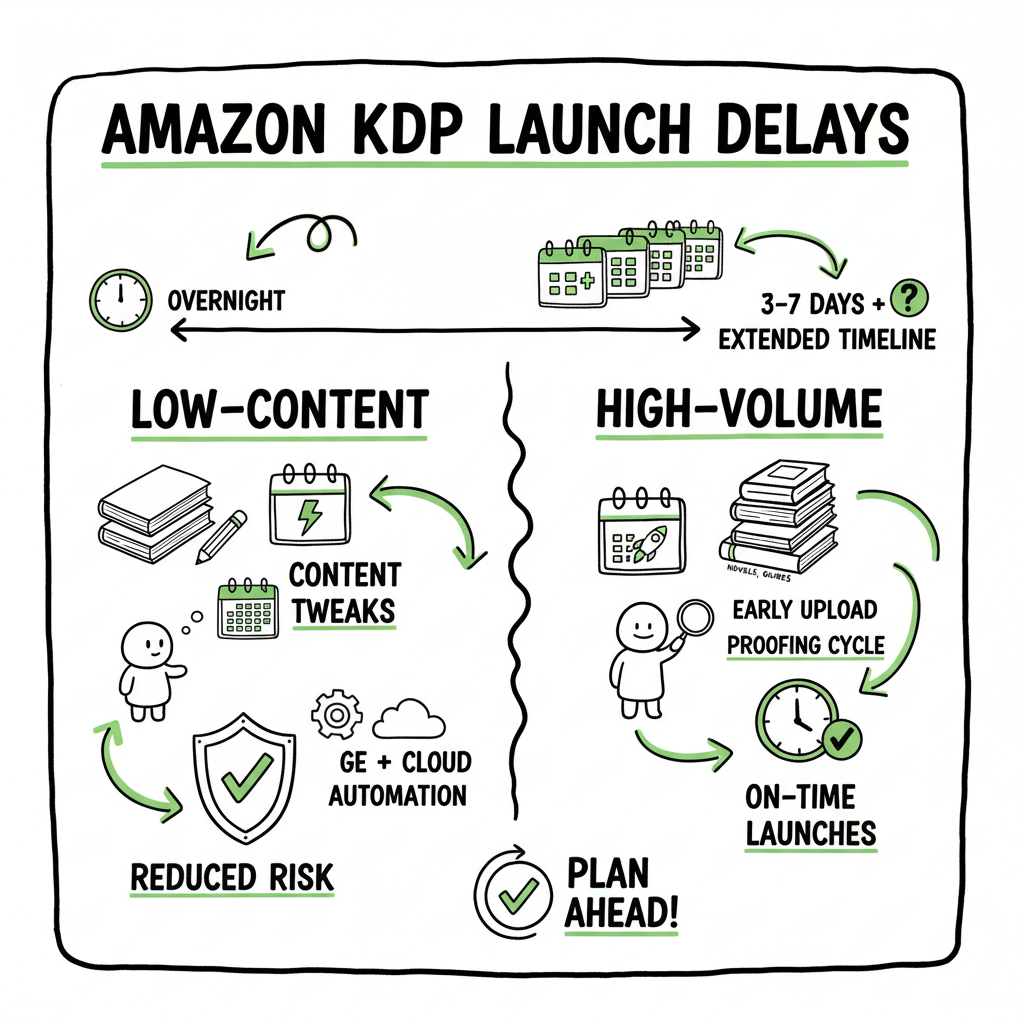
- Amazon KDP launch delays are real and affect low‑content and high‑volume publishers; timelines now often stretch beyond the old overnight expectation.
- Practical steps — from calendar changes to content tweaks and wide distribution — reduce risk and keep launches on schedule.
- Automating multi‑platform uploads with a tool like BookUploadPro makes staggered or delayed KDP releases manageable and saves time at scale.
Table of Contents
- How Amazon KDP launch delays work
- Practical steps to prepare and protect a launch
- Use multi-platform publishing and automation to mitigate risk
- FAQ
- Final thoughts and CTA
How Amazon KDP launch delays work
If you publish on KDP, you’ve likely noticed that a “published” email doesn’t always mean the buy page is ready. The platform now applies more thorough review steps, especially for low‑content books like journals, notebooks, and planners. This change — often summarized as amazon kdp launch delays — has moved many expected timelines from “overnight” to several days, with reports of holds from a few days up to a week or more.
Why did this happen? Amazon is trying to reduce spam and low‑value listings. The platform’s review processes have become stricter and less predictable. KDP’s official timelines still cite 3–10 business days for books to appear on retail pages, but publishers report additional case‑by‑case holds for low‑content titles. In practice that means:
- You may get a “your book is live” email while the product detail page is still missing or shows an error.
- Low‑content titles can be ineligible for scheduled release dates, so you lose the safety of locking assets ahead of time.
- Updates and changes can take longer to appear after you hit publish.
If you need a deeper rundown of how the review layer has changed for KDP, see our write‑up on Amazon KDP Review Delays for context and timing. This is useful when you’re planning launches around events, promotions, or book deals.
What this means for authors and small publishers
- Expect unpredictability. Even if everything looks correct in KDP, the listing may not be available for purchase immediately.
- High volume matters. If you publish many low‑content books, work will be affected more than a one‑off author.
- Email confirmations are not guarantees. Treat the KDP email as confirmation of submission, not final live status.
What KDP reviews are checking
- Copyright issues and trademark flags
- Repeated templates or near‑duplicate listings
- Metadata that looks spammy or uses keyword stuffing
- Low‑quality content that does not meet content guidelines
That last point is the area where you can act. Making your low‑content book demonstrably useful — by adding prompts, structured layouts, or some editorial content — reduces the chance KDP flags it as low value.
Practical steps to prepare and protect a launch
This section focuses on simple, operational standards you can apply right away. These are the measures experienced publishers use to avoid last‑minute surprises.
-
Build buffer time into your schedule
When a platform moves from “mostly overnight” to “several business days,” the first fix is calendar discipline. Treat every KDP upload as if it will take the full KDP window plus a margin.
- If your target go‑live is a specific date, publish at least 10 business days ahead for low‑content books.
- For full‑length trade books, allow 5–7 business days before promotions.
- Avoid scheduling events and ads that rely solely on KDP’s internal timing.
-
Avoid trigger patterns that invite closer review
KDP’s systems look for repeated patterns. The simplest defenses are genuine variety and small editorial touches.
- Change interiors and covers enough that each listing is distinct.
- Add at least a page or two of unique content in the front matter or inside for low‑content templates — short instructions, a note, or a simple guide.
- Use clear, accurate metadata. Misleading or stuffed fields draw extra scrutiny.
-
Use scheduled metadata and test uploads offline
Because low‑content books can’t use KDP’s scheduled release, you need a separate calendar and a test strategy.
- Maintain a launch spreadsheet with expected publish dates, platform queues, promotional deadlines, and buffer windows.
- If you’re batch‑publishing, stagger uploads across days to reduce the chance of many simultaneous holds.
- Use a clean test title (different ASIN/ISBN) to confirm file integrity before the official upload.
-
Prepare for post‑publish holds
If the detail page shows an error after a “live” email, treat it as a temporary review hold.
- Check product detail frequently; sometimes the listing updates within hours.
- Avoid repeated edits immediately after publishing — each change can requeue review.
- When you contact KDP support, include submission ID, timestamps, and screenshots. Keep communication factual and concise.
-
Make your content less likely to be classified as low value
For creators relying on templates, small changes can reduce holds.
- Add structured elements (prompts, trackers, short content pages) that show intentional design.
- Consider “medium‑content” positioning — a 20–40 page journal with guided prompts is less likely to be flagged than a plain 100‑page notebook.
- If you use AI or generators, include an author note explaining the purpose and originality.
-
Track issues and learn the pattern
Keep a simple log of problems: title, type, upload date, how long to go live, support responses. Over time you’ll see patterns — days of week that are slower, file types that trigger review, or metadata phrases to avoid.
Practical checklist (for the operator)
- Publish early: aim for at least 10 business days for low‑content.
- Stagger batch uploads across multiple days.
- Add small editorial content to templates.
- Keep edits minimal after initial publish.
- Log every delay and the resolution steps.
Those steps reduce the odds of a delayed go‑live and limit the operational damage if something does get held.
Use multi-platform publishing and automation to mitigate risk
If you publish more than a few books a year, single‑platform dependency becomes a business risk. KDP delays make that clear: the ability to distribute widely, not just on Amazon, lowers the chance that one platform’s review policy stops your launch.
Why multi‑platform matters
- Redundancy: If KDP holds a listing, readers can still buy on Kobo, Apple Books, Draft2Digital, or Ingram.
- Revenue smoothing: Other platforms may convert readers who would otherwise wait for the Amazon page.
- Promotion flexibility: Ads or email funnels can point to available storefronts instead of being blocked by an incomplete Amazon page.
How to manage multi‑platform publishing without doubling your workload
The common problem is administrative overhead. Uploading a book once per platform, managing multiple metadata forms, and handling different file formats is time consuming. That’s where automation and a CSV batch workflow make a practical difference.
Operational approach
- Prepare one canonical source: a master manuscript, metadata CSV, cover files, and ISBN plan.
- Convert and validate once, outputting platform‑specific files (EPUB, print PDF, etc.).
- Use CSV batch uploads to push the same title to multiple outlets with platform‑specific intelligence applied automatically.
Tools and specifics
If your workflow needs automated EPUB conversion or batch cover processing, there are purpose‑built services that do the heavy lifting. For EPUB conversion we link to a practical EPUB converter that converts manuscript files into clean, validated EPUBs. If you need cover processing at scale, there’s a dedicated cover generator processing tool that prepares print and ebook covers to each platform’s specs. For book creation and one‑place management, book creation tools simplify the start‑to‑finish process.
Why BookUploadPro is the obvious next step when you publish seriously
At scale, manual uploads break. BookUploadPro automates repetitive uploads across Amazon KDP, Kobo, Apple Books, Draft2Digital, and Ingram. Operational benefits include:
- Unified multi‑platform publishing: upload once, publish everywhere.
- ~90% time savings vs manual per‑platform uploads.
- CSV batch uploads for hundreds of titles.
- Platform‑specific intelligence that formats metadata and files correctly.
- Fewer errors and a practical path to wide distribution at affordable pricing, with a free trial to test the system.
When to introduce automation
- Start using automation once you publish more than a handful of titles per year.
- If you plan seasonal bursts or frequent low‑content releases, automation makes schedule management realistic.
- Automation is a defensive tool: when KDP adds unpredictability, wide distribution and automatic retry logic reduce single‑point failures.
Practical example: a launch with a backup plan
- Primary: Publish to KDP with a 10‑day buffer.
- Backup: Simultaneously publish to Kobo and Apple Books using a CSV batch workflow.
- Promotion: Point an email promotion at Kobo for the first 48 hours if Amazon detail page is not stable.
- Automation: Let BookUploadPro handle file conversions and slotting to each platform so you don’t manage five separate dashboards.
This approach converts platform friction into manageable procedures. Automate the upload. Own the distribution.
Operational tips for file handling and conversions
- Validate your EPUB once; different storefronts accept slightly different EPUB flavors.
- Use a single cover source and generate variants for print and ebook automatically.
- Keep a separate directory structure for each title with final files and an audit log.
When you need a clean EPUB at scale, try a reliable EPUB converter that integrates into a batch workflow and ensures validation before upload. If you process covers for many titles, a cover generator processing workflow can save hours per title.
Integrating this into your team
- If you work with contractors, standardize folders, naming conventions, and a CSV template.
- Add automated checks: file size, missing fonts, margin violations for print.
- Keep a publication calendar shared with marketing and fulfillment to avoid surprises.
BookUploadPro handles many of these checks and automations out of the box, making wide distribution practical rather than aspirational.
FAQ
Q: How long should I expect an Amazon KDP book to take to go live?
A: Officially, KDP lists 3–10 business days as a typical window, but many publishers now report longer or case‑by‑case holds, especially for low‑content titles. Plan for at least 10 business days for low‑content books to be safe.
Q: I got a “your book is live” email but the product page shows an error. What now?
A: Treat the email as confirmation of submission. Check the detail page periodically. Avoid immediate edits (they can requeue review). If the error persists beyond a reasonable buffer, contact KDP support with submission IDs and timestamps.
Q: Do low‑content books take longer than full books?
A: Yes. Low‑content titles are under greater scrutiny to prevent spam. Adding small amounts of editorial content or meaningful unique pages reduces the chance of a hold.
Q: Can scheduled release dates help?
A: Many low‑content books are ineligible for scheduled release on KDP. Even when scheduled releases are available for other formats, KDP’s recent rule changes limit usefulness for low‑content launches.
Q: Should I use ISBNs or KDP’s free ASIN for paperbacks?
A: Both have tradeoffs. Using your own ISBN gives you publisher control, which helps if you later expand distribution through Ingram or other channels. KDP’s free option is faster but ties the ISBN to Amazon’s imprint.
Q: Will multi‑platform publishing eliminate KDP delays?
A: No—KDP holds are platform specific. But multi‑platform publishing prevents a single platform from blocking your entire launch and captures sales while you wait for Amazon to clear the listing.
Q: How does automation help with these delays?
A: Automation removes repetitive tasks, enforces file quality checks, and publishes to multiple storefronts in parallel. That reduces manual errors and gives you fallback options without adding headcount.
Final thoughts and CTA
If you publish at scale, single‑platform reliance is a bottleneck. The operational response is simple: publish early, make content clearly valuable, and build redundancy. For teams and serious indie publishers, automated multi‑platform publishing removes routine friction and protects launches from single‑site delays. Try BookUploadPro to automate uploads, save time, and make wide distribution practical — visit BookUploadPro.com to start a free trial.
Sources
Sources
- Amazon KDP Publishing TIME JUST CHANGED – YouTube (Nov 06, 2025)
- Amazon Delays: What to Do When Your Book Hits a Roadblock – amarketingexpert.com (2024-11-21)
- Delay in updates? – KDP Community
- Delay “publishing” kindle e-book – KDP Community
How Amazon KDP launch delays work Estimated reading time: 14 minutes Key takeaways Amazon KDP launch delays are real and affect low‑content and high‑volume publishers; timelines now often stretch beyond the old overnight expectation. Practical steps — from calendar changes to content tweaks and wide distribution — reduce risk and keep launches on schedule. Automating…