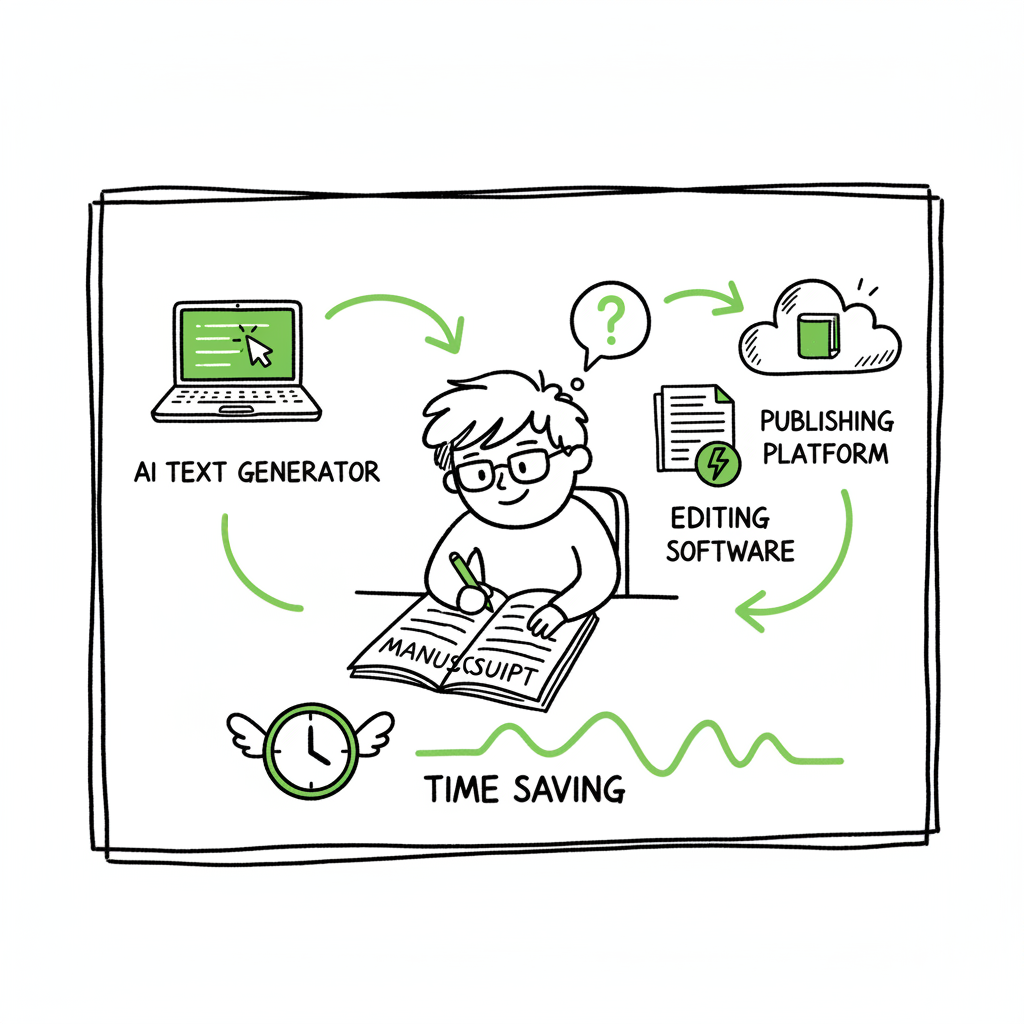
AI Tools That Save Authors Time in Publishing Workflows
ai tools that save authors time
Estimated reading time: 18 minutes
Table of contents
- Why ai tools that save authors time matter
- The four categories that deliver the biggest time wins
- Designing an efficient AI-to-publishing process
- Where BookUploadPro fits and what to expect
- Final thoughts
- FAQ
- Sources
Why ai tools that save authors time matter
AI tools that save authors time are no longer experimental helpers; they are practical levers that change how books get made. For most writers, the bottleneck is not a lack of ideas but the hours lost to repetitive work: expanding outlines, polishing transitions, formatting files, and chasing metadata for multiple stores. Time-saving AI publishing tools—what many call time saving ai publishing—shrink those chunks of busywork and let authors spend more time on the parts that matter: original thinking and audience-building.
Simple gains add up. A generative assistant that drafts a chapter outline in 10 minutes replaces hours of staring at a blank page. An automated editor that flags pacing issues and repeated words reduces multiple editing passes. And a batch upload system that pushes the final files to Amazon KDP, Kobo, Apple, Draft2Digital, and Ingram with platform-aware metadata turns a day of logistics into a single, verifiable step. These are efficient ai author assistants in action: they don’t write your book for you, but they remove predictable friction so you can ship more books and run a lean publishing operation.
The four categories that deliver the biggest time wins
When authors ask which ai author time hacks really move the needle, the answer is consistent across sources and experienced authors: focus on drafting, structure, editing, and publishing automation. Each category contains specific tools and processes that, when combined, save real weeks of effort across a project.
1) Drafting and ideation: get unstuck, fast
What it does
- Generates outlines, chapter hooks, and scene prompts.
- Expands bullet lists into paragraphs.
- Produces multiple approaches to a chapter so you can pick the strongest voice.
Why it saves time
Generative writing assistants let you jump the most expensive part of writing: the blank page. Instead of building every sentence from scratch, you iterate on machine-drafts that you then refine. For nonfiction authors and course creators, this is particularly valuable: you supply the expertise and the AI supplies readable scaffolding and examples.
Practical tools and use
- General-purpose LLMs for first drafts and newsletter copy.
- Specialized fiction assistants for scenes and character beats.
- Nonfiction-focused templates for case studies, frameworks, and transitions.
How to use it well
Start with a clear brief and a constrained scope. Ask the tool to produce a 500–800 word draft of a single chapter section, or to expand a list of talking points into a structured exposition. Keep the tone and voice instructions tight—this reduces the revision load.
2) Structure and project control: keep the book coherent
What it does
- Manages outlines and chapter flow.
- Tracks research, sources, and notes.
- Converts a messy draft into a chapter-by-chapter map.
Why it saves time
A book with a weak structure requires multiple passes to fix pacing and logical flow. Project tools reduce rework by catching structural problems early. They also replace multiple scattered documents with a single source of truth.
Practical tools and use
- Plotters and longform editors that visualize beats and chapter arcs.
- Tools that import outlines and suggest missing transitions or supporting examples.
- Systems that export clean, formatter-ready DOCX files.
Tip on formats: If your input requires EPUB proofs, use a reliable conversion step early. A dedicated EPUB converter smooths edge cases and avoids last-minute layout fixes. If you need a tool for that step, consider a conversion service that handles images, TOC, and metadata cleanly: an EPUB converter will save you hours of manual cleanup and errant tags.
3) Automated editing and quality control: fast, repeatable passes
What it does
- Flags grammar, passive voice, repetition, and weak verbs.
- Runs higher-level readability and style checks.
- Produces consistent chapter-level reports on tone, pacing, and clarity.
Why it saves time
Human edits are essential, but machines can handle the repetitive quality checks that would take days. Instead of five manual passes, you get a focused list of issues to address. You can trust the tool to catch patterns across the whole manuscript so you don’t fix the same problem chapter by chapter.
Practical tools and use
- Sentence-level grammar and style tools.
- Book-focused analyzers that map repetition and pacing.
- Batch-reporting tools that produce changelists across chapters.
How to fit it into your process
Run automated checks after a primary draft or after a length-expansion pass. Treat results as suggestions: accept the automated fixes that preserve your voice and reject or adapt the rest.
4) Publishing and marketing: multi-platform distribution without the migraine
What it does
- Prepares platform-ready files and metadata for Amazon KDP, Kobo, Apple Books, Draft2Digital, and Ingram.
- Handles ISBN allocation, pricing strategies, DRM preferences, and territory settings.
- Performs batch uploads and CSV-based bulk publishing for series and catalogs.
Why it saves time
Uploading to one store is fine. Uploading to five stores, each with unique metadata rules and file requirements, is a logistics project. Time-saving tools that handle CSV batch uploads and platform-specific intelligence reduce the upload process from full-day work to one repeatable session. For authors publishing regularly or handling a catalog, this is the biggest operational advantage.
Practical notes on print and ebook production
- Generating a paperback or ebook requires attention to trim sizes, gutters, and spine calculations for print. If you create paperbacks or ebooks frequently, use a service that automates the layout and checks. For book creation workflows, consider tools that automate cover and interior assembly so you don’t rebuild files for each platform.
- For cover work, a cover generator streamlines mockups and final assets while keeping template sizes correct for each store.
- For EPUB-specific issues, a converter that validates and fixes common problems removes a major publishing friction point.
Helpful links
- If you produce covers or mockups during production, a reliable cover generator will speed the visual side of publishing.
- When you’re preparing the ebook file itself, an EPUB converter will remove the last-minute validation headaches.
- For streamlined book assembly and frequent output, a book creation workflow tool helps you reuse templates and keep output consistent.
Designing an efficient AI-to-publishing process
The single biggest time-saving step experienced authors take is turning AI helpers into a repeatable process. A “tool stack” without routines is still a set of one-off efficiencies. The goal is to create predictable inputs and outputs so each phase hands off neatly to the next.
Stage 1 — Input: start with usable material
- Use what you already have: draft chapters, recorded talks, slide decks, or long-form notes.
- Convert audio to text or import DOCX/PDF into your drafting assistant.
- If you have slide decks or video transcripts, treat those as raw IP to be expanded, not the final manuscript.
Stage 2 — Drafting and expansion: focused, controlled generation
- Use a drafting assistant to expand sections to target lengths. Limit each generation to a single topic or chapter segment to keep output coherent.
- For nonfiction, ask the tool to add examples, case-style anecdotes, transitions, and clarifying sentences—this is where a length-expansion assistant shines.
- Keep a consistent voice brief: short examples, rhetorical questions, or a signature phrase so the AI preserves tone.
Stage 3 — Structural pass: validate the map
- Move the output into a structure tool or your project binder. Ensure chapter hooks, openings, and summaries are in place.
- Re-seed missing arguments or add signposting that guides readers through complex topics.
Stage 4 — Automated editing: machine-first, human-second
- Run a grammar and style pass to clear low-hanging issues.
- Run a book-level analyzer to catch repetition and pacing problems.
- Resolve the flagged items with focused edits, not a full rewrite.
Stage 5 — Formatting and file prep: hands-off where possible
- Export a clean DOCX that matches formatter expectations (Vellum, Atticus, or a direct KDP-ready interior).
- If you need EPUB output, use an EPUB converter to validate the file and correct common tags before proofs.
- Generate cover assets with a cover generator to ensure correct spine and bleed for print versions.
Stage 6 — Distribution: multi-platform, batch-first
- Use batch upload or CSV feeds to publish across KDP, Apple, Kobo, Draft2Digital, and Ingram. Platform-specific intelligence—like cover size limits or metadata field differences—should be handled by your processes.
- For authors with multiple titles or series, CSV batch uploads are a game-changer: set price matrices, territories, and series metadata once, then push updates reliably.
- Track proofs and live listings from one dashboard so minimal manual checks are required.
Where BookUploadPro fits and what to expect
BookUploadPro is designed for authors who already have intellectual material—partial drafts, transcripts, or detailed outlines—and need a focused way to expand and prepare that material for publication. It’s not a push-button book creator; it’s a guided-generation and expansion assistant built to preserve voice, add depth, and output clean files ready for formatting and distribution.
What it does well
- Length control and expansion: It reliably expands shorter drafts into marketable book lengths by adding examples, explanations, and transitions while keeping the central argument intact.
- Humanization: The system prioritizes varied sentence structure, light storytelling, and a natural rhetorical cadence so the text reads like an author’s work rather than a generic AI draft.
- Structure and formatting: BookUploadPro restructures chapters, adds chapter hooks and conclusions, smooths flow between sections, and delivers DOCX files formatted for Vellum, Atticus, or direct upload to KDP.
- Guided generation: The tool works best with an existing outline or draft; it’s intended as a collaborative system that retains the author’s expertise rather than replacing it.
How to use it in the process above
After your initial expansion with a generative model, import your draft into BookUploadPro to run a concentrated expansion and humanization pass. Let the tool restructure chapter order, add linking paragraphs, and fill gaps identified in your outline. Take the DOCX output and run an automated editing pass, then move to final formatting and distribution.
Operational benefits
- Time compression: Tasks that typically take months of intermittent work—revising, smoothing, and expanding—can be compressed into a one- to two-week focused timeline with the right inputs.
- Cleaner handoff to formatters: Delivering a structured, layout-aware DOCX reduces back-and-forth with tools like Vellum and Atticus, speeding the prep for ebook and print production.
- Scalability: For authors who publish multiple books or run an author-business, the combination of manuscript expansion and distribution capabilities makes serial publishing practical. At scale, things like CSV batch uploads and platform-aware metadata reduce a catalog release from a full-day project to routine maintenance.
Practical expectations and limits
- BookUploadPro is optimized for nonfiction and expert-driven books. If you’re starting with a brief concept and no draft, results will be uneven; the tool expects seed material.
- Quality control remains the author’s responsibility. Fact-checking, source citations, and ensuring the manuscript matches your expertise are not automated tasks.
- Pricing is mid-range: more expensive than consumer-grade unlimited AI tools, less than human ghostwriting. For authors treating books as products, it represents a high-leverage investment.
Automation and distribution: an obvious upgrade
When authors begin to publish seriously—multiple titles, translations, or frequent updates—automation becomes an obvious upgrade. BookUploadPro integrates into multi-platform publishing workflows by preparing clean assets and metadata that downstream tools can publish with minimal manual tweaks. The result is consistent listings across Amazon KDP, Kobo, Apple Books, Draft2Digital, and Ingram, and an operational cadence that supports growth without ballooning administrative work.
Useful implementation notes
- If you need cover mockups, use a cover generator early in visual design so the interior and exterior assets align with platform specs.
- If EPUB is part of your output, validate with an EPUB converter before proofs to avoid store rejections.
- When publishing many titles, move to CSV batch uploads as soon as your metadata is stable—this is where you’ll reclaim the most time.
Final thoughts
AI tools that save authors time are best measured by how they free up creative capacity and reduce predictable busywork. The single most effective change any author can make is replacing ad-hoc tool use with a repeatable process: controlled generation, structured expansion, automated editing, and multipronged distribution. That sequence turns months of intermittent effort into weeks of focused, productive work.
BookUploadPro is not a silver bullet. It is a focused assistant that expands, humanizes, and formats drafts so authors can move faster to publication. For nonfiction authors, course creators, and experts with IP already created in slides, transcripts, or partial manuscripts, it’s an obvious upgrade once you start publishing seriously. It’s engineered to save time, reduce error, and output files that slot neatly into formatters and distribution systems. Automate the upload. Own the distribution.
Visit BookUploadPro.com and try the free trial.
FAQ
Q: Can AI replace a human editor?
No. AI excels at repetitive passes—grammar, consistency, and detecting patterns at scale. Human editors are still needed for deep structural edits, fact-checking, and tone decisions. Use AI to handle the mechanical passes so your editor can focus on high-value revisions.
Q: Will AI make my book sound generic?
Not if you control inputs and use tools that prioritize voice. Provide clear style guidance and a seed draft. Tools like BookUploadPro emphasize human-sounding prose, varied sentence structure, and rhetorical choices that preserve your voice.
Q: Do I need to learn coding or complicated tools to use these systems?
No. Most modern AI tools and publishing platforms are designed for authors, not developers. The biggest learning curve is designing a repeatable process and setting clear briefs for generation and editing tasks.
Q: Are EPUB conversion and cover creation required steps?
They are practical steps if you want a professional ebook and print product. Using a dedicated EPUB converter avoids validation errors with stores, and a cover generator speeds the design process while ensuring correct spine and bleed for print.
Q: What platforms should I publish to?
Start with the stores where your audience buys most—Amazon KDP is essential for many authors—but widening distribution to Kobo, Apple Books, Draft2Digital, and Ingram makes sense for long-term catalog growth. Multi-platform publishing becomes scalable when you automate uploads and metadata.
Sources
- Time-Saving Tools for Authors
- How These 10 AI Tools Help Me Save 20+ Hours a Week
- 15+ Best AI Writing Tools for Authors in 2026
- Rytr: Free AI Writer, Content Generator & Writing Assistant
- Just Write: Seven Ways Authors Can Use AI to Save Time
- The 10 Best AI Writing Tools for 2026
ai tools that save authors time Estimated reading time: 18 minutes Table of contents Why ai tools that save authors time matter The four categories that deliver the biggest time wins Designing an efficient AI-to-publishing process Where BookUploadPro fits and what to expect Final thoughts FAQ Sources Why ai tools that save authors time matter…