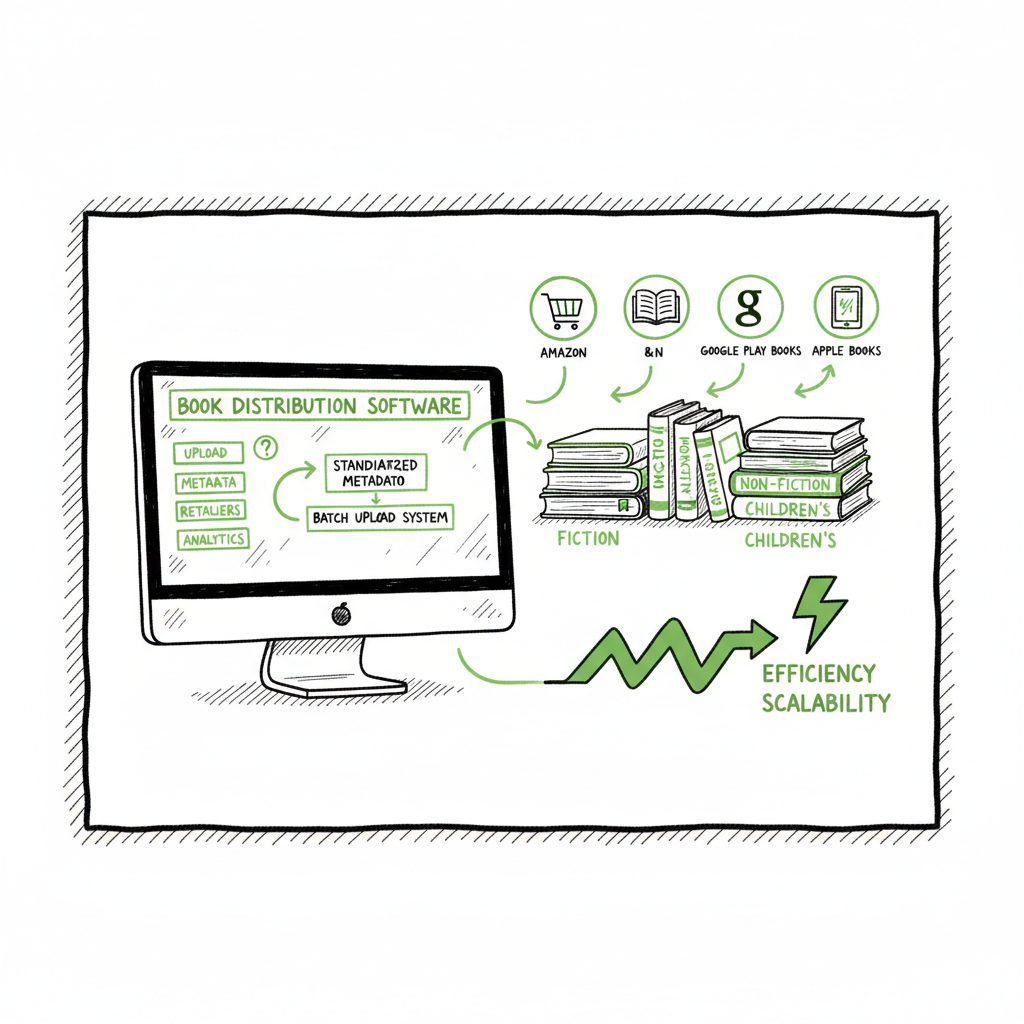
Wide publishing workflow for multi-retailer distribution
Wide publishing workflow: how to scale multi-retailer book distribution
Estimated reading time: 9 minutes
Key takeaways
- A wide publishing workflow turns one‑off uploads into a repeatable system so you can publish more books with less friction.
- Standardize metadata, file formats, and QA checks, then batch uploads to reduce errors and reclaim time.
- Use a unified multi‑platform approach and tools that support CSV batch uploads, platform intelligence, and error reduction to make wide distribution practical.
Table of Contents
- What is a wide publishing workflow and why it matters
- Core stages in a practical wide publishing process
- Tools, templates, and automation for go wide operations
- How to scale a multi retailer upload workflow—step‑by‑step
- Frequently asked questions
What is a wide publishing workflow and why it matters
A wide publishing workflow is the repeatable sequence of steps a self‑publisher uses to take a book from idea to every retailer that matters: Amazon KDP, Kobo, Apple Books, Draft2Digital, and Ingram. It covers planning, manuscript preparation, formatting, cover and metadata work, uploading, and post‑publish checks. The phrase wide publishing workflow describes both the plan and the tools you use to run that plan reliably across many titles.
Wide distribution matters because each retailer has slightly different rules for file types, ISBN handling, pricing, and metadata. Doing one platform by hand is manageable. Doing fifty titles across six retailers by hand is not. A solid wide publishing workflow reduces repetitive work, cuts upload errors, and frees you to publish more books. If you’re ready to standardize a repeatable process, see Publish Wide Self Publishing Workflow for a practical, tested approach to publishing across retailers. That resource walks through the sequencing and operational details teams use when they move from single‑platform publishing to true wide distribution.
If you’re ready to standardize a repeatable process, see Publish Wide Self Publishing Workflow for a practical, tested approach to publishing across retailers.
Core stages in a practical wide publishing process
A scalable wide publishing workflow contains predictable stages. Keep the list simple and assign clear acceptance criteria for each stage so books don’t bounce backward between steps.
1. Planning and metadata
- Define series structure, categories, and target keywords before production starts.
- Create a single metadata master (CSV or spreadsheet) that holds title, subtitle, series, contributors, BISAC categories, age ranges, language, keywords, descriptions, and pricing per territory.
- Decide distribution channels and ISBN strategy early: per‑format ISBNs or agency use.
2. Manuscript and editorial
- Track drafts with clear versioning. Label files by date and version number in your repository.
- Use a checklist for editing stages: developmental edit, line edit, copyedit, proofread.
- Keep a short list of final deliverables: manuscript DOCX, plain text backup, and a clean proof PDF.
3. Design and assets
- Create interior templates for common trim sizes and templates for both paperback and ebook formats.
- Produce a cover that meets each retailer’s technical specs and thumbnail readability. If you generate covers digitally, connect that step to your file naming and metadata master.
- When you create a paperback or ebook build, consider using a dedicated conversion tool to generate retail‑ready files quickly; that reduces manual tweaks at upload time. For quick EPUB conversion steps, use the EPUB converter.
4. File formatting and conversions
- Export standardized EPUB for ebook retailers and print‑ready PDF for paperbacks. Keep a single source file for the interior, and export from that base to all formats.
- Validate EPUBs against common checks and previewers to catch reflow and image issues.
- Convert to each retailer’s preferred file types only once you’ve validated the master exports.
5. Upload and platform checks
- Use batch uploads when possible. A multi retailer upload workflow relies on CSVs or batch tools that map your metadata master to retailer fields.
- Run a QA checklist after each upload: cover thumbnail, interior preview, price and royalty setup, territories, and sample download.
- Schedule live date windows to manage preorders and coordinated promotions.
6. Post‑publish tracking and maintenance
- Pull initial sales and reporting data for review after launch. Note retailer delivery times and reporting cadence in your calendar.
- Fix metadata or pricing mismatches quickly; small corrections can have outsized effects on discoverability.
- Maintain a simple audit log per title: what changed, when, and why.
Tools, templates, and automation for go wide operations
When you start publishing more than a handful of titles, tooling matters. The right tools reduce manual steps, enforce standards, and minimize human error.
Project and metadata management
- Keep one master sheet (Airtable, Google Sheets, or similar) that holds the canonical metadata for each title. This master should include columns for every retailer field you use. Treat it as the single source of truth.
- Use task tracking for each title with deadlines and owner assignments. That keeps the schedule predictable and prevents last‑minute rushes that cause mistakes.
File production and formatting
- Maintain interior templates for your common trim sizes and export settings. This reduces formatting work when you produce new books.
- Convert manuscript files to EPUB and validate them before uploads. If you want a focused conversion tool that streamlines this step, use the EPUB converter.
Covers and visual assets
- Standardize cover layers and export sizes. If you use an automated cover process, make sure it outputs retailer‑ready files (spine and back for print; thumbnail‑ready for thumbnails).
- If you need a tool to speed cover creation and processing, a dedicated cover generator can help maintain visual consistency and technical compliance.
Batch upload and distribution
- For repeatable multi retailer upload workflows, batch CSV uploads or a multi‑platform upload service are critical. CSV batch uploads let you map fields once and reuse that mapping across titles.
- A platform that understands retailer quirks—things like royalty structures, required image dimensions, and territory settings—reduces upload back‑and‑forth. That platform intelligence cuts errors and helps you schedule releases cleanly.
Why automation matters, practically
Automation isn’t a magic bullet; it’s a productivity multiplier when it removes repetitive, error‑prone tasks. For example:
- A single CSV push can populate metadata across five retailers instead of entering it five times.
- Automated file checks catch common EPUB errors before you waste time on a failed upload.
- A unified multi‑platform publishing system reduces manual reconciliation and delivers roughly 90% time savings on the upload and distribution phase compared with manual multi‑site uploads.
If you produce both paperbacks and ebooks, keep the production chain tight: create the interior, export print PDF and EPUB from the same source, and ensure the title metadata is identical across all files and upload targets. For a straight place to start building and testing multi‑format outputs, you can use a central book creation workflow tool to generate required files consistently.
How to scale a multi retailer upload workflow—step‑by‑step
Scaling is about consistency, not complexity. Here’s a practical sequence you can adopt and adapt to suit a small team or a one‑person operation.
Step 1 — Build the metadata master
- Set up a CSV or spreadsheet with all retailer fields you plan to use. Include:
- Title, subtitle, series and number
- Contributors and roles (author, editor, illustrator)
- BISAC/Categories, language, keywords
- ISBN per format, or identifier strategy
- Description short and long
- Price per territory and royalty setup
Treat this master as the single truth. When you change a field, change it in the master and propagate it during the next upload.
Step 2 — Standardize file outputs
- Create a single folder structure for each title:
- /manuscript
- /covers
- /exports (EPUB, MOBI where needed, print PDF)
- /assets (author photo, rights documents)
- Name files consistently: Title_Format_Version_Date.ext
This keeps everything organized and ready for batch processing.
Step 3 — Validate before upload
- EPUB validation and a quick read in at least two previewers
- Cover thumbnail test at 150×150 pixels for visibility on retailer pages
- Print PDF proofing in Acrobat or a print previewer for margins and bleed
This avoids the common back‑and‑forth that derails coordinated release dates.
Step 4 — Map metadata to retailer fields
- Create a mapping template that aligns your master CSV columns to each retailer’s required fields. Keep these templates versioned:
- KDP mapping
- Kobo mapping
- Apple mapping
- Draft2Digital/Ingram mapping
When your mapping is set, you can export ready‑to‑upload CSVs or use a batch uploader where you upload once and the system distributes across retailers.
Step 5 — Batch upload and QA
- Use CSV batch uploads or a multi‑platform uploader to reduce repetitive entry.
- After upload: check retailer previews and sample downloads
- Confirm pricing, territory, and DRM settings
- Log any issues and resolve them rapidly
This helps keep releases synchronized across retailers.
Step 6 — Monitor and iterate
- After launch, review the first two weeks of distribution data and error logs.
- Common issues at scale are small metadata mismatches and cover file problems.
- Fix once in the master and re‑push if you can.
A disciplined cycle reduces friction over time.
Practical tips that save time
- Templatize everything. If you write a series, reuse description frameworks and category selections that have worked.
- Version control matters. Label final versions clearly and keep a short change log.
- Batch similar tasks together: format multiple titles on the same day, then run all conversions. Then upload in one session using batch tools.
- Keep a release calendar for promotions and preorders so you avoid conflicting deadlines across retailers.
Frequently asked questions
How many retailers should I start with?
Start with the retailers where your readers buy now or where your genre performs. For many authors, that means Amazon and at least one wide outlet like Kobo or Apple. Once you have the steps nailed down, expand to Draft2Digital and Ingram for library and expanded distribution.
Do I need different ISBNs for different retailers or formats?
Use different ISBNs per format (ebook vs paperback). Retailer policies vary on ISBN requirements. If you’re using a distributor that assigns its own ISBNs, track that in your metadata master so you always know which identifier is linked to which retailer.
How do I test an EPUB quickly?
Use two tools: an EPUB validator and a reader or previewer. Convert from your master interior, validate, and then load it into at least one device previewer to check reflow and image placement. If you need a streamlined conversion tool that produces compliant EPUBs, consider the epub converter to speed that step.
What’s the best way to handle covers for both ebook and paperback?
Produce a layered master cover source and export retailer versions from that source. Thumbnail readability and spine text for print are important. If you generate covers programmatically or use batch processing, a cover generator processing tool can help maintain consistent output sizes and formats.
When should I move to a batch uploader or multi‑platform tool?
Move when the time spent on uploads exceeds the time to learn a tool. If you’re publishing more than a few titles per quarter, a multi‑platform approach with CSV batch uploads will pay for itself in saved hours and fewer errors.
Sources
- How to Build a Content Publishing Workflow – Activepieces
- Publishing Workflow Management: 8 Steps for Easy Setup – Automateed
- 4-step guide to an effective editorial workflow – Kontent.ai
- The Ultimate Editorial Workflow Guide – Multicollab
- 5 Tips For The Perfect Publishing Process | PublishOne
- Content Workflow: Breaking Down the 9 Step Process – Slickplan
- Editorial Workflow Design: Core Pillars To Go From Chaos to Clarity – ePublishing
- EPUB conversion tool: https://www.bookautoai.com/epub-converter
- Book cover generator and processing: https://www.bookautoai.com/book-cover-generator-processing
- Book creation and publishing tools: https://www.bookautoai.com
- Publish Wide Self Publishing Workflow (BookUploadPro blog): https://blog.bookuploadpro.com/publish-wide-self-publishing-workflow
Wide publishing workflow: how to scale multi-retailer book distribution Estimated reading time: 9 minutes Key takeaways A wide publishing workflow turns one‑off uploads into a repeatable system so you can publish more books with less friction. Standardize metadata, file formats, and QA checks, then batch uploads to reduce errors and reclaim time. Use a unified…