Publish Wide vs Exclusive KDP Pros and Cons for Authors
Publish wide vs exclusive kdp: A practical guide for self-publishing authors
Estimated reading time: 13 minutes
Key takeaways
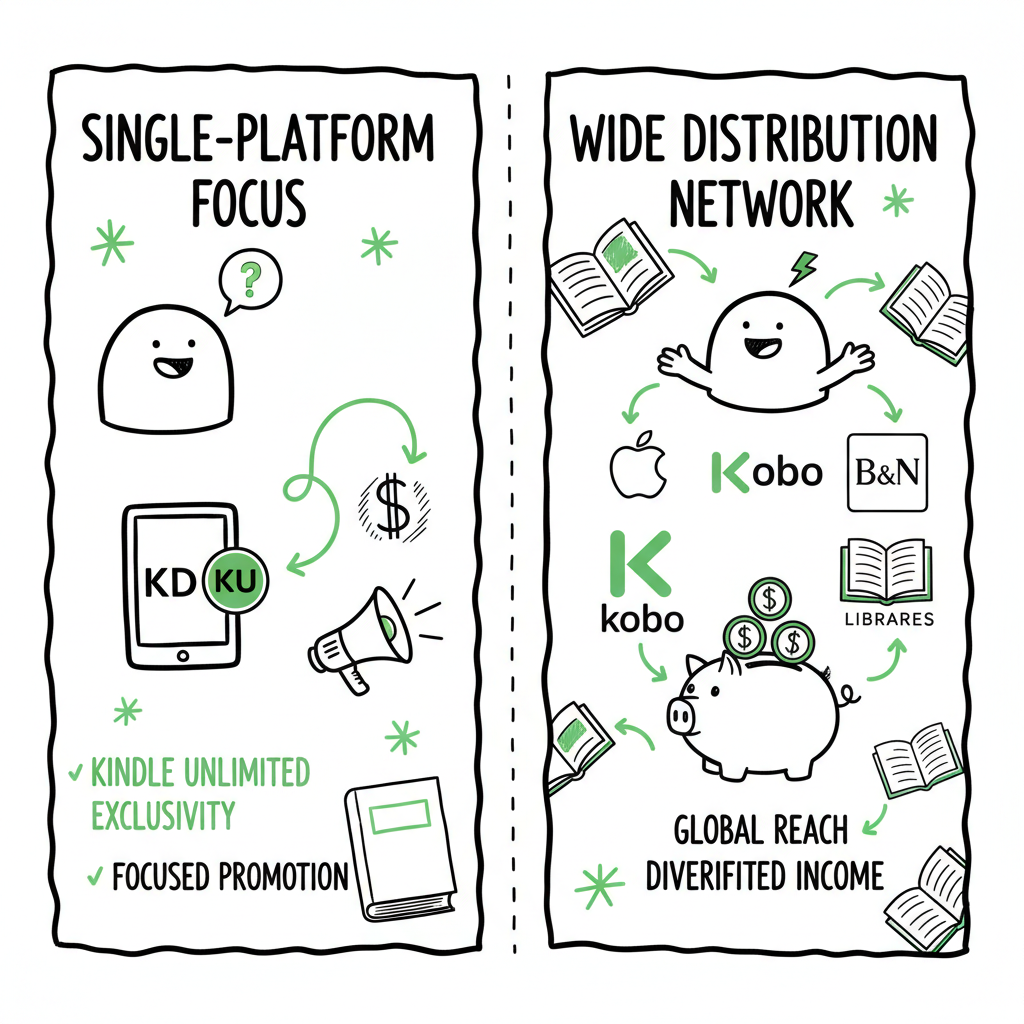
- KDP Select (exclusive) gives access to Kindle Unlimited and promotional tools but requires 90-day ebook exclusivity.
- Going wide spreads your book to Apple, Kobo, Barnes & Noble and libraries for diversified income and global reach.
- Use a clear operational plan and automation to make wide distribution practical at scale.
- BookUploadPro automates multi-platform uploads, cuts repetitive work by ~90%, and is a sensible upgrade when you publish seriously.
Table of Contents
- How KDP Select and going wide work — basics and mechanics
- Exclusive KDP vs wide: practical pros and cons
- Who should pick exclusive and who should go wide
- How to publish wide at scale: the operational path with automation
- FAQ
- Sources
How KDP Select and going wide work — basics and mechanics
Self-publishing authors often ask the same question in different words: publish wide vs exclusive kdp — which gives better results? The answer depends on what you want and how you run a publishing operation.
KDP Select is Amazon’s program for ebooks. If you enroll a title, Amazon requires that the ebook remains exclusive to Kindle for a 90-day period. The tradeoff: your book can earn borrows paid through Kindle Unlimited (KU), and you get access to promotional features like Kindle Countdown Deals and free-book promotions. KU pays based on KENPC (pages read) and on a shared global fund. For many authors, that leads to steady income if the book fits reader habits inside KU.
Going wide means distributing your ebook to multiple retailers: Apple Books, Kobo, Barnes & Noble, Google Play, and distributors that serve libraries and smaller stores. Wide distribution opens more markets and multiple revenue streams. It also reduces risk: if Amazon changes rules or algorithms, your income isn’t all on one platform.
How the mechanics differ
– Enrollment and exclusivity: KDP Select requires 90-day exclusivity for ebooks. You can re-enroll, or you can wait until a 90-day term ends and go wide. Wide distribution has no such digital exclusivity.
– Revenue models: Amazon pays for purchases and KU page reads. Other stores pay per sale only. Libraries and subscription services have different payment systems and windows.
– Promotion tools: Amazon offers built-in promotional tools for enrolled titles. Other retailers rarely offer the same centralized promotional features; marketing tends to be manual or via third-party services.
File and metadata basics
To publish wide, you’ll often prepare multiple files and assets: a clean EPUB for retailers, a print-ready PDF for paperback, and cover images in platform-specific sizes. If you need safe, automated file tools, an EPUB converter can help convert your manuscript cleanly for multiple retailers. If you need a cover, automated options for a book cover generator can speed production. For broader book creation workflows that include ebook and paperback generation, some services bundle those steps into a single tool.
If your aim is to move beyond a single-title hobby and run multiple releases, look for a repeatable process. For a practical step-by-step path from a single manuscript to wide distribution, see the Publish Wide Self Publishing Workflow — it explains how to organize files, metadata, and assets so you can automate uploads and avoid manual errors.
Exclusive KDP vs wide: practical pros and cons
Both paths work. They just work differently. Below I break down the practical pros and cons so you can match them to your goals.
Why authors pick KDP Select (exclusive KDP)
– Fast visibility on Amazon: Amazon’s ecosystem can surface new releases quickly. If your genre performs well on Amazon, that’s a major advantage.
– Kindle Unlimited income: Readers borrow books through KU and you earn per page read. For some series authors, this becomes the dominant income source.
– Promotions and algorithms: KDP Select gives access to promotions like Countdown Deals, which can spike downloads and help rank in Amazon’s internal charts.
– Simpler workflow for a single channel: If you only sell on Amazon, you manage fewer files and less metadata.
Practical downsides of exclusivity
– Missed markets: Amazon doesn’t cover the whole market. Apple Books and Kobo have strong readership in many countries. Exclusivity can cut off 30–40% of non-Amazon sales.
– Platform risk: Relying on one retailer means your income changes if algorithms, fees, or KU fund performance shift.
– Marketing limits: You can’t list your ebook elsewhere or even send some sample versions for newsletter signups. The exclusivity terms are strict.
Why authors go wide
– Diversified income: Sales from multiple stores and library channels balance seasonal dips or algorithm changes from one retailer.
– Global reach: Kobo and Apple Books do especially well in Canada, parts of Europe, and Australia. Libraries and subscription aggregators also create long-term discovery.
– Control over pricing and sales channels: You can run promotions on different platforms and reach readers who don’t buy from Amazon.
– Build a long-term catalog: Wide tends to be better for authors treating publishing like a business—each backlist title can continue to sell across stores for years.
Practical downsides of going wide
– More setup and management: Each store has its own metadata expectations, file requirements, and upload flows.
– Slower traction: Amazon’s algorithm and KU can give a faster lift. Wide requires more active marketing and time to build discovery.
– Fewer built-in promotional tools: Most stores don’t offer KU-style page-read revenue or the same promotional mechanics.
Side-by-side comparison summary
– Speed of early traction: KDP Select often faster.
– Long-term stability: Wide is usually steadier and safer.
– Earning model: Amazon mixes sales + borrows; wide is mostly sales and library/licensing revenue.
– Workload: Exclusive simplifies operations; wide demands more effort unless automated.
Who should pick exclusive and who should go wide
Your decision should follow your goals, genre, and appetite for operations.
Choose exclusive KDP if:
– You’re new and want faster traction without building a complex marketing stack.
– You write in KU-friendly genres (romance, some thrillers, serial fiction) where page reads can exceed sales revenue.
– You plan short-term promotions to build a series and depend on KU to onboard new readers quickly.
Choose wide if:
– You want diversified, global sales and less dependency on Amazon.
– You publish nonfiction, backlist catalogs, or titles that benefit from library and trade channels.
– You’re building a long-term career and expect to publish multiple titles faster than you can manage manual uploads for each.
Hybrid strategies (testing without committing)
Many authors run tests: enroll an ebook in KDP Select for 90 days, study borrow vs sale income, then decide whether to continue exclusive or go wide. The test gives real data on reader behavior and earnings for your genre and book type.
If you plan a test, track:
– KU pages read and borrows vs paid sales.
– Cost of paid promotions and their effect on sales and borrows.
– How the book performs in categories and keywords on Amazon versus other retailers.
How to publish wide at scale: the operational path with automation
Going wide is a strategic choice and an operational challenge. It’s not just choosing different stores. It’s building a repeatable process so each title moves from manuscript to live stores reliably.
Start with a simple production checklist
Before automation, create a checklist you can repeat for every title. Items include:
– Final manuscript in a clean format (DOCX or manuscript source).
– Converted EPUB for ebook retailers.
– Print-ready PDF for paperback.
– Cover files in required sizes.
– Metadata: title, subtitle, series, contributors, description, categories, keywords, pricing, territories.
– ASIN/ISBN planning and box for barcode if printing.
– Sales channels list: Amazon KDP, Apple Books, Kobo, Barnes & Noble, Ingram, Draft2Digital or other aggregator.
– Promotional materials: retailer-specific descriptions, store-front images, author bio, and pre-order setup if needed.
Automate conversion and assets
Conversion is a repeatable technical step that benefits from automation. A reliable EPUB converter will turn your manuscript into a validated ebook package that meets retailer specs. If you need a cover, automated tools that handle sizes and export formats can remove repeated manual work. Good automation reduces file errors and rejects, which saves time on re-uploads.
Use the right distribution path
You can upload directly to each store or use aggregation services. Direct uploads give more control but increase workload. Aggregators simplify distribution to many stores at once but introduce another provider in the chain and may charge fees or take a cut.
Where automation pays off most
– Batch uploads: If you publish more than a few titles a year, CSV batch uploads save hours per title. BookUploadPro supports CSV batch uploads so you can push metadata and files across platforms at once.
– Platform-specific intelligence: Platforms have slightly different metadata rules. Automation that understands those differences reduces validation errors and improves conversions.
– Error reduction: Manual uploads create typos, wrong file versions, and mismatched metadata. Automation enforces standards and prevents common mistakes.
How BookUploadPro changes the workflow
BookUploadPro automates repetitive uploads across Amazon KDP, Kobo, Apple Books, Draft2Digital, and Ingram. It’s built to be the operational layer that lets authors publish wide without multiplying workload.
What it does, in practice:
– Unified multi-platform publishing: One dashboard to manage files and metadata for multiple stores.
– CSV batch uploads: Prepare many titles in a spreadsheet and push them in one job.
– Platform-specific intelligence: The system adjusts metadata and file formats automatically for each store’s rules.
– Error reduction: Validation and preflight checks cut rejects at upload time.
– Time savings: For teams and high-output authors, automation reduces manual labor by about 90%.
– Affordable pricing and a free trial: Try the system before you commit.
When to upgrade to automation
Automation is an “obvious upgrade once authors start publishing seriously.” If you have multiple titles, plan a series schedule, or need to update files across stores, automation saves time and reduces costly mistakes. The goal is to let you focus on writing and marketing, not on repetitive uploads.
Practical flow with automation
1. Finalize manuscript and cover. Use a book cover generator to make platform-ready art quickly and consistently across a series.
2. Convert to validated ebook formats with an EPUB converter to avoid rejections and formatting errors.
3. Gather metadata in a CSV. Use consistent category and keyword choices across titles to scale discoverability.
4. Upload batch to a multi-platform tool like BookUploadPro. The tool handles platform-specific adjustments and pushes files where they belong.
5. Monitor store listings and adjust promotions. Automation frees time so you can run cross-platform promotions and paid ads if you want.
Pricing and timeline considerations
Automation saves labor, but it’s not free. Compare the cost of an automation tool to the time you spend uploading titles. For many authors, saving hours per book translates directly to publishing more books or spending more time on marketing activities that move revenue.
Practical examples
– A romance author who publishes a three-book series every quarter can move from manual uploads that take a day per title to batch uploads that take an hour for all three.
– A nonfiction author with backlist of ten books can update metadata and push revised files to all stores in one operation, instead of ten separate upload sessions.
Publishing wide while staying flexible
If you want the benefits of both strategies, you can plan releases so some books launch in KDP Select for an initial 90-day push, then move wide with automation in place to handle the multi-store uploads. That hybrid approach gives speed early and reach later without multiplying your workload.
FAQ
Q: Can I enroll a paperback in KDP Select?
A: No. KDP Select applies only to ebook editions. Paperbacks and print books can be distributed through KDP and other print-on-demand channels independently.
Q: If I pick KDP Select, can I still sell paperbacks elsewhere?
A: Yes. KDP Select exclusivity covers only the ebook file. You can publish print editions on other platforms while your ebook is exclusive to Kindle.
Q: How often can I move a book out of KDP Select?
A: KDP Select terms are 90 days. After a term ends, you can choose not to re-enroll and go wide. Plan file and metadata updates before the change to prevent downtime.
Q: Do I need an ISBN to go wide?
A: Many retailers will accept titles without an ISBN, but some distribution paths and print channels require one. Check each platform or use a service that handles ISBN assignment if you want consistent identifiers.
Q: How do libraries fit into wide distribution?
A: Libraries are a major benefit of wide. Some aggregators and distributors serve library channels directly. If library access is important, choose distribution partners that include library licensing.
Q: Will my book get more reviews if I go exclusive?
A: Reviews come from readers. KDP Select and KU can increase borrow volume, which may increase reviews. But wide distribution reaches different reader ecosystems that can produce reviews on other stores too.
Q: Is there a way to test exclusive vs wide?
A: Hybrid testing—enrolling in KDP Select for a 90-day period to compare borrow vs sale income—can provide real data to guide your choice for future titles.
Sources
- https://publishdrive.com/kindle-unlimited-kdp-select-vs-going-wide-which-is-better-for-self-published-authors.html
- https://createifwriting.com/should-you-publish-your-book-wide-or-go-exclusive-with-amazon/
- https://marinamilesbooks.com/2025/11/14/%E2%AD%90-kdp-vs-wide-publishing-what-every-indie-author-needs-to-know-in-2025/
- https://davidgaughran.com/a-tale-of-two-marketing-systems/
- https://www.youtube.com/watch?v=AgZ4fQe1eqo
- https://www.bookillustrationai.com/blog/kdp-select-vs-going-wide-new-author-guide
Publish wide vs exclusive kdp: A practical guide for self-publishing authors Estimated reading time: 13 minutes Key takeaways KDP Select (exclusive) gives access to Kindle Unlimited and promotional tools but requires 90-day ebook exclusivity. Going wide spreads your book to Apple, Kobo, Barnes & Noble and libraries for diversified income and global reach. Use a…