KDP author workflow to build a repeatable publishing system
KDP author workflow: Build a repeatable system that ships books faster
Estimated reading time: 14 minutes
Key takeaways
- A clear kdp author workflow turns repeated manual steps into predictable, fast actions so you can publish more titles with fewer mistakes.
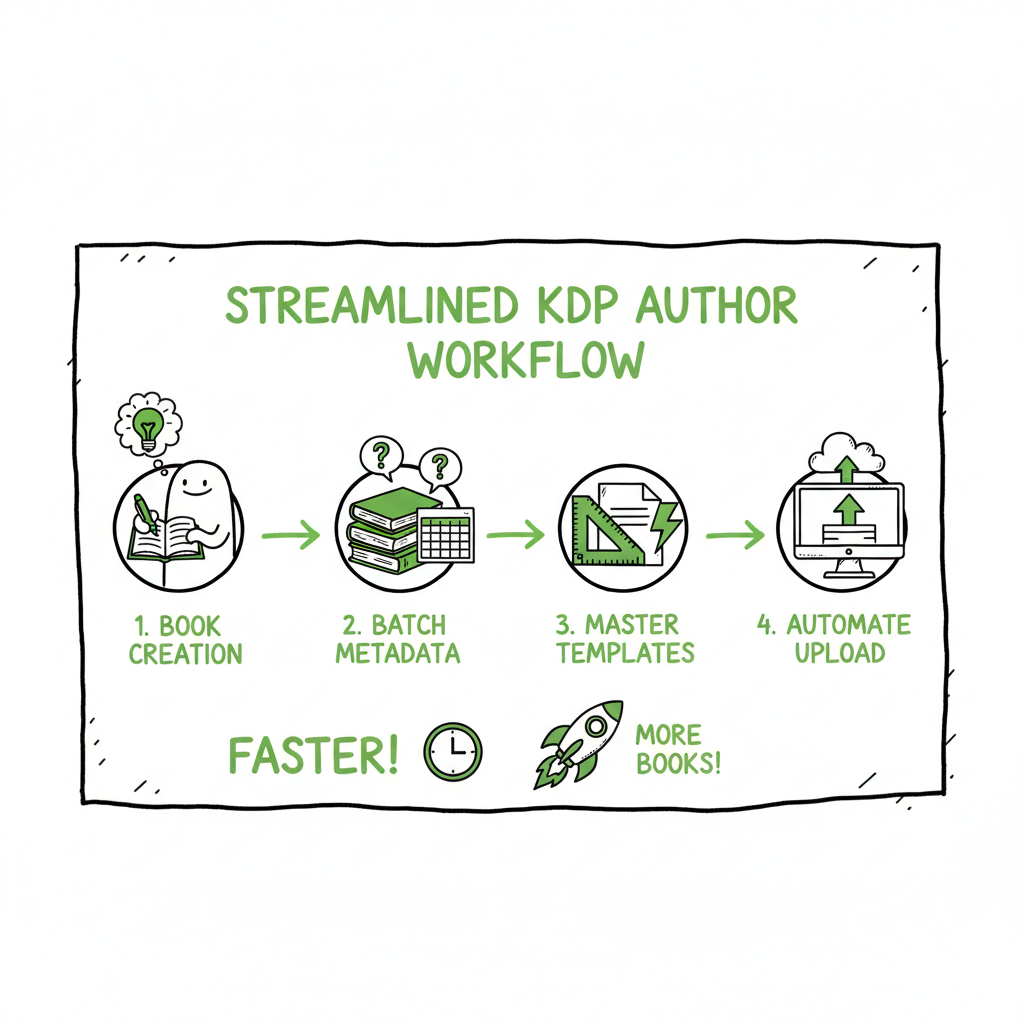
- Batch metadata, use master formatting templates, and automate uploads when possible to shave hours off each book project.
- Once you publish at scale, a multi-platform tool like BookUploadPro becomes an obvious upgrade: unified distribution, CSV batch uploads, platform-aware validations, and big time savings.
Table of Contents
- What a reliable kdp author workflow looks like
- Make formatting and covers repeatable
- Batch metadata, pricing, and publishing choices
- Scale with multi-platform uploads and validation
- Final thoughts
- FAQ
- Sources
What a reliable kdp author workflow looks like
If you publish more than one book, you need a kdp author workflow — a short, repeatable sequence of tasks that moves a manuscript from final draft to live listing without surprises. In practice that means breaking the process into clear stages: prepare files, prepare marketing metadata, run a final validation/check, upload, preview, set rights and pricing, and schedule post-launch tasks. When this sequence is written down and practiced, it becomes faster and less error-prone.
A good workflow treats the KDP dashboard like one output among several. The same files and metadata should work for KDP, Kobo, Apple Books, Draft2Digital, and Ingram. To make that real, authors use master templates for manuscript formatting, standard cover specs, a central metadata sheet, and a short validation checklist that catches common errors before upload.
If you want a compact walkthrough of Amazon’s setup screens and what each field really means, see our Amazon KDP for Authors guide for a focused reference that matches the stages below. That resource clarifies which fields are purely marketing, which affect discoverability, and which are hard to change after publishing.
Why a workflow beats ad-hoc publishing
- Repetition reduces thinking: doing the same steps in the same order frees mental bandwidth for creative work.
- Templates remove manual formatting errors: margins, bleed, embedded fonts, and table of contents get handled the same way every time.
- Batch metadata avoids duplicate typing: titles, subtitles, descriptions, and keywords live in one place and are copied into platforms as a group.
- A single validation checklist reduces rejected uploads and bad previews.
Make formatting and covers repeatable
Formatting is where most authors lose time. Every platform has its own quirks for margins, image placement, and file types. Adopt two simple rules: (1) produce a “final files” folder with exactly the items you need, and (2) export those files from a master template.
Manuscript templates
- Keep one manuscript template per format. For full-length fiction and nonfiction, maintain a Word or Scrivener template that includes front matter, page numbering, chapter breaks, and a linked table of contents. For low-content books, maintain a separate template sized for interior pages.
- Export predictable files. If KDP requires a print-ready PDF for paperback and an EPUB for ebook, make both exports part of the same “final files” step so you don’t export one now and forget the other later.
- Validate fonts and images. Embed fonts where required and check image DPI. A quick checklist catches common preview errors before upload.
Covers
Every cover needs specs: spine width, bleed allowances, and pixel dimensions for ebooks. Set a small library of approved cover templates to keep things consistent across multiple titles and series.
If you want a fast way to produce covers that match platform specs, try a book cover generator that processes author inputs and outputs platform-ready files — it removes the guesswork about spine sizing and bleed margins and keeps your project moving. (Use a short test cover and confirm the PDF in the KDP previewer — tools help, but the preview is the final judge.)
EPUB and ebook conversion
Create one reliable conversion step. Whether you export to EPUB from Word, InDesign, or a dedicated converter, standardize the process: same conversion tool, same preflight checks, same validation tool. If you convert often, use an EPUB converter that offers consistent results and a quick validation report so you don’t rely on manual spot checks.
Why this saves time
- One-click exports from a template reduce iterative fixes.
- A single cover spec across titles means fewer re-exports.
- Using a conversion tool that you trust eliminates the “it looks wrong in preview” cycle.
For EPUB conversion, consider an automated EPUB converter to reduce formatting surprises across retailers.
Batching uploads and the single-session mentality
Batching uploads helps you move faster. Keep your files in a single folder, export all formats, and perform a single import into your distribution tool.
If you’re handling covers, conversions, or paperback creation as part of your workflow, select specialized tools that produce platform-ready outputs. Use a reliable book creation and paperback/ebook processing tools to produce ready-to-upload outputs. These tools save time and prevent the repetitive back-and-forth that stalls launches.
Operational tips that cut time every cycle
- Keep a “release checklist” template with explicit checks: right trim size, embedded fonts, correct title on spine, matching ISBN, description lengths, correct categories, five tested keywords, and planned promo dates.
- Use versioned file names: Title_v1_FINAL.pdf, Title_v1_FINAL.epub, Title_cover_FINAL.pdf. It’s simple, but it prevents accidental uploads of draft files.
- Automate backups. Store final files in cloud storage with a copy that an assistant or partner can access.
Batch metadata and pricing
Metadata is the area where most authors can make the biggest speed gains. The items you fill into KDP (title, subtitle, series, author name, description, keywords, BISAC categories, language, and contributor roles) are the same fields you will use across other retailers. Treat them as marketing assets and store them in a central place.
Build a metadata master sheet
- One row per title. Columns for title, subtitle, series name and number, short description, long description, five keyword phrases, primary and secondary BISAC categories, price per format, territories, ISBN or ASIN notes, and planned promo windows.
- Keep formatting ready for paste. KDP accepts basic rich text in the description field; prepare a short (one-paragraph) and a long (three-paragraph) version so you can A/B test later.
- Create standardized keyword clusters. Write keyword sets that reflect genre, sub-genre, and topical terms. Use a few variants for discovery across different retailer search engines.
Pricing and rights
Decide standard pricing tiers and territory rules and reuse them. Many authors use three price tiers: new release price, standard price, and sale price. Record these in your metadata sheet so you can apply them consistently.
Batching uploads and the single-session mentality
When you’re ready to upload, approach the dashboard with a “single-session” intent: gather all files, paste all metadata, run previews, and set rights/pricing in one session. This reduces interruptions and the risk of forgetting a setting.
Scale with multi-platform uploads and validation
If you publish one book, manual uploads are fine. When you publish multiple books a year, you need to scale. That means two things: multi-platform distribution and validation that prevents repeated mistakes.
Why multi-platform publishing matters
- Different retailers reach different readers. Kobo and Apple Books have loyal audiences outside Amazon.
- Some platforms handle interior files differently. You don’t want to manually adapt formats for every upload.
- A unified approach shields you from single-platform outages or policy changes.
How to scale without losing control
- Use CSV batch uploads when available. Some platforms and tools accept a CSV with rows for each title and columns for metadata and file paths. This reduces manual entry to a programmatic import.
- Validate with platform-aware intelligence. A good publishing tool checks for platform-specific issues (e.g., image DPI for print, EPUB structure for Apple Books, Gutter margin warnings for paperback).
- Keep a final human check. Automation saves time but human review catches rights, territory, or tax fields that can’t be guessed.
What BookUploadPro brings to the table
At scale, the last mile — getting files and metadata into multiple storefronts — is the bottleneck. BookUploadPro automates repetitive uploads across Amazon KDP, Kobo, Apple Books, Draft2Digital, and Ingram. It offers CSV batch uploads, platform-specific intelligence that flags issues before upload, and validations tuned to each outlet’s expectations. For authors publishing several titles, it typically reduces the time spent on upload tasks by roughly 90% and cuts avoidable errors.
Practical pattern for multi-title publishers
- Maintain one source of truth per title: the “final files” folder plus the metadata master sheet.
- Export all required formats once and store them in the folder.
- Run a single batch upload to the distribution tool that handles platform-specific packaging.
- Review platform previews, correct any flagged issues, and confirm publication windows.
Cover production, EPUB conversion, and paperback creation (tool reminders)
If you’re handling covers, conversions, or paperback creation as part of your workflow, select specialized tools that produce platform-ready outputs. Use a reliable book cover generator to produce ready-to-upload covers without trial-and-error on spine sizing or bleed. For EPUBs, a stable EPUB converter reduces formatting surprises across retailers. And if you create paperbacks, pick a toolchain that produces final print-ready PDFs that match the target trim size and submission requirements. These tools save time and prevent the repetitive back-and-forth that stalls launches.
Operational tips that cut time every cycle
- Keep a “release checklist” template with explicit checks: right trim size, embedded fonts, correct title on spine, matching ISBN, description lengths, correct categories, five tested keywords, and planned promo dates.
- Use versioned file names: Title_v1_FINAL.pdf, Title_v1_FINAL.epub, Title_cover_FINAL.pdf. It’s simple, but it prevents accidental uploads of draft files.
- Automate backups. Store final files in cloud storage with a copy that an assistant or partner can access.
Final thoughts
A practical kdp author workflow is less about fancy tools and more about predictable steps. Once you standardize templates, centralize metadata, and add a short validation routine, publishing becomes reliable and faster. At the point where you’re shipping multiple titles, the last-mile automation layer is the multiplier: unified multi-platform publishing, CSV batch uploads, and platform-aware validations let you scale without multiplying work.
BookUploadPro is positioned for that multiplier effect. It doesn’t write your book or design your cover; it organizes and automates the steps that connect your finished files to live storefronts. For authors who publish seriously, it’s an obvious upgrade: dramatic time savings, fewer platform-specific errors, and cleaner, faster releases. Automate the upload. BookUploadPro.
FAQ
Q: What is the single most important change to make in a KDP author workflow?
A: Centralize metadata. When title, description, keywords, and categories live in one spreadsheet ready to paste, you remove most duplicated work and eliminate common copy-paste errors.
Q: How do I avoid preview or formatting rejections on KDP?
A: Use master templates, run conversions through a trusted EPUB converter, and always check the KDP previewer before publishing. Validate images and embedded fonts ahead of time to avoid common PDF and EPUB problems.
Q: Can I publish the same files to multiple platforms without reformatting for each store?
A: Mostly yes. Export the standard outputs KDP and other retailers accept (EPUB and print-ready PDF), then use a multi-platform distribution tool that applies platform-specific packaging. That tool should flag differences so you only fix platform-specific issues once.
Q: Is it risky to automate uploads?
A: Automation reduces manual errors but shouldn’t replace final human checks. Critical fields like rights, territories, and tax settings still require confirmation. Treat automation as a speed layer, not an automatic decision-maker for legal or financial choices.
Q: What if I don’t want to pay for a publishing tool yet?
A: Start by creating strong templates and a metadata master. Batch your uploads and use the validation checklist. When your output (titles published per year) reaches a point where batch tasks consume a day or more each release, trial a multi-platform tool to see if the time savings justify the cost.
Sources
- How To Publish A Book On Amazon – 2025 KDP Guide
- The Ultimate Guide to Publishing on Kindle Direct Publishing
- Amazon KDP Help – Create a Book
- Amazon KDP Help – Start publishing with KDP
- Reedsy – How to Publish a Book on Amazon
- Getting Started with Kindle Create
KDP author workflow: Build a repeatable system that ships books faster Estimated reading time: 14 minutes Key takeaways A clear kdp author workflow turns repeated manual steps into predictable, fast actions so you can publish more titles with fewer mistakes. Batch metadata, use master formatting templates, and automate uploads when possible to shave hours off…