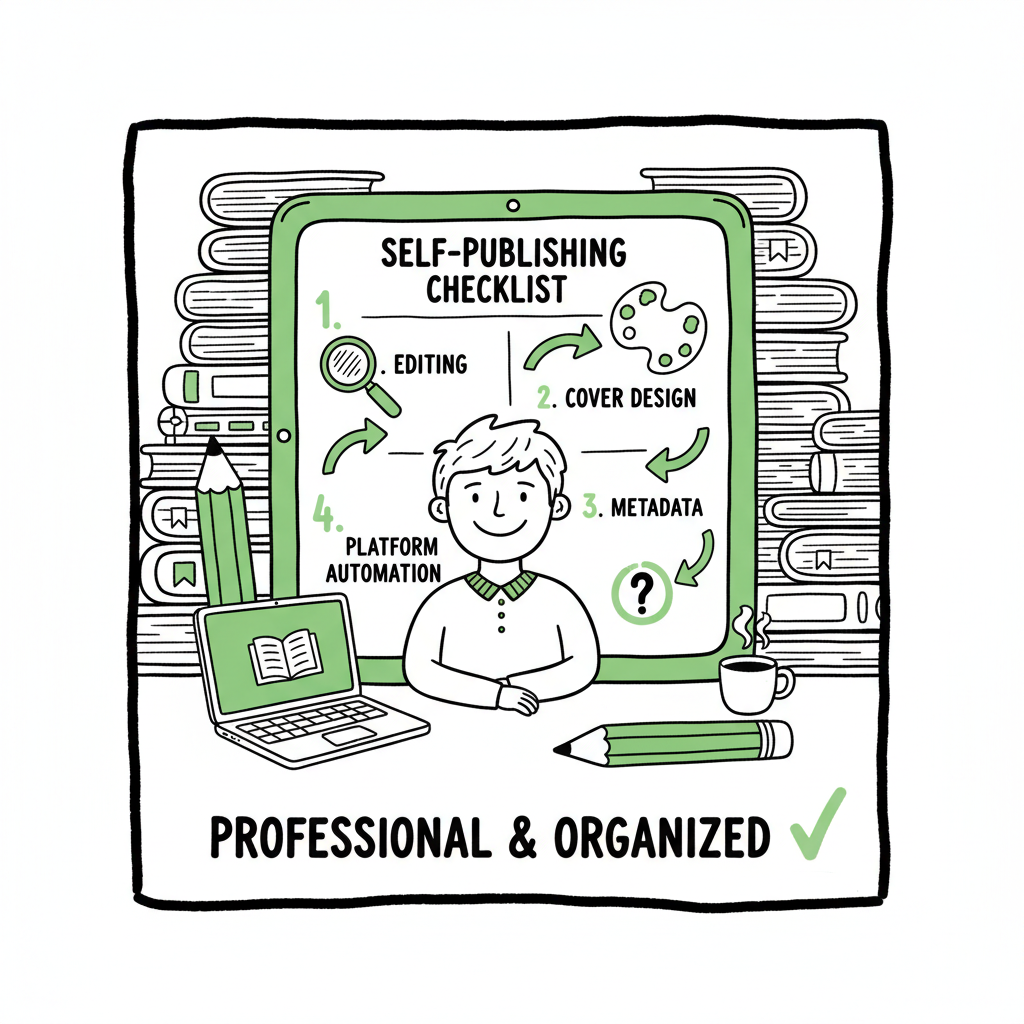
Self Publishing Checklist for 2025 Practical Guide
Self publishing checklist: A practical guide for 2025
Estimated reading time: 18 minutes
Key takeaways
- A clear, repeatable self publishing checklist keeps quality high and saves time when you scale.
- Prioritize editing, strong cover and metadata, and platform-ready files before pushing live.
- Use multi-platform automation to cut repetitive uploads, reduce errors, and make wide distribution practical.
Table of Contents
- Overview and why a checklist matters
- The step-by-step self publishing checklist
- Automation, distribution, and BookUploadPro
- Post-launch checklist and next steps
- FAQ
- Sources
Overview and why a checklist matters
A self publishing checklist keeps work organized and prevents the small mistakes that cost sales and time. In 2025 that checklist still begins with a finished manuscript and ends with promotion and measurement, but it also includes platform-specific formatting, metadata planning, and multi-channel distribution. If you’re new to independent publishing, our Self Publishing for Beginners guide can walk you through the first decisions before you use this checklist in production.
This article walks through every stage: manuscript readiness, editing, design, formatting for ebook and print, metadata and discoverability, choosing platforms, and launch follow-up. The steps are written for authors who want practical, repeatable processes that scale.
Start with market sense
- Confirm your audience and category. Look at bestsellers in your genre and note common title language, cover styles, and price points.
- Decide format mix: ebook, paperback, hardcover, audiobook. Your checklist should include a decision point for each format because preparation differs.
Manuscript readiness
- Finish the draft. Set a hard “stop writing” date so editing can begin.
- Self-edit in passes: structure, pacing, language. Keep changes grouped (big picture first, line edits later).
- Use beta readers targeted to your audience. Ask them to describe what stood out and what confused them.
- If you can, budget for professional editing (developmental, copyediting, proofreading). Editing is the most common place authors under-invest; it directly affects reader retention.
Polish mechanics and consistency
- Run a style pass for consistent spellings, character names, and timelines.
- Use tools for mechanical checks, then follow with human review. Automated tools catch many errors but miss context.
Cover and interior design
- Invest in a professional cover that fits the genre and reads well as a thumbnail. Covers are a conversion tool; treat them like a sales asset.
- If you create your own cover, use a specialized cover generator for speed and consistent specs. For automated processing and consistent file prep, consider a trusted book cover generator to create print- and thumbnail-ready files.
- For interiors, pick software that supports your formats and export options. Keep typography, margins, and image placement clean and consistent.
Formatting and file creation
- Format your ebook for reflowable readers and your print file for the selected trim sizes. Use style sheets for headings and body text to maintain consistent exports.
- Convert to EPUB using a tested converter and validate the file before upload. An EPUB converter speeds this step and reduces common conversion errors.
- Generate print-ready PDFs with embedded fonts and correct bleeds for the chosen trim sizes. Check proofs on-screen and order a physical proof before wide release.
Create your ebook and paperback
- Produce final files for each platform: EPUB or KPF for most ebook retailers, print-ready PDF for print-on-demand.
- If you want help creating those files consistently, use services that support book creation workflows to handle both ebook and paperback builds reliably.
Metadata and discoverability
- Title and subtitle: Be clear about the promise. Subtitles are precious real estate for keywords on many platforms.
- Book description: Start with a strong hook, then three short bullets that list benefits or stakes. End with a short author bio line and a call-to-action (review, follow).
- Keywords and categories: Use platform tools and manual research to find accurate categories and sensible keyword phrases. Avoid stuffing; aim for relevance.
- Pricing strategy: Research your genre and launch with a price that matches expectations. Use price promotions for discoverability when appropriate.
- Series and read order: If your book is part of a series, ensure all entries in metadata and the interior make the order obvious.
Platform selection and technical prep
- Decide whether you want exclusive programs (e.g., platforms with exclusivity rules) or wide distribution. Make that decision early; it affects pricing and promotion options.
- Prepare platform accounts with consistent author name, bio, and links.
Pre-flight checklist before upload
- File names clearly indicate format, edition, and date.
- Final spellcheck complete and metadata ready in a single document so you can paste without errors.
- ISBNs assigned if you use them, with tracking of which ISBN applies to which format.
- Proof ordered for print, and EPUB validated for ebook stores.
Submission and publication
- Follow each platform’s form fields carefully. Small errors in keywords, categories, or prices create friction later.
- If you publish widely, batch uploads save time and reduce manual repetition. Use CSV import where supported to push multiple titles or editions.
- Set release options: immediate publish or pre-order. If you choose pre-order, ensure final files will be ready before the delivery deadline.
Launch basics
- Plan a review and outreach window for the first two weeks. Early reviews help algorithms and conversions.
- Schedule email and social announcements tied to your launch date. Short-form video and paid amplification can move early sales in certain markets.
- Monitor sales and conversion metrics daily for the first week, then weekly after that.
Quality control and monitoring
- Check retailer pages for formatting errors, wrong metadata, or cover issues after live publication.
- If errors appear, fix the source file, upload the corrected file, and keep a short change log for yourself.
Pricing and promotions
- For launches consider a temporary lower price to encourage downloads, then refund or raise after momentum builds.
- Use platform-specific promo tools, but track dates and status in a single spreadsheet.
Legal and rights
- Confirm your rights: text, images, any contributed material, and music for audiobooks.
- Keep licenses and contracts in a single folder accessible to your team or service provider.
Publishing formats checklist
- Manuscript: final file saved as DOCX or other editable format
- Editing: developmental, copyedit, proofread completed
- Cover: thumbnail-ready plus print-wrapped files
- Ebook: validated EPUB/KPF
- Paperback: print-ready PDF proof ordered
- Metadata: title, subtitle, description, keywords, categories, price
- Accounts: platform accounts set up and verified
- Promotion: launch plan and assets scheduled
Automation, distribution, and BookUploadPro
When you publish more than one title, the repetitive work of uploading files, copying metadata, and setting prices consumes time and invites mistakes. That’s where automation and multi-platform distribution become operational advantages.
BookUploadPro is built for authors and small presses who publish seriously. It automates repetitive uploads across Amazon KDP, Kobo, Apple Books, Draft2Digital, and Ingram. The system offers CSV batch uploads, platform-specific intelligence (profiles and required fields pre-filled), and error checks that reduce rejections and corrupted files. For teams and repeat publishers this produces roughly 90% time savings on the administrative side.
How automation helps on the checklist
- Batch metadata: Complete metadata once and push it to multiple platforms in consistent form.
- File mapping: Link a single EPUB or PDF to multiple retailers without re-uploading and re-entering fields.
- Platform intelligence: The tool knows which fields each platform requires and flags missing items before submission.
- Error reduction: Common mistakes like wrong trim size or missing ISBNs are detected early.
When you should add automation to your workflow
- Start manual for your first title so you understand each platform’s quirks.
- Add automation when you plan to publish more than one title or an update cycle. For serial releases, box sets, or translated editions, the time saved quickly pays for itself.
- Automation is an obvious upgrade once authors start publishing seriously. Automate the upload. Own the distribution.
Operational notes for teams
- Keep a master spreadsheet that matches your CSV upload fields to the platform fields. This spreadsheet becomes the single source of truth.
- Use versioned file storage for cover and interior files so the automation tool always pulls the latest approved files.
- Configure templates for price tiers, territories, and rights. Templates reduce repetitive entry and ensure consistency.
Cost and trial
- Services like BookUploadPro are priced for frequent publishers and include a free trial so you can test batch uploads and platform mapping before committing.
- When you compare the labor cost of manual uploads to an automated tool, the financial case tends to be clear for authors with multiple titles.
Post-launch checklist and next steps
First month checklist
- Verify live pages on each retailer for correct metadata and cover display.
- Confirm reviews are appearing and respond to reader messages professionally.
- Track sales channels and page reads if available.
- Run a short promotion or price test if sales are slow.
Three-month checklist
- Analyze conversion rates by day and by platform. Identify where discoverability is strongest and where descriptions or covers may need tweaks.
- Consider wide promotions, bargain bundles, or a box set to reach new readers.
- Update back matter: add links to next books, newsletter signup, and social handles.
Ongoing maintenance
- Keep your author page and series pages updated.
- Reformat or refresh covers for older titles if they underperform visually in the market.
- When you revise texts, push new files and note the change in your release log. For textbooks or nonfiction, date editions clearly.
Scaling content production
- Use a consistent publishing calendar. For example: one new title every 3–6 months, with interim marketing pushes and short formats like novellas between launches.
- Use CSV batch uploads to schedule several titles or editions when you have a backlog.
- Maintain a single repository of approved assets so automation tools always use the correct files.
Measuring success
- Return to market research periodically. The market changes; tropes and reader expectations shift.
- Track lifetime value per reader: newsletter signups, backlist purchases, and series completion rates matter more than single-sale spikes.
- Iterate on metadata and price based on data, not hunches.
Final thoughts
Publishers who adopt a disciplined checklist get better results. That discipline is about quality at scale: consistent editing, clear covers, validated files, accurate metadata, and steady measurement. When you add multi-platform automation you remove the grunt work and focus on the creative and marketing tasks that grow an author business.
FAQ
What is the single most important item on a self publishing checklist?
Hire or arrange a professional editor. Editing affects every reader experience point and is the most common area where self-published books fall short.
Do I need different files for each retailer?
You typically need an EPUB for most ebook retailers and a print-ready PDF for print-on-demand services. Some platforms accept special formats; check requirements before upload. If you use an automation tool, it can map source files to each retailer’s expected format.
Should I enroll in exclusive programs or go wide?
Exclusivity offers marketing perks on some platforms but limits distribution. For authors building a portfolio and long-term reach, wide distribution is usually the practical choice.
How do I choose keywords and categories?
Use a mix of genre-relevant terms and short phrases that readers search for. Look at similar titles and retailer category lists to choose categories that fit and have visibility.
Can automation introduce errors?
Automation reduces repetitive human error but requires correct templates and accurate source files. A short validation pass after automation is still best practice.
When should I use a physical proof?
Always order a physical proof before final release for any print edition. Digital previews are useful but can miss subtle layout or trim issues.
How much should I budget?
Budget first for editing and cover design. Then account for formatting, ISBNs if you buy them, proofs, and modest marketing. Automation tools are an investment that pays off for multiple titles.
Sources
- The Ultimate Self-Publishing Checklist – Mill City Press
- How to Self-Publish a Book in 2025 [+ Checklist] – Reedsy
- Your Ultimate Self-Publishing Checklist for a Successful Book Launch
- The Ultimate Self-Publishing Checklist for 2025 – YouTube
- How To Self-Publish A Book In 10 Steps [2025] – David Gaughran
- Self-Publishing Checklist for American Nonfiction Authors
Automated and conversion tools referenced
Visit BookUploadPro.com to explore multi-platform automation and try the free trial.
Self publishing checklist: A practical guide for 2025 Estimated reading time: 18 minutes Key takeaways A clear, repeatable self publishing checklist keeps quality high and saves time when you scale. Prioritize editing, strong cover and metadata, and platform-ready files before pushing live. Use multi-platform automation to cut repetitive uploads, reduce errors, and make wide distribution…