KDP Author Workflow for Faster, Repeatable Publishing
kdp author workflow: a practical system for repeatable, faster publishing
Estimated reading time: 8 minutes
Key takeaways
- A predictable kdp author workflow turns the multi-step KDP upload into a short, repeatable sequence that reduces errors and rework.
- Prepare everything outside KDP: a formatted manuscript, a production-ready cover, and a fixed metadata checklist to speed uploads.
- Batch similar tasks, use templates, and adopt a multi-platform uploader when you reach scale — that’s when outsourcing upload chores pays off.
Table of Contents
- How a kdp author workflow should run
- Practical steps to streamline KDP author process
- Batching, templates, and platform-specific intelligence
- FAQ
- Sources
How a kdp author workflow should run
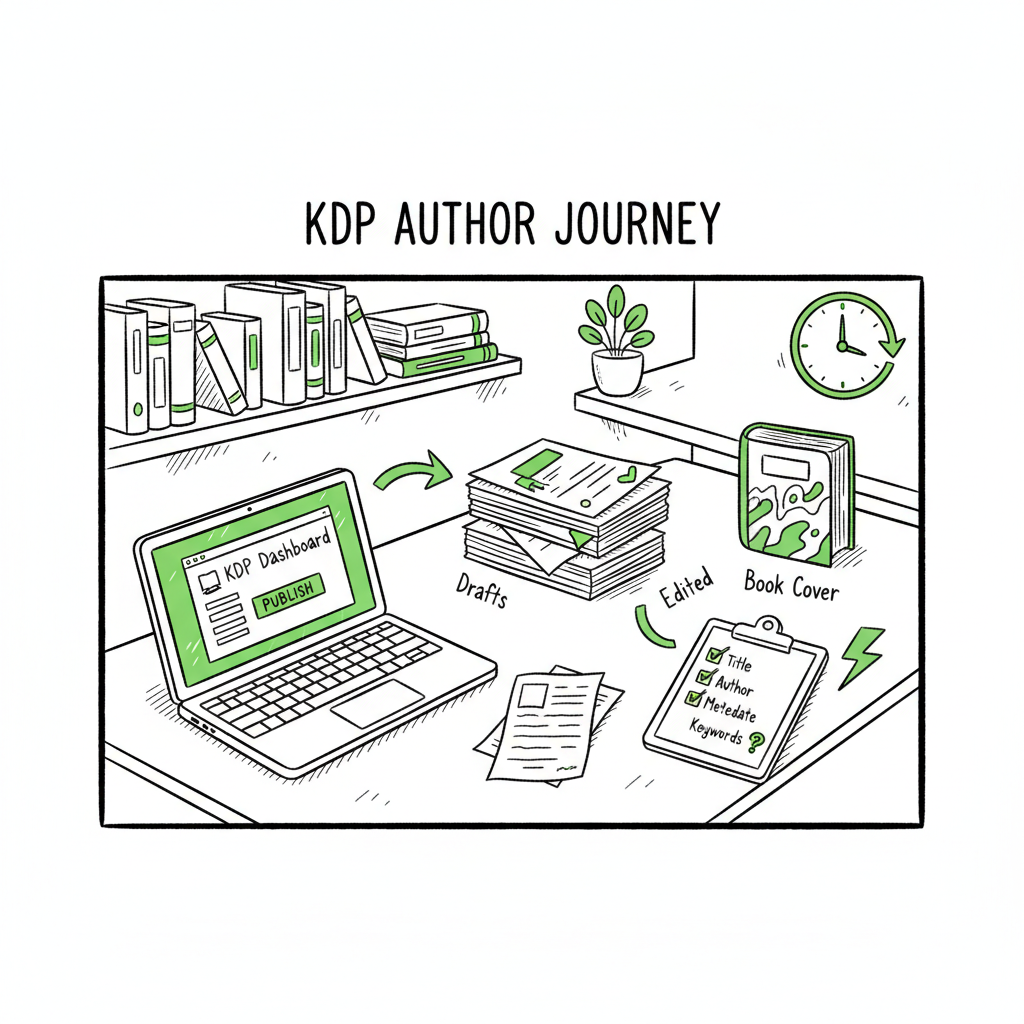
A working kdp author workflow is a steady pipeline: prepare the book offline, move through KDP’s three upload stages in the same order every time, and finish with a short, documented post‑launch checklist. That pattern minimizes surprises inside the KDP dashboard and keeps you from redoing work because a file failed a technical check.
Start by treating uploads as an assembly line. The assembly line has three obvious stations that match Amazon’s own flow: book details (metadata), upload and preview (files), and rights & pricing (distribution). When those stations are predictable, you reduce cognitive load. You’ll spend less time deciding and more time publishing.
If you want a quick reference to official steps from Amazon as you build your process, see Amazon KDP for Authors. That guide maps neatly to the pipeline described here and is a useful checkpoint as you standardize each stage.
Why standardize
Every new title exposes small decisions: cover margin settings, whether to include a dedication page, which BISAC code to use, a handful of keywords, price points. Taken one by one they’re small. Together they create friction, slow you down, and cause errors.
Standardization fixes that. Choose a default set of decisions for your pen name or series and use those defaults as starting points. When defaults don’t fit a title, note the exception and move on. Over time you’ll build a documented playbook that turns a long, ad‑hoc upload session into a focused task that runs in under an hour for a prepared book.
Practical steps to streamline KDP author process
Below are practical, operational steps you can apply immediately. The intent is to reduce manual entry, avoid KDP rejections, and let you publish predictably.
-
1) Prepare everything before you log in
- Resolve manuscript structure, cover, and metadata offline. That means:
- – A finalized manuscript with consistent styles, a table of contents, front and back matter, and page numbering where appropriate.
- – A production-ready cover that meets KDP specs for ebooks or paperbacks, with correct spine width and safe margins.
- – A metadata file or spreadsheet with title, subtitle, series data, contributors, categories, keywords, and a description draft.
If you’re converting to EPUB as part of ebook preparation, use a reliable converter to handle fonts, image placement, and navigation. Converting early and testing the EPUB on devices saves time during the KDP preview stage; if you need an automated conversion tool, an EPUB converter can be a helpful resource.
When you prepare the cover, keep the final export ready in the correct format and size. Some authors use a dedicated generator or batch processor that produces consistent, KDP‑ready covers; if you want a tool that handles cover processing, consider a book cover processing solution to remove manual sizing tasks.
Prepare metadata as structured text or a CSV. This step lets you paste fields quickly into KDP and, if you publish to other stores, adapt the same information without rewriting.
-
2) Use templates for interiors and descriptions
Create a clean interior template in your word processor or typesetting tool. For fiction that might mean a standard chapter style; for nonfiction include templated front matter and author bio blocks. Tools like Kindle Create are useful when you want consistent ebook exports, but any stable template that outputs a valid file works.
Write a base description template for each book type or genre. Keep a “short pitch” and a longer marketing description that you can tailor. Save HTML snippets if you use basic formatting (bold, line breaks) so you can paste them into KDP quickly.
-
3) Keep a metadata bank
Store common category choices, keywords that work for your niche, and typical rights and pricing settings. Having a bank reduces decision time during the “Enter book details” stage and ensures consistency across editions and reprints.
-
4) Automate checks
Manual review is still necessary, but automate repeated checks: a file check for correct dimensions, a script or tool that validates EPUB, or a checklist that flags missing front matter. These are small safety nets that cut the back‑and‑forth with KDP’s preview tools.
-
5) Treat rights & pricing as a template decision
Decide default territories and royalty settings per pen name or series. Make a short policy: default price band for short fiction, a different band for long nonfiction, territory exclusions for special deals. When rights & pricing is templated, this final step turns into a quick confirmation.
-
6) Log what you publish
Keep a simple record for each title: upload date, ASIN/ISBN, price, territories, and where you used templates. This record saves time when you publish new formats (paperback, large print) or update metadata later.
Batching, templates, and platform-specific intelligence
When you move from occasional self-publishing to regular releases, you need systems that handle scale. That’s where batching and multi-platform tools become practical.
Batch similar tasks
Batching reduces context switching. Do all covers in one session, all descriptions in another, and a single metadata entry session for a set of books. Batching helps you reuse assets and keep decisions consistent across a release slate.
CSV exports and batch uploads
If you publish across multiple stores, translating the same metadata into their respective dashboards is the hooded chore. At scale, a CSV-based batch uploader that maps your metadata fields to each store’s required inputs is worth adopting. It avoids repetitive typing and cuts error rates.
Why platform-specific intelligence matters
KDP is not identical to Kobo, Apple Books, or Ingram. Each platform has slightly different file expectations, pricing rules, and metadata fields. A smart publishing tool or service adapts files and metadata to each platform’s rules so you don’t have to learn every detail. That platform-specific intelligence reduces rejections and speeds multi-store launches.
BookUploadPro’s approach
Those are the operating lines that guide BookUploadPro’s product design. The service automates the repetitive parts of multi-platform publishing: unified uploads to Amazon KDP, Kobo, Apple Books, Draft2Digital, and Ingram; CSV batch uploads for bulk titles; and platform-specific intelligence that adjusts files and metadata to each retailer’s requirements.
Two practical outcomes authors see
- Time savings near 90% compared with manual uploads when publishing multiple titles or editions.
- Fewer formatting or metadata errors because files are validated to each store’s rules before submission.
That combination makes wide distribution practical for authors who publish seriously. Automate the upload. Own the distribution.
When to adopt a multi-platform uploader
If you publish more than two or three titles a year, or you publish multiple formats (ebook + paperback + audiobook), a batch uploader or a managed upload service becomes an obvious upgrade. It shifts your work from repetitive clicking and copy‑pasting to higher-value tasks: finishing manuscripts, revising covers, and running promotions.
Practical checks that save time and money
- Run a single pre-upload validation pass on every file (cover and interior).
- Keep a template for descriptions and two or three category choices per genre.
- Maintain a price matrix: price ranges by length and format, and a default set of territories.
- Order a proof or author copy for new print setups before you promote a title heavily.
Third-party tools that tie in
There are simple formatting tools and generators for covers and interiors that reduce the manual work. If you create a paperback and want to automate the physical layout and cover wrap, a book creation tools provider can shorten that step and ensure proper export for KDP print. Using specialized processors for covers and a reliable EPUB converter early in the process removes the most common upload snags.
How to keep control when delegating
Delegation reduces friction but introduces risks: incorrect metadata, mismatched rights choices, or unexpected price changes. Keep a clean process for delegation:
- Always review and sign off final settings before publication.
- Maintain a changelog for each title (who changed what and when).
- Use account credentials in a secure manner and limit permissions where possible.
FAQ
Q: How long should a complete KDP upload take once I have a template?
A: For a prepared manuscript with a ready cover and metadata, expect 30–90 minutes to complete the KDP upload process—faster if you’re fluent with the fields and have a metadata bank.
Q: Do I need separate files for ebook and paperback?
A: Yes. Ebook files are reflowable (EPUB or MOBI-type) and don’t require spine settings. Paperbacks need a print-ready PDF interior and a cover that includes the back, spine, and front at exact dimensions.
Q: Can I reuse metadata across platforms?
A: You can reuse most metadata, but be ready to adapt descriptions and categories for platform differences. A master CSV with fields for title, subtitle, keywords, description, categories, and price makes mapping to each store easier.
Q: Is it safe to delegate uploads to a service?
A: It can be safe if you keep final approval and clear records. Verify rights, territories, and pricing settings after the upload and before the title goes live. Keep secure credential practices and clear lines of responsibility.
Q: What are the most common technical rejections in KDP?
A: Incorrect PDF dimensions for print books, missing embedded fonts, low‑resolution cover images, and broken EPUB navigation are frequent causes. Pre‑checking files for those items eliminates most rejections.
Q: How do I keep a fast cadence without sacrificing quality?
A: Build templates and a metadata bank, batch similar tasks, and use a reliable validation step before upload. When scale grows, move to a multi-platform uploader or a managed service to maintain quality and cadence.
Final thoughts
A repeatable kdp author workflow is an operational advantage. Prepare outside the platform, use templates, and keep decisions consistent. When you publish regularly, add batching and a tool that understands each platform’s quirks. That lets you scale without multiplying the time spent per title.
If you encounter recurring formatting problems, consider offloading parts of the process. Services that handle multi-platform uploads, CSV batch processing, and platform-specific adjustments can cut your time in the KDP dashboard dramatically — and let you focus on finishing the next manuscript rather than wrestling with settings.
Visit BookUploadPro to explore a unified multi-platform publishing option that automates repetitive uploads across Amazon KDP, Kobo, Apple Books, Draft2Digital, and Ingram. Try the free trial and see how much time you can reclaim.
If you encounter recurring formatting problems, consider offloading parts of the process. Services that handle multi-platform uploads, CSV batch processing, and platform-specific adjustments can cut your time in the KDP dashboard dramatically — and let you focus on finishing the next manuscript rather than wrestling with settings.
Sources
- Create a Book – Kindle Direct Publishing (official help)
- KDP Jumpstart: Start publishing with KDP (official overview)
- Start publishing with KDP (program overview)
- Amazon KDP Guide: Publish Your Book in 7 Steps
- How to Publish a Book on Amazon in 6 Simple Steps
- Getting Started with Kindle Create
- Book cover processing
- EPUB converter
- Book creation tools
kdp author workflow: a practical system for repeatable, faster publishing Estimated reading time: 8 minutes Key takeaways A predictable kdp author workflow turns the multi-step KDP upload into a short, repeatable sequence that reduces errors and rework. Prepare everything outside KDP: a formatted manuscript, a production-ready cover, and a fixed metadata checklist to speed uploads.…