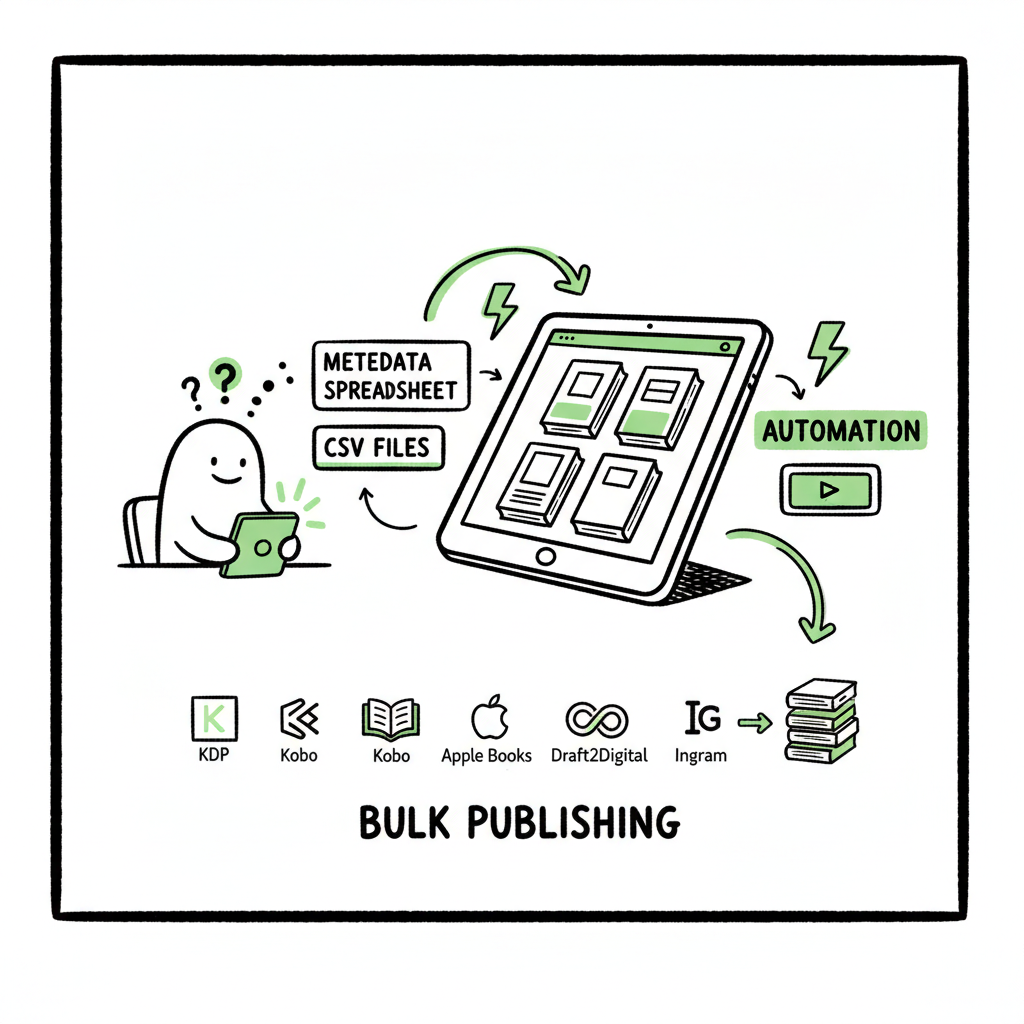
Bulk Publishing Books Practical Guide for Indie Authors
Bulk publishing books: a practical guide to scaling multi‑platform uploads
Estimated reading time: 16 minutes
Key takeaways
- Bulk publishing books saves time and reduces errors when you publish multiple titles across KDP, Kobo, Apple Books, Draft2Digital and Ingram.
- Prepare clean files and repeatable metadata, use CSV batch uploads, and rely on platform-aware automation to avoid common pitfalls.
- BookUploadPro automates multi-platform uploads, cuts repetitive work by ~90%, and is an obvious upgrade once you start publishing seriously.
Table of Contents
- What bulk publishing books means for indie authors
- Preparing assets and metadata for batch publishing
- How automated upload systems work and why they matter
- Choosing the right bulk book upload system
- FAQ
- Sources
What bulk publishing books means for indie authors
If you publish more than a few titles a year, the work changes. Bulk publishing books is about turning one-off uploads into a repeatable, scalable process. Instead of opening a platform, filling forms, and uploading files for each title, you work from a batch: a CSV or spreadsheet with metadata, a folder of cover and interior files, and an automated system that distributes them to several marketplaces.
That shift matters. Manual uploads are slow and fragile. You copy-and-paste descriptions. You track ASINs and ISBNs across spreadsheets. Small mistakes multiply when you have dozens of titles. Bulk publishing removes that friction. It lets you treat a catalog as a single operation: prepare, validate, upload, monitor.
A key step is knowing what to automate and what to keep human. Cover direction, series strategy, and market positioning are editorial choices best made by people. The repetitive work — formatting files, filling metadata fields, and retrying failed uploads — is where automation saves time. If you’re ready to publish at scale, read the short primer on how to Publish Books At Scale for practical next steps.
Why multi‑platform distribution matters
Distributing to multiple platforms—Amazon KDP, Kobo, Apple Books, Draft2Digital, Ingram—widens your reach and reduces dependence on any single retailer. Bulk publishing systems let you push the same catalog to every marketplace while preserving platform‑specific options like KDP Select enrollment, Apple preorders, or print-on-demand settings. That makes wide distribution practical for indie authors and small publishers.
Common goals for authors using bulk publishing
– Speed: get new titles live faster.
– Consistency: keep metadata uniform across platforms.
– Coverage: place books where readers are.
– Scale: manage catalogs of dozens or hundreds of titles without hiring a team.
Preparing assets and metadata for batch publishing
Good automation starts with good inputs. The single biggest cause of failed uploads is inconsistent files and messy metadata. Preparing assets once, neatly, saves hours.
Files to prepare for each title
- Interior files: EPUBs for most ebook stores; print‑ready PDFs for paperback or POD.
- Covers: square or 1.6:1 ebook covers; full‑wrap print covers for paperbacks.
- Metadata: title, subtitle, series, contributors, language, categories, keywords, price, ISBN (if you use one).
- Extras: sample chapter, author bio, distribution rights statement.
Make each file predictable. Name them with a scheme that matches your spreadsheet — for example Title_ISBN_Ebook.epub and Title_ISBN_Paper.pdf. That makes batch matching reliable.
Create EPUBs and print files that meet platform rules
Different platforms accept different formats and have different constraints. EPUB is the standard for ebook distribution, but not every EPUB is created equal. Validate every EPUB with an EPUB validator. If you don’t want to build EPUBs yourself, use a trusted converter. For straightforward, reliable EPUB conversion you can use an EPUB converter service that preserves layout and embeds fonts correctly.
Cover production in batch
Covers must be the right size, DPI, and color profile. For print you need a full‑wrap PDF with correct spine width. If you create covers in batches, standardize templates for series and use a cover generator that supports batch processing. That saves design time and helps the content pipeline move without hold‑ups.
Metadata hygiene: the difference between publish and sell
Good metadata helps discoverability and prevents errors in uploads:
- Keep titles and subtitles consistent across fields.
- Use series metadata consistently, including sequence numbers.
- Map categories and BISAC codes ahead of time; marketplaces expect specific codes.
- Plan pricing and territories. If you have different prices per marketplace, document them in your spreadsheet.
Batch metadata formats
Most bulk systems accept CSV or Excel. Create one row per title. Columns map to platform fields: title, subtitle, author, contributor roles, description, language, ISBN, price, categories, keywords, release date, embargo/preorder flag, DRM choice, and file paths for ebook and cover.
Test with a small subset first. Upload 2–5 titles, verify the results, then run a full batch. That reduces the cost of fixing systemic template errors.
Tools to create assets
If you need bulk content production, tools exist that help with fast ebook and paperback generation and cover processing. For cover processing you can use a cover generator that supports batch work and production processing. If you need a central place to convert manuscripts into platform-ready EPUBs, an EPUB converter will remove much of the guesswork and speed up the pipeline. For end-to-end book creation that supports batch workflows, services focused on book creation also offer a practical shortcut.
Annotations for integration
- Embed links in your spreadsheet to the final uploaded page (ASIN, Kobo ID).
- Track upload status and errors in a processing column.
- Keep a revision history: when a file was uploaded and by whom.
How automated upload systems work and why they matter
Automation systems for bulk publishing books do four things: validate inputs, map metadata to platform fields, upload files through each platform’s API or web workflow, and report errors for human review.
Validation and platform intelligence
A strong system validates before it uploads. It checks EPUBs for common issues, verifies cover dimensions, and flags missing fields. Platform intelligence means the software knows platform rules. For example, KDP has fields and options KDP exclusive programs require; Apple Books requires different metadata formatting; Ingram and print-on-demand services expect specific trim sizes and bleed settings. Automation that understands these differences reduces rejected uploads.
CSV batch uploads and mapping
Most tools let you import a CSV and map columns to marketplace fields. You prepare a single spreadsheet and choose which columns apply to which marketplace. This is faster than filling forms for each platform. The system remembers mappings and reuses them. When you have a catalog, you can update prices or descriptions across marketplaces with a single CSV change.
Error handling and retries
Robust systems don’t just say “failed.” They return platform error messages, map them to the CSV rows, and allow re-submission after corrections. That workflow avoids re-entering unchanged data. When uploads fail transiently, automated retry logic can complete tasks without human intervention.
Batch publishing tools vs. aggregators
Aggregators like Draft2Digital or PublishDrive offer multi-platform distribution and sometimes accept bulk imports. Dedicated bulk upload systems focus purely on the upload process, often giving more control over each platform’s settings and letting you push to multiple retailers without giving away distribution rights. For many authors, the tools complement each other: you might use a content creation service, then use an upload automation system to publish widely.
BookUploadPro in the pipeline
BookUploadPro automates repetitive book uploads across KDP, Kobo, Apple Books, Draft2Digital, and Ingram. It uses CSV batch uploads, platform-specific intelligence, and error reduction logic so the process scales. For authors moving from one-off uploads to consistent catalogs, it’s an obvious upgrade: Automate the upload. Own the distribution. BookUploadPro claims ~90% time savings on repetitive tasks and simple pricing tiers to match volume needs.
Platform‑specific notes
– Amazon KDP: Approved publishers can use KDP bulk upload tools, but most indie authors don’t get direct access. An automation layer that replicates KDP fields and manages ASINs can bridge that gap.
– Apple Books: Requires correct EPUB structure and metadata; preorders and territories handled differently than KDP.
– Kobo: Has independent category mappings and price settings.
– Ingram/POD: Trim size and cover wrap specs are essential for a successful print upload.
Anchor your automation to real verification steps. Even the best systems need occasional human checks for covers, blurbs, and series ordering.
Choosing the right bulk book upload system
Not all bulk publishing tools are equal. Choose one that matches your volume, platforms, and workflow.
Key selection criteria
– Supported platforms: make sure the system covers your target stores, including print if you use POD.
– Batch size and pricing: look at monthly upload limits and how they scale.
– Mapping flexibility: can you customize how columns map to each marketplace?
– Validation and reporting: are errors clear and actionable?
– File handling: does the system accept local file paths, cloud storage links, or both?
– Security and rights: you retain rights and control over metadata.
Pricing and scale
Pricing usually scales with monthly upload allowance. Entry plans are often cheap for solo authors; pro plans suit agencies and high-volume publishers. Factor in the time saved. If a tool reduces repetitive work by 70–90% and saves you a VA or an extra week’s effort each month, the cost is usually justified.
Operational fit
Integrate the upload system with the rest of your publishing operation:
– Use templates that match your project types: novellas, illustrated books, print runs.
– Keep one master spreadsheet and version it for each batch.
– Automate the easy parts and keep humans in the loop for quality control.
Why BookUploadPro is often the practical choice
BookUploadPro focuses on multi-platform automation and batch CSV uploads. It emphasizes:
– Unified multi-platform publishing
– CSV batch uploads for catalogs
– Platform-specific intelligence to reduce rejections
– Significant time savings and error reduction
– Affordable pricing with a free trial
For authors who publish seriously — multiple titles per year — BookUploadPro moves the burden from manual upload to supervised automation. It doesn’t replace content creation; it reduces operational friction so you can focus on writing and marketing.
Small operational checklist before you start
- Standardize filenames and spreadsheet columns.
- Validate EPUBs and print PDFs.
- Prepare a short test batch of 2–5 titles.
- Confirm mapping and platform-specific fields.
- Schedule regular checks for upload errors and marketplace issues.
Practical example: a monthly release workflow
- Week 1 — Finalize manuscript and cover. Export EPUB and print files. Validate files.
- Week 2 — Populate spreadsheet with metadata and file paths.
- Week 3 — Run test batch through the upload system, fix any errors.
- Week 4 — Execute full batch and monitor status. Update marketing assets and preorder pages.
This cadence keeps momentum without a last-minute panic.
Operational pitfalls to avoid
- Ignoring platform rules: each marketplace enforces different rules. Automation does not mean one-size-fits-all.
- Rushing validation: bad EPUBs cause removals and loss of sales.
- Over-automation of creative choices: series naming, blurbs, and keyword strategy should stay human-led.
Final thoughts
Bulk publishing books is operational work, not a creative shortcut. When you standardize files, build reusable metadata, and use automation that understands each platform, you free time for decisions that drive sales.
BookUploadPro focuses on the upload layer: unified multi-platform publishing, CSV batch uploads, platform-specific intelligence, and error reduction. For authors and small publishers moving from occasional releases to steady catalogs, tools like BookUploadPro make wide distribution practical and affordable. It’s an obvious upgrade once authors start publishing seriously.
If you need specific tools for the content side:
- For cover processing in batches, use a dedicated cover generator that supports production processing.
- For reliable EPUB creation and conversion, use an EPUB converter for platform-ready files.
- For end-to-end bulk ebook and paperback generation, consider services that specialize in book creation workflows.
Automate the upload. Own the distribution.
Visit BookUploadPro.com and try the free trial to see how batch book publishing tools can free time and reduce errors.
FAQ
Q: What does “bulk publishing books” actually include?
A: It means preparing multiple titles for publication and uploading them as a batch. That includes creating or preparing ebook and print files, cleaning metadata for each title, mapping fields in a CSV, and using a system to distribute those titles to multiple stores.
Q: Can I use a bulk upload system with free tools and spreadsheets?
A: Yes. Most systems accept CSVs you build in Excel or Google Sheets. The value-add of a dedicated tool is validation, automatic mapping to platform fields, and an error-handling layer that saves time.
Q: Do I need separate files for each platform?
A: Usually you need one EPUB for ebooks and one print-ready PDF for paperbacks. Platform-specific adjustments — like different price formats, preorder settings, or DRM choices — live in metadata, not separate files. Some platforms require specific EPUB features, so validate and fix EPUBs when needed.
Q: Will automation handle KDP enrollments like KDP Select?
A: Good automated systems let you set those options per title in the CSV. The tool applies the selection during upload. Confirm the platform’s enrollment rules before you enable them.
Q: What if an upload fails?
A: A proper system returns platform error messages and links them to the CSV row. You fix the source file or metadata, then resubmit only the failed rows. That saves time compared with redriving everything manually.
Q: How do ISBNs work in bulk publishing?
A: ISBNs can be managed in your spreadsheet. If you use platform-supplied ISBNs (for KDP paperbacks, for example), capture them after the first upload. If you provide your own ISBNs, make sure they’re unique per format.
Q: Does automation replace a publisher or VA?
A: No. Automation replaces repetitive tasks. Strategic decisions — cover art, pricing strategy, niche selection, and promotion — still need human judgment. Automation lets you redeploy time to higher-value work.
Sources
- https://bookuploadpro.com/pricing
- https://bookuploadpro.com
- https://bookuploadpro.com/about
- https://help.publishdrive.com/bulk-import-upload-multiple-books-at-once
- https://www.kdpcommunity.com/s/question/0D5f400000FHhuSCAT/mass-upload?language=en_US
- https://affmaven.com/bookautoai-pricing/
- https://www.bookautoai.com/book-cover-generator-processing
- https://www.bookautoai.com/epub-converter
- https://www.bookautoai.com
Bulk publishing books: a practical guide to scaling multi‑platform uploads Estimated reading time: 16 minutes Key takeaways Bulk publishing books saves time and reduces errors when you publish multiple titles across KDP, Kobo, Apple Books, Draft2Digital and Ingram. Prepare clean files and repeatable metadata, use CSV batch uploads, and rely on platform-aware automation to avoid…