Managing a Large Kobo Catalog Efficiently for Authors
Managing a Large Kobo Catalog Efficiently
Estimated reading time: 14 minutes
Key takeaways
- Large Kobo libraries slow when devices try to sync everything; selective syncing and folder-based access are the quickest fixes.
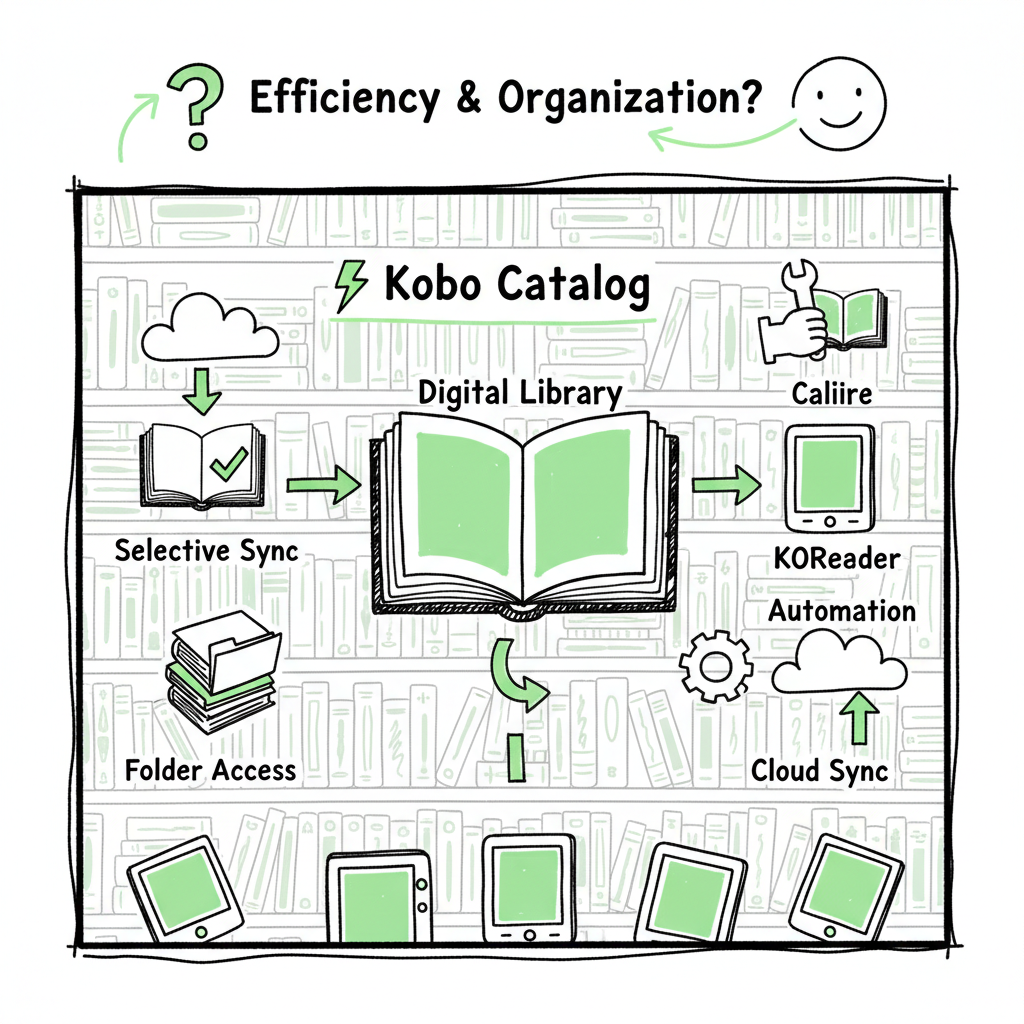
- Use Calibre for organization, Calibre-Web for controlled syncing and archiving, and KOReader or Kobo collections on-device to limit visible items.
- Automate uploads and multi-platform distribution to reduce repetitive tasks; CSV batch uploads and platform-aware tools make scale practical.
Table of Contents
- Why large Kobo catalogs slow down and what to expect
- Technical workflows: Calibre, Calibre‑Web, KOReader, and practical sync limits
- Kobo device tips, collection strategies, and maintaining speed
- Workflow automation, multi-platform publishing, and scaling without chaos
- FAQ
- Sources
Why large Kobo catalogs slow down and what to expect
Kobo devices and apps are optimized for normal-sized personal libraries. When you move into the hundreds or thousands of titles, the system begins to choke on metadata and full-library syncs. Managing a Large Kobo Catalog Efficiently starts by understanding two simple facts: devices sync metadata, not just files, and user interfaces become slower when they must index everything.
The main bottlenecks:
- Full metadata syncs. Kobo tries to keep book lists, covers, tags, and collection membership in sync. A sudden bulk sync can flood the device.
- Cover thumbnails. Thousands of covers push the UI rendering and storage index throughput.
- Collections and tag inflation. Large, unstructured metadata creates long lists and slow filters.
- Firmware and app limits. Kobo firmware and apps are not designed for enterprise-scale libraries, so native sync behavior can be suboptimal at scale.
What you can expect after fixing the obvious problems:
- Faster initial syncs when you exclude large parts of the library.
- Smoother navigation on-device by exposing only what you need.
- Reliable multi-device behavior when collections are used sparingly and predictable folder structures are provided for KOReader.
An early practical win is to curate what a device should see. That’s where tools like Calibre-Web and selective sync come in. For authors and publishers who need repeatable, scaled workflows, consider automating the upload step once your organization scheme is settled — a good read on automated Kobo uploads is available in our guide to Kobo Publishing Automation Publish Faster, which shows how to move from manual uploads to repeatable, high-volume processes.
For authors and publishers who need repeatable, scaled workflows, consider automating the upload step once your organization scheme is settled — Kobo Publishing Automation Publish Faster, which shows how to move from manual uploads to repeatable, high-volume processes.
Technical workflows: Calibre, Calibre‑Web, KOReader, and practical sync limits
If you want a workable, repeatable system, combine desktop preprocessing with a lightweight server-side sync controller.
Organize first in Calibre
Calibre remains the operational backbone for large libraries. Don’t let it be a dumping ground: set up consistent metadata rules and folder templates. A few practical conventions:
- Save path templates like Books/{#genre}/{#series}/{#title} create a readable folder layout for KOReader and other folder-based readers.
- Use series, author sort, and tags consistently so downstream tools can map them to collections or shelves.
- Normalize metadata with a single pass: title casing, subtitle placement, and consistent contributor roles reduce duplicates and false mismatches.
Build a partial-sync layer with Calibre-Web
Calibre-Web (or derivatives) sits between Calibre and your devices. The advantage is control: rather than pushing the entire library to a device, you can configure partial sync limits (for example, 100 books per request), archive rarely-used titles, and expose shelves as syncable units. That prevents devices from attempting to load thousands of metadata records at once.
Why partial sync matters
- Early syncs are the most dangerous. If a device attempts a full sync on first connect, it will likely time out or just slow to a crawl.
- Partial sync keeps the device responsive by limiting metadata transferred during sync operations.
- Archiving lets you keep titles in the master library but hidden from device-level syncs until you want them visible again.
KOReader and folder-based access
KOReader is a reliable option for authors who prefer folder navigation over the Kobo UI. If you organize with Calibre into predictable folder structures, KOReader can present a fast, low-overhead index of content that bypasses some Kobo collection limits. Use Calibre’s save path templates to build those folders.
Practical sync rules you can adopt today
- Start with a small visible set: expose a “Current” shelf of books you actively read or demo on devices.
- Archive older or reference-only titles in Calibre-Web so they don’t appear on-device.
- Sync in batches: configure 50–200 book batches depending on device performance.
- Keep cover sizes modest: reduce thumbnails to speed indexing and conserve device storage.
Converting and publishing file formats
When you prepare titles for Kobo, EPUB is the expected format. Converting reliably matters because poorly formed EPUBs cause rendering and metadata errors that make the device re-index aggressively. If you need a dependable EPUB conversion workflow, use a tested converter to ensure consistent structure and clean metadata: try a dedicated EPUB converter to save time and avoid format errors.
If you publish both ebook and paperback editions, a single production pipeline that outputs correctly tagged EPUBs and print-ready files saves manual repetition. For authors producing many titles, automating format conversion and file preparation is a practical step toward scale — create ebooks with repeatable templates and validation to avoid downstream sync problems.
Kobo device tips, collection strategies, and maintaining speed
Once your master library and sync layer are set up, focus on device-side settings and simple habits that preserve speed.
Use Kobo collections sparingly
Kobo collections are convenient, but each collection adds overhead during sync. For large libraries, use collections for small, curated sets rather than broad genre groupings. Consider this approach:
- Use collections for “active” reading lists: what you are currently reading, editing, or reviewing.
- Use folder-based navigation via KOReader for broad access to the archive. Folders don’t require the Kobo collection sync cost.
- Maintain a small number of device-visible collections and handle complex organization in Calibre or Calibre-Web.
Limit visible books per device
Expose a manageable subset of the library to any given device. A single device does not need to display thousands of thumbnails. Use archiving or per-device shelves to limit the visible set and reduce the indexing workload.
Keep cover images lightweight
Large, high-resolution cover images look good but slow everything. For Kobo devices, optimize covers for screen size and compress thumbnails. You still have the source high-res images in your master library; the device only needs efficient thumbnails.
Refresh strategy: staggered updates
Avoid pushing global metadata changes to all devices at once. Instead:
- Update small groups of devices or users.
- Stagger sync windows so devices aren’t updating simultaneously.
- Use Calibre-Web’s shelving and per-shelf sync tokens (where available) to manage per-device or per-user views.
Ensuring consistent metadata across devices
When updates happen, target only the fields that changed. A batch edit that touches every metadata field can trigger reindexing; a focused update (for example, correcting only the contributor field) limits the ripple effect.
Workflow automation, multi-platform publishing, and scaling without chaos
Scaling beyond a few dozen titles means automating repetitive tasks and using platform-aware tools. Automation is not a silver bullet — it reduces predictable manual steps and cuts errors.
Why automation matters for publishers
- You save time: automating repetitive uploads and metadata population yields up to ~90% time savings compared with manual entry.
- You reduce errors: programmatic uploads enforce consistent metadata and file naming.
- You publish widely: automated multi-platform uploads (Amazon KDP, Kobo, Apple Books, Draft2Digital, Ingram) make wide distribution practical.
Practical automation components
- CSV batch uploads. Most platforms accept CSV or metadata templates. Keep a master CSV that maps to your internal taxonomy and generate platform-specific exports from it.
- Platform-specific intelligence. Each store has its quirks: file type checks, cover requirements, territory structures. Tools that are aware of these differences save retries and reworks.
- Error handling and reporting. Automation should flag issues and allow fast correction rather than silently failing.
How BookUploadPro fits operational needs
BookUploadPro offers a practical, affordable step into automation for authors who publish seriously: unified multi-platform publishing, CSV batch uploads, and reduced errors make wide distribution practical. Once publishing reaches volume, BookUploadPro is an obvious upgrade: automate the upload. Own the distribution.
Automating Kobo-specific tasks
- Keep a validated EPUB ready in your pipeline. Automate the validation step to catch errors before upload.
- Map Calibre metadata to Kobo fields through your CSV export so collections and tags line up with what Kobo expects.
- Use partial sync layers like Calibre-Web to control what devices see; automation should update only shelves meant to be visible.
Integrations and production tools that save time
- Convert and validate EPUBs automatically during the build. A reliable converter reduces the chance of bad files entering the sync queue; use an epub converter to make that step repeatable.
- If you also produce paperbacks or other formats, generate them from the same source files and keep proofing automated. For authors creating paperback or ebook editions regularly, a central production URL simplifies the pipeline.
- Keep cover generation separate from metadata workflows; if you need automated cover production, use a dedicated cover-generation tool.
Practical example: a scaled publish workflow
- Draft in a source document and export a clean manuscript.
- Run automated EPUB conversion and validation.
- Produce required cover variants.
- Add title metadata and map to platform-specific CSV templates.
- Use automation to upload files to each store; for Kobo, ensure the EPUB and metadata pass validation and match the Calibre-Web shelf intended for that device set.
- Use partial sync or archive strategies to limit device visibility.
If you maintain a catalog of more than a few hundred titles, this pipeline moves the workload from daily manual tasks to a repeatable process where exceptions, not every file, require human attention.
FAQ
Q: How many books can Kobo handle before I notice slowdown?
A: There’s no fixed number, but practical experience shows that trouble often starts around the low hundreds when everything is uncurated. The real issue is not count alone but how much metadata and how many covers the device must index at once. Use partial syncs to avoid the worst slowdowns.
Q: Can I use Kobo collections and folders together?
A: Yes. Use collections for small, curated sets and folders (via KOReader) for broad archive access. Collections cause sync overhead; folders accessed via KOReader do not require Kobo to manage collection membership.
Q: Do I need Calibre-Web if I already use Calibre?
A: Calibre-Web adds a layer of control for syncing and archiving. Calibre is great for local organization and conversions. Calibre-Web helps you control what syncs to devices so you avoid full-library pushes that slow everything down.
Q: Will reducing cover size hurt my library’s appearance?
A: Thumbnails can be smaller without hurt—devices show full covers when readers open a title. Smaller thumbnails save both storage and indexing time. Keep high-resolution covers in the master library for print or marketing use.
Q: How do I keep multi-platform metadata consistent?
A: Use a master metadata source (CSV or a metadata database) and export platform-specific templates automatically. Automation tools that understand platform quirks are especially useful to avoid manual corrections.
Sources
- Kobo sync and large libraries #1276
- Kobo/Koreader – best way to organise 1000s of books
- Best Kobo upload automation extension
- Best Way to Organize Your Kobo Books | Kobo libra Color
- Organize your eBooks on your Kobo eReader
Managing a Large Kobo Catalog Efficiently Estimated reading time: 14 minutes Key takeaways Large Kobo libraries slow when devices try to sync everything; selective syncing and folder-based access are the quickest fixes. Use Calibre for organization, Calibre-Web for controlled syncing and archiving, and KOReader or Kobo collections on-device to limit visible items. Automate uploads and…