How to Automate Kobo Book Listing Setup Step by Step
How to Automate Kobo Book Listing Setup
Estimated reading time: 9 minutes
Key takeaways
- Automating Kobo listing setup saves hours per title by reusing structured metadata templates and batch uploads.
- A reliable pipeline needs clean EPUBs and covers, consistent metadata, and a tool that understands Kobo Writing Life’s five-step flow.
- BookUploadPro centralizes copy, pricing, and CSV-driven uploads so publishers can push catalogs to Kobo and other stores with minimal dashboard work.
Table of Contents
- Why automate your Kobo listings
- Core automation steps for Kobo Writing Life
- Preparing assets and templates
- FAQ
Why automate your Kobo listings
Kobo Writing Life (KWL) asks for the same set of information every time you create a new ebook: title, contributors, categories, description, files, rights, and price. When you publish one book, that repetition is fine. When you publish ten, fifty, or several hundred, the time adds up and error rates climb. Learning how to automate Kobo book listing setup turns those repetitive decisions into reusable templates and batch jobs. That reduces manual data entry, removes human typos, and gets books live faster.
Automation isn’t about cutting corners. It’s about making the routine steps predictable and auditable so creative time goes into writing, not dashboard work. A controlled automation pipeline also makes wide distribution practical: the same CSV or catalog that feeds Kobo can be adapted for Amazon KDP, Apple Books, and distributors like Draft2Digital and Ingram. For authors and small publishers who are serious about scale, automation is an operational upgrade — and one obvious next step is to explore how industry tools can help you move faster, including resources like Kobo Publishing Automation Publish Faster.
Core automation steps for Kobo Writing Life
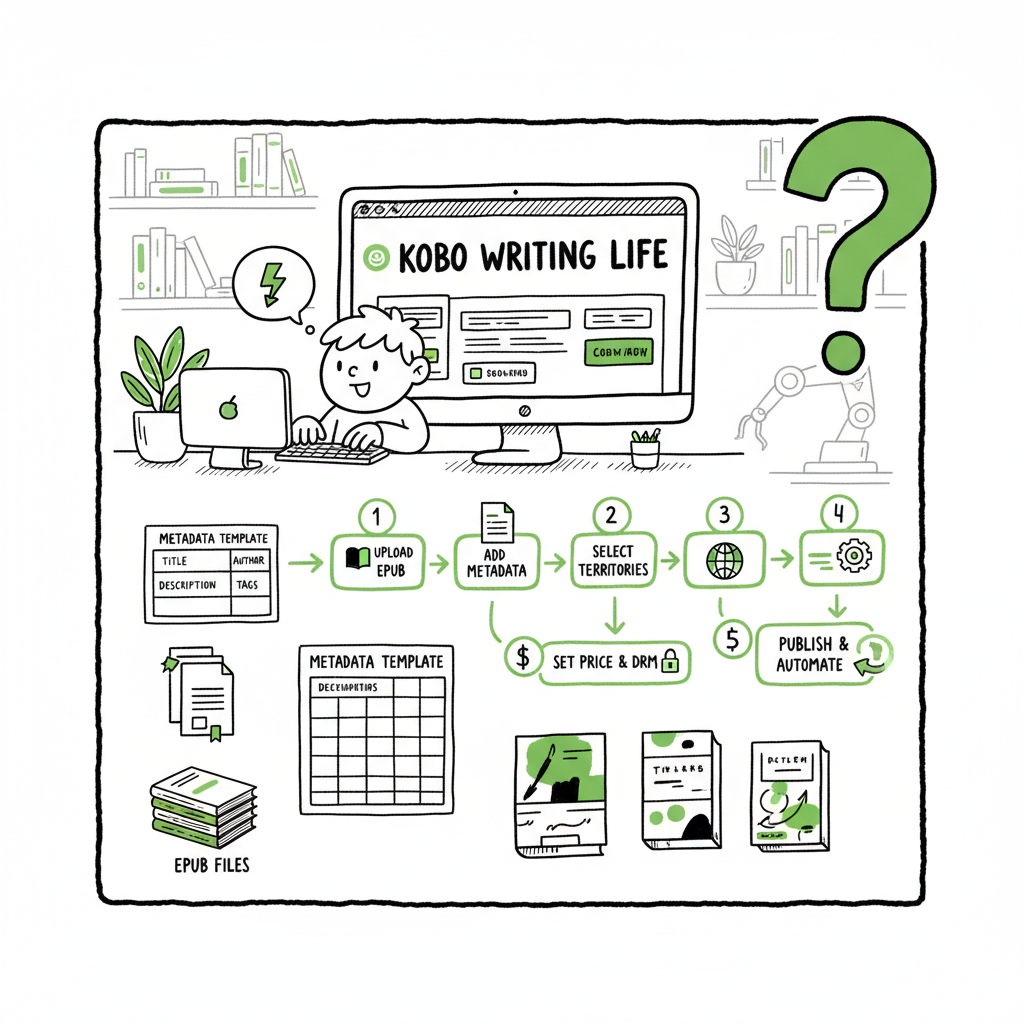
Kobo follows a fixed five-step flow when creating a new ebook. Any automation must map directly to those steps: describe the ebook, add details, upload content, set rights and distribution, and set price & publish. Here’s how to convert that manual flow into a repeatable pipeline.
1) Define a metadata schema that matches Kobo’s fields
Start by building a single metadata template that mirrors Kobo’s required and optional fields. Include:
- Title and subtitle
- Contributors and roles (author, editor, narrator)
- Series name and position
- BISAC categories (Kobo uses category codes)
- Keywords (comma-separated)
- Long-form description (Kobo supports formatted paragraphs)
- ISBN (optional for ebooks, required if you want one tied)
- Language and primary territory
Store that schema in a spreadsheet or database. Using structured columns avoids free-form notes and makes downstream mapping to Kobo predictable.
2) Prepare clean, validated files
Kobo still inspects EPUBs and cover files during upload. Automation fails if files are malformed. For each title:
- Validate EPUBs with a conversion or validation step
- Ensure covers meet Kobo’s size and format requirements
- Keep one canonical EPUB and one final cover per title
If you need programmatic conversion or batch processing of EPUBs, an EPUB Converter tool will speed that work and reduce manual fixes.
3) Batch-fill metadata and create a catalog file
Once your metadata schema and validated files exist, export a catalog (CSV or JSON) that contains every field Kobo needs. Columns should match your internal schema and be mappable to the KWL form fields. Typical automation platforms accept a CSV and iterate through rows, applying the same set of actions to create or update listings.
4) Choose your automation method
There are three common approaches:
- Catalog-based upload tools that mimic KWL’s steps and allow CSV-driven batching.
- Browser automation scripts (Selenium, Puppeteer) that log into KWL and programmatically fill forms; this is flexible but needs maintenance when Kobo changes its UI.
- Third-party services that combine metadata generation, file validation, and platform-aware upload logic.
For most authors and small publishers, a catalog-driven tool or service reduces maintenance and offers better uptime than custom scripts.
5) Standardize rights, territories, and pricing
Rights and pricing are fields that can be standardized across dozens of titles. Pick rules in advance — for example, worldwide rights, royalty-optimized price bands, and a default royalty split — then encode them in your catalog. When Kobo receives consistent inputs, it reduces the chance of mistakes during review.
6) Run controlled batches and validate results
Start with a small batch and run end-to-end validation: confirm the description renders, categories map as intended, and price is applied in test markets. Build an audit log that records which CSV row corresponds to the published Kobo ID; that traceability makes updates and takedowns manageable.
Final steps and operational checklist
Before you run your first large batch:
- Validate all EPUBs and covers
- Ensure metadata maps to Kobo’s five-step flow
- Run a pilot batch and confirm live listings
- Keep an audit trail mapping CSV rows to Kobo IDs
- Schedule periodic spot checks for live listings
Preparing assets and templates
Automation is only as strong as your source assets. Invest time up front so the machine does good work.
Manuscript and file workflow
Keep a canonical manuscript source (Word, Markdown, or other). Produce a clean EPUB export and validate it against industry tools. Maintain an archive of final assets with version numbers.
If you need automated EPUB conversion, use an EPUB converter to batch-process files and catch structural errors before upload. For cover design at scale, a reliable Book Cover Generator Processing helps you produce consistent, platform-ready art quickly. When your pipeline can produce both files and metadata automatically, you avoid a lot of “it worked for one title” problems and scale more predictably.
Metadata templates and long-form descriptions
Kobo rewards good descriptions and organized metadata. Use template-driven descriptions that include a hook, a short synopsis, and a closing author note or call to action. BookUploadPro can generate long-form descriptions that read human and map cleanly into Kobo’s description field, preserving headings and paragraphs so listings look professional.
Pricing templates
Establish price bands and currency rules. Encode them into the catalog so the automation applies the correct band based on territory and royalty goals. A consistent pricing plan also simplifies future price changes across catalogs.
Quality controls and sampling
Even the best automation needs spot checking. Implement sampling rules like:
- Preview one book per batch on KWL
- Verify BISAC categories
- Confirm the EPUB renders on Kobo’s previewer
Operations at scale and platform orchestration
When you run dozens or hundreds of titles, the process shifts from hands-on publishing to pipeline management. Here’s what that looks like in practice.
Unified multi-platform publishing
A practical scale operation treats Kobo as one of several endpoints. Prepare your master catalog and map fields to each store’s requirements. BookUploadPro’s strength is its platform-specific intelligence: it knows which fields Kobo needs, which KDP prefers, and how Apple Books handles descriptions. This lets the same source data feed multiple targets without rework.
CSV batch uploads and catalog overlays
Use CSV or catalog files as a single source of truth. Batch uploads reduce repetitive clicks; overlay tools let you update descriptions or prices across many titles with a single operation. When a change is needed — a corrected subtitle, updated series ordering, or new cover — the catalog approach lets you push uniform updates quickly.
Reduce errors with validation and human-like copy
Automation can introduce errors if it rigidly repeats a template. BookUploadPro balances automation with safeguards: it applies platform-appropriate formatting, generates human-sounding descriptions, and flags anomalies. The result is fewer rejections and cleaner product pages.
Time savings and cost control
Practical automation delivers about 80–90% time savings on repetitive setup tasks. That changes decisions: instead of postponing a multi-book launch, teams can publish a series in a single day. BookUploadPro ties pricing to catalog size so costs scale predictably with volume. For authors who publish seriously, automation becomes an obvious upgrade: reduce errors, move faster, and keep per-book costs low.
FAQ
Q: Is it safe to automate Kobo uploads?
A: Yes, if you build controls. Automation is safe when you validate files, use templates for metadata, and run small pilot batches before large pushes. Keep a manual preview step for the first book in each batch to catch rendering or policy issues.
Q: Can Kobo detect machine-generated descriptions?
A: Kobo reviews descriptions for quality and policy compliance, not for whether text was machine-assisted. The risk comes from repetitive, templated copy that looks low quality. Use a tool that refines and humanizes descriptions so they read natural and varied.
Q: Do I need an ISBN for Kobo ebooks?
A: ISBNs are optional for ebooks on Kobo. Many publishers use an ISBN for discoverability and cataloging, but it’s not strictly required. If you plan to distribute across multiple stores and aggregators, including an ISBN in your metadata can simplify tracking.
Q: How do I handle price changes after upload?
A: Maintain your master catalog and apply a price-update batch. Encoding price rules in the catalog makes future updates fast. Keep audit logs so you can roll back if needed.
Q: What common errors should I watch for?
A: The most common issues are malformed EPUBs, incorrectly formatted covers, mismatched categories, and description rendering problems. A validation step for files plus spot checks for listings reduces rejections.
Q: How does BookUploadPro fit into this workflow?
A: BookUploadPro sits at the center of the pipeline: it generates and formats long-form descriptions, standardizes metadata, and orchestrates CSV-driven uploads to Kobo and other stores. That removes repetitive dashboard work and reduces errors. Combine BookUploadPro with validated EPUBs and a cover process, and you get a repeatable, auditable pipeline for multi-platform releases.
Sources
- https://tw.kobo.com/writinglife
- https://www.youtube.com/watch?v=47fIpsGB0aA
- https://ghostwritingsolution.com/blog/how-to-publish-a-book-on-kobo/
- https://blog.bookautoai.com/ai-book-writer-kobo-uploads/
- https://blog.bookautoai.com/ai-book-writer-kdp-upload-11/
- https://shkspr.mobi/blog/2025/02/automatic-kobo-and-kindle-ebook-arbitrage/
How to Automate Kobo Book Listing Setup Estimated reading time: 9 minutes Key takeaways Automating Kobo listing setup saves hours per title by reusing structured metadata templates and batch uploads. A reliable pipeline needs clean EPUBs and covers, consistent metadata, and a tool that understands Kobo Writing Life’s five-step flow. BookUploadPro centralizes copy, pricing, and…