Bulk Publish Backlist Faster Across Multiple Platforms
Bulk publish backlist faster: A practical guide for authors
Estimated reading time: 12 minutes
Key Takeaways
- Bulk publish backlist faster by combining print-on-demand, batch uploads, and platform-aware metadata to get wide distribution without inventory headaches.
- Automation tools that handle CSV batch uploads and platform-specific rules save up to ~90% of the manual time and cut errors across Amazon KDP, Ingram, Apple, Kobo, and aggregators.
- Start small with a batch, fix format and metadata issues, then scale. Automate the upload. Own the distribution.
Table of Contents
- Why bulk publishing your backlist matters
- How to bulk publish backlist faster across multiple platforms
- Common obstacles and practical fixes
- Final thoughts
- FAQ
- Sources
Why bulk publishing your backlist matters
Publishing one book at a time is fine for starters. But once you have a catalog, leaving older titles unpublished or stuck in old formats costs you visibility and income. Authors who learn to bulk publish backlist faster keep books available everywhere readers go. That visibility compounds: each book can promote others, and aggregated sales often beat single-title launches over time.
A modern backlist strategy uses print-on-demand to remove inventory risk, wide distribution to reach multiple stores, and a streamlined process to remove repetitive tasks. You do not need to manually upload the same files five times. A well-built approach saves time, lowers mistakes, and makes multi-format releases practical at scale.
If you want an end-to-end way to automate uploads and manage many titles, see Automate Wide Publishing All Platforms for a closer look at streamlining platform-specific requirements in one place. BookUploadPro positions itself as an obvious upgrade once authors start publishing seriously. It focuses on unified multi-platform publishing, CSV batch uploads, platform-specific intelligence, and big error reduction—so you can focus on covers, edits, and marketing.
How to bulk publish backlist faster across multiple platforms
Start with a clear plan. Bulk publishing is not just pushing files; it’s a sequence of repeatable steps that must match each platform’s rules. The steps below show a practical route from one title to many.
Pick a target set of platforms
Choose the platforms that matter to your readers and channel strategy. Start with Amazon KDP for reach, then add Apple Books, Kobo, and an aggregator that feeds Ingram for wide print distribution. You don’t need every store at once; pick a sensible set and add more as your process stabilizes.
Standardize your source files
Consistency is the single biggest time saver. Keep one master folder per title with:
– A clean interior manuscript (final proofed text)
– A print-ready PDF for paperback and hardcover (if you offer print)
– An EPUB for ebook distribution
– A cover image sized per each platform’s spec
– A single metadata file (title, subtitle, series, contributors, description, keywords, categories, BISAC)
If you need EPUB conversion, see EPUB Converter for a dedicated approach that helps avoid format problems. A reliable converter can reduce manual fixes and speed up batch work by turning your master manuscript into distribution-ready EPUBs quickly.
Automate metadata and CSV batch uploads
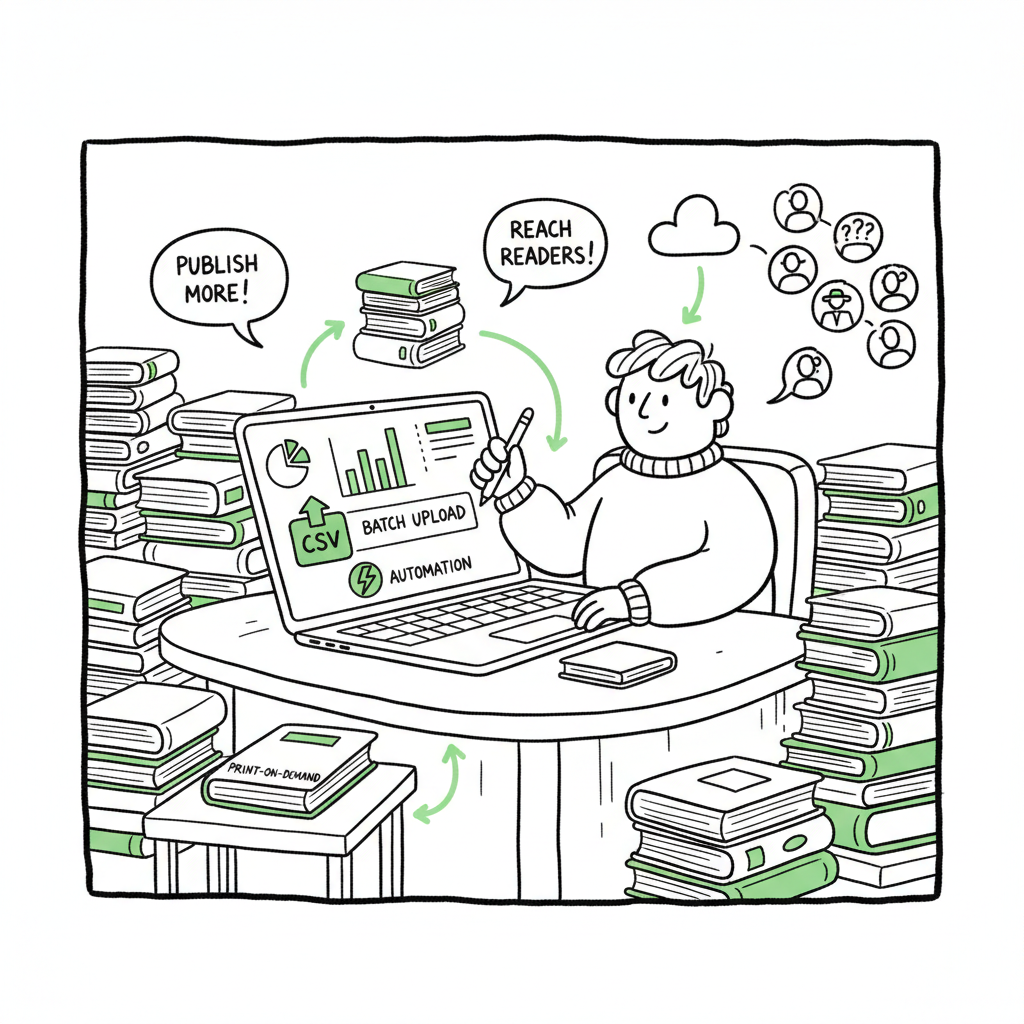
Platforms vary in what they accept. The trick is to map your master metadata to each platform’s fields automatically. Export a CSV with one line per edition (ebook, paperback, audiobook if you have one). Automation tools ingest that CSV and create listings across stores. That is where bulk publishing becomes bulk: one well-formed CSV can create dozens of listings.
Use platform-aware automation
Each store has its quirks: file size limits, cover margins, ISBN rules, territory rights, and pricing bands. Automation that understands those rules prevents rejection. When done right, a tool will adjust inputs automatically or flag minimal, actionable errors so you can correct them quickly.
Prepare a POD-ready PDF for print
Print-on-demand removes warehousing costs and keeps backlist titles available indefinitely. Create a PDF with correct margins, fonts embedded, and proper spine measurements for your page count and trim size. If you are repackaging many titles into new trim sizes or new covers, automate PDF generation when possible.
Design efficient covers and repackage smartly
Many backlist revivals start with a refreshed cover or repackaging into bundles. For scale, use batch-friendly cover processing—templates, consistent fonts, and export presets. If you use a cover generator or batch cover processing, you can produce many versions quickly and test which styles move the needle. For automated cover options, see Book Cover Generator Processing.
If you need EPUB conversion, see EPUB Converter for a dedicated approach that helps avoid format problems. A reliable converter can reduce manual fixes and speed up batch work by turning your master manuscript into distribution-ready EPUBs quickly.
For scale, use batch-friendly cover processing with templates, consistent fonts, and export presets. If you use a cover generator to process many covers, validate a sample before batch export. And for creating paperbacks and ebooks consistently from the same source files, see Book Creation Tools.
Publish to wide channels and manage rights
When you push to multiple platforms, manage territories and pricing centrally. Decide if you want exclusives or full wide distribution. For many authors, wide distribution unlocks readers in personal markets and libraries. Use automation to maintain consistent pricing across markets and to localize currencies.
Run a sample batch first
Do not try to convert an entire backlist on day one. Pick a sample batch—three to five titles. Run them through the whole process. Note where manual edits are needed. Fix templates, metadata mappings, and cover settings. Once the sample batch passes, scale.
Monitor uploads and fix rejections
Automation reduces rejections but does not eliminate them. Set up a simple QA checklist: file accepted by the store, metadata matches, cover approved, and pricing correct. Build feeds for error reports so your tool can show a short list of titles that need attention.
Iterate and scale
After the first successful batches, scale in fixed-size groups—10, 20, or 50 titles at a time depending on how complex your catalog is. Keep backups. Store master files and CSV templates so the next time you republish or localize, you don’t start from scratch.
Common obstacles and practical fixes
Formatting and file rejections
Problem: Stores reject files for marginal bleed, embedded fonts missing, or EPUB structural issues.
Fix: Use a reliable EPUB converter and a print PDF generator that embeds fonts and checks margins. If EPUB conversion is required, use an EPUB tool that validates files before upload to avoid last-minute rejections.
Metadata mismatches
Problem: Category choices differ by platform, and keywords don’t map one-to-one.
Fix: Build a metadata mapping table. Map your master categories and keywords to each platform’s accepted set. Automation applies platform-specific values when creating listings.
ISBN and identifiers
Problem: Different platforms require different identifiers. KDP allows free ISBNs but other channels may need your own.
Fix: Decide on an ISBN policy upfront. Use your own ISBNs for full control, or use platform ISBNs selectively and document which title/edition has which identifier in your master sheet.
Cover problems at scale
Problem: Covers that look fine on one platform may fail print specs on another.
Fix: Use design templates and export settings that create both print-ready PDFs and platform-compliant image files. If you use a cover generator to process many covers, validate a sample before batch export.
Rights and pricing in multiple territories
Problem: Pricing and rights vary by country. Aggregators and direct platforms handle territories differently.
Fix: Keep a rights matrix per title. Use automation to apply price structures and territory restrictions consistently. If you localize pricing, ensure your CSV supports market-by-market prices.
Workflows that kill momentum
Problem: Manual steps like entering description text per platform slow everything down.
Fix: Reduce manual entry by centralizing copy in a single file and mapping specific fields. Use automation for repetitive entries, leaving manual work only for exceptions.
Managing print-on-demand headaches
Problem: PDF page count or trim-size mismatches cause delays for print.
Fix: Generate a single authoritative print PDF per trim and keep a template for the interior. Automate margin checks and spine width calculations based on page count.
How BookUploadPro fits in
When authors reach consistent multi-title production, manual uploads become a bottleneck. BookUploadPro automates repetitive book uploads across Amazon KDP, Kobo, Apple Books, Draft2Digital, and Ingram. It supports CSV batch uploads, platform-specific intelligence, and large-catalog error reduction. For authors publishing seriously, a service like this is an obvious upgrade: it saves time, cuts mistakes, and makes wide distribution practical without hiring a team.
If you are converting manuscripts or creating EPUBs as part of your batch process, see the EPUB Converter for a dedicated approach that helps avoid rework. For batch cover processing or cover generation, a Book Cover Generator Processing tool can speed up cover work, and for creating paperbacks and ebooks consistently from the same source files, see Book Creation Tools.
Final thoughts
Bulk publishing your backlist faster is not a hack. It’s an operational shift. You move from one-off publishing to repeatable processes with predictable outcomes. That shift lets you keep every title available, test packaging, and reach readers across many stores without extra overhead.
Start with a small batch. Standardize files and metadata. Use conversion tools for EPUB and print, and adopt mechanisms that understand each store’s rules. Test, measure, then scale. Over time, the effort you put into making this repeatable will free you to write, market, and bundle—rather than copy-and-paste.
FAQ
Q: How long does it take to bulk publish a backlist?
A: Time varies by catalog size and complexity. A small batch of 3–5 titles can be processed in a week if files are clean. Larger batches take longer mainly because of manual fixes. With automation, repeat cycles get much faster.
Q: Do I need my own ISBNs?
A: You can use platform-provided ISBNs on some platforms, but owning your ISBNs gives you control over editions and keeps metadata clean across stores. Decide based on your distribution goals.
Q: Will POD affect print quality?
A: POD quality has improved. Use a good PDF workflow and order proof copies before you turn on full distribution to ensure acceptable results.
Q: What kinds of errors should I expect on first batches?
A: Expect formatting errors, missing metadata, category mismatches, or minor cover issues. These are normal and usually fixable. The goal is to reduce them over time.
Q: Can I localize my backlist for other languages and markets?
A: Yes. Localization increases reach but adds complexity. Automate metadata mapping and use reliable conversion tools for translated files.
Sources
- Print-on-Demand is the Perfect Solution for Selling Backlist Titles
- How to Effectively Manage a Big Catalog of Books: Strategies for Publishers
- How to Publish Your Book in Less Than 30 Days – Spines
- Tips To Boost Your Backlist Book Sales! ~ with NYT …
Bulk publish backlist faster: A practical guide for authors Estimated reading time: 12 minutes Key Takeaways Bulk publish backlist faster by combining print-on-demand, batch uploads, and platform-aware metadata to get wide distribution without inventory headaches. Automation tools that handle CSV batch uploads and platform-specific rules save up to ~90% of the manual time and cut…