Cross-platform metadata copier for self-publishers
Cross-platform metadata copier: practical guide for self-publishers
Estimated reading time: 14 minutes
Key takeaways
- A cross-platform metadata copier moves book metadata (title, author, descriptions, categories, ISBNs) between retailers so you don’t retype the same data for every platform.
- For most authors, automation — CSV batch uploads plus platform-specific logic — cuts manual work by roughly 90% and reduces errors that lose sales or cause delistings.
- BookUploadPro makes wide distribution practical with unified publishing, CSV batch uploads, and platform-specific intelligence — an obvious upgrade once you publish seriously.
Table of Contents
- Why metadata matters
- How a cross-platform metadata copier works
- Practical workflows for authors
- Scaling distribution without friction
- FAQ
- Sources
Why metadata matters
Most authors think of the book file and the cover, then find themselves retyping the same title, subtitle, description, keywords, categories, and pricing across Amazon KDP, Kobo, Apple Books, Draft2Digital, and Ingram. That repetition is where errors hide: inconsistent subtitles, wrong ISBN mapping, mismatched price tiers, or typos in edition notes. A cross-platform metadata copier solves the problem by letting you define metadata once and copy it everywhere.
Good metadata makes your book discoverable, properly categorized, and legally compliant. It also prevents duplicate listings or rejected uploads. For multi-format publishing — ebook, paperback, and audiobook — the right metadata ties editions together so readers and retailers show the correct formats and links.
Authors who publish regularly need a reliable way to “copy book metadata everywhere” without rebuilding listings manually. That’s where a tool that understands each retailer’s rules and maps fields predictably becomes more valuable than ad-hoc spreadsheets.
How a cross-platform metadata copier works
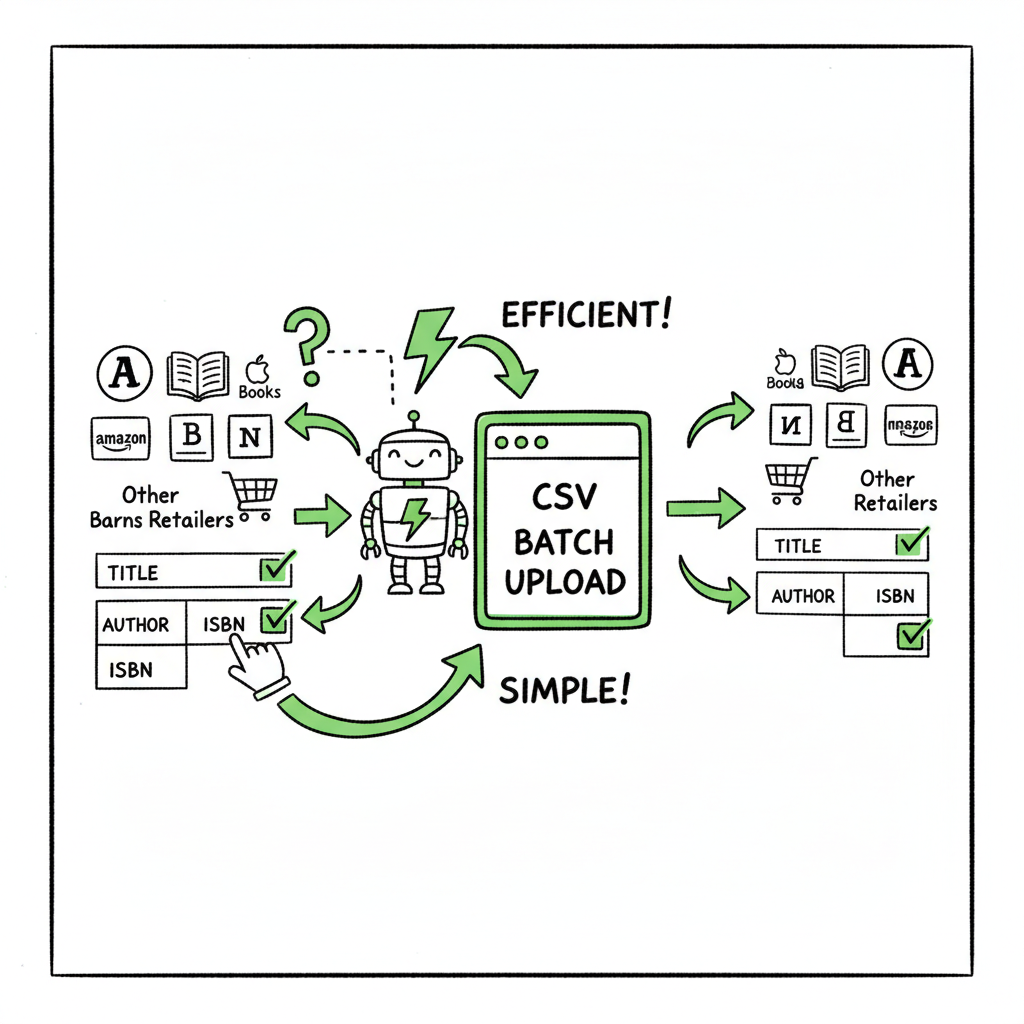
At its core, a metadata copier reads a source set of fields and writes them to target platforms using rules. The simplest approach is manual: copy and paste. The better approach uses CSV templates, field mapping, and platform-specific intelligence to ensure that short descriptions, long descriptions, BISAC categories, contributor roles, and ISBNs match the targets’ requirements.
Technical options you might hear about include open-source command-line tools like ExifTool (for general file metadata) and specialized taggers for audio. Those tools are powerful for technical users who want to script batch edits, but they don’t solve publisher-specific needs like converting BISAC to Apple categories, trimming descriptions for retailer limits, or uploading multiple formats in one go.
For authors, practicality matters more than raw capability. A metadata tool for books needs:
– Field mapping that understands each retailer’s limits and accepted values.
– CSV batch uploads so you can change dozens of books in one pass.
– Error checks that catch missing mandatory fields or invalid ISBN usage.
– A safe preview so you can confirm how a title will appear on each retailer.
When you start publishing multiple titles or editions, the question becomes less about single-file metadata editing and more about reliable syncing and distribution. At that point, you’ll want to Automate Wide Publishing All Platforms to run uploads across retailers without copying fields by hand. This reduces repetitive work and improves accuracy.
Why the technical options alone fall short
Command-line tools and general metadata editors can read and write tags, but they are blind to retailer rules. They won’t convert category codes to the format Apple Books expects, and they won’t limit a long description to a retailer’s maximum. That’s why purpose-built workflows — CSV templates paired with platform logic — are the practical path for most self-publishers.
Practical workflows for authors and publishers
This section lays out workflows you can adopt right away, from solo authors with one title to midsize indie publishers managing dozens of active SKUs.
Single-title authors: keep it simple
– Create a master metadata file (spreadsheet or Authoring tool) with canonical fields: title, subtitle, author name, contributors, publisher, ISBNs, series info, edition notes, short description, long description, keywords, categories, price by territory, and file paths for ebook and cover.
– Export the file to the retailer templates, either manually or using a tool. If you need EPUB conversion, use a reliable converter rather than manual fiddling; for many authors the fastest route is an automated EPUB converter that preserves TOC and metadata.
– Generate your cover once and reuse the image with the right specs for each platform; if you don’t have a cover, consider a book cover generator to make a print-ready image and the correct variants for ebook stores.
If you mentioned EPUB conversion earlier: try an EPUB converter for consistent ebook files that handle hyperlinks and TOC correctly. For cover creation or rapid variants, a book cover generator can save hours.
Batch publishing: what changes
Once you have more than a handful of books, manual uploads become a bottleneck. Batch publishing relies on CSV files and field mapping rules. Typical batch workflow:
– Standardize metadata in a central spreadsheet.
– Export a CSV that maps to each retailer’s template.
– Run validation to flag missing categories, invalid ISBNs, or banned keywords.
– Push updates in bulk to each platform.
A multi platform metadata tool that supports CSV batch uploads and platform-specific intelligence is the practical middle ground between manual uploads and custom scripts.
Series and edition management
Series metadata needs special attention: sequence numbers, series name consistency, and linking between editions. Edition notes and marketplace-specific edition labels (e.g., “Revised Edition”, “Kindle Edition”, “Paperback”) should be consistent across platforms to prevent duplicate entries. A reliable copier will carry series and edition metadata across targets and preserve relationships between ebook and print.
Pricing and territorial rules
Price lists and territorial pricing differ. Some platforms expect local currency values; others allow percentage-based royalty calculations. A metadata copier should allow you to manage price matrices, then translate them to each retailer’s accepted format. That prevents listing mismatches and ensures your book stays available at the intended price globally.
Metadata fields to standardize
- Title and Subtitle
- Author and contributor roles
- Publisher / Imprint
- ISBN / ASIN / UPC (where applicable)
- Short description (retailer summary)
- Long description (storefront)
- Keywords / Search terms
- Categories / BISAC / Apple categories
- Language and datetime fields
- Price per territory
- DRM preferences and distribution rights
Tools and guardrails
A system that validates field length, checks for disallowed characters, and flags missing legal notices will save time. Combined with CSV uploads and platform-aware mapping, these guardrails turn what used to be multiple hours per title into a few minutes of verification.
Practical note on file formats and covers
Ebooks need proper EPUB files. If you don’t want to spend time on manual conversion and validation, use an EPUB conversion service to avoid common problems like broken TOCs, missing metadata, or font embeds. Likewise, create a high-resolution cover and export the sizes retailers require; using a book cover generator speeds variant creation for paperback and thumbnail sizes.
BookUploadPro workflow fit
BookUploadPro was built for this level of work. It consolidates metadata in one place, applies platform-specific rules, and runs CSV batch uploads across Amazon KDP, Kobo, Apple Books, Draft2Digital, and Ingram. That unified multi-platform publishing approach yields roughly 90% time savings compared to manual uploads, reduces errors, and makes wide distribution practical. Automate the upload. Own the distribution.
Scaling distribution without friction
When you reach consistent output — several titles per year or multiple formats for each title — automation becomes not just convenient but essential. Scaling cleanly requires a few pillars:
- One source of truth
Keep a single metadata source and ensure edits flow outward. This minimizes drift between platforms and ensures your backlist updates uniformly. - Platform-aware mapping
Each store has quirks. KDP allows specific keyword fields and categories; Apple wants different category codes. A capable tool translates the canonical fields into valid, optimized values for each retailer. - Batch operations with preview and rollback
When you update 100 titles, the ability to preview changes and roll them back if something looks wrong is critical. The work of scaling is less about pushing files and more about safety and auditability. - CSV and API-based uploads
CSV batch uploads work for most needs. For higher volume and more frequent changes, API-based automation provides speed and feedback loops. Many publishers use CSV for major releases and APIs for frequent price or description tweaks. - Reduce repeated manual steps
A cross-platform metadata copier paired with reliable upload automation eliminates repetitive tasks. You no longer paste the same blurb five times or hunt for a missing ISBN. That frees time for marketing, writing, and quality control.
Why authors prefer a service over DIY scripts
You can build scripts with open-source tools to sync metadata. However, scripts require maintenance as retailer APIs change, and debugging upload errors can be time-consuming. By contrast, a service with platform-specific intelligence handles retailer changes and gives you a simple, audited interface. For most authors, that trade-off favors an automated service once they publish seriously.
BookUploadPro features that matter
- Unified multi-platform publishing and mapping
- CSV batch uploads and bulk edits
- Platform-specific intelligence to prevent rejections
- Error reduction and audit logs
- Affordable pricing and a free trial
When the volume climbs, BookUploadPro becomes an obvious upgrade: it automates the repetitive, preserves data quality, and scales distribution across retailers.
Final thoughts
If you want to publish a few titles, a spreadsheet and careful copy-paste will get you there. If you plan to publish seriously — multiple titles, multiple formats, or frequent updates — a cross-platform metadata copier plus an automated upload system changes the economics. It saves time, reduces risk, and makes it practical to be wide across major retailers.
Remember these practical rules:
– Keep one canonical metadata file.
– Use platform-aware mapping to avoid retailer-specific errors.
– Validate and preview before publishing.
– Automate repetitive tasks when volume justifies it.
Also remember the small technical helpers that make life easier: an EPUB converter for consistent ebook files, a book cover generator to produce properly sized covers and print-ready images, and a metadata copier that turns your master spreadsheet into accurate retailer listings.
FAQ
Q: What exactly does a cross-platform metadata copier copy?
A: It copies metadata fields such as title, subtitle, author name and roles, descriptions (short and long), keywords, categories, ISBNs, series data, prices, and territorial settings from a canonical source to multiple retailer formats.
Q: Do I need to reformat descriptions for each retailer?
A: Often yes. Some retailers limit description length or block certain HTML tags. A good metadata tool applies those limits automatically or flags problematic fields for review.
Q: Can a metadata copier handle multiple editions and series?
A: Yes. The right system keeps track of edition notes, ISBN mappings, and series sequences so relationships remain intact across platforms.
Q: Are open-source tools like ExifTool useful for book metadata?
A: ExifTool is powerful for general file metadata and batch edits, but it doesn’t know retailer rules for books. For publishing, a tool with platform-specific logic and CSV support is more practical unless you build custom scripts.
Q: What about EPUB conversion and covers?
A: Convert manuscripts to EPUB with tools that preserve TOC and metadata. If you need to generate covers or resize files for print and thumbnails, a book cover generator will speed the process and keep file specs consistent.
Q: How much time can automation save?
A: For authors publishing multiple titles or editions, automation can save roughly 80–90% of manual upload time by eliminating repetitive entry and preventing rework from rejected uploads.
Q: Is BookUploadPro suitable for small publishers?
A: Yes. It’s designed to scale: from solo authors with a few titles to indie publishers handling dozens. The platform offers CSV batch uploads, platform intelligence, and audit logs to support growing catalogs.
Sources
- ExifTool is an open-source and cross-platform metadata editor
- tone is a cross platform audio tagger and metadata editor
- CrossCopy – macOS eDiscovery Collections – Pinpoint Labs
- The 14 Best Metadata Management Tools for 2025 – Solutions Review
- ExifTool by Phil Harvey
- Best Open Source Metadata Editors 2025 – SourceForge
Cross-platform metadata copier: practical guide for self-publishers Estimated reading time: 14 minutes Key takeaways A cross-platform metadata copier moves book metadata (title, author, descriptions, categories, ISBNs) between retailers so you don’t retype the same data for every platform. For most authors, automation — CSV batch uploads plus platform-specific logic — cuts manual work by roughly…