Managing Multiple Publishing Platforms for Self-Publishers
Managing Multiple Publishing Platforms: A Practical Guide for Self-Publishing Authors
Estimated reading time: 15 minutes
Key takeaways
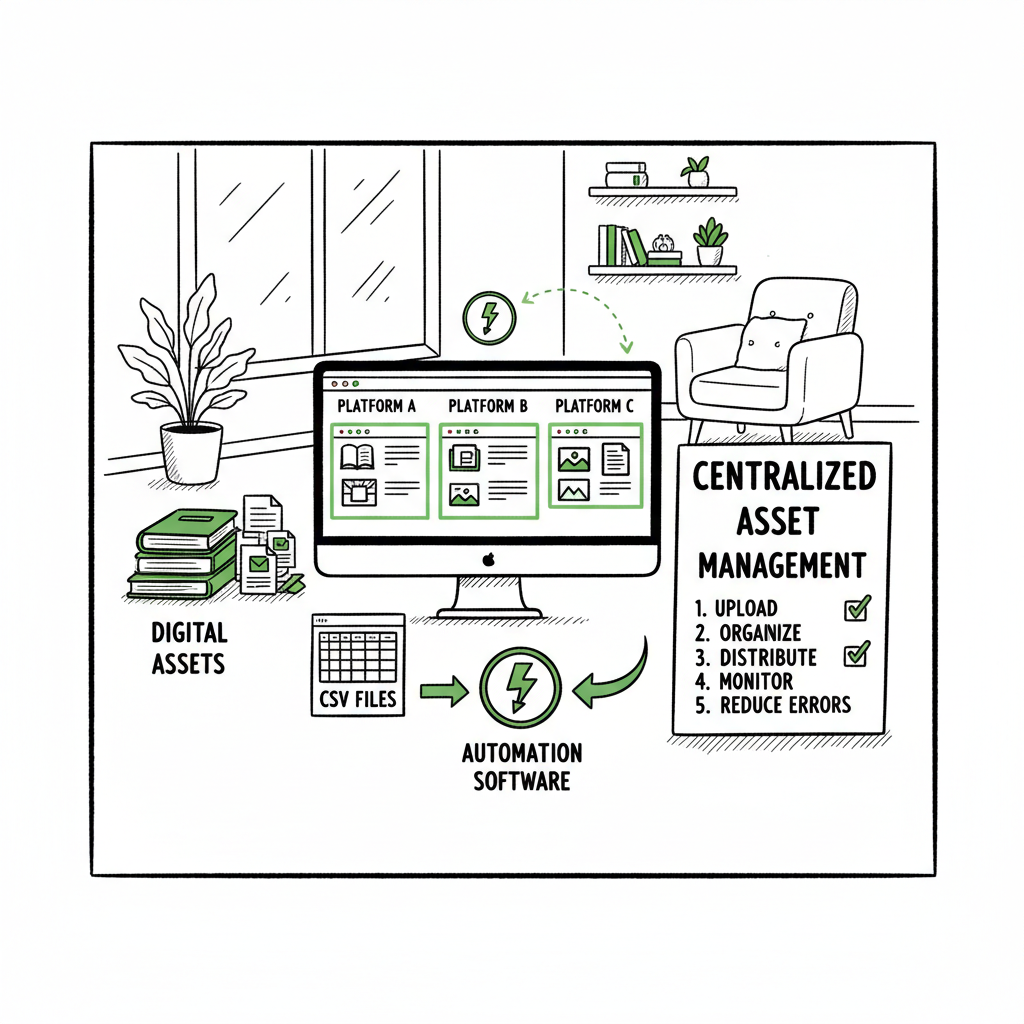
- Managing multiple publishing platforms is mostly about reducing repetition: centralize assets, standardize metadata, and use automation for uploads.
- A practical workflow splits work into stages—prepare once, publish many—and uses CSV batch uploads and platform-specific checks to avoid errors.
- Tools like BookUploadPro move authors from manual uploads to repeatable processes, saving time and reducing mistakes so you can focus on writing and marketing.
Table of Contents
- Why managing multiple publishing platforms matters
- Practical workflow to manage accounts and wide distribution
- Automation and tools that scale publishing
- FAQ
- Sources
Why managing multiple publishing platforms matters
Self-publishing authors who try to keep a presence across Amazon, Apple Books, Kobo, Draft2Digital, and Ingram quickly run into the same problem: the same tasks repeated five times. Metadata entry, cover uploads, file checks, and pricing tweaks feel like admin work that steals creative time.
Managing multiple publishing platforms well changes that. It shifts the work from “do it over and over” to “prepare once, push many.” That approach keeps your book consistent where it counts—title, cover, blurb, categories—and lets you tune the differences that matter for each store. If you’re new to this, a clear strategy for wide distribution beats ad-hoc uploads. For authors deciding between platform exclusivity and broader reach, see Publish Wide Vs Amazon Exclusive to compare the trade-offs in a single place.
Wide distribution isn’t an all-or-nothing decision. You can choose Amazon first and go wide later, or publish wide immediately. The key to managing multiple publishing platforms is process: consistent files, a single source of truth for metadata, and tools that remove manual steps. That’s what separates occasional experiments from a repeatable publishing program.
Tools like BookUploadPro move authors from manual uploads to repeatable processes, saving time and reducing mistakes so you can focus on writing and marketing.
Practical workflow to manage accounts and wide distribution
A reliable workflow keeps mistakes out of the stores and books available faster. This section shows a practical, operator-style process you can follow each time you release a new title or batch-upload titles.
1. Start with a single, authoritative source
Create one master folder for each book that contains:
– Final manuscript (DOCX or source)
– EPUB and interior files (if printing, a PDF for the paperback)
– Final cover files (JPEG/PNG for ebook, print-ready PDF for paperback)
– A single metadata sheet (title, subtitle, series, contributors, description, keywords, BISAC, price by market)
– Assets for marketing (author photo, buy links)
Keep this folder under version control, even if it’s simple: date-stamped files and a changelog file are enough. This single source prevents the common problem of a store showing an old blurb while another shows the updated one.
If you create print books or ebooks, you’ll produce different file types. For clean EPUB production, consider using a reliable converter. If you need quick EPUB conversion that preserves structure, tools like the BookAutoAI EPUB converter make this step predictable and repeatable.
2. Normalize metadata in a spreadsheet
Turn metadata into a structured CSV. One row per book, columns for all key fields. Standardize category tags, series names, contributor roles, and pricing fields. This sheet becomes your upload file and is useful for batch operations, reporting, and future updates.
When you organize publishing accounts, make sure your store-specific fields are in the sheet too (Amazon-specific keywords, Apple-specific categories). You’ll still set store-only options in each portal, but the CSV reduces typing and errors.
3. Build platform-specific checks
Every store has small differences: file size limits, cover dimensions, category systems, and file validation rules. Keep a reference document with the current requirements for each platform you use. Before uploading, run a checklist:
– EPUB validates in two readers
– Cover meets resolution and spine guidelines for print
– Metadata matches the ISBN and intended publication date
– Price and territories are correct
This step reduces rejections and delays.
4. Batch uploads and controlled releases
For small catalogs, manual uploads may still work. But once you have more than a few titles, batch uploads save hours. Use CSV batch uploads where supported and tools that can push the same metadata to multiple platforms. BookUploadPro automates CSV batch uploads across Amazon KDP, Kobo, Apple Books, Draft2Digital, and Ingram with platform-specific intelligence to reduce errors and keep listings aligned.
Batch uploads also make staged releases practical. You can upload all files to stores, set a pre-order date, and then publish everywhere at once or in a planned sequence.
5. Monitor and iterate
After release, check listings in each store. Confirm description formatting, look for broken images, and verify pricing. Track sales and downloads in a central place. If you use wide distribution methods, keep a simple dashboard—CSV exports from each store can be combined and compared.
Organize publishing accounts so that each store’s login, tax info, and payment settings are stored securely but accessibly. If you work with collaborators or contractors, create roles with limited access and document the steps needed for common fixes.
Common problems and how to fix them
- Mismatched descriptions: Keep the master description in the metadata spreadsheet and paste it into stores rather than retyping.
- Cover cropping: Export covers at the recommended sizes. For print, generate a print-ready PDF to avoid spine or margin errors.
- Wrong ISBNs: Track ISBNs centrally. An incorrect ISBN can unlink sales data and cause distribution problems.
- Duplicate listings: Use consistent titles and series metadata. Duplicates usually come from slight metadata differences or multiple uploads from different distributors.
Automation and tools that scale publishing
Automation isn’t a gimmick—it’s the only practical way to manage multiple publishing platforms at scale. There are two levels to automation that matter for authors.
Level 1: Repeatable operations
- CSV templates and batch imports
- Scripts or tools to rename files to store naming conventions
- Basic validation checks (file size, image resolution)
Level 2: Platform-aware automation
- Map fields from your CSV to store-specific fields
- Convert files to store-ready formats
- Run store-specific validation before upload
- Retry uploads and report problems with actionable messages
That platform awareness is what makes wide distribution practical rather than a time sink. Using platform-aware automation reduces error rates and the back-and-forth that eats up hours.
How BookUploadPro fits
BookUploadPro focuses on unified multi-platform publishing. It automates repetitive uploads across Amazon KDP, Kobo, Apple Books, Draft2Digital, and Ingram. In practice, that means:
– CSV batch uploads so you can push dozens or hundreds of titles quickly
– Platform-specific intelligence that adjusts files and metadata for each store
– Error reduction through preflight checks and clear reports
– ~90% time savings for typical multi-store workflows
For authors who publish seriously, BookUploadPro is an obvious upgrade. Automate the upload. Own the distribution.
File types and common conversion needs
Most stores accept EPUB for ebooks and PDF for print. Creating a clean EPUB from a manuscript can be tricky if your source has complex formatting. If you convert repeatedly, use a reliable, repeatable converter. For EPUB conversion needs, the BookAutoAI EPUB converter is a practical option to keep your EPUBs consistent across releases.
Covers and print preparation
Covers are not interchangeable across stores. Ebook covers are usually JPEG or PNG, while print covers need exact spine calculations and a print-ready PDF. If you’re producing your own covers or using an AI tool, make sure the final file meets the printer’s bleed, spine width, and margin specifications.
If you use an automated cover workflow or a cover generator, use a tool that outputs both ebook and print-ready files. For automated cover processing, consider the BookAutoAI book cover generator processing endpoint to create consistent files that match store requirements.
Organizing publishing accounts and teams
As you scale, account organization becomes a project in itself. Here are practical tips:
- One account per platform: Keep a single account per platform where possible. Multiple accounts on the same platform create confusion and split royalties. If you need multiple imprints, manage them under one account using publisher metadata fields.
- Central credential store: Use a secure password manager to store store credentials, tax forms, and bank details. Document how to access each account and who has permission to make changes.
- Operator roles: If you have contractors helping with formatting, covers, or metadata, give them limited access. Create a checklist they must follow and a way to flag items you must approve.
- Pods for scale: If you publish many titles per year, organize teams into pods: one team handles formatting and files, another handles upload and store checks, and another monitors listings and promotions. That division keeps work predictable.
How to handle rights, territories, and pricing
Rights and territories are often the hidden complexity of multi-platform publishing. Decide your territory strategy early:
– Global rights vs territory splits: decide per contract or per book.
– Pricing: prices need to be set per store and per market. Build a price matrix in your metadata CSV and use automation to push it through.
Monitor exchange rates and price rounding rules. Small price differences can affect buyability in some stores.
When to use a distributor versus direct publishing
Distributors simplify reaching many stores at once but can introduce constraints. You might use a distributor when:
– You want quick access to many smaller stores
– You prefer a single upload for wide catalog distribution
Direct publishing to stores can give you more control and slightly higher royalties in some cases, but it increases workload. A hybrid model is common: direct to Amazon and some others, distributor for secondary stores.
Handle wide distribution with strategy: prioritize stores that matter for your genre and audience. Limiting platforms to a manageable set keeps the process sustainable.
Quality control and monitoring
After publishing, set a routine to check listings over the first week. Verify:
– Description formatting and HTML
– Cover display across device previews
– Price and pre-order dates
– Territory availability
Set a schedule for periodic checks—quarterly is common—to catch catalog drift, metadata errors, or stale descriptions. Use simple scripts or CSV exports to compare current live metadata with your master spreadsheet.
Reporting and analytics
Collect sales and download data from each platform. Export CSVs monthly and combine them into a simple dashboard. Key metrics to track:
– Units sold per platform
– Revenue by platform and market
– Conversion rate for product pages (if you track page views)
– Returns and refunds by platform
This data helps you prioritize promotional effort and decide where to focus new releases.
When processes break: a practical mindset
Expect errors. Stores will reject files, or an incorrect field will slip through. The right mindset reduces panic:
– Treat each problem as a repeatable fix
– Update the master checklist and metadata sheet to prevent recurrence
– Use automation logs to trace failures rather than relying on memory
FAQ
Q: How many platforms should I manage at once?
A: Start with a small set—Amazon plus two others you care about—and scale as your catalog and confidence grow. Many authors find 3–4 stores gives good reach without chaos.
Q: Do I need separate ISBNs for each platform?
A: For print, each format requires its own ISBN. For ebooks, many platforms don’t require an ISBN, but some distributors do. Track ISBNs in your master metadata spreadsheet.
Q: Can automation handle cover resizing and spine calculations?
A: Yes, automated tools can generate multiple cover outputs from a single design, but double-check the print-ready PDF for spine and margin accuracy before sending to a printer.
Q: How do I keep metadata consistent across editors and contractors?
A: Use a single CSV or metadata master in a shared drive. Require changes to be made in that master and control access with a version log.
Q: What if one store changes rules unexpectedly?
A: Keep a short reference doc of store requirements. Subscribe to vendor update lists and plan a quick validation pass for any affected titles.
Sources
- Multichannel publishing: Strategies, best practices and the role of structured content
- Publish Across Multiple Platforms with Ease – Planly
- 9 Best Practices for Managing a Multi-Site Web Publishing Business
- Multichannel publishing explained – what, why, and how to do it right
- A Simple Self-Publishing Platform Strategy That Works
- Content Publishing Workflow Best Practices for B2B Websites
Final thoughts
Managing multiple publishing platforms is a practical exercise in repeatability. Build a single source of truth for files and metadata, use batch uploads and platform-aware tools, and keep simple checks that stop common errors. When you publish at scale, manual uploads are a bottleneck; automation and structured workflows are not optional—they’re required.
If you’re ready to move from manual uploads to a repeatable, scalable process, try BookUploadPro to automate CSV batch uploads and manage unified multi-platform publishing across Amazon KDP, Kobo, Apple Books, Draft2Digital, and Ingram. Visit BookUploadPro.com and start the free trial.
Managing Multiple Publishing Platforms: A Practical Guide for Self-Publishing Authors Estimated reading time: 15 minutes Key takeaways Managing multiple publishing platforms is mostly about reducing repetition: centralize assets, standardize metadata, and use automation for uploads. A practical workflow splits work into stages—prepare once, publish many—and uses CSV batch uploads and platform-specific checks to avoid errors.…