
In this guide
- Step 1: make or license the designs
- Step 2: choose the trim, paper, and page count
- Step 3: build the interior PDF with the right bleed and margins
- Step 4: build the cover and set up the title in KDP
- FAQ
- How do you publish a coloring book on KDP, step by step?
- Is a coloring book a low content book on KDP?
- What trim size should a KDP coloring book be?
- How many pages should a coloring book have?
You publish a coloring book on KDP the same way you publish any paperback: prepare the art, build an interior PDF and a cover PDF, upload both to KDP, set a price, and publish. The details that catch people out are the ones specific to coloring books: one design per page with a blank back so markers do not bleed through, line art at 300 DPI, a trim size that suits colouring, and the low content question, which KDP answers in your favour, because coloring books are generally not low content books. Follow the steps below and a first coloring book goes from files to live listing in a day: https://blog.bookuploadpro.com/low-content-books-with-ai/
Key takeaways:
- A coloring book is a standard KDP paperback, not a low content book, so it can use a free KDP ISBN.
- The usual trim is 8.5 by 11 inches, black ink on white paper, with one design per page and a blank back.
- Line art must be at least 300 DPI, with lines no thinner than 0.75 point, and every design must be your own or licensed to you.
- A 50 design book is about 104 pages, costs about $2.84 to print, and earns about $3.15 a copy at $9.99.
Step 1: make or license the designs
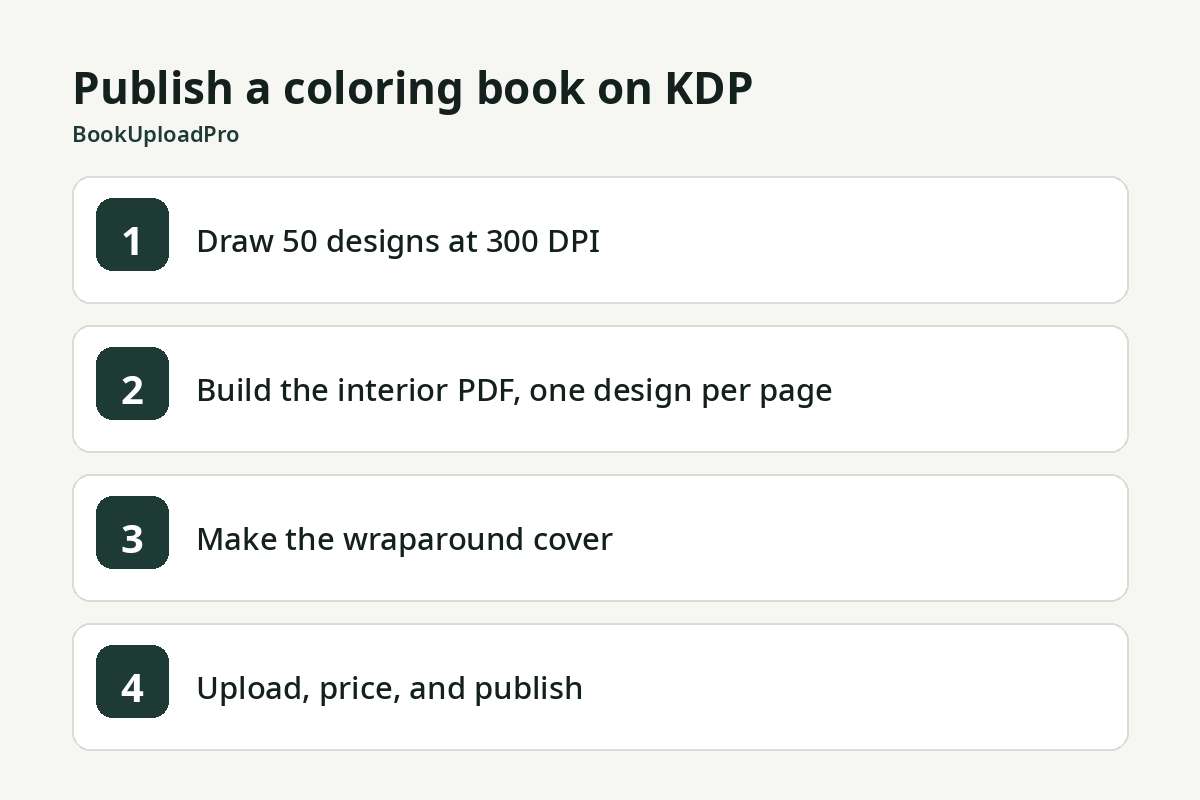
Every design must be your own work or licensed to you. Cartoon characters, film characters, and brand mascots belong to their owners, so leave them out. Draw clean black line art at print resolution: at least 300 DPI at the size it will print, with lines no thinner than 0.75 point, or about 0.01 inch, because thinner lines may not print. Gray fills need at least 10 percent. If you use AI generated art, you must disclose it in KDP’s AI questions when you set up the title. Choose one theme, such as animals or mandalas, and keep the style consistent across the book so the cover promises what the pages deliver: https://blog.bookuploadpro.com/print-specs-answered/
Step 2: choose the trim, paper, and page count
The usual choice is 8.5 by 11 inches, black ink on white paper, which suits adult and children’s coloring alike; 8 by 10 also works. KDP’s paperback minimum is 24 pages, rounded up to an even number, and a coloring book with 50 designs, one per page with a blank back, plus a title page, comes to about 104 pages. That page count is a sweet spot: for an 8.5 by 11 black ink book, KDP charges the same flat $2.84 to print anywhere from 24 to 110 pages. Plan the interior as one design per right hand page with a blank back, because markers soak through paper, and a blank back means bleed lands on empty paper instead of the next picture. KDP allows up to 4 blank pages in a row in the middle of a book, so one blank between designs is fine: https://blog.bookuploadpro.com/low-content-formats-that-sell/
Step 3: build the interior PDF with the right bleed and margins
Build the interior as a single page PDF at your trim size, with all fonts embedded. You only need bleed if the art runs to the page edge: if it does, the page becomes 0.125 inch wider and 0.25 inch taller than the trim, so an 8.5 by 11 book with bleed is 8.625 by 11.25 inches, and if even one page needs bleed, the whole file must use bleed. Most coloring books skip bleed and keep the art inside the margins. The margins are KDP’s table: for a book of 24 to 150 pages, the inside gutter margin must be at least 0.375 inch, and the top, bottom, and outside margins at least 0.25 inch without bleed, or 0.375 inch with bleed. Check every page in KDP’s online previewer before you approve: https://blog.bookuploadpro.com/print-specs-answered/
Step 4: build the cover and set up the title in KDP
Build the cover as one wraparound PDF, front, spine, and back, sized with KDP’s cover calculator, which sets the spine width from your final page count and paper type. Show three or four real interior pages on the back cover, because buyers want to see what they will color. In KDP, create a paperback, enter the title, author, and description, and leave the low content box unticked: KDP lists coloring books as not generally low content, which means your book can take a free KDP ISBN, unlike a plain journal or notebook. Upload the interior and cover, approve the preview, and set the price. At $9.99, a 104 page book earns about $3.15 a copy: 60 percent of $9.99 is about $5.99, minus about $2.84 in print cost. KDP lets you create up to two new titles per format per week, so plan a series across weeks rather than all at once: https://blog.bookuploadpro.com/same-isbn-every-store/
FAQ
How do you publish a coloring book on KDP, step by step?
Make or license 300 DPI line art, choose 8.5 by 11 black ink on white paper, build a one design per page interior PDF with blank backs, build a wraparound cover, upload both to KDP as a paperback, and set your price.
Is a coloring book a low content book on KDP?
Generally no. KDP lists coloring books as not generally low content, so they can use a free KDP ISBN. Leave the low content box unticked when you set up the title.
What trim size should a KDP coloring book be?
8.5 by 11 inches is the usual choice, with black ink on white paper. 8 by 10 also works. Both are supported KDP paperback trims for coloring books.
How many pages should a coloring book have?
About 100 pages is the common working size: 50 designs, each on its own page with a blank back, plus a title page. KDP’s minimum is 24 pages, and print cost stays flat at about $2.84 up to 110 pages for an 8.5 by 11 black ink book.