KDP Pricing Mistakes and How to Avoid Lost Royalties
kdp pricing mistakes: How to price your Kindle book without losing money
Estimated reading time: 13 minutes
Key takeaways
- Small mistakes in price setup can erase royalties. Understand Amazon’s royalty math and delivery costs.
- Don’t race to the bottom. Low prices can cut perceived value and reduce long-term income.
- Use tools and repeatable workflows to set prices across marketplaces and formats.
- When you publish at scale, automation saves time and avoids avoidable pricing errors.
- Automate the upload. Own the distribution.
Table of Contents
- Why KDP pricing mistakes hurt authors
- Common KDP price errors and how they happen
- Practical fixes: pricing steps that scale
- FAQ
- How BookUploadPro fits into a pricing workflow
- Final thoughts
- Sources
Why KDP pricing mistakes hurt authors
Pricing looks simple until it isn’t. Authors set a list price and expect the royalties to follow, but Amazon applies taxes, delivery costs, and royalty rules before money reaches your account. That means small decisions—rounding a price down, choosing the wrong royalty option, or entering prices manually per marketplace—can leave you with zero or tiny royalties.
kdp pricing mistakes often start with assumptions. Authors assume a list price equals take-home pay. They assume Amazon will respect the number they enter. They assume customers always pay the listed price. None of these is guaranteed.
A few concrete traps:
– Amazon can override your listed price to match competitors or physical editions. That can push your royalty to zero on some sales.
– VAT and delivery costs reduce the royalty base. For small ebook prices, that math can wipe out profit.
– The 70% royalty option has strict price boundaries and file-size-related delivery charges that many authors miss.
If you want a focused walkthrough of how royalties, taxes, and pricing interact, see Amazon Kdp Royalties Pricing Profit. This will help you move from guesswork to calculations that reflect real earnings.
Why this matters in practice:
– Perceived value drops when everyone undercuts prices. Competing only on price trains customers to expect cheap books and reduces the chance of sustainable income.
– Errors compound when you publish many titles. Manual fixes take hours per book; automated uploads and consistent pricing rules scale cleanly and avoid repeat mistakes.
Common KDP price errors and how they happen
Understanding common mistakes helps you avoid them. I’ll describe the top errors and how they typically happen in real publishing workflows.
- Pricing too low and triggering a race to the bottom
Many authors see competing titles at $4.99 or $5.99 and follow suit. Low prices can boost volume, but they also reduce perceived value and limit revenue per sale. For series, low prices can help discoverability on the first book, but keep the strategy intentional. Don’t default to the lowest price because a competitor is cheap.
How it happens: Authors scan storefront listings and copy the lowest visible price. They don’t consider delivery costs, VAT, or whether Amazon is already lowering the retail price in some regions.
- Ignoring Amazon’s price matching and retail adjustments
Amazon sometimes displays a different retail price to customers. It may match competitors or adjust for formats. When that happens, the royalty calculation uses the final retail price Amazon set. If that adjusted price falls below the minimum for your chosen royalty option, you can earn zero.
How it happens: Authors assume the list price shown in the KDP dashboard is final. They don’t monitor actual retail prices across regions or check price-matching notifications.
- Misunderstanding royalty formulas
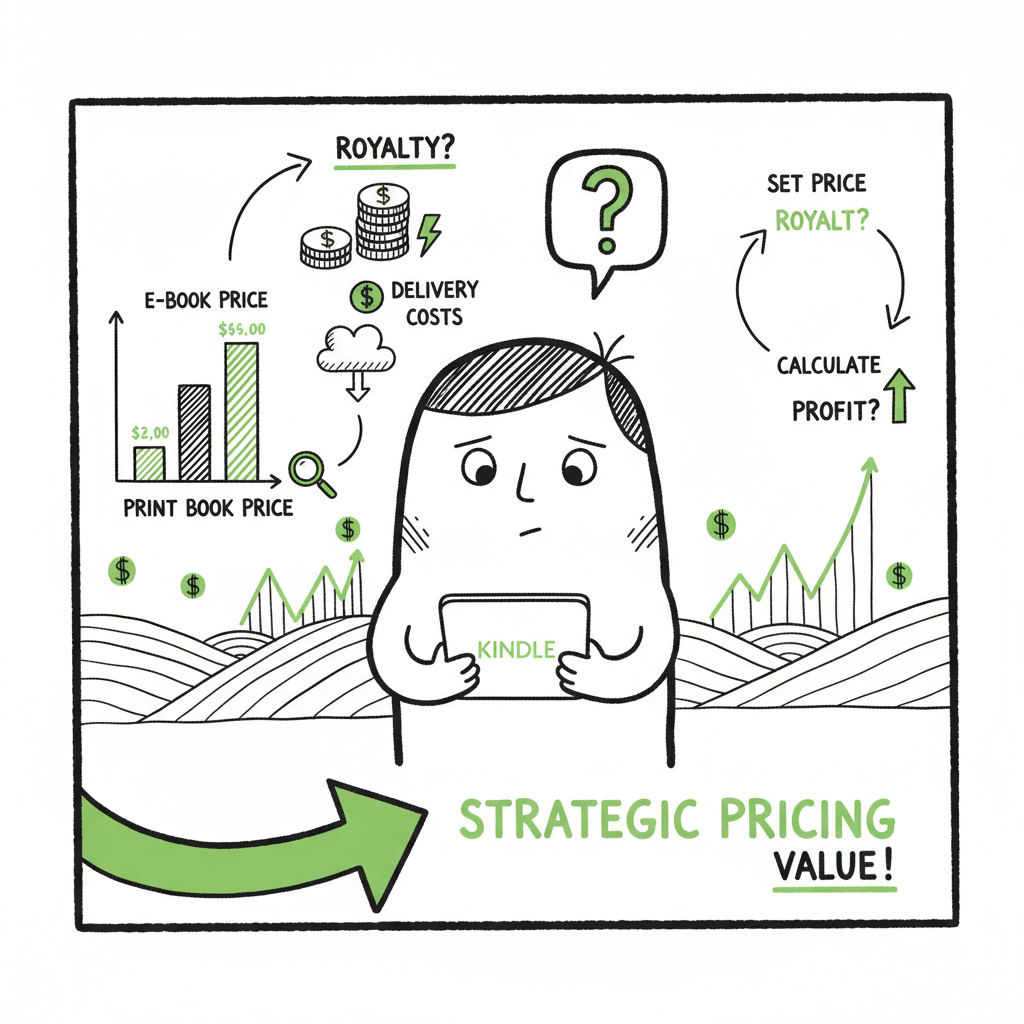
Amazon’s royalties for ebooks are not simply a percentage of list price. For the 70% royalty option, Amazon subtracts VAT (where applicable) and delivery costs (based on file size). The formula is: Royalty = Royalty Rate x (List Price – VAT – Delivery Cost). For low list prices, these deductions can make the royalty effectively zero.
How it happens: Authors set a low price by habit, then choose 70% royalty without checking minimums per marketplace or running the royalty calculator.
- Wrong marketplace pricing and currency mismatches
KDP allows manual pricing per marketplace. If you enter prices manually without using converters or a primary marketplace setting, currency mismatches and rounding can create odd retail prices in other markets. That often leads to customer-facing prices that are confusing or higher than intended.
How it happens: Manual entry for every country becomes a tedious task. Authors skip cross-checks or rely on memory instead of calculators.
- Overlooking minimum and maximum allowed prices
Each marketplace has minimum and maximum list prices for each royalty rate and format. If your price falls outside the allowed range, Amazon will either reject it or apply a different rate. Producing a paperback also adds printing costs that must be covered by the list price for any positive royalty.
How it happens: Authors create a paperback and fail to compute printing cost per unit. They pick a list price that results in negative or zero royalties on paperbacks.
- Failing to account for VAT and regional taxes
VAT varies by country. Amazon deducts VAT from the list price before applying the royalty rate. A price that looks fine in the U.S. can behave very differently in Europe. For cheap eBooks, VAT can remove the margin entirely.
How it happens: Authors ignore VAT rules when duplicating U.S. prices in EU marketplaces.
- Incorrectly setting the 70% royalty option
The 70% royalty choice looks attractive, but it has conditions: your list price must be within certain ranges, meet the 20% lower-than-physical-edition rule in some cases, and account for delivery charges. Many authors select 70% without validating these conditions across markets.
How it happens: Clicking the higher percentage without checking Amazon’s published constraints and without modeling file-size delivery costs.
- Human error and copy-paste mistakes
Manual workflows are full of small errors: mistyped digits, misplaced decimals, or pasting a price meant for dollars into a euro field. Those simple mistakes can lead to a retail price far from what you intended.
How it happens: Repeated manual entry on the KDP dashboard for dozens of titles.
Real-world examples that teach a lesson
– A book priced at €2.99 in Germany can yield only €1.87 after deductions—too low to justify printing costs for a paperback.
– Community reports show books appearing at prices twice the listed amount due to misconfiguration or platform adjustments.
– When Amazon sets a customer-facing price lower than the list price, royalties can drop to zero for that sale.
Practical fixes: pricing steps that scale
Fixing pricing mistakes is a mix of math, process, and tools. Here are the practical steps that work at scale.
- Start with the math, not the psychology
Before you pick a price, calculate:
– The royalty option you want (35% or 70%)
– Any VAT or taxes that apply in your main marketplaces
– Delivery costs for ebooks (file size)
– Printing cost per unit for paperbacks or hardcoversUse Amazon’s royalty and printing calculators, then model the expected net royalty per market. That gives a baseline you can use to compare pricing strategies. When you publish multiple books, keep a simple spreadsheet with these baseline numbers so you can set prices consistently.
- Set deliberate price bands, not single numbers
Decide on price bands for different types of books. For example:
– Short novellas: $0.99–$2.99
– Standard novels: $2.99–$6.99
– Nonfiction and specialized books: $6.99–$14.99Price bands let you scale pricing decisions across many titles. When you publish dozens of books, a banded approach reduces decision fatigue while preserving margins.
- Avoid copied low-price strategies
If a competitor’s low price tempts you, analyze why they’re low. Are they using loss-leader tactics to gather reviews? Are they selling a first-in-series giveaway? Undercutting as a default is rarely sustainable.
- Use a primary marketplace and localize prices thoughtfully
Pick a primary marketplace (often the one with most sales) and use it to set a base price. For other marketplaces, allow automatic conversions or use recommended regional prices. Manual entry can be precise, but it’s also error-prone. When you do set local prices manually, run the numbers and double-check VAT and rounding.
- Be careful with the 70% royalty option
Only choose 70% when:
– Your list price meets the marketplace minimums
– You can absorb delivery charges and still earn enough
– You have verified the 20% rule relative to physical editions where it appliesIf a book is small in file size but you plan heavy distribution, 70% can be good. If a book is large or you publish in many VAT-heavy regions, 35% can sometimes be simpler and safer.
- Automate repetitive steps
When you reach more than a few titles, manual entry becomes the biggest risk. Automation reduces human error and saves time. BookUploadPro automates batch uploads across Amazon KDP, Kobo, Apple Books, Draft2Digital, and Ingram. It uses CSV batch uploads, platform-specific intelligence, and error reduction to cut the time spent on uploads by about 90%.
Automation benefits:
– Consistent price rules applied across many titles
– Faster corrections when Amazon changes pricing rules
– Reduced risk of copy-paste mistakes and marketplace mismatches - Monitor retail prices and set alerts
Amazon may display a retail price different from your list price. Check real customer-facing prices periodically. If you rely on the 70% royalty, watch for changes that might push sales below minimum thresholds.
- Use formatted files and conversion tools the right way
Formatting affects file size, and file size affects delivery costs for ebooks. Keep your file sizes optimized. For covers, conversions, or multiple formats, use tested tools to reduce file-size and formatting surprises. For covers, use a reliable book cover generator to speed production and keep image sizes optimized. If you convert manuscripts to EPUB, use a reliable EPUB converter to produce small, clean files.
- Mind paperback printing cost and margin
Paperbacks have per-unit printing costs. Price them so the list price minus printing cost leaves a viable royalty. When you offer paperback and ebook versions, ensure ebook pricing is at least 20% below the paperback for eligibility where Amazon requires that for certain royalty settings.
- Batch-price and test intelligently
If you have many titles, batch-apply price bands, then run experiments on a small subset. Measure changes in unit sales and revenue, not just units. The goal is sustainable income, not headline unit numbers.
How BookUploadPro fits into a pricing workflow
If you publish seriously, automation becomes obvious. BookUploadPro handles unified multi-platform publishing with CSV batch uploads and platform-specific intelligence. That reduces manual entry and the chance of the common kdp pricing pitfalls listed above. When your routine includes dozens of titles, a tool that prevents copy-paste errors and applies consistent price rules saves hours and prevents lost royalties.
BookUploadPro’s approach:
– Unified multi-platform publishing to KDP, Kobo, Apple Books, Draft2Digital, and Ingram
– CSV batch uploads that maintain consistent pricing bands
– Platform-aware checks that flag pricing or royalty mismatches before upload
– Affordable pricing and a free trial to test at scale
For a complete book creation process, see BookAutoAI.
Automate the upload. Own the distribution.
FAQ
Q: What is the most common kdp pricing mistake?
A: The single most common mistake is pricing too low without calculating VAT and delivery costs. That often leads to tiny or zero royalties after deductions.
Q: Should I always pick the 70% royalty option?
A: No. Choose 70% only when the list price meets marketplace rules and you account for delivery costs. For some markets or file sizes, 35% may be safer.
Q: How often does Amazon adjust retail prices?
A: Amazon can adjust prices to match competitors or physical editions. It’s not daily for most books, but it happens and can affect royalties when it does.
Q: Can I set different prices per country?
A: Yes. KDP allows per-market pricing, but manual entry can introduce errors. Use a primary marketplace or automated conversion to reduce mistakes.
Q: Will lowering price always increase sales?
A: Not always. Lower prices can increase unit sales but reduce revenue and perceived value. Test price changes on a subset of titles and measure revenue per unit sold.
Q: How do printing costs affect paperback pricing?
A: Printing cost is subtracted from the list price before royalties. If the list price is too low, royalties become negligible or negative. Always calculate per-unit printing cost in your price model.
Q: How can I avoid copy-paste pricing errors?
A: Automate batch uploads where possible. Use CSV templates and platform-aware tools to stamp consistent prices across formats and stores.
Q: Do I need to check retail prices outside the U.S.?
A: Yes. VAT and currency differences matter. Where your audience is international, check EU and other market prices to ensure margins remain healthy.
Final thoughts
Pricing is a practical problem. It starts with correct math and becomes manageable with rules and automation. For individual titles, careful calculation is enough. When you publish many books, automation is the practical upgrade: it enforces price bands, reduces errors, and saves time. That’s why a simple set of pricing rules with batch publishing tools is the industry standard for authors serious about scale.
If you work with covers, conversions, or multiple formats, use tested tools to reduce file-size and formatting surprises. For example, quick, reliable EPUB conversion keeps delivery costs down and ensures your ebook meets marketplace requirements. For covers, a book cover generator can speed production and keep image sizes optimized.
Sources
- Price Troubleshooting – Kindle Direct Publishing
- Digital Book Pricing Page – Kindle Direct Publishing
- Avoid THIS KDP Pricing Mistake ⚠️ – YouTube
- Price Your Book – Kindle Direct Publishing
- Wrong Pricing – KDP Community
- Confusion over new Publishing charges – KDP Community
kdp pricing mistakes: How to price your Kindle book without losing money Estimated reading time: 13 minutes Key takeaways Small mistakes in price setup can erase royalties. Understand Amazon’s royalty math and delivery costs. Don’t race to the bottom. Low prices can cut perceived value and reduce long-term income. Use tools and repeatable workflows to…