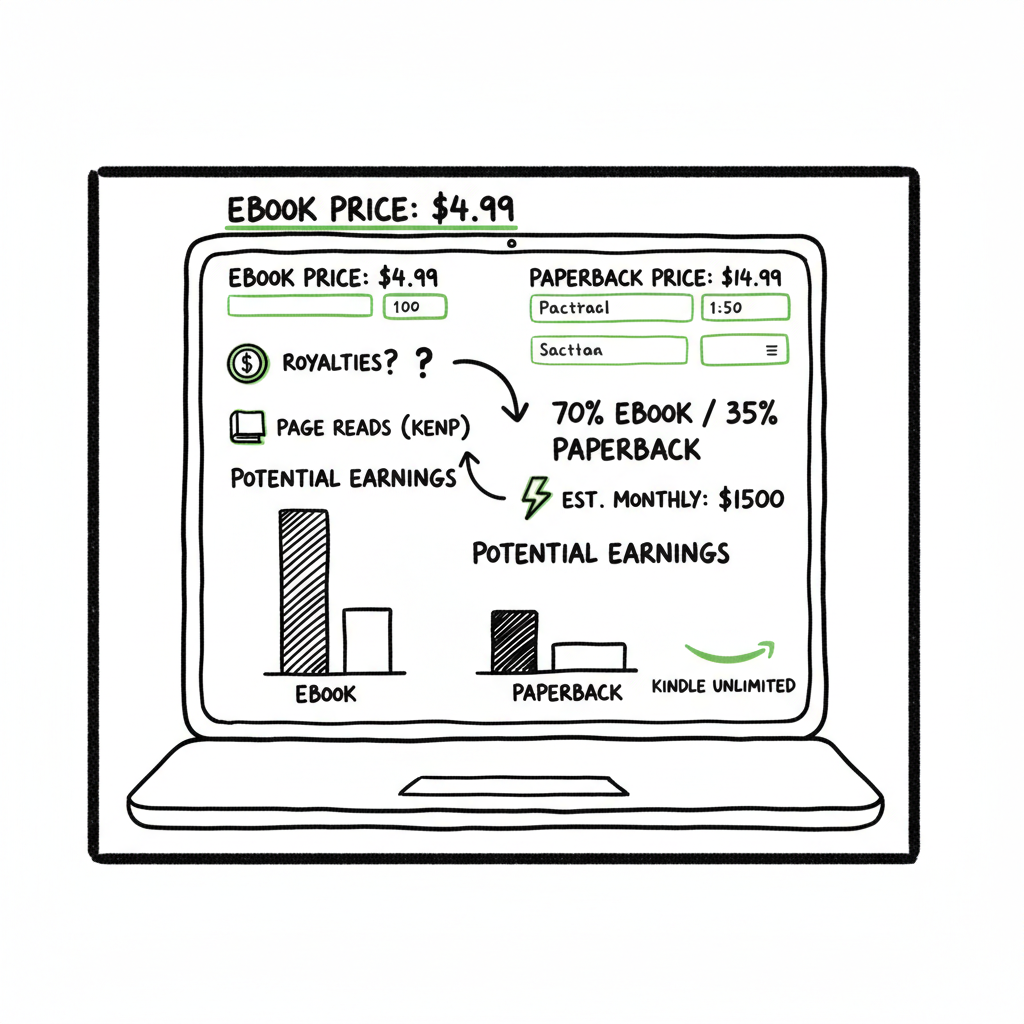
Amazon KDP Royalty Calculator to Estimate Earnings
Amazon KDP Royalty Calculator: Estimate Your Earnings with Confidence
Estimated reading time: 10 minutes
Key takeaways
- An Amazon KDP royalty calculator helps you predict ebook, paperback, and KU earnings by applying Amazon’s royalty rules, delivery and printing costs, and page-read payments.
- Use a Amazon KDP Royalties Pricing Profit calculator to test price and file-size trade-offs, then verify final figures with Amazon’s official printing cost tool.
- When you publish at scale, automation like BookUploadPro saves time (~90%), reduces upload errors, and makes multi-platform distribution practical.
Table of Contents
- How Amazon KDP royalties work
- Use an Amazon KDP royalty calculator the smart way
- Common mistakes and how to avoid them
- Frequently asked questions
How Amazon KDP royalties work
Amazon KDP royalty rules are simple to state and a bit fiddly to apply. At the top level you need to know three things: which format you’re selling (ebook, paperback, hardcover), the royalty rate for that format, and any costs Amazon subtracts before paying you.
Ebooks
– Two royalty rates: 35% and 70%. The 70% rate applies only when you price the ebook between $2.99 and $9.99 in supported territories and meet delivery requirements. Otherwise ebooks default to 35%.
– For 70% ebooks Amazon subtracts a delivery fee that depends on file size (measured in megabytes). That fee usually runs a few cents to a few tens of cents per sale, so at higher prices the fee is small; at low prices it can cut into profit.
– Kindle Unlimited (KU) and KDP Select pay authors from the KDP Global Fund based on pages read. That rate changes monthly and varies by market, so KU income is best treated as an estimate.
Paperbacks and hardcovers
– Print royalties are based on list price minus printing cost, then multiplied by the platform royalty share (typically 60% for paperbacks sold on Amazon).
– Printing cost has two parts: a fixed base charge and a per-page rate that depends on page count and whether you choose black-and-white or color printing.
– Because printing cost rises with page count, paperbacks often need higher list prices to maintain target margins.
Why a calculator matters
A calculator lets you plug in price, file size, and page count and see net income immediately. That saves hours of manual math when you’re testing multiple price points or bundling formats. If you publish many books, calculator runs become a routine part of pricing strategy.
If you want a focused breakdown of printing costs, royalty tiers, and pricing scenarios, check Amazon KDP Royalties Pricing Profit for a detailed walk-through that applies the same rules I’m using here.
Use an Amazon KDP royalty calculator the smart way
A calculator is a tool, not a decision. Use it to compare scenarios, then validate choices with real-world tests and Amazon’s official cost tools.
Start with the format
Decide whether you’re pricing an ebook, a print book, or both. You’ll enter different inputs for each:
- Ebook: list price, file size (MB), KU participation (yes/no).
- Paperback: list price, page count, ink type, trim size, territory.
- Hardcover: similar to paperback but with different printing costs and options.
Test common price points
Run the calculator at price points that matter: the low-price threshold for 70% ($2.99), the impulse-buy sweet spots ($2.99–$4.99), and any higher price you consider. Watch how net changes:
- Ebooks under $2.99 default to 35% and may earn less even if price is lower.
- Around $2.99–$4.99 you often get the best balance of conversion and per-sale earnings under the 70% tier.
- For paperbacks, test prices that cover printing cost and reach a margin you’re comfortable with; page count is the key driver here.
Include KU in your math
If you enroll in KDP Select, add page-read earnings to estimated sales revenue. Use conservative page-read rates for planning because monthly KENP (Kenya? KENP is Kindle Edition Normalized Pages) rates change. Treat KU as supplemental income rather than guaranteed sales.
Run multi-format scenarios
Most authors sell the same title in ebook, paperback, and sometimes hardcover. Compare combined income: 100 ebook sales at $3.99 may look good, but adding 50 paperbacks at $12.99 could double your monthly take. A calculator helps combine those numbers quickly.
When a calculator is essential
– Pricing new releases: test cover price against expected conversion.
– Adding formats: decide whether to launch paperback or audiobook by comparing marginal profit.
– Series pricing: small price differences across volumes can change reader behavior; test bundling options.
– Wide distribution: if you plan to sell on multiple stores, a calculator helps you map net receipts by platform.
Format-specific notes that matter in a calculator
– Delivery fee: for 70% ebooks, the calculator must subtract a delivery fee based on file MB. Small changes to images or embedded fonts can change MB and therefore delivery cost.
– Page count rounding: printing cost may use rounded page counts. Check exactly how your page count is calculated before final pricing.
– Currency and taxes: calculators often show gross royalties in store currency; taxes and international conversion add variance. For planning, use a margin buffer.
Practical example (simple)
Imagine a 3.5 MB ebook priced at $4.99 in the US with 70% eligibility:
- Gross: $4.99
- Royalty before delivery: 70% of $4.99 = $3.493
- Delivery fee (approx): 3.5 MB × fee per MB (~$0.15) = $0.525
- Net to author: $3.493 − $0.525 ≈ $2.97 per sale
A calculator automates this math so you can test $2.99, $3.99, $4.99 quickly and see the net difference.
Tools, accuracy, and verification
Third-party calculators help you iterate fast, but verify final numbers with Amazon’s official printing cost and royalty calculator for precise printing fees. If you publish internationally, remember local list-price rules and distribution costs can change net.
When publishing at scale, automation pays off
If you publish many titles or multiple formats, manual uploads and per-book calculations become tedious and error-prone. BookUploadPro automates CSV batch uploads across Amazon KDP, Kobo, Apple Books, Draft2Digital, and Ingram. That automation brings platform-specific intelligence, reduces errors, and saves roughly 90% of the time you’d spend uploading and reconciling multiple formats. Automate the upload. Own the distribution.
Quick workflow for one title
1. Finalize manuscript and cover.
2. Convert manuscript to the formats you need (EPUB for most stores, print-ready PDF for paperbacks).
3. Use a royalty calculator to settle price choices.
4. Use BookUploadPro to batch upload metadata, files, and pricing across stores.
Using a reliable EPUB conversion flow is the fastest way to get consistent ebook files; if you need a conversion tool, an EPUB converter can convert manuscripts cleanly and speed the process.
Platform differences that change the math
– KDP vs other stores: Amazon’s royalties and fees differ from Kobo, Apple, and Ingram. A multi-platform strategy can increase reach but adds complexity in pricing and net receipts.
– Expanded distribution and Ingram: print-on-demand via Ingram can expose books to bookstores and libraries at different terms.
– Royalty schedules: Apple and Kobo may have different royalty rates or thresholds for file size delivery charges.
Book covers, file prep, and printing
A clean, professional cover helps conversion and sometimes allows slightly higher pricing. If you need to make or process a cover, explore the book cover generator processing tools. For printing, check whether your cover uses color; color printing dramatically increases per-book cost on paperbacks. If you are preparing both ebook and print, generate separate assets for each format. You can also rely on the EPUB converter to streamline ebook formatting.
Use the calculator to test trade-offs
– Add color images to a print interior? Run the printing cost and see if the higher price and margin still work.
– Add high-resolution images to the ebook? Check the file size and delivery fee impact.
– Bundle several short works into a single paperback? Recompute page count and printing cost.
Common mistakes and how to avoid them
Mistake: Trusting a single estimate without verification
Fix: Use a calculator to run scenarios, then verify with Amazon’s official printing cost calculator and, if available, store-specific tools. Don’t assume every tool uses the same delivery fee or page-count rules.
Mistake: Forgetting delivery fees on 70% ebooks
Fix: Always enter accurate file size into the calculator. Tiny image changes can raise MB enough to add cents to the delivery fee and affect your decision at low prices.
Mistake: Pricing paperbacks too低 for printing costs
Fix: Calculate printing cost based on exact page count and ink choice. If printing wipes out margin, raise price or reduce print pages (trim size, layout, or font choices).
Mistake: Treating KU as guaranteed income
Fix: Model KU earnings conservatively and treat page reads as variable. If your strategy depends on steady KU revenue, diversify by selling wide or promoting directly.
Mistake: Repeating uploads manually across platforms
Fix: Use a tool that supports CSV batch uploads and platform-specific intelligence. Upload mistakes — wrong ISBNs, missing metadata, mismatched files — are common when copying across stores. Automating reduces human error and saves time.
When to bring in automation
– You have more than a handful of titles.
– You release many formats or editions.
– You want consistent pricing and metadata across stores.
BookUploadPro is an obvious upgrade once authors start publishing seriously. It automates repetitive uploads across KDP, Kobo, Apple Books, Draft2Digital, and Ingram, applies platform-specific rules, handles CSV batch uploads, and cuts down the error rate that comes from manual entry.
Practical checklist before publishing (use with a calculator)
- Final manuscript in final font and page count for print.
- Ebook file optimized for size (images compressed) to keep delivery fees low.
- Final cover files sized for print and ebook.
- ISBNs assigned if using external ISBNs for print.
- Pricing set and tested in the calculator for all formats.
- KU decision locked if you want exclusivity.
- Metadata and categories checked for discoverability.
If you plan to produce both ebook and paperback, consider processing both assets together and using a batch uploader that keeps metadata consistent. If you need to generate the ebook and the print-ready files from the same source, a reliable conversion pipeline and a good cover generator save time and rework. For cover processing tasks, a book cover generator can produce correct print-ready files in minutes.
Final production tips
– Keep a single master spreadsheet for each title with all the pricing scenarios and net earnings per platform. That spreadsheet is what you’ll feed into automation tools.
– Maintain a versioned backup of final EPUBs and print PDFs. If you need to fix something post-publication, you’ll want the original files ready.
– Track royalties monthly and compare them to your calculator’s estimates. Over time you’ll refine assumptions like conversion rates and KU income.
Frequently asked questions
Q1
What exactly does an Amazon KDP royalty calculator do?
A calculator applies Amazon’s royalty rules, delivery fees for ebooks, and printing costs for print books to your price to estimate your net earnings per sale. It helps you test price points quickly.
Q2
Are third-party calculators accurate?
Most third-party calculators are accurate for planning, but because Amazon updates certain fees and KENP rates change, you should always verify final figures with Amazon’s official tools before publishing.
Q3
How do delivery fees work for ebooks?
Delivery fees are charged on 70% royalty ebooks and depend on file size (megabytes). Compress images and optimize the file to keep delivery fees low.
Q4
Should I enroll in KU to increase income?
KU can increase reach and page-read income but requires exclusivity for ebooks. Treat KU income conservatively and balance it against the potential marketing reach of wide distribution.
Q5
Can I use one price across all platforms?
You can, but economics differ by platform and country. Use a calculator to see net receipts on each store. Automation tools help maintain consistent metadata when you choose to keep prices aligned.
Q6
How does BookUploadPro help with royalties and pricing?
BookUploadPro automates uploads and applies platform-specific rules so you don’t have to enter metadata and prices manually for each store. It saves time, reduces errors, and gives you consistent distribution across KDP, Kobo, Apple Books, Draft2Digital, and Ingram.
Sources
- https://www.thecalcs.com/calculators/business-marketing/kdp-royalty-calculator
- https://kindlepreneur.com/kdp-royalty-calculator/
- https://kdp.amazon.com/help/topic/G6BZ4M9PVJ8YSCW8
- https://www.publishing.com/kdp-royalty-calculator
- https://bookbeam.io/kdp-royalty-calculator/
- https://thewritepractice.com/kdp-royalties-calculator/
- https://kdp.amazon.com/royalty-calculator
Wrap-up
A good Amazon KDP royalty calculator is a core tool for pricing strategy. Use it to test formats, price points, and distribution choices, then verify final figures with official store tools. When you start publishing multiple titles or formats, automation becomes the practical choice — it saves time, reduces costly mistakes, and makes wide distribution realistic.
BookUploadPro offers multi-platform upload automation to simplify publishing and distribution.
Amazon KDP Royalty Calculator: Estimate Your Earnings with Confidence Estimated reading time: 10 minutes Key takeaways An Amazon KDP royalty calculator helps you predict ebook, paperback, and KU earnings by applying Amazon’s royalty rules, delivery and printing costs, and page-read payments. Use a Amazon KDP Royalties Pricing Profit calculator to test price and file-size trade-offs,…