Amazon KDP Processing Backlog Explained for Authors
What the Amazon KDP processing backlog means for authors
Estimated reading time: 13 minutes
Key takeaways
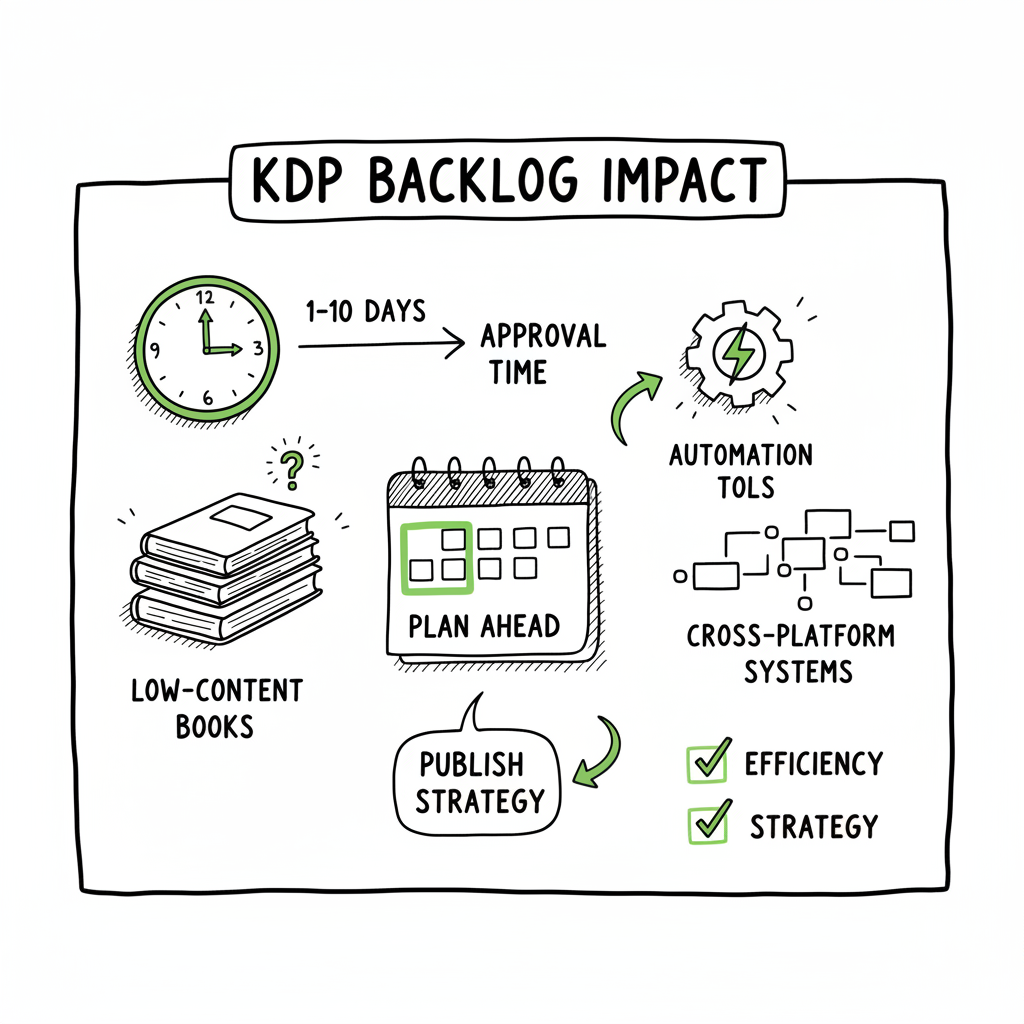
- Amazon KDP processing backlog is real and affects mostly low-content books; approval times are now commonly 1–10 days.
- Adjust publishing approaches: plan earlier, add variety to interiors, and use cross-platform automated systems to reduce risk and save time.
- Tools such as BookUploadPro enable wide distribution with CSV batch uploads, platform-specific checks, and ~90% time savings.
Table of Contents
- What the Amazon KDP processing backlog means for authors
- How to adapt and publish at scale
- Operational checklist
- FAQ
- Sources
- Final thoughts
What the Amazon KDP processing backlog means for authors
The phrase amazon kdp processing backlog has moved from forum chatter into everyday reality for many self-publishers. Where a notebook, journal, or simple workbook used to go live within hours, authors are now seeing review times that stretch into days. That changes how you plan launches, manage inventory, and keep readers satisfied.
If you’ve been tracking Amazon KDP Review Delays you already know the basic symptoms: a “book live” notification arrives, but the buy link shows errors or the book appears in Amazon’s internal systems without being purchasable. KDP help pages still list 3–10 business days as a normal timeline, but community reports show far more variance — especially for low-content titles. Amazon KDP Review Delays.
Why low-content books are hit harder
Low-content books — journals, planners, composition notebooks, and similar products — are the most affected. Amazon tightened reviews to reduce spam and low-quality uploads. Simple or repetitive interiors trigger extra scrutiny. If your book has many repeated pages, minimal design variation, or generic metadata, it’s more likely to enter the backlog queue.
- Upload limits (e.g., 3 books per day or 10 per week) amplify congestion during peak seasons such as Q4.
- Seasonal spikes in submissions create queue overload and longer automated or manual checks.
- System updates and internal rule changes are often unannounced, so authors perceive delays suddenly when policy enforcement shifts.
What the numbers look like
Recent reports show a wide range: some medium-content books clear in under 48 hours, while simpler titles commonly take 1–10 days. Occasional outliers go longer. This mirrors Amazon’s public guidance but also adds a practical layer: timing is now unpredictable. If you need a reliable launch window, the new reality is to plan for buffer days, if not weeks.
Practical short-term effects on your projects
- Scheduled launches — expect slippage. If you advertise a date, give yourself extra days for Amazon’s processing.
- ISBN and distribution timing — if you rely on Amazon’s timeline for distribution or print runs, delays can cascade into missed opportunities for promotions or seasonal sales.
- Earnings and reporting — paperback sales and KDP reports may not reflect new titles until processing completes, delaying royalty visibility.
How fraud prevention and quality control shift the game
Amazon’s stricter approach reduces spam but raises the bar for acceptable submissions. The update is largely automated: systems look for repeated content patterns, exact-page repeats, or metadata that aligns with known spam clusters. That’s why adding even modest variety to interiors or improving metadata can cut down the chance of entering a manual review.
How to adapt and publish at scale
The backlog environment rewards planning, disciplined processes, and automatic processes that handle platform differences. For authors publishing seriously — multiple books a month or preparing seasonal pushes — manual uploads are no longer practical. That’s where cross‑platform tools enable a practical upgrade.
Plan launches with realistic buffers
Treat every upload as if it will take the longer end of the timeline. If Amazon suggests 3–10 business days, build at least 10 business days into important launch plans for low-content titles. For paid promotions, newsletter drops, or influencer scheduling, set internal deadlines that absorb the worst-case processing time.
Make small content changes that reduce flags
The system flags repeated pages and low-complexity interiors. You don’t need to overhaul a product. Try:
- Varying header or footer elements across page groups.
- Adding section dividers with simple designs.
- Including a few full-page unique inserts (quotes, prompts, or a simple illustrated page).
Improve metadata and imagery
Clear, accurate metadata helps automatic checks process faster. Use precise category choices and avoid spammy keyword stuffing. A good cover that aligns with the interior and title reduces questions during review. If you need to generate or update covers at scale, a reliable tool can help; for example, a book cover generator can speed production while keeping files consistent.
Format clean files and test conversions
Many processing delays stem from file format issues. Convert your manuscript to a clean EPUB or print-ready PDF and validate it before upload. If you handle many titles, an EPUB converter can save time and cut formatting errors that trigger rejections. Validating files locally reduces back-and-forth with platform support and lowers the chance of being moved into a manual backlog queue. EPUB converter.
Distribute beyond Amazon — early and often
Relying solely on one storefront concentrates risk. Spreading titles across other retailers reduces single-point failure. Platforms like Kobo, Apple Books, Draft2Digital, and Ingram have different review timelines and policies; some process low-content titles faster. When you publish widely, a delayed KDP listing doesn’t block your book from being discoverable elsewhere.
Batching and CSV-driven uploads
Working at scale means batch workflows. CSV templates let you upload metadata and assets for many books at once. That’s where a multi-platform service designed for publishers adds value: it maps fields for each storefront, runs platform-specific checks, and queues uploads so you don’t hit daily upload limits inadvertently. CSV batch uploads plus platform-aware validation reduce errors that would otherwise push titles into longer reviews.
Why automated approaches reduce backlog pain
Automation alone won’t change Amazon’s internal queue, but it changes what you control. A well-structured set of processes reduces repetitive manual steps, lowers the risk of rejections for technical reasons, and allows you to stagger releases across platforms rather than flooding one provider. If you stop repeating the same tasks, you cut the chance of triggering stricter reviews.
How BookUploadPro fits practical needs
BookUploadPro is built for authors who publish seriously. It automates repetitive uploads across Amazon KDP, Kobo, Apple Books, Draft2Digital, and Ingram. The system uses platform-specific intelligence to catch issues that commonly cause delays. With CSV batch uploads and validations, BookUploadPro reduces manual work, lowers errors, and makes wide distribution practical. For teams and frequent publishers, it’s an obvious upgrade once you want consistency and scale.
Workflow changes that reduce exposure to the KDP backlog
- Stagger uploads across platforms instead of simultaneous pushes.
- Prioritize platforms with shorter review times for time-sensitive releases.
- Use automatic systems to maintain consistent quality across titles, so fewer items trigger manual reviews.
Tactical examples
- A planner series: Instead of uploading all 12 planners to KDP on the same day, distribute uploads over two weeks and push the others to Kobo or Apple Books first. This avoids daily upload limits and reduces queue clustering.
- A notebook bundle: Add minimal design variations — different color bands, small icons on select pages — to avoid repetitive layout flags.
- Fast seasonal pivot: If a KDP upload is delayed near a holiday, push a paid Kindle eBook through an EPUB workflow to other stores while waiting on KDP.
File and asset tips that reduce errors
- Use correct color profiles and margins for print PDFs.
- Embed fonts where required.
- Avoid unnecessary layers or complex transparency that can break conversion engines.
Operational checklist for teams
- Always validate your EPUB and print PDF before upload.
- Keep a publishing calendar with built-in buffer days.
- Use CSV templates to prevent metadata mistakes.
- Run small design variations for low-content series.
- Monitor KDP reports and community channels for sudden policy or processing changes.
FAQ
Q: How long will the amazon kdp processing backlog last?
A: Nobody can predict Amazon’s internal queues precisely. The current tightening is connected to spam controls and seasonal demand. Expect stricter reviews to persist until Amazon balances automated filters and manual throughput. Plan for ongoing variability and use operational adjustments rather than hoping for a short-term fix.
Q: Does adding more content to my notebook guarantee faster approval?
A: No guarantee, but adding reasonable variation lowers the risk of being flagged. Unique pages, section breaks, and slight layout changes make your interior look more intentional and less like bulk spam. The goal is to pass pattern detection, not to turn a notebook into a novel.
Q: Will distributing to other stores help if KDP is delayed?
A: Yes. Other stores have different review timelines and may accept titles faster. Distributing widely reduces reliance on a single provider and helps keep books discoverable even when one storefront is delayed.
Q: Are upload limits still enforced, and how do they affect the backlog?
A: Upload limits remain a gating factor. Limits like 3 books per day or 10 per week (depending on account and region) can create queues when many titles are submitted. Spread uploads over time and use batch tools that respect platform rules to avoid hitting limits accidentally.
Q: What should I do if I see a “book live” email but Amazon shows an error page?
A: This is a common symptom of processing queues. Wait the recommended business-day window, verify your files were uploaded correctly, and check metadata accuracy. If a long delay continues beyond Amazon’s stated timelines, contact KDP support with your submission details, but expect response times to be slower during backlog periods.
Q: Will automated tools make my books more likely to be accepted?
A: Automated tools can reduce human errors and enforce platform-specific requirements, which lowers the chance of rejections for technical reasons. It does not bypass content checks or policy enforcement, but it reduces the operational causes of delays.
Sources
- Amazon KDP Publishing TIME JUST CHANGED – YouTube
- 3 NEW Amazon KDP CHANGES – YouTube
- Amazon Delays: What to Do When Your Book Hits a Roadblock
- Timelines – Kindle Direct Publishing – Amazon.com
- Delay in processing and reporting book orders – KDP Community
Internal links used in the article:
– Amazon KDP Review Delays
Additional helpful tools mentioned:
– book cover generator
– EPUB converter
– book creation workflow
What the Amazon KDP processing backlog means for authors Estimated reading time: 13 minutes Key takeaways Amazon KDP processing backlog is real and affects mostly low-content books; approval times are now commonly 1–10 days. Adjust publishing approaches: plan earlier, add variety to interiors, and use cross-platform automated systems to reduce risk and save time. Tools…