
In this guide
- The spine margin, named and fixed
- Why Word keeps giving the error back
- Odd page counts, and the blurry barcode
- FAQ
- My proof copy arrived with text cut off at the spine, which margin did I get wrong?
- Why do the same margin errors keep coming back every time I export from Word?
- My interior has an odd number of pages and the last page prints wrong, what went wrong?
- The barcode on my printed proof is blurry, is that a file problem or a printing problem?
Text disappearing into the spine is an inside margin problem: the gutter, the extra space a bound book needs on its binding edge, is too small for your page count, so the curve of the opened book swallows the start of every line. The same error returning after every Word export has a matching mechanical cause: Word documents carry their margin settings inside the file, and exporting to PDF faithfully reproduces whatever the document says, so fixing the proof without fixing the document’s section margins changes nothing. Print proofs are unforgiving messengers: nearly everything they show you was decided in the source file.
Key takeaways:
- Cut off at the spine means the inside margin, the gutter, is too small. KDP sets required inside margins by page count, and thicker books need more.
- Word exports repeat margin errors because margins live in the document’s sections. Fix the document, with mirrored margins for a bound book, and every export inherits the fix.
- Print interiors need an even page count. An odd count gets a blank page added, and content planned for the last page lands somewhere you did not intend.
The spine margin, named and fixed
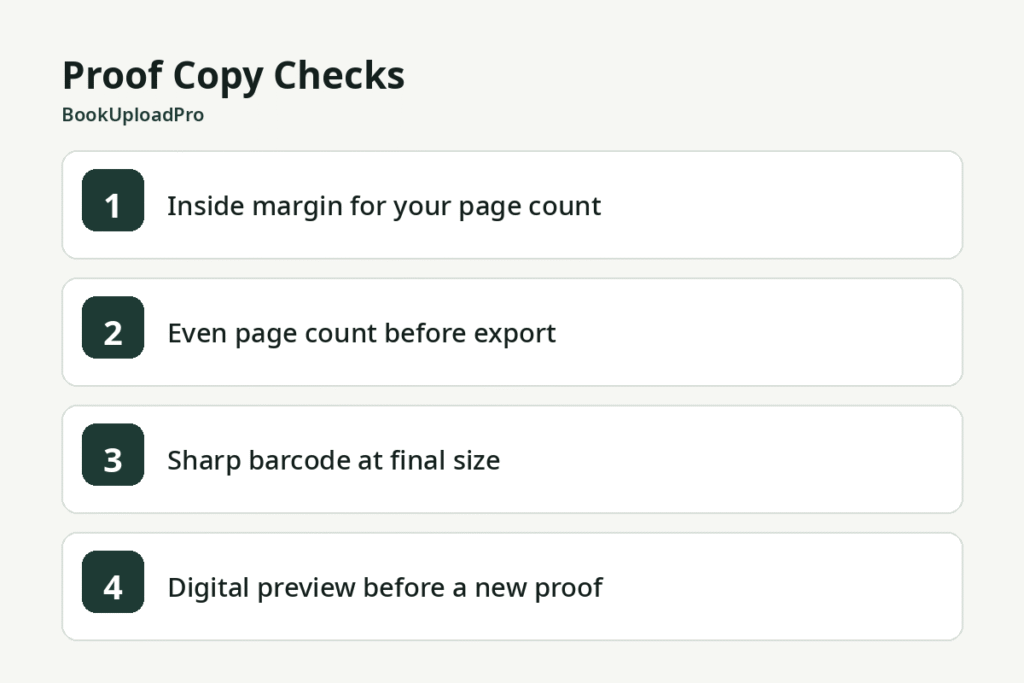
A bound book does not open flat. The paper curves into the binding, and text needs to start far enough from the spine edge to survive that curve. That distance is the inside margin, and KDP’s required minimum inside margin grows with page count: a thin book can use the smallest gutter, a 600 page book needs substantially more. If your proof loses letters at the spine but the outside edges look right, the inside margin is the one that is wrong, full stop. Set the inside margin for your book’s actual page count, re-export, and check the digital previewer’s inside edges before ordering another proof. Our pre-upload checklist includes the margin checks that catch this on screen.
Why Word keeps giving the error back
Word stores margins per section, and most book documents were born as letter or A4 pages with ordinary office margins. Exporting to PDF does not translate the document into a book; it prints exactly those settings at whatever page size is set. Three fixes, done once, in the document: set the page size to your trim size, switch to mirrored margins so inside and outside are defined as a bound book needs, and set the inside margin, including any gutter value, to the requirement for your page count. Then save that document as your template. Every later export starts from book settings instead of office settings, and the recurring error stops recurring because its cause is gone. This is the same source file discipline as keeping one master file per book.
Odd page counts, and the blurry barcode
Printing binds sheets, and sheets have two sides, so a print interior must have an even number of pages. Submit an odd count and a blank page is added, typically at the end; if your layout assumed the last page was a left or a right, everything about that page, and sometimes the whole final signature’s feel, shifts. End the book deliberately: add your own blank page, or better, use the space for an author page or a series list, and confirm the count is even before export. The barcode is a different kind of question. If you placed your own ISBN barcode, it must be a sharp, high resolution image at final size, and a soft one in the file prints soft. But if the barcode blur appears only on one proof copy while the cover preview is crisp, and especially if you let the platform place the barcode, suspect the print run, not the file: order or check another copy before rebuilding anything.
FAQ
My proof copy arrived with text cut off at the spine, which margin did I get wrong?
The inside margin, also called the gutter. It is too small for your page count, so text falls into the curve of the binding. KDP’s minimum inside margin grows with page count; set it for your book’s length, re-export, and verify the inside edges in the previewer.
Why do the same margin errors keep coming back every time I export from Word?
Because the margins live inside the Word document itself, usually as office page settings, and a PDF export reproduces them exactly. Set the trim size, mirrored margins, and the correct inside margin in the document once, save it as your template, and every export inherits the correction.
My interior has an odd number of pages and the last page prints wrong, what went wrong?
Print books need an even page count, so a blank page was added to your odd count and your final page no longer falls where the layout expected. Add the page yourself, as a deliberate blank or an author or series page, and export with an even total.
The barcode on my printed proof is blurry, is that a file problem or a printing problem?
Check the source first: if you supplied the barcode image, it must be high resolution at its printed size, and a soft file prints soft. If the file and the online preview are sharp and only the proof is blurred, it is a print artifact, so verify with another copy before rebuilding the cover.