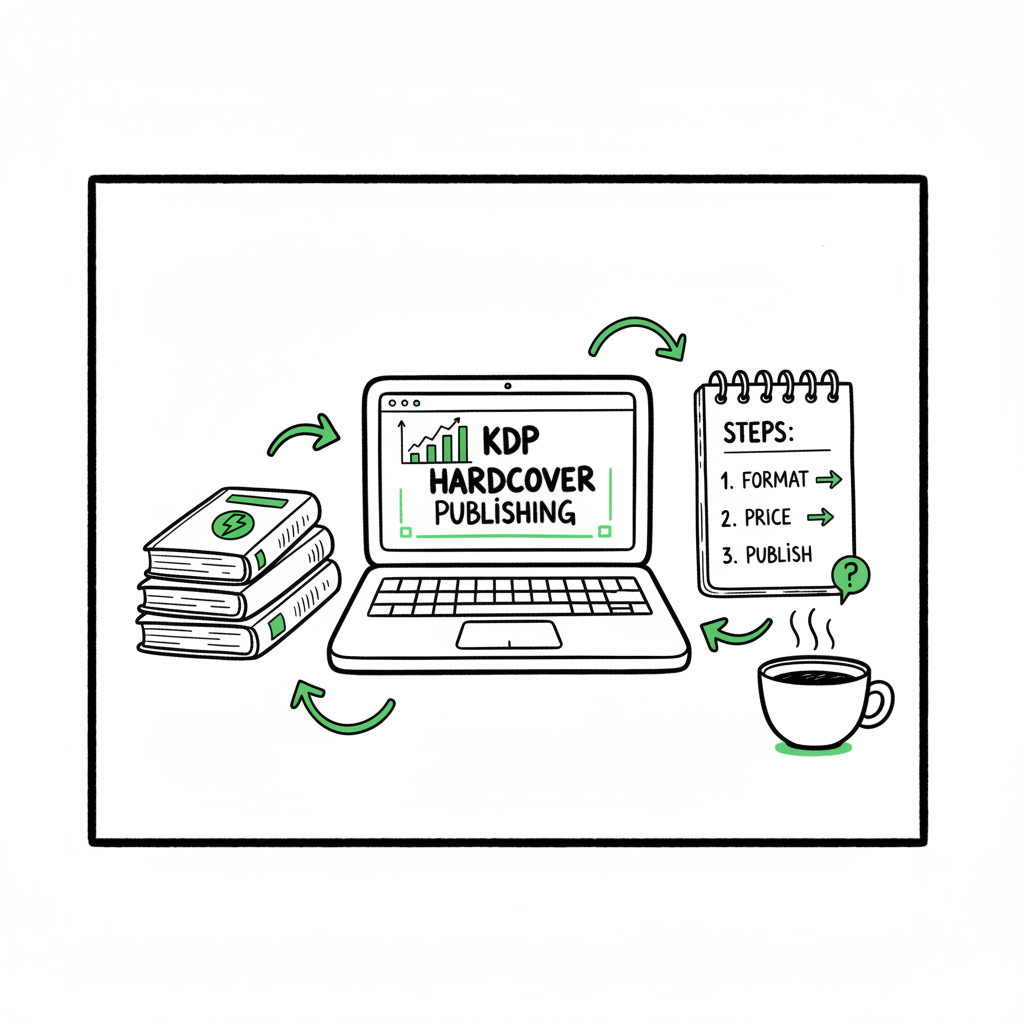
KDP hardcover listing helper for creating and publishing
kdp hardcover listing helper
Estimated reading time: 16 minutes
Key takeaways
- KDP has no separate “hardcover listing helper.” Authors create hardcovers through the standard print setup, but you can systematize the steps for speed and accuracy.
- Focus on three technical areas: correctly formatted interior and cover files, pricing that accounts for KDP’s printing costs and royalty bands, and metadata that positions a hardcover as a premium product.
- Automation and batch uploads make hardcover publishing practical at scale. BookUploadPro handles CSV batch uploads, platform intelligence, and file generation so you save time and reduce errors.
Table of Contents
- What a kdp hardcover listing helper is and why authors need it
- How to create a KDP hardcover listing: the practical flow
- Files, formatting, and distribution choices that matter
- Pricing, royalties, and positioning a hardcover profitably
- Scaling hardcovers: batching, automation, and common failure points
- FAQ
What a kdp hardcover listing helper is and why authors need it
KDP doesn’t offer a dedicated “kdp hardcover listing helper” tool. The KDP dashboard lets you choose hardcover inside the print setup, but the platform leaves many decisions and file checks to the author: cover sizing, spine text, printing-cost limits, and metadata choices. That gap is why many authors call for a helper — not as a single button, but as a reliable process that ties together formatting, pricing, and listing copy.
If you publish only one title, you can work through the KDP print flow and correct mistakes manually. If you publish multiple titles or want consistent, professional hardcovers, a helper becomes essential: it standardizes trim sizes, validates spine width, checks minimum list-price constraints, and produces listing copy that justifies a higher hardcover price. For teams and publishers, that continuity matters.
Practical note: when you move from single uploads to volume publishing, consult a curated checklist of file requirements and CSV headers. For authors automating many listings, our KDP Upload Workflows Format explains the file structure and naming conventions that match KDP’s upload expectations; use that resource to reduce manual fixes early in the process.
How to create a KDP hardcover listing: the practical flow
This section walks through the steps you’ll take inside KDP, and the pre-work that makes each step fast and repeatable. The goal is not theory — it’s a working process you can use for one book or a batch.
- Begin with the metadata and positioning
- Title and subtitle: Hardcovers sell as premium items. If your book is giftable, collectible, or reference-oriented, reflect that in the subtitle. Keep titles clean and searchable.
- Series and edition: Use the series field or edition info to distinguish hardcover editions. That helps readers and keeps listings consistent across formats.
- Keywords and categories: Choose category placement that supports higher visibility for hardcover buyers. Use a mix of broad and niche categories so the book appears in front of both general and specific shoppers.
- Prepare interior and cover files before you start the KDP wizard
- Interior: Export a print-ready PDF for the chosen trim size. Hardcovers often use thicker paper and different bleeds than paperbacks; verify margins and page counts because printing cost uses page count in the calculation.
- Cover: Hardcovers require a full cover layout including back, spine, and front in one file sized for the hardcover trim and spine width. If you’re creating covers, a quality book cover generator can speed the work and make the art consistent across a catalog.
- Note on paper and ink: Choose the correct interior color option (black and white, standard color, premium color) because it affects printing cost and minimum list price.
- Use KDP’s print setup and royalty screens correctly
- Select Hardcover in the format choices inside the print setup.
- Upload interior and cover files that match the chosen trim and page count.
- KDP will calculate a minimum list price based on printing cost; you must set a list price equal to or above that minimum and below marketplace maximums.
- Review the calculated royalties. For hardcovers KDP offers royalty rates that translate to roughly 50% or 60% bands depending on marketplace and list-price conditions; calculate expected take-home after printing cost.
- Final checks before publishing
- Look at the print preview to confirm margins, bleed, and spine text alignment.
- Double-check metadata fields that appear on the product page: description, author name, contributors, and publisher.
- If you distribute beyond Amazon, plan the file formats needed by other retailers (EPUB for Apple Books and specific assets for Ingram). Use a reliable EPUB converter to create or validate EPUB files if you plan multi-platform distribution.
BookUploadPro
Files, formatting, and distribution choices that matter
Cover and spine
Spine calculation: For a hardcover, the spine width equals (page count × paper thickness) plus a small allowance for binding. That measurement is used in the single, full-cover PDF. If you don’t supply correct spine dimensions, the PDF won’t line up and the print preview will show misalignment.
Back cover text: Use concise back-cover copy and barcodes as required. KDP can generate an ISBN barcode if you use a KDP ISBN, but if you bring your own ISBN use the proper placement.
If you need a fast solution for covers, try a tested book cover generator to produce KDP-ready cover layouts that include a correctly sized spine and bleed. A generator simplifies double-checking dimensions and reduces re-exports.
Interior formatting
Page size and margins: Pick the trim size that matches your interior design. Hardcovers often use slightly larger trim sizes for premium feel.
Fonts and embedding: Use fonts that embed correctly in the PDF. Non-embedded fonts can cause rendering differences in print.
Images and color: For photo-heavy hardcovers, opt for the correct color printing option. High-resolution images and CMYK color profiles reduce print surprises.
Multi-platform considerations
EPUB for Apple Books and many retailers: KDP is focused on Amazon, but if you want a wide hardcover strategy (paperback + ebook + hardcover), you’ll often produce an EPUB for Apple Books and other stores. Use a dedicated EPUB converter to ensure the ebook version matches the print edition’s metadata and front matter.
Distribution partners: Consider Ingram for extended print distribution; their network reaches bookstores and libraries. Ingram’s requirements for print-ready files differ slightly; prepare to generate an Ingram-ready PDF if you plan bookstore distribution.
Creating paperback and ebook versions in parallel: If your plan includes multiple formats, prepare the interior and cover variants at the outset so the listing language can reference available formats. If you create ebook or paperback versions, ensure the spine and cover assets are consistent in branding and title treatments.
Pricing, royalties, and positioning a hardcover profitably
Hardcovers are more expensive to produce. That means pricing strategy matters more than for paperbacks. KDP provides the minimum/maximum constraints and a royalty calculator, but you need a practical strategy to set a price readers will accept while meeting profitability goals.
Understand KDP’s printing cost mechanics
Printing cost includes a fixed base plus a per-page charge, and it varies with paper type and ink. That base cost is higher for hardcovers than paperbacks.
The minimum list price is computed from printing cost and royalty rules; you can’t list below that minimum.
Marketplace-specific maximums (for example, $250 in many markets) also exist, but most authors price far below those caps.
Practical pricing steps
Calculate your breakeven price by adding desired royalty to printing cost. KDP’s royalty screens are informative but run your own checks.
Position the hardcover above the paperback price to justify the premium. A common tactic is priced 30–60% higher than the paperback, depending on perceived value and target reader expectations.
If you want bookstores to carry the hardcover, consider the margin that retail partners expect and whether extended distribution through Ingram is required.
Metadata and product page copy to justify price
Description: Write a hardcover-focused description. Mention quality, presentation, and use-case: “gift edition,” “collector’s copy,” “special introduction,” or “expanded images.”
Format language: Clearly list dimensions, paper type, and any special features (foil stamping, embossed spine, dust jacket). These details help customers understand why the price is higher.
Reviews and social proof: Hardcovers sell well when they look premium and have social proof. If you’re launching multiple editions, coordinate review seeding to strengthen first-week performance.
Practical example
A 200-page black-and-white hardcover has a printing cost of $6.50 (example). If you want a $5 royalty per sale, the list price must be at least $11.50 plus applicable Amazon fees and royalty math. Use the KDP royalty and pricing screens to confirm the precise minimum for each marketplace before publishing.
Scaling hardcovers: batching, automation, and common failure points
Once you publish multiple hardcovers, the manual flow becomes inefficient. Scaling requires two changes: standardized inputs and a reliable upload engine.
Standardize your inputs
Trim sizes, font choices, spine templates, and naming conventions should be catalog-wide standards, especially for series. Standardization reduces orientation errors when generating full-cover PDFs.
Maintain a CSV that contains metadata columns for title, subtitle, authors, contributors, series info, keywords, categories, ISBNs, trim size, page count, manuscript file path, and final cover file path. A consistent CSV is the backbone of batch uploads.
Automate uploads and validations
Use a tool that can take your CSV and push listings to multiple platforms. Automation should validate file formats, check spine width against page count, and preview the internal product page fields to catch missing descriptions or illegal characters.
Batch processing reduces manual clicks and repetition. A robust system handles platform-specific quirks (for example, KDP’s hardcover requirements vs. Ingram’s PDF demands) and applies platform-specific intelligence to avoid rejections.
Common failure points and how to avoid them
Mismatched trim size between interior and cover: Standardize trim sizes and validate files before upload.
Wrong spine width due to incorrect page count or paper type: Automate spine calculation using page count and the paper thickness constant for your chosen paper.
Underpriced listings that fall below KDP’s minimum: Run a pricing sweep during final validation to flag any prices lower than the calculated minimum for each marketplace.
Metadata inconsistencies causing duplicate listings or poor discoverability: Use CSV templates with required fields and controlled vocabularies for categories and keywords.
How BookUploadPro helps at scale
BookUploadPro automates uploads to multiple platforms with CSV batch processing and platform-aware validation.
BookUploadPro understands KDP hardcover constraints, checks printing-cost minimums, and flags likely issues before submission.
BookUploadPro also ensures spine calculations, cover validation, and copy generation reduce rework and returns.
Operational tips for teams
Keep a single source CSV for each project and archive earlier versions. That makes rollback simple if issues appear.
Use scripts or a helper app to generate full-cover PDFs from front/back/spine components to avoid manual layout errors.
Create templates for listing descriptions that can be semi-automatically filled with title, series, and author info. Slight human edits after auto-generation keep copy feeling natural.
FAQ
Does KDP provide a dedicated hardcover listing helper?
No. KDP integrates hardcover creation into the standard print setup. The platform offers pricing and royalty calculators and print preview tools, but it doesn’t offer a single “helper” that automates all hardcover-specific decisions. That’s why authors combine KDP’s tools with third-party workflows and services.
What files do I need to prepare before starting a KDP hardcover listing?
Prepare a print-ready interior PDF sized to your trim, a full-cover PDF that includes spine and back, and any images or barcodes you plan to use. Keep metadata (title, subtitle, keywords, categories) and pricing decisions ready. If you plan distribution beyond Amazon, prepare an EPUB for ebook channels and check any specific requirements for Ingram or other partners.
Can I use one interior file for both paperback and hardcover?
Technically you can reuse content, but you’ll often need different cover layouts and may want different trim sizes or margins. Printing costs and page count can differ slightly based on paper and binding, so validate the interior for the target format.
How should I price a hardcover compared to a paperback?
Hardcovers usually sell at a premium — common strategies price them 30–60% higher. The exact number depends on printing cost, perceived value, and audience. Always check KDP’s minimum list price for each marketplace before you finalize pricing.
What platforms should I consider beyond Amazon for a hardcover?
Ingram is the primary channel for bookstore distribution. Apple Books, Kobo, and Draft2Digital are ebook channels you should support if you publish ebook formats. If you plan wide distribution, prepare separate files or adjust settings per platform.
How do I convert my manuscript to EPUB for Apple Books or other retailers?
Use a reliable EPUB converter to create an ebook file that matches your print edition’s front matter and metadata. A proper EPUB ensures correct reflow and retains links and structure for readers. If you need a tool for that, try a tested EPUB converter that handles common edge cases in ebook conversion.
I’m not a designer. How do I make a proper hardcover cover with a spine?
Use a cover generator or a template-driven tool that calculates spine width and produces a single, correctly sized PDF. That avoids manual errors when positioning spine text and ensures bleed and margins are KDP-compliant.
Sources
- Hardcover Royalty – Kindle Direct Publishing
- Price Your Book – Kindle Direct Publishing
- Hardcover Printing Cost – Kindle Direct Publishing
- Hardcover – Kindle Direct Publishing (format overview)
- Pricing Resources – Kindle Direct Publishing
- Printing Costs and Royalty Calculator – KDP
- Pricing Strategies for KDP Books – Book Bolt
kdp hardcover listing helper Estimated reading time: 16 minutes Key takeaways KDP has no separate “hardcover listing helper.” Authors create hardcovers through the standard print setup, but you can systematize the steps for speed and accuracy. Focus on three technical areas: correctly formatted interior and cover files, pricing that accounts for KDP’s printing costs and…