Amazon KDP Discoverability Tips to Improve Visibility
Amazon KDP discoverability tips
Estimated reading time: 28 minutes
Key takeaways
- Discoverability is both relevance (metadata) and performance (clicks, sales, engagement). Fix both.
- Use natural, reader-language keywords and precise categories; avoid stuffing or misleading terms.
- A high-converting product page (cover, description, formatting) turns impressions into lasting visibility.
- Scale reliably with repeatable uploads and multi-platform distribution to keep sales velocity and reduce manual errors.
Table of Contents
- Why discoverability matters
- Metadata that moves the needle
- Product page, traffic, and conversion
- Scaling discoverability with multi-platform publishing
- FAQ
- Sources
- Final thoughts
Why discoverability matters
If your book never shows up where readers look, it can’t sell. That sounds obvious, but the practical steps to improve discoverability on Amazon KDP are specific and repeatable. These amazon kdp discoverability tips focus on what the platform actually uses: metadata that matches reader language, a product page that converts, and steady signals that Amazon’s systems interpret as relevance.
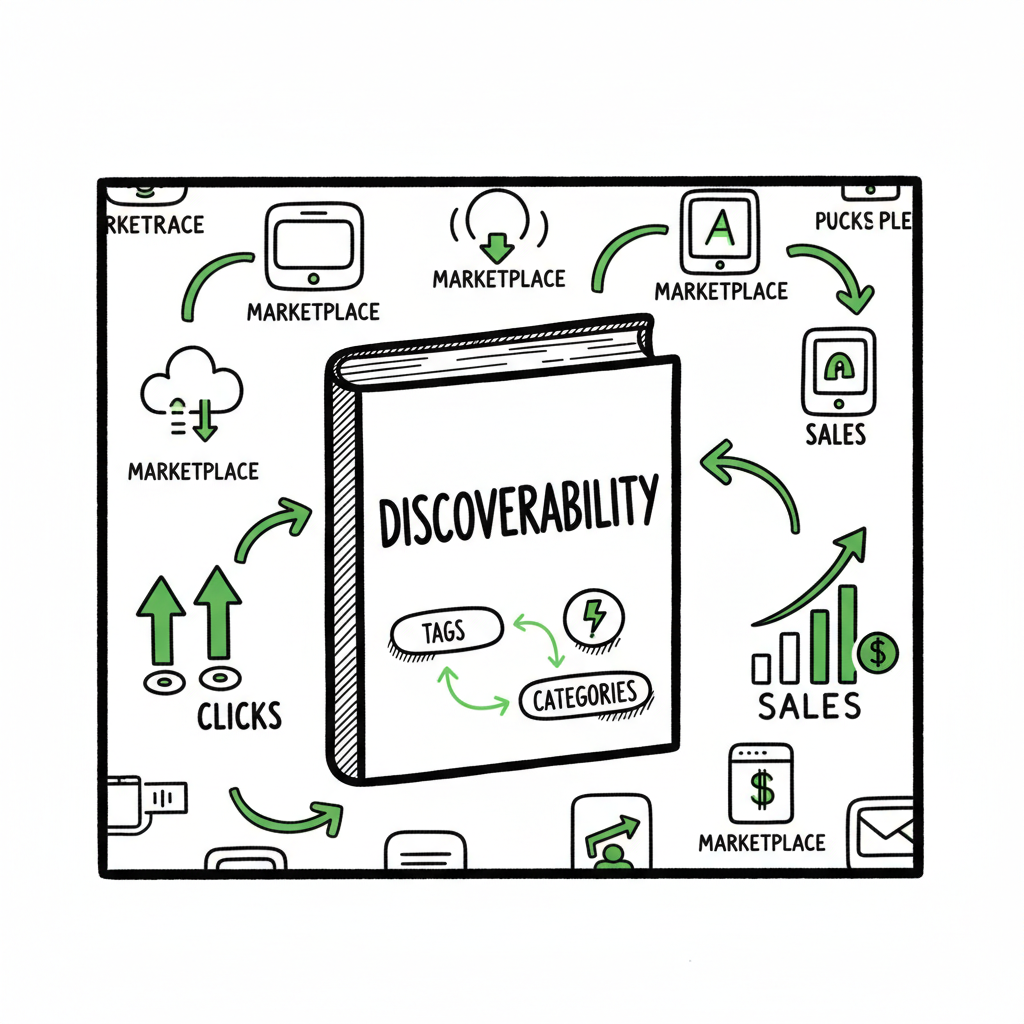
Think of discoverability as two linked systems. The first is relevance: metadata (title, subtitle, the seven keyword fields, and categories) tells Amazon where to route your book in search and browse. The second is performance: if your book gets clicks, purchases, and sustained engagement, the algorithm treats those signals as validation and shows your book more. Fixing one without the other is a common trap: well‑written metadata with a poor cover or weak description still underperforms, and a great product page without precise keywords won’t get noticed.
There is a practical connection between these layers. For example, smart keyword choices route the right customers to your listing; a professional cover and scannable description convince a higher percentage of those customers to buy; improved sales and conversion then feed back into Amazon’s ranking. That loop is what these amazon kdp discoverability tips are meant to activate.
Metadata that moves the needle
Metadata is the highest‑leverage area for most authors. A few focused changes to how you choose and place keywords and categories will often produce measurable gains in visibility and relevancy.
Keywords: natural phrases, not word lists
- Use phrases readers actually type. Think in patterns like genre + sub‑niche + problem/trope (for example: “cozy mystery with cats,” “startup marketing for beginners,” or “romantic suspense small town”). These reflect intent and reduce competition.
- Fill all seven KDP keyword fields. Amazon allows up to seven logical phrases; use them. Don’t repeat words that already appear exactly in your title or subtitle—use the keyword fields to expand reach to other search phrases.
- Use the character limit efficiently. Aim to use the available characters in each field with distinct phrases separated by spaces; avoid punctuation or filler words that eat space without adding value.
- Avoid keyword stuffing or program names. KDP policies prohibit misleading or irrelevant terms. Keep entries honest and focused on reader search habits.
- Test and iterate. Swap keywords every few weeks and watch search impressions, CTR, and conversion. Small changes create signals that are easy to measure.
Categories: route to smaller shelves
- Don’t pick the broadest category that feels good on paper. Narrow subcategories increase the chance of ranking in useful lists and bestseller subsets.
- Choose two categories that reflect reader intent precisely. Use niche categories where competition is lower but demand exists.
- Request additional categories when appropriate. Amazon sometimes allows category updates after publication; use them strategically during launch windows.
Title and subtitle: clarity wins
- The title should be clean and genre‑appropriate. The subtitle is where you often place clarifying keywords or a short hook that aligns with search phrases.
- Avoid overlong titles that look spammy in search results. A clear title and informative subtitle work better than stuffing keywords into the title field.
Tracking metadata changes
- Keep a short log of metadata adjustments. Note date, the fields changed, and the reason (e.g., “added ‘cozy mystery with cats’ to keywords to test holiday traffic”). This makes it easier to correlate changes with traffic or sales improvements.
- Combine keyword tests with promotional activity when possible. Isolating effects is easier when changes happen one at a time.
If you want to automate safe, repeatable metadata updates across multiple books without manual entry, consider a structured metadata optimization process such as Amazon KDP Metadata Optimization Automation. That kind of tooling helps reduce human error and keep keyword tests consistent across a growing catalog.
Product page, traffic, and conversion
Getting eyes on the book is half the battle; converting those eyes into purchases creates the performance signals Amazon needs to surface the book more. Focus on three parts: the cover, the description and page copy, and technical elements like sample formatting and A+ content.
Cover: first impression matters
- The cover must read clearly at thumbnail size. Test how the title and central image look at small sizes—most discovery happens on mobile and thumbnail views.
- Match genre conventions. Readers expect certain visual cues for romance, thriller, self‑help, or children’s books. Breaking conventions can work, but only with a deliberate reason and strong design.
- Use professional resources. Whether you hire a designer or use a tool, ensure the final file meets KDP specs and prints correctly for paperback.
If you’re using an automated or assisted process for cover creation, consider a reliable book cover generator to streamline versioning and ensure files match platform specs.
Description and copy that converts
- Lead with a short hook in the first 1–2 lines. Readers often skim; the sales copy must show the emotional or practical benefit immediately.
- Use short paragraphs and bullet points for scannability. Amazon’s product page is not a long‑form landing page—make the key selling points easy to scan.
- Include clear genre signals and a taste of the stakes or benefits. For fiction, hint at the protagonist, conflict, and stakes. For nonfiction, list key takeaways and practical outcomes.
- Consider A+ Content (if available) for narrative and nonfiction titles to add curated images, comparison charts, or author bio sections that improve conversion.
Samples, formatting, and reviews
- Clean interior formatting matters. A messy sample that shows up in the Look Inside can turn readers away before checkout. Use a well‑formatted EPUB or MOBI and preview the sample on multiple devices.
- Encourage early honest reviews through your existing audience or ARC process. Reviews impact social proof and CTR.
- Keep price and promotions aligned with expectations for the category. Launch prices, Kindle Unlimited enrollment, and occasional free or discounted promotions can create the initial sales velocity that helps rank your book.
For reliable conversions, test both small changes (subtitle tweaks, short description edits) and bigger ones (new cover, reformatting). Convert sample files to EPUB carefully; if you need an accurate, platform‑ready file, use a trusted EPUB converter to avoid layout errors or broken TOCs.
Scaling discoverability with multi-platform publishing
Once your process for metadata, pages, and conversion works for one book, scale it. Repeating manual uploads to multiple platforms becomes a bottleneck and a source of errors. That’s where structured, automated upload processes and multi-platform distribution earn their keep.
Why scale matters
- Different readers use different stores. Some readers shop Apple Books or Kobo rather than Amazon, and broad distribution increases reach without relying on a single platform’s algorithm.
- Cross-platform presence builds cumulative discoverability. Sales and reviews outside Amazon don’t directly change KDP’s algorithm, but broader visibility drives more organic traffic, newsletter signups, and author reputation, which funnels back to Amazon.
- Manual repetition introduces mistakes. Typing metadata into six platform forms is time-consuming and error-prone; a single mistake in a category or keyword field can hide the book from its intended shelf.
What to automate and what to control
- Automate repetitive, platform-neutral tasks: formatting outputs, creating required file types, and filling the same metadata across platforms.
- Keep platform-specific tuning manual: category selection and keyword fields should be adapted to each store’s taxonomy and search behavior.
- Use batch CSV workflows for catalog-level updates when you publish a series or multiple titles at once. They save time and standardize fields.
Operational checklist for scaling discoverability
- Standardize your metadata spreadsheet. Columns for title, subtitle, seven keyword fields, two categories per platform, description, price, BISAC/ONIX codes, and cover filename are a minimum.
- Create validated file outputs. Keep a master EPUB and a print-ready PDF for each book, and verify device previews.
- Maintain a central review and testing process. Before pushing to any store, preview products and test sample downloads.
How BookUploadPro helps
When authors reach the point where they publish more than one or two books, manual uploads stop being viable. Packages like BookUploadPro are built to handle the repetitive work: conversion, platform-compliant files, and batch upload readiness. The value is practical:
- Unified multi‑platform publishing that covers Amazon KDP, Kobo, Apple Books, Draft2Digital, and Ingram in a single process.
- CSV batch uploads and platform‑specific intelligence that adapt metadata and categories for each store.
- ~90% time savings on repetitive tasks, fewer manual mistakes, and consistent outputs across a catalog.
- Productized pricing and a free trial let authors try the process before committing.
An obvious upgrade once authors start publishing seriously is to shift those repetitive tasks to a repeatable system: Automate the upload. Own the distribution.
Practical launch and post‑launch operations
- Launch window focus: coordinate a short, intense push of author marketing, promotions, and ad tests that feed initial sales velocity.
- Ongoing testing: run modest Amazon Ads campaigns to test high‑potential keywords, then add well‑performing search terms to metadata.
- Monitor KPIs: impressions, CTR, conversion rate, and sales velocity for the first 30–90 days are your primary signals. Track changes after any metadata update.
- Maintain a steady schedule: consistent releases—new titles or new formats—help maintain a searchable presence and keep readers engaged.
Managing risk
- Stay compliant with KDP rules. Don’t use misleading keywords, trademarked program names, or false claims. Keep metadata honest.
- Avoid low-quality or obviously machine‑generated content. Human editing and quality control reduce takedown risk and improve reader retention.
- Keep records of your uploads and versions. If a platform flags an issue, a clear audit trail helps resolve it more quickly.
FAQ
Q: How long before metadata changes show results?
A: Expect to see early changes within a week for impressions and clicks; conversion and ranking shifts may take several weeks as sales velocity accumulates. Track performance consistently and avoid making too many simultaneous changes.
Q: Should I include keywords already in my title in the KDP keyword fields?
A: Not necessary. Use the keyword fields to expand reach to additional phrases and search behavior that aren’t covered by title or subtitle. Avoid redundancy to use character space effectively.
Q: How many categories should I pick?
A: Choose two categories that accurately represent your book. Prefer precise niche categories over broad ones to increase the chance of ranking in smaller lists.
Q: Do reviews impact discoverability?
A: Reviews influence conversion more than direct ranking. High review counts and quality improve CTR and increase the likelihood that traffic converts to purchases, which indirectly supports discoverability.
Q: Can I publish the same book across multiple platforms?
A: Yes. Wide distribution increases reach. Keep in mind exclusivity programs (like KDP Select) that require enrollment choices. For broad distribution processes, use consistent metadata and platform-specific tuning.
Q: Where should I test cover and description variants?
A: Start with A/B testing via small paid traffic or through email lists by directing readers to different product pages. Use CTR and conversion rate as primary metrics.
Sources
- https://writelightgroup.com/2025/10/amazon-self-publishing-best-practices-2025/
- https://kdp.amazon.com/help/topic/G201298500
- https://kindlepreneur.com/how-to-choose-kindle-keywords/
- https://hmdpublishing.com/kdp-publishing-mastery-the-ultimate-guide-for-indie-authors-in-2025-2/
- https://www.kdpcommunity.com/s/question/0D5at00000QiXkiCAF/need-help-how-to-find-high-demand-keywords-and-improve-my-book-sales
- https://www.youtube.com/watch?v=eZhulvPQrcU
Final thoughts
These amazon kdp discoverability tips are operational: pick target search phrases that real readers use, place them logically across title, subtitle, and keyword fields, and build a product page that converts. Track small changes, measure impact, and standardize your process so you can repeat it for every title. When the workload grows, move repetitive tasks into a consistent, automated process to protect quality and scale reach.
For cover creation, consider a tested book cover generator to produce consistent, genre‑appropriate thumbnails. For clean ebook files, use an EPUB converter that preserves formatting and TOC accuracy. If you’re producing both paperback and ebook editions at scale, reliable book creation tools save time and reduce errors.
If you’re ready to remove manual bottlenecks and publish more efficiently, visit BookUploadPro.com and try the free trial.
Amazon KDP discoverability tips Estimated reading time: 28 minutes Key takeaways Discoverability is both relevance (metadata) and performance (clicks, sales, engagement). Fix both. Use natural, reader-language keywords and precise categories; avoid stuffing or misleading terms. A high-converting product page (cover, description, formatting) turns impressions into lasting visibility. Scale reliably with repeatable uploads and multi-platform distribution…