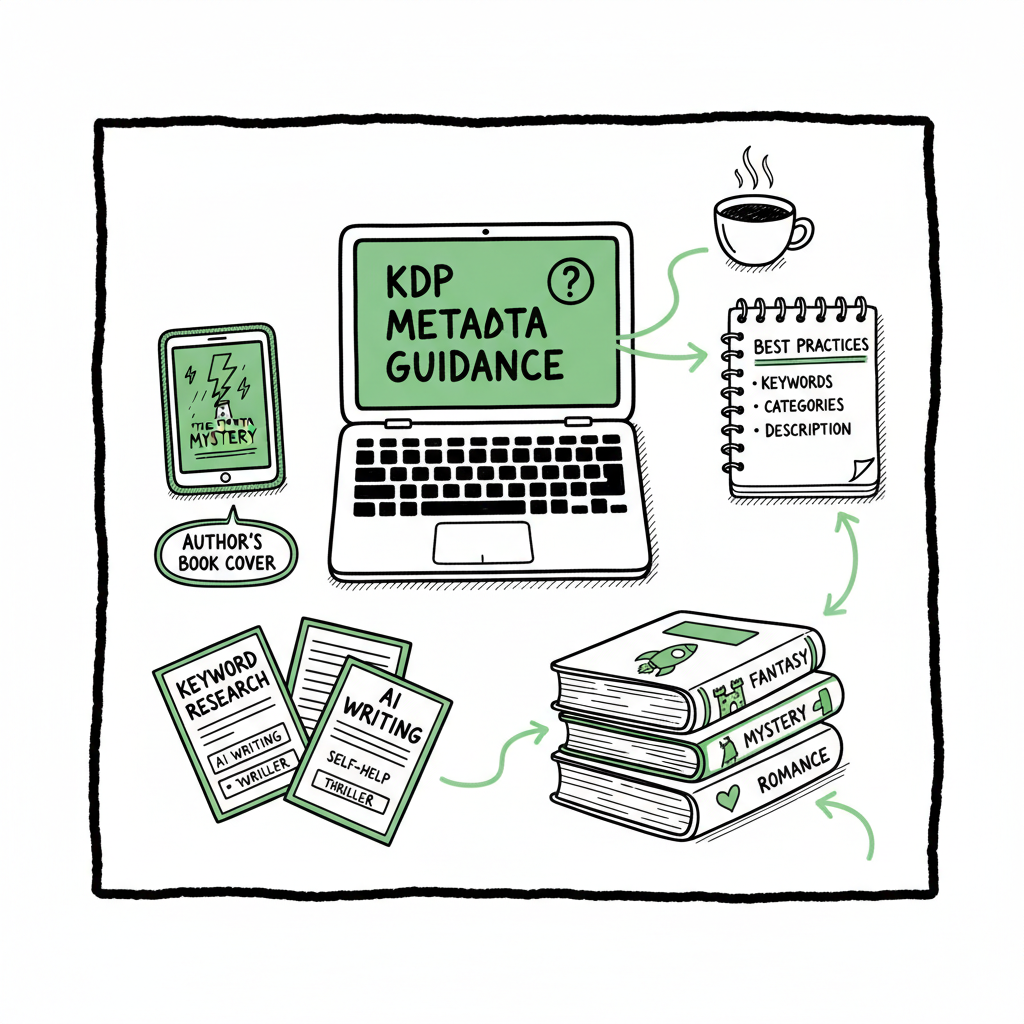
KDP Metadata Best Practices for Self-Publishing Authors
REQUIRED STRUCTURE (IN THIS EXACT ORDER)
kdp metadata best practices: A practical guide for self-publishing authors
Estimated reading time: 14 minutes
Key takeaways
- Accurate, consistent metadata beats clever tricks: match the cover and manuscript exactly, and avoid misleading or promotional language.
- Use the description, subtitle, and backend keywords to communicate real reader intent — not keyword lists — and revisit them periodically based on performance.
- When you publish at scale, automate uploads and enforce platform-specific rules to save time, reduce errors, and keep distribution broad.
Table of Contents
- Why KDP metadata matters
- Practical kdp metadata best practices
- Scaling metadata across platforms
- FAQ
Why KDP metadata matters
If you want people to find and buy your book on Amazon, KDP metadata is where the battle begins. The phrase kdp metadata best practices describes more than a checklist. It’s a set of habits that prevent your book from being hidden, removed, or misrouted. Amazon’s content rules are strict: titles must match the cover, keywords must reflect the book’s content, and categories should match the central storyline. When metadata is accurate, search and category placement work for you. When it’s inconsistent or promotional, Amazon may flag the listing or suppress visibility.
Metadata is the durable layer between your writing and the marketplace. A clear title, honest subtitle, tight description, and well-chosen categories tell Amazon’s systems what your book is and which readers will like it. That’s why teams that publish multiple titles invest in standards and tooling early on: consistent input reduces manual review errors and keeps books live. If you plan to scale, this point is critical — you’ll want a repeatable way to enforce rules and avoid common traps.
One practical tip for teams: keep a metadata master file that mirrors the cover exactly (title, subtitle, contributors). If you want to test multiple descriptions or keywords, do it in a controlled, audit‑friendly way so every change can be reversed and tracked. For authors curious about automated assistance in this area, consider resources like Amazon KDP Metadata Optimization Automation as part of a larger workflow for repeatable, compliant uploads.
Practical kdp metadata best practices
The tactical work of metadata has predictable steps. This section walks through the fields that matter and the reasoning behind each decision. These are operational rules you can apply to any manuscript.
1) Title and subtitle: match the cover, keep it honest
- The title field on KDP must be the actual book title as it appears on the cover. Don’t tack on keywords, promotional phrases (like “bestseller”), or URLs.
- The subtitle is useful for clarifying what the book delivers. Use it to explain the promise (e.g., “A Practical Guide to Low‑Sugar Baking”), but keep it consistent with the cover and the rest of the listing.
Why this matters: Amazon’s systems and human reviewers compare the file and cover to the metadata. Any mismatch can lead to quality flags or reduced visibility.
2) Contributors and editions: be precise
- List contributors (author, editor, illustrator) exactly as they appear on the book. If you publish multiple editions, reflect edition information consistently across cover, file, and metadata.
Why this matters: Inconsistent contributor or edition fields confuse shoppers and can trigger enforcement.
3) Description: sell the book, don’t game the search
- Use the description to explain who the book is for, what problem it solves, and how it will be experienced. Keep the language natural and reader‑focused.
- Use limited HTML if you need to format paragraphs or bold a short line — but avoid excessive tags and do not include external links or purchase instructions.
Why this matters: The description is customer-facing. Keyword stuffing here can hurt conversion and may violate KDP content guidance.
4) Backend keywords: relevance first
- Use all backend keyword slots with highly relevant phrases that aren’t already obvious in title or subtitle. Don’t repeat the exact words already in visible fields; instead, use synonyms or alternate reader searches.
- Never use other authors’ names, trademarks, or unrelated topics. Avoid promotional phrases, category names, or HTML.
Why this matters: Backend keywords should reflect real reader searches for your book’s content. Irrelevant or trademarked terms are explicitly forbidden.
5) Categories and BISAC: match the core theme
- Choose categories that reflect the book’s main theme. On KDP you can request two categories and assign BISAC codes where supported.
- Resist gaming categories to chase a bestseller rank. That risks a poor customer experience and policy problems.
Why this matters: Correct categories put your book in front of readers who expect the content.
6) ISBN, formats, and pricing: support consistency
- If you provide an ISBN for paperback or hardcover, ensure every related field (title, subtitle, contributors, edition) lines up.
- For ebooks, make sure the file title metadata inside the EPUB or MOBI matches the KDP title field.
Why this matters: Consistent metadata prevents catalog fragmentation and reduces customer confusion.
7) Description structure that converts
- Lead with a clear one-sentence hook.
- Follow with a short paragraph that outlines the problem or promise.
- Add a brief list of benefits or what the reader will learn.
- Close with a soft call to action (e.g., “If you want X, this book will show you how.”)
This structure keeps the description readable and action-oriented without stuffing keywords.
8) Testing and measuring
- Track discoverability and conversion after any metadata change. Test one variable at a time: change the subtitle this month, adjust backend keywords the next.
- Keep a simple spreadsheet or tracking document with prior versions — when you change metadata, record date, fields changed, and the observed effect on sales or page views.
Why this matters: Metadata optimization is iterative. Small, measured changes avoid unnecessary risk.
Cover consistency and file formatting
The title and contributors printed on the cover must match the metadata. You should also confirm the cover’s text is legible at thumbnail size and doesn’t include misleading badges or promotional lines.
If you’re working with a cover generator, check the final output against KDP rules before uploading — that avoids rejections. For authors using automated tools, check the final output against KDP rules before uploading — that avoids rejections.
EPUB and ebook conversion
Convert the manuscript to a clean EPUB that preserves metadata fields correctly. The internal metadata inside the EPUB should reflect the KDP title and contributors.
Validate your EPUB with a tool before upload. Small errors in EPUB metadata or structure can trigger quality warnings on KDP and other platforms.
If you need conversion, use a reliable epub converter to create files that meet platform expectations.
Scaling metadata across formats
When you create a paperback or ebook, keep a shared metadata source so the public title, subtitle, and contributors remain identical across formats.
If you distribute widely (Kobo, Apple Books, Draft2Digital, Ingram), remember each platform has slight differences in accepted fields and formats. Maintain a platform mapping document that translates your master metadata into each platform’s required form.
For authors publishing both paperback and ebook, a central tool for book creation and metadata management helps maintain consistency across product files and storefronts.
Scaling metadata across platforms
If you publish more than one or two books, you stop thinking about single listings and start thinking about workflows. Scale is about repeatable accuracy, not shortcuts. Here’s how to build a reliable system that supports multi-platform distribution.
1) Use a single metadata master
- Maintain one source of truth — a CSV or spreadsheet with canonical fields: title, subtitle, author, contributors, series, edition, description, backend keywords, categories, BISAC codes, ISBNs, and format-specific notes.
- Export formatted CSVs for platform upload where possible. This prevents transcription errors and ensures fields match across Amazon KDP, Kobo, Apple Books, and Ingram.
Why this matters: A single master reduces drift between formats and stores.
2) Understand platform-specific intelligence
- Each store has small differences: title length limits, allowed HTML in descriptions, category taxonomies, and which metadata fields are public versus backend-only.
- Build platform rules into your workflow so the same master file can be transformed automatically for each destination.
Why this matters: Tailored rules keep listings compliant and visible.
3) Automate uploads without losing compliance
- Automation should enforce rules, not bypass them. Set validation steps that check the title matches the cover, that keywords are within allowed character sets, and that category choices are relevant.
- A reliable automation layer also records what was uploaded and when, and stores prior versions so you can revert changes.
Why this matters: Consistency reduces risk during mass publishing.
4) Batch uploads via CSVs
- Bulk CSV uploads are the practical way to scale. Use consistent templates and make sure each platform’s CSV is generated from the same metadata master to avoid divergence.
- For high volume, schedule bulk uploads during low-traffic hours and run a small test upload first.
Why this matters: Faster deployment with fewer errors.
5) Reduce errors with platform-specific checks
- Verify that the EPUB metadata matches the KDP listing for ebooks, that the paperback interior and cover files are final, and that ISBNs are correctly assigned.
- Implement a simple checklist per file: cover matches metadata, interior contains no placeholder text, and the description is formatted for the target platform.
Why this matters: Early detection prevents costly re-uploads.
Why multi-platform distribution matters
Wider distribution increases reach and spreads risk. If you’re serious about making publishing a business rather than a one-off project, distributing to Amazon plus Apple Books, Kobo, Draft2Digital, and Ingram makes your catalog discoverable in more places.
At scale, automating the repetitive parts of distribution saves about 90% of the time compared with manual uploads. It also reduces human error and enforces the platform-specific intelligence needed to keep books live.
BookUploadPro and practical automation
When authors reach the point of publishing multiple titles, BookUploadPro becomes an obvious upgrade. It automates repetitive uploads across Amazon KDP, Kobo, Apple Books, Draft2Digital, and Ingram.
The service uses CSV batch uploads, platform-specific intelligence, and validation steps to cut manual time by roughly 90%. That makes wide distribution practical and affordable, with a free trial to start.
Use automation to enforce compliance: validate that the title on the cover matches the metadata, flag prohibited backend keywords, and confirm category choices. Automation is most useful when it enforces KDP’s official metadata and content quality rules rather than trying to game search.
Try BookUploadPro free trial at BookUploadPro.com to see how automated, compliant metadata and multi-platform distribution fits your publishing workflow.
Operational checklist for scaled publishing
- Build a master CSV with canonical metadata for each title.
- Generate platform-specific exports and validate each field against that platform’s rules.
- Run automated checks: cover/title match, keyword policy checks, and description HTML validation.
- Upload in batches, then monitor for platform messages or flags.
- Track changes and results in a simple dashboard so you can see what metadata updates correlated with improved discoverability.
Ongoing maintenance and performance
Metadata is not “set and forget.” Markets shift, genre trends change, and reader queries evolve. Ongoing maintenance keeps catalog visibility healthy.
1) Schedule periodic reviews
- Revisit backend keywords and categories every 2–6 months, depending on sales velocity. If a title is stagnant, fresh keywords and a tuned description can help.
- Keep a change log: record what you changed, when, and why.
Why this matters: Regular checks prevent stagnation.
2) Use performance signals
- Track impressions, clicks, conversion, and sales where possible. On platforms that provide insights, look for changes after metadata updates.
- When making changes, only adjust one variable at a time (e.g., swap the subtitle without changing the description) so you can measure impact.
Why this matters: Isolate the cause of performance changes.
3) Respect seasonal and cross-promotion opportunities
- For seasonal content, schedule metadata swaps ahead of the season and revert afterward if needed.
- If you run author-level promotions, keep promotional text off the product page description; use designated promo tools or advertising instead.
Why this matters: Timing can unlock new audiences.
4) Protect against content quality enforcement
- Always avoid using other authors’ names, brand names, or trademarks in backend keywords.
- Don’t include direct purchase URLs or promotional instructions in the description — that can trigger removal.
Why this matters: Compliance helps maintain discoverability.
5) Catalog hygiene at scale
- For publishers with dozens or hundreds of titles, run monthly scripts to check for missing fields, mismatched cover text, or unusual characters in titles that might be rendering incorrectly.
- Keep backups of prior uploads and a recovery plan if a platform removes a listing.
Why this matters: Preparedness protects your catalog.
Practical examples
Example A: A nonfiction title with a long subtitle. Keep the public subtitle on the cover and metadata identical. Use backend keywords for alternate search phrases like “habit building” or “daily routines” if they are relevant.
Example B: A fiction series. Ensure series name and number are consistent across cover, EPUB metadata, and KDP fields. If you change the series title later, update all formats and platform listings to avoid fragmenting the series page.
FAQ
Q: How long should my KDP title and subtitle be?
A: Keep the title exactly as it appears on the cover. Subtitles should be concise — enough to describe the promise or genre without turning into a keyword list. Amazon enforces visible accuracy more than a strict character limit, but shorter is usually clearer at thumbnail sizes.
Q: Can I use author names or brand names in backend keywords?
A: No. KDP forbids using other authors’ names, trademarks, or requests to buy elsewhere in backend keywords. Only include terms that genuinely describe your book’s content.
Q: How often should I change keywords or categories?
A: Every few months is reasonable. If you see meaningful changes in discoverability, pause and measure before making more edits. Small, deliberate changes are safer than frequent, broad swaps.
Q: Will adding more keywords always increase visibility?
A: Only if the keywords are relevant and reflect how readers search. Adding unrelated or promotional terms can harm visibility and risk policy enforcement.
Q: What’s the risk of mismatched metadata between cover and KDP fields?
A: Mismatches can trigger content quality flags, lower visibility, or listing removal. Always ensure title, subtitle, series, and contributors match exactly across cover, file, and KDP fields.
Final thoughts
Good metadata is operational work: the rules are simple, but the discipline to keep entries consistent matters. For authors publishing one book, these guidelines keep you compliant and discoverable. For authors publishing several titles, adopt a master metadata source, validate files before upload, and use automation where it enforces platform rules and reduces repetitive tasks. Automation that understands platform differences — and checks for cover/title consistency and prohibited terms — is the practical way to scale without adding risk.
If you create covers or convert files as part of this workflow, make sure those tools enforce final file checks. For cover creation, consider a cover generator that handles text positioning and readability. If you need EPUB conversion, use a reliable converter that preserves internal metadata. When you’re making paperback and ebook files together, choose a creation workflow that keeps fields synchronized across formats.
BookUploadPro positions itself as the automation layer for publishers and serious independent authors: unified multi-platform publishing, CSV batch uploads, platform-specific intelligence, ~90% time savings, and error reduction. It’s an obvious upgrade once authors start publishing seriously: automate the upload. Own the distribution.
Try BookUploadPro free trial at BookUploadPro.com to see how automated, compliant metadata and multi-platform distribution fits your publishing workflow.
Sources
- Metadata Guidelines for Books – Kindle Direct Publishing
- Guide to Kindle Content Quality – Kindle Direct Publishing
- Books Titles & Editions – Kindle Direct Publishing
- Write a Book Description – Kindle Direct Publishing
- 7 Proven Steps to Optimize Book Metadata for Amazon
REQUIRED STRUCTURE (IN THIS EXACT ORDER) kdp metadata best practices: A practical guide for self-publishing authors Estimated reading time: 14 minutes Key takeaways Accurate, consistent metadata beats clever tricks: match the cover and manuscript exactly, and avoid misleading or promotional language. Use the description, subtitle, and backend keywords to communicate real reader intent — not…