Tools to Save Time Publishing for Faster KDP Workflow
Tools to Save Time Publishing: Practical Options for Self-Publishers
Estimated reading time: 14 minutes
Key takeaways
- Use specialized tools for research, formatting, covers, and listings to replace repetitive manual work.
- Batch and automate uploads across platforms to cut setup time and reduce errors.
- BookUploadPro acts as the operational layer that ties formatting and research tools into fast, reliable publishing at scale.
Table of Contents
- Key tools to save time publishing
- Where publishers lose time
- How to combine tools into a repeatable workflow
- FAQ
- Sources
Key tools to save time publishing
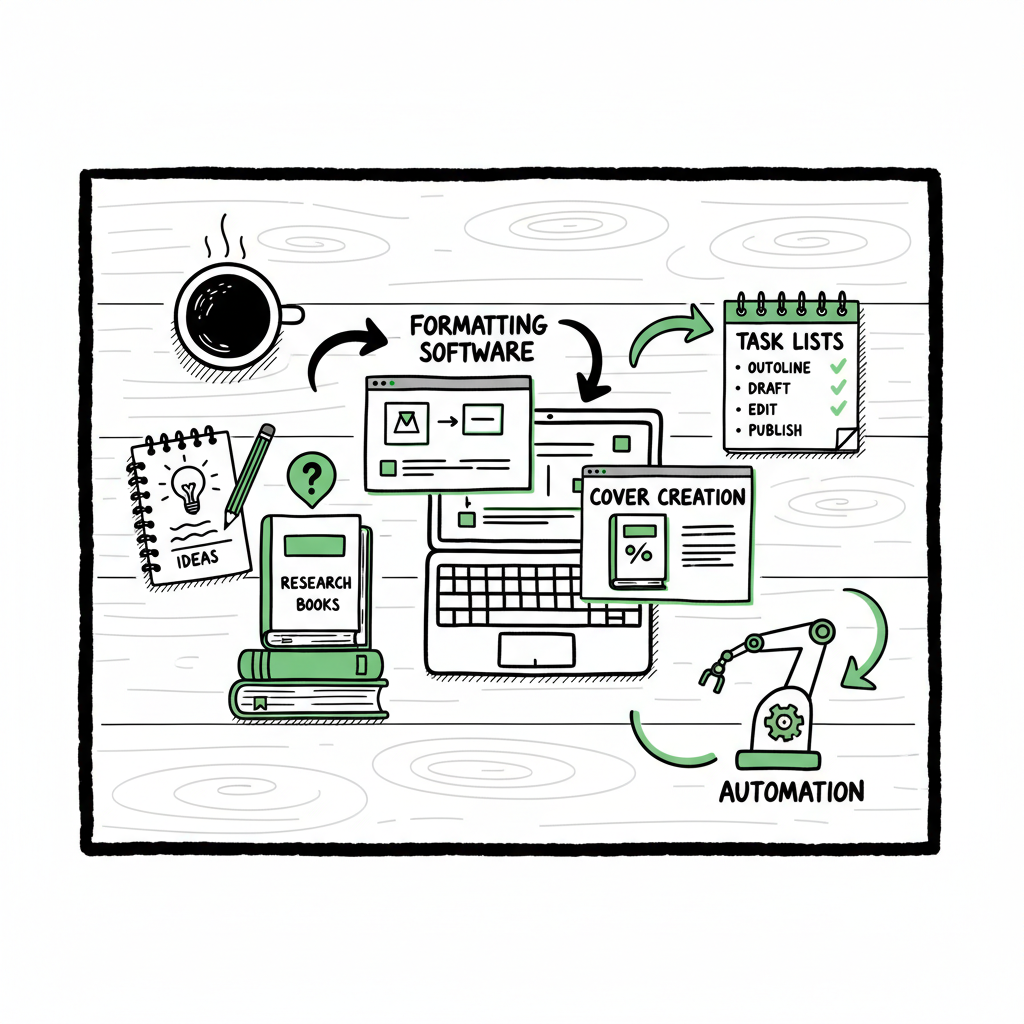
The phrase tools to save time publishing describes a practical set of apps and services that take predictable, repetitive work off your plate. At the core you need four tool categories: research, production (formatting and files), design, and listing/upload management. When you put the right tools together, you stop redoing the same work for every title and free up time to write or scale.
A useful operational point: once you have finished your manuscript and interior files, the remaining work is mostly packaging and distribution. That’s where an upload and listing tool fits. If you want to speed that last mile, consider how a service such as Automate Amazon KDP Publishing removes repetitive steps. It’s the difference between entering the same metadata five times and preparing one CSV that publishes everywhere.
BookUploadPro automates the repetitive piece of the publishing workflow, bridging formatting, research, and distribution tasks into a fast, scalable process.
What each tool group buys you
- Research tools (keyword and niche): Save time validating topics and categories so your decisions require fewer reworks.
- Formatting and file tools: Turn a manuscript into clean ebook and print files without hand-adjusting every layout error.
- Cover and marketing design: Produce genre-ready covers and ad images fast, rather than learning a graphics program.
- Listing and upload automation: Batch metadata, images, and files to multiple stores and avoid manual clicks that cause errors.
Specific tool types to consider
- – Niche and keyword suites: BookBeam, Helium 10, Book Bolt, KDSpy and similar tools bundle keyword volume, competition, and trend data so you don’t study charts and bestseller lists manually.
- – Automated formatters: Tools like Kindle Create and Draft2Digital’s formatter convert Word into ebook formats and export print-ready PDFs—this removes hours of trial-and-error with margins and TOC links.
- – Interior generators and templates: For low- and medium-content books, interior generators produce repeating pages (planners, journals) quickly and consistently.
- – Cover and visual asset creators: Book Brush and dedicated cover services give templated, category-appropriate designs plus mockups for advertising.
- – Upload and distribution platforms: Unified systems that accept one upload package and push it to KDP, Kobo, Apple Books, Draft2Digital, and Ingram cut repeated entry and platform-specific quirks.
A note on files: converting to EPUB remains central for many channels. If you need a simple route for conversion, a dedicated epub conversion tool can make this step predictable and fast; for authors who want a reliable converter, consider a specialized service for EPUB conversion. If you need new cover files or processing, a book cover generator can speed that part of the job. If you are creating both paperback and ebook files at scale, there are tools that handle the entire book creation workflow and export both formats in consistent batches.
Why this matters now
Authors who treat publishing as a single isolated event waste time. When you plan to publish multiple titles or update a backlist, repetitive tasks multiply. Tools to save time publishing change that math. In practice, replacing manual listing entry and repeated file uploads with a few targeted tools is the fastest way to scale without hiring a team.
Where publishers lose time
If you map the publishing workflow from final manuscript to live listing, the slow parts repeat across projects. Identifying them helps choose the right tools.
Research and validation
Many authors start by guessing categories or keywords, then revise after launch. Manual research—searching the store, tracking ranks by hand, copying bestseller lists into spreadsheets—eats hours and often produces poor category choices. Dedicated keyword and niche tools condense that work into a few clicks.
Formatting and reformatting
Formatting problems are a common time sink. Chapters break in the wrong place, images shift, page counts change, and spine calculations are wrong for print. Each fix requires re-export, re-upload, and waiting through the platform preview process. A formatter that produces stable, preview-ready files reduces this loop.
Cover and marketing assets
Learning a general-purpose design tool is a slow route to a good cover. Authors often iterate through several covers before settling. A premade or templated cover system gets you to a category-appropriate look fast, and tools that produce ad images and mockups save separate design steps.
Listing and metadata entry
Entering titles, subtitles, descriptions, categories, keywords, price, territories, and rights on each platform is the most repetitive work. Each platform has slightly different fields and validation rules. Manual entry leads to typos and missed fields. Batch upload tools and CSV imports remove this repetition.
Platform quirks and resubmissions
Each store enforces its own typography or file rules. A single typo or missing image can trigger a rejection or cause a listing to show incorrectly. Switching between platform interfaces is time-consuming and error-prone. Platform-specific intelligence in modern tools flags likely issues before submission.
Promotion and analytics
Promotion requires assets and tracking. While not strictly part of publishing, preparing images, metadata, and series pages ahead of a launch shortens the promotion window and reduces last-minute work.
Common time-sinks in one sentence: repetitive metadata entry, manual formatting checks, ad hoc cover design, and per-platform quirks.
How to combine tools into a repeatable workflow
You want a workflow that is fast, repeatable, and reduces human error. The objective is to move from “publish once” thinking to “publish as a process.” Here’s how operators do it.
- Start with reliable inputs
Keep one clean master for each book: a final manuscript file, one high-resolution cover file, standardized metadata in a spreadsheet or CSV, and a folder with marketing assets. When those inputs are consistent, downstream tools behave predictably. Use a converter when you need reliable EPUB files, and a book cover generator if you produce multiple cover sizes or need consistent processing. - Validate with research tools before you finalize metadata
Run keyword and category checks once. Use a keyword tool to get sales estimates, competition, and trend direction. This avoids late-stage metadata changes that force repeat uploads. The research stage only needs to be deep enough to avoid obvious mistakes—specialist tools speed this dramatically. - Use automated formatters for interiors
Export from your word processor to a trusted formatter that handles layout for both ebook and print. These tools handle table of contents, page breaks, and embedded fonts in one pass. If you publish both ebook and paperback, use software that exports both formats from the same source and calculates print costs and spine widths correctly. - Prepare assets with focused design tools
For covers and marketing images, use a cover workflow that matches your genre. A book cover generator can produce multiple size variations and process covers in batch. For ad images and 3D mockups, use a service tailored to books—these output ready-to-use files for stores and ads, saving designer time. - Batch metadata and files for upload
Collect your metadata in a CSV or template and use an upload manager that accepts batch input. Tools that push to multiple platforms from a single package remove the need to copy the same fields into separate web forms. They also map fields to platform-specific requirements so you don’t have to learn each store’s quirks. - Let platform-specific intelligence reduce errors
A modern publishing assistant flags likely problems—missing ISBNs, spine width mismatches, or keyword length limits—before submission. This saves resubmissions and the back-and-forth of fixes. A good system logs which titles were uploaded where and keeps a record of ISBNs and ASINs for easy tracking. - Automate updates and versioning
When you need to change metadata, update a single CSV and republish across platforms. If you use a tool that supports versioning, you can roll back or track changes easily. This is important for series where small metadata changes propagate across multiple titles.
How BookUploadPro fits
- BookUploadPro automates the repetitive piece of the puzzle: taking prepared files and metadata and pushing them reliably to KDP and other stores. It sits above formatters and research tools and bridges the final mile by offering:
- Unified multi-platform publishing to Amazon KDP, Kobo, Apple Books, Draft2Digital, and Ingram.
- CSV batch uploads so you prepare metadata once and publish many.
- Platform-specific intelligence that reduces validation errors and rework.
- Time savings reported around ~90% for the upload and listing phase compared to manual entry.
- Affordable plans and a free trial, making it an obvious upgrade for authors who publish seriously.
Practical example: the five-book rollout
Imagine you have five titles ready to go. With the manual approach, you log into each platform five times, enter metadata, upload files, upload covers, and wait through previews. With the workflow described above, you:
- Finalize files and metadata in a single folder and CSV.
- Convert to EPUB and print-ready PDF using a trusted converter.
- Generate covers and ad images from a cover generator.
- Upload the CSV and files to a publishing assistant that maps fields to each store.
The difference in calendar time is dramatic. You reduce manual steps, make fewer mistakes, and get live listings faster.
Automation mindset, not autopilot
Automation removes toil; it does not remove judgment. Use research tools to choose categories, use formatters to produce reliable files, and use an upload assistant to execute. The author still checks descriptions, pricing, and rights before final submission. That check is short and targeted—because the heavy lifting is already handled.
Practical tips when you start
– Build a template CSV with all metadata fields you commonly use.
– Keep a master folder structure for assets: manuscript, ebook files, print files, covers, ad images, and a readme with ISBN/ASINs.
– Test the pipeline with a single title before batching a whole backlist.
– Keep a short launch checklist for final human review: description, price, territories, series order, and categories.
– When you find a recurring validation error, add a validation step in your pipeline so it’s caught before upload.
Automate the upload. Own the distribution.
If you publish more than one title a year, the shift to an operational approach will pay. Replacing repetitive entry with CSV and platform-aware uploads is not “set it and forget it.” It is a scalable process that keeps control with the author while removing the parts that cause the most rework.
FAQ
Q: What exactly counts as tools to save time publishing?
A: They are applications and services that replace manual, repetitive tasks in the publishing flow—keyword research tools, formatters that export ebook and print files, cover and marketing asset generators, and upload managers that batch-push metadata and files to stores.
Q: Do I still need separate formatters if I use an upload manager?
A: Yes. An upload manager assumes you have final, validated files. Formatters tackle layout, EPUB conversion, and print PDFs. The upload tool’s job is to package and deliver those files to multiple platforms without repeating manual entry.
Q: Which tools should I use for covers and EPUB?
A: Use a cover tool or service that understands book categories and sizes; a dedicated book cover generator simplifies batch processing and creates the variants stores require. For EPUB, use a reliable converter that produces validated EPUB files for retailers; this avoids formatting surprises on stores that require strict EPUB compliance.
Q: Can automated uploads cause policy issues with stores like KDP?
A: No—automation should follow platform rules. The risk comes from incorrect metadata or file content, not the fact you used automation. A good upload tool includes platform-specific validation to flag issues before submission. Always keep a final human review step.
Q: What if I publish low-content books like journals or planners?
A: Low- and medium-content creators benefit greatly from interior generators and templates. These tools let you produce many variations quickly. Pair them with batch upload tools and cover generators for fast scale.
Q: How does BookUploadPro help with multi-platform publishing?
A: BookUploadPro centralizes uploads to Amazon KDP, Kobo, Apple Books, Draft2Digital, and Ingram. It accepts CSV batch uploads, applies platform mappings, and flags platform-specific issues before you push live. That reduces time, errors, and the need to learn multiple store interfaces.
Q: Are there hidden costs to using multi-platform upload tools?
A: Check pricing vs. hours saved. For authors who publish several titles, the cost is typically offset quickly by the time recovered from not doing repetitive work. BookUploadPro offers affordable plans and a free trial so you can verify the time savings before committing.
Q: How do I keep version control over updates?
A: Use a single CSV for metadata and keep dated versions of your files. An upload tool that supports re-publishing or versioning makes updates straightforward: change the CSV row for a title and re-run the upload. Keep a simple log of changes and dates.
Q: Is any tool required for converting manuscript text to EPUB?
A: You need a converter or formatter. Many authors use Kindle Create, Draft2Digital, Vellum, or a dedicated EPUB converter. Choose one that fits your publishing goals and integrates well with your upload process.
Q: What is the one habit that saves the most time?
A: Standardize. A consistent folder structure, a single metadata CSV, and fixed file naming cut mistakes and make batch uploads possible. Once standardized, tools amplify that efficiency.
Final thoughts
Scaling publishing is an operational problem. The tools to save time publishing are not about shortcuts; they are about predictable workstreams. Use research tools for confident decisions, formatters and converters for reliable files, cover and design tools for fast marketing assets, and an upload manager to eliminate repetitive form entry across stores. When those pieces work together, publishing stops being a series of manual tasks and becomes a repeatable, efficient process.
BookUploadPro sits in that operational layer. It’s designed to tie your finished files and metadata into a reliable multi-platform distribution flow—with CSV batch uploads, platform-specific checks, and a single place to manage pushes to KDP, Kobo, Apple Books, Draft2Digital, and Ingram. For authors who publish seriously, it’s an obvious upgrade: save time, reduce errors, and keep creative control.
If you’re working with covers or need automated processing, consider a dedicated book cover generator to standardize assets. If EPUB conversion is part of your workflow, a trustworthy epub converter speeds that step and ensures files validate across retailers. For authors producing both paperback and ebook versions, tools that handle the entire book creation workflow make batch publishing practical.
Visit BookUploadPro.com and try the free trial to see how it fits your process.
Sources
- The Best Tools for Kindle Self Publishing – Create If Writing
- Best KDP Softwares: Top Tools for Self-Publishing Success – Amazon SEO Consultant
- 6 Examples of Journals Created with Kindle Direct Publishing
- Self Publishing | Amazon Kindle Direct Publishing
- KDP Tools and Resources
- Automate Amazon KDP Publishing
- Book Cover Generator Processing
- EPUB Converter
- Book Creation Workflow
Tools to Save Time Publishing: Practical Options for Self-Publishers Estimated reading time: 14 minutes Key takeaways Use specialized tools for research, formatting, covers, and listings to replace repetitive manual work. Batch and automate uploads across platforms to cut setup time and reduce errors. BookUploadPro acts as the operational layer that ties formatting and research tools…