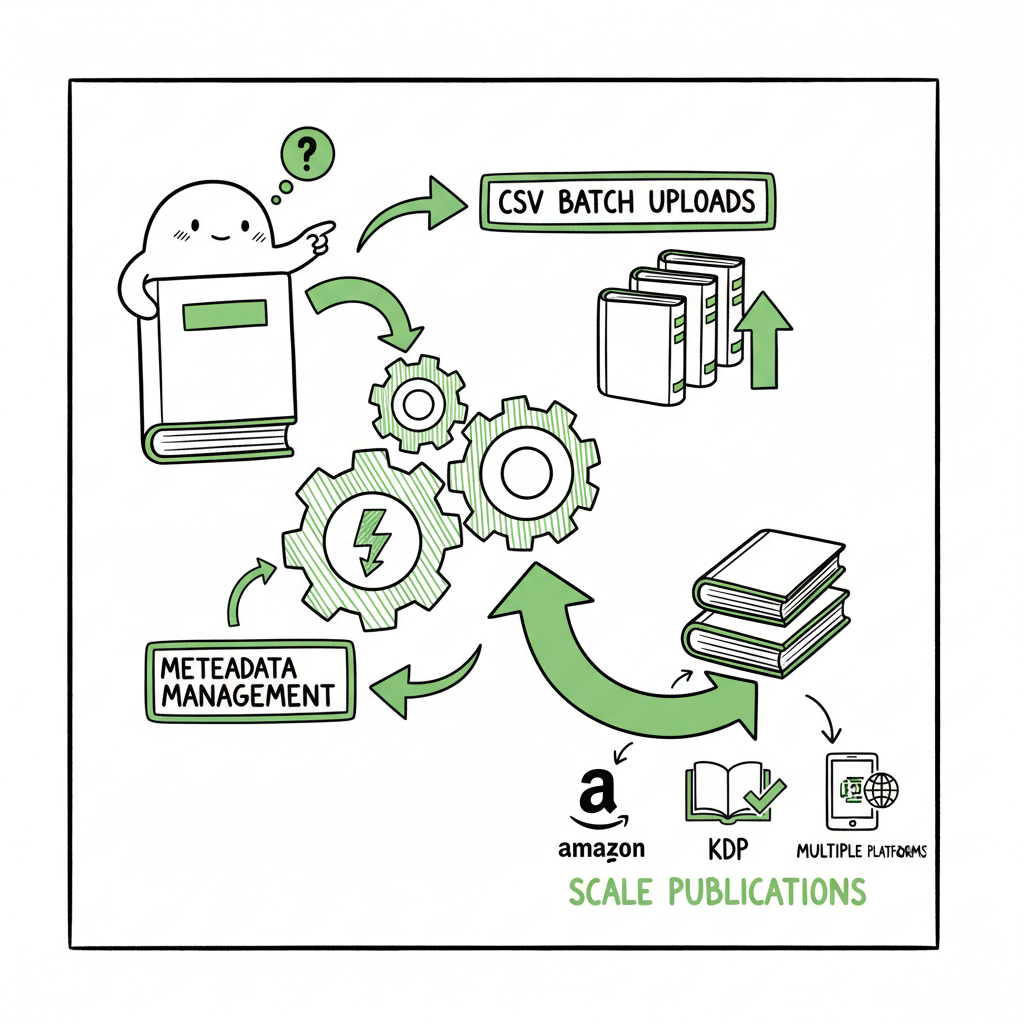
Automate Amazon KDP to Scale Uploads and Publishing
Automate Amazon KDP: How to Scale Uploads and Publish Across Platforms
Estimated reading time: 13 minutes
Key takeaways
- Automating Amazon KDP removes repetitive work (metadata, categories, pricing) so you can publish at scale without burning time.
- A practical automated pipeline combines CSV batch uploads, platform-specific intelligence, and automated EPUB/cover handling to reduce errors and save about 90% of manual effort.
- BookUploadPro stitches the steps together for multi-platform distribution—Amazon KDP, Kobo, Apple Books, Draft2Digital, and Ingram—making wide distribution practical and affordable.
Table of Contents
- Why automate Amazon KDP workflows?
- What KDP tasks are safe to automate?
- How to build an automated multi-platform pipeline
- Risks, limits, and staying compliant
- FAQ
- Sources
Why automate Amazon KDP workflows?
If you publish more than a handful of titles a year, you will hit a wall of repetitive tasks: entering metadata, choosing categories, uploading covers and files, and repeating the same details across markets. To automate Amazon KDP is to remove that wall. Automation turns hours of manual upload work into background tasks you can schedule and monitor.
For a scalable path, many authors choose to use Automate Amazon KDP Publishing with a unified uploader that handles platform differences.
The core payoff is time and consistency. When you stop copying and pasting and start feeding structured data (CSV rows, templates, and assets) into a system, you get predictable output across platforms. That’s critical when you publish series, low-content books (notebooks, journals), or multiple language editions. It also improves quality: automated category selection and validation prevent simple mistakes that can cause rejected uploads or poor discoverability.
Operational benefits you should expect:
- 80–95% reduction in hands-on upload time for batch jobs
- Fewer reject cycles caused by missing or mismatched metadata
- Consistent pricing and territory settings across marketplaces
- Ability to push one CSV to many outlets without rekeying
Once you understand the steps that make publishing repeatable, many authors take the obvious next step and choose to Automate Amazon KDP Publishing with a unified uploader that handles platform differences. That move is the operational turning point between hobby publishing and publishing as a business.
What KDP tasks are safe to automate?
Not every part of publishing should be fully automated. The safe, high-value targets are the repeatable, low-judgment tasks that consume time but require little creativity. Those are exactly where automation tools and batch systems shine.
Tasks well suited to automation
- Metadata entry: Title, subtitle, series fields, author, publisher metadata can be templated and mapped from a CSV.
- Keywords and categories: Tools can search and apply appropriate BISAC or Amazon categories and check for availability across markets.
- Pricing and royalty configuration: Automate base price, territory selection, and royalty scheme based on rules.
- File uploads: EPUB, manuscript PDFs, and cover files can be attached automatically when mapped to a CSV row.
- Multi-market distribution: One upload can target 10+ Amazon marketplaces with localized pricing and territory rules.
- Draft management: Create, save, or publish drafts in bulk and schedule releases.
Tasks that need human oversight
- Content creation and editing: The manuscript should be finalized and proofread by humans. Automation does not replace author judgment.
- Creative decisions: Cover design choices, hooking blurbs, and marketing angles are better when reviewed.
- Policy-sensitive checks: Content that may touch restricted topics or copyrighted material requires review to avoid violations.
Practical formatting and asset automation
- Convert manuscripts to EPUB reliably with a dedicated converter before upload; automated pipelines should accept EPUB as a standard input.
- Generate or process covers programmatically when you use repeatable templates. If you use a cover generator, connect it so cover files are created in the right size and format automatically.
- If your workflow includes converting to EPUB or generating covers, use tools that integrate those steps into the pipeline. For EPUB conversion, an automated EPUB converter can remove manual fiddling and standardize output across titles. For cover processing, a cover generator that handles trim, spine calculation, and export saves a lot of back-and-forth on dimensions and bleed.
- And if you routinely create paperbacks or ebooks, a consistent book creation workflow keeps file naming and asset linkage predictable.
Practical note: Automating cover and EPUB tasks is not the same as outsourcing quality control. Always run a sample proof check before you publish a large batch.
(Links added where relevant: cover generator, EPUB converter, and book creation workflow are available to plug into automated pipelines.)
How to build an automated multi-platform pipeline
This is the operational section—how to design a repeatable system and what to watch for when you scale. I’ll describe a straightforward pipeline that you can use or adapt.
- Define the canonical source
- Keep one structured source of truth per title: a CSV row and a folder of assets. CSV columns should include title, subtitle, series, edition, author name, keywords, category IDs, territories, price rules, manuscript file path, and cover file path.
- Store assets in predictable paths so the uploader can attach the correct files without manual selection.
- Normalize assets before upload
- Convert manuscripts to a validated EPUB (or properly formatted PDF for paperbacks). Using a dedicated EPUB converter reduces upload failures from file errors and ensures consistent rendering.
- Generate covers to the exact specs required by each format. If you produce paperbacks, ensure spine size is calculated and the cover file includes bleed.
- Create platform mappings
- Each platform has slightly different fields. Build a mapping layer that converts CSV column names to platform fields (e.g., CSV “price_us” maps to Amazon price for USD, and to Kobo price for Kobo’s marketplace).
- Include platform intelligence: KDP needs interior file types and trim sizes; Apple Books needs EPUB validation; Ingram needs specific metadata like BISAC codes.
- Batch and queue uploads
- Use a batch uploader that reads the CSV, attaches the mapped assets, and submits to marketplaces as a queue. A background queue allows you to keep working while uploads run.
- Retry logic matters. If a submission fails for a transient error (network, temporary validation), an automatic retry gets the job done without manual intervention.
- Monitor and reconcile
- Track status: draft created, files accepted, live, error. Keep a reconciliation report that you can export and inspect.
- If marketplaces return errors, surface them in a single dashboard with the failed row, the error message, and suggested fixes.
- Schedule and throttle
- Respect marketplace rate limits. A good pipeline implements throttling so you don’t trigger platform protections or blocks.
- Schedule releases: some pipelines let you publish or push updates at a set date and time across markets.
- Automate downstream tasks
- After publishing, feed sales and royalty reports into your bookkeeping systems automatically.
- Archive assets and metadata snapshots after publish for traceability.
Why this matters operationally
- CSV batch uploads and a single validated asset package let you handle hundreds or thousands of titles without manual form filling.
- Platform-specific intelligence—like trim sizes for paperbacks, Amazon category selection rules, or EPUB validation for Apple Books—prevents errors that cause rejections.
- The right system reduces errors and cuts upload time by roughly 90% compared to manual form-by-form publishing.
If you want to see how this looks in practice, many authors move from spreadsheets to a unified uploader as their first scale investment. That move—Automate Amazon KDP Publishing—lets you stop treating each book as a one-off and instead run publishing as an assembly line with quality gates.
Operational tip: keep one test account and a small batch for testing any change to the mapping or asset generation. That prevents mass mistakes.
Risks, limits, and staying compliant
Automation removes grunt work, but you must respect platform rules and cultural judgment. Here’s what to watch for.
Marketplace limits and policies
- Rate limits and throttles: Amazon and other platforms monitor unusual activity. Use throttling and account-respectful behavior in your uploader.
- Account limits: KDP may limit the number of uploads from a new account within a time window. Spread activity across appropriate accounts only when the platform allows it.
- Policy compliance: Bulk publishing is not an exemption from content policy. Don’t automate publication of copyrighted or policy-violating material.
Quality control and discoverability
- Blind automation can reduce discoverability if you rely on generic keywords or bad category choices. Use automation to apply validated keywords and proven category mappings, not generic filler.
- Duplicates and near-duplicates: High-volume publishers must guard against accidental repeats or near-duplicate uploads that can trigger flags.
Human oversight and sampling
- Automation should include sampling checkpoints. For every N automated uploads, review one live proof and the metadata record to ensure quality.
- Keep creative tasks (cover design, title testing, blurb optimization) as human decisions informed by data from sales and traffic.
Security and credentials
- Use secure credential handling. Never store or transmit account credentials in the clear. Prefer token-based access or integrations that don’t require passing passwords around.
- Limit who can publish. Keep roles and permissions for the publishing system so only trained operators push batches live.
Operational continuity
- Back up CSV sources and assets. If a pipeline is the source of truth, losing that source can be catastrophic.
- Maintain logs for every operation. Logs make it possible to reconcile errors and prove what was submitted and when.
Legal and tax
- Automated multi-market publishing shifts your revenue footprint across territories. Plan for tax and royalty reporting complexity early.
When to pause automation
- Policy changes or platform outages—switch the pipeline to a paused state and process manually until the issue is resolved.
- Large data changes—if you change category mappings or keywords en masse, test on a small sample before rolling out.
Final operational thought: Automation is a tool to scale deliberate processes, not to shortcut judgment. Use automation to enforce standards, not to bypass them.
FAQ
Q: Will automation publish my books without my review?
A well-designed pipeline gives you options. You can set uploads to create drafts for review or to publish automatically. For the first batches, use draft mode until you trust the mappings.
Q: Can I automate KDP for paperbacks and ebooks at the same time?
Yes. The pipeline should map each CSV row to multiple formats and attach the appropriate files. Paperbacks require correct trim and cover layout; make sure your cover processing produces the combined wrap file.
Q: Are automated uploads allowed by Amazon KDP?
Amazon allows uploads through supported APIs and interfaces. Excessive, abusive, or policy-violating behavior is not allowed. Use throttling and respect KDP terms of service.
Q: Do I need multiple accounts to scale?
Not necessarily. Many publishers scale with a single account using a stable, automated process. However, some publishers with very high volume or specialized catalogs manage multiple accounts according to platform rules.
Q: What file formats should I feed into an automated uploader?
Provide a validated EPUB for ebooks and print-ready PDF for paperbacks (or platform-specific interior files). Covers should be correctly sized image files; the pipeline should validate and reject incorrect dimensions.
Q: How do I handle international pricing?
Use pricing rules in your CSV: a base currency and per-market rules. Automation should convert or set local prices according to your strategy and maintain consistent royalty expectations.
Q: What monitoring should I expect from a pipeline?
A basic dashboard shows upload status, errors, and live links. More advanced systems include retry logic, error categorization, and reconciliation exports.
Sources
- Amazon KDP Automation – Flying Upload
- Automate your Amazon KDP Uploads 2023 Tutorial
- KDP Uploader automation tool
- KDP Uploader – Chrome Web Store
- Kindle Prime – The Most Complete KDP Automation Software
- KDP Upload Automation w/ Power KDP
Automate Amazon KDP: How to Scale Uploads and Publish Across Platforms Estimated reading time: 13 minutes Key takeaways Automating Amazon KDP removes repetitive work (metadata, categories, pricing) so you can publish at scale without burning time. A practical automated pipeline combines CSV batch uploads, platform-specific intelligence, and automated EPUB/cover handling to reduce errors and save…