Amazon KDP Review Times and Publishing Delays Explained
Amazon KDP Review Times & Publishing Delays Explained
Estimated reading time: 12 minutes
Key takeaways
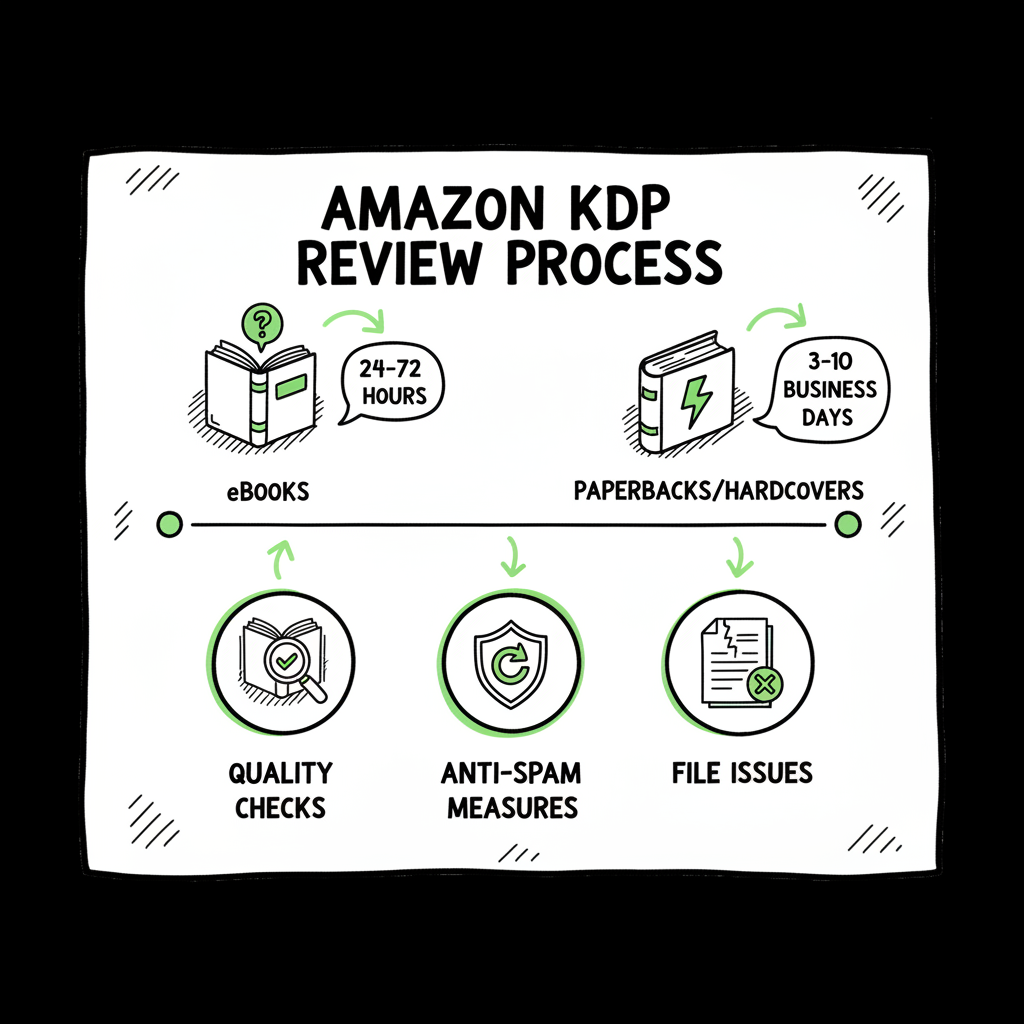
- KDP review time varies by format: eBooks often publish in 24–72 hours; paperbacks and hardcovers can take 3–10 business days or longer for low‑content books.
- Delays come from quality checks, anti‑spam limits, file or metadata problems, and platform queueing; fixing files and metadata before upload cuts risk.
- Automation and batch uploads make wide distribution practical — tools that handle CSV batch uploads, platform rules, and error checks can save ~90% of the work.
Table of Contents
- Overview — what these review times mean
- Typical timelines and recent changes
- Why delays happen and practical ways to reduce them
- How BookUploadPro fits into this process
- FAQ
Overview — what these review times mean
If you publish on Amazon KDP, you need realistic expectations about how long a book will take to appear for sale. The platform no longer guarantees instant publishing. Review is a queue driven by automated checks and human flags. That means a clean file can move fast, while small mistakes or larger policy concerns can add days.
When I say “review time,” I mean the period from when you hit publish in KDP until your book shows as live or available for pre‑order on Amazon. That interval includes file validation, metadata checks, category and rights checks, and sometimes a manual review. The phrase Amazon KDP Review Times & Publishing Delays Explained is a good shorthand for the factors that make that window variable.
Publishers who treat review as part of production — not a final step to be rushed — fare better. The rest of this article explains typical timelines, what triggers delays, and practical fixes you can apply before upload. If you publish across platforms, there’s also a section on adapting the repetitive parts so you don’t waste time submitting the same book multiple times.
Typical timelines and recent changes
Official KDP guidance gives a range rather than a fixed number because books differ. Here’s a practical summary based on KDP documents, community reports, and recent platform updates.
- eBooks (Kindle): Most eBooks process within 24–72 hours. That covers file validation, DRM choices, and price settings. If your Kindle file is well formatted and you’ve used the recommended EPUB or KPF export, expect the shorter end.
- Paperbacks and hardcovers: These often take longer because printing and “look inside” processing are involved. Typical times are 3–10 business days, with occasional cases that stretch longer.
- Low‑content books (journals, planners, simple interiors): In late 2025 Amazon tightened classification and anti‑spam checks. Low‑content books that previously moved quickly can now be held up to 10 business days while KDP confirms the book meets policy and isn’t part of an abuse pattern.
- “Look Inside” and other storefront features: Look Inside and sample generation can take 7–8 business days after the book goes live.
Other timing rules to keep in mind:
- KDP limits uploads per account to reduce spam. Community reports and KDP support indicate a practical cap that can affect publishing speed if you upload many titles in a single day.
- If a book requires a manual review for content or rights, it can sit in queue longer. Community forums show some paperbacks and hybrid formats seeing extended manual review windows beyond the official ranges.
These timelines are the working expectations you should plan for. Treat 3–10 business days as normal for non‑eBook formats, and prepare for up to 10 days in edge cases for low‑content categories.
Why delays happen and practical ways to reduce them
Understanding why KDP holds a book helps you avoid delays. Many causes are preventable.
- File and formatting issues
- Bad EPUB or PDF files trigger automated rejections or manual review. Broken styles, missing fonts, or incorrect embed settings are common culprits.
- What to do: Validate EPUB files before upload and generate print PDFs at the exact trim size with embedded fonts. Use tools or services that check files for common KDP problems.
- Cover or interior problems
- Low resolution images, incorrect spine calculations for paperbacks, or misleading covers invite delays.
- What to do: Build covers to exact specs and proof them. If you create covers yourself, use a reliable cover tool that outputs print‑ready files. If you’re experimenting with AI or templates, double‑check bleed and spine metrics.
- Metadata and rights flags
- Inconsistent metadata — for example, rights that don’t match territory settings, or ISBN conflicts — can force manual checks.
- What to do: Keep ISBN data, publication dates, and territory rights consistent. If you use an ISBN from another publisher, document ownership and be ready to verify.
- Low‑content scrutiny
- Amazon has ramped up checks on low‑content books to block spam and low‑value uploads. Repeatedly uploading many near‑identical interiors triggers flags.
- What to do: Differentiate interiors and covers. Add legitimate front matter, a clear author bio, or value‑adding content where appropriate. Small layout changes alone may not be enough — think about usefulness.
- Upload volume and account signals
- Uploading many books in a short time can trigger automated limits. Accounts that consistently publish huge batches may get slower processing.
- What to do: Space uploads, vary timing, and keep some human signals — like thorough descriptions — that show you’re a legitimate publisher.
Practical preflight checklist (do these before pressing publish):
- Run your EPUB through a validator and check Kindle Previewer output.
- Export your paperback interior to PDF at the correct trim size and view a print proof.
- Generate a cover with correct bleed and spine width.
- Confirm metadata (title, subtitle, author, publisher, ISBN, categories, keywords) is accurate and consistent.
- Limit same‑day uploads to avoid rate limits.
When you can’t avoid a delay
If KDP requires a manual review, don’t resubmit the same files repeatedly. That can reset the queue time. Fix the flagged issue and resubmit once.
Document everything. Keep the original source files and a changelog that shows what you changed before resubmitting.
Helpful tools and links
If you need a reliable EPUB conversion flow, consider a dedicated converter to reduce formatting errors and speed validation. For straightforward EPUB conversion workflows, a tested EPUB converter can save hours. If cover design or processing is a pain point, a book cover generator built for print and digital saves iterations and reduces rejections. For creating paperback or ebook files from source material, a book creation tool can centralize templates and exports so every upload conforms to store rules.
For further speed and scale, see these resources within the toolset:
EPUB converter — ensure EPUBs are KDP‑friendly, and check formatting before submission.
If cover design or processing is a pain point, a book cover generator outputs print‑ready files with correct bleed and spine metrics.
For creating paperback or ebook files from source material, use book creation tools to centralize templates and exports so every upload conforms to store rules.
A practical example
A publisher with 50 backlist paperbacks converted interiors to a consistent print PDF standard, generated covers with the correct spine widths, and used a CSV batch to submit to KDP and Ingram. The process flagged two interior files with missing embedded fonts before submission. The publisher fixed them, resubmitted, and 48 of 50 books published within the expected range. That sort of time savings and error reduction scales.
How BookUploadPro fits into this process
If you publish more than a few books a year, manual uploads and per‑platform fiddling become the bottleneck. That’s where a centralized publishing solution becomes a big upgrade.
- Unified multi‑platform publishing: upload once and distribute to Amazon KDP, Kobo, Apple Books, Draft2Digital, and Ingram without repeating the same manual form fills.
- CSV batch uploads: fill a spreadsheet with titles, metadata, files, and settings and push a batch to multiple stores.
- Platform‑specific intelligence: the system adapts metadata and file settings for each store so you don’t have to remember every rule.
- Error reduction: built‑in checks catch common file and metadata problems before submission, lowering the chance of rejections and manual reviews.
- Time savings: publishers report about ~90% time savings compared to manual uploads.
Why this matters for KDP delays
- Fewer file errors: the system enforces consistent exports for EPUBs, paperbacks, and covers. Clean files are less likely to trip checks or require manual review.
- Smarter volume control: schedule uploads and space them to avoid rate limits or spam flags.
- Faster recovery: when KDP requests changes, you can update metadata or files in the system and re‑submit with consistent settings across platforms.
The system is not a magic fix for every KDP delay — policy and manual reviews still exist — but it makes the process repeatable and measurable. When you know most of your uploads are technically correct, the remaining delays are easier to analyze and manage.
Where this helps that manual work won’t
- Batch ISBN handling and assignment across retailers.
- Trim size and spine calculation for cover generation at scale.
- Multi‑market price and royalty calculations.
- Centralized proofs and change logs for quick resubmits.
A practical example
A publisher with 50 backlist paperbacks converted interiors to a consistent print PDF standard, generated covers with the correct spine widths, and used a CSV batch to submit to KDP and Ingram. The automation flagged two interior files with missing embedded fonts before submission. The publisher fixed them, resubmitted, and 48 of 50 books published within the expected range. That sort of time savings and error reduction scales.
If you handle cover work or EPUB conversion in your workflow, there are specific tools to speed those steps:
EPUB converter — produces KDP‑friendly files and helps streamline validation.
book cover generator — outputs print‑ready files with correct bleed and spine widths.
book creation tools — centralize templates and exports so every upload conforms to store rules.
The system encourages a repeatable, measurable approach to publishing across platforms. When you start publishing seriously, moving to a repeatable process is an operational step — not just a marketing claim. BookUploadPro offers affordable pricing plus a free trial so you can test with a small batch.
FAQ
Q: How long should I wait before contacting KDP support about a delayed book?
A: Wait at least 72 hours for eBooks and 7–10 business days for paperbacks or low‑content books. If your book is outside those windows and you’ve checked files and metadata, contact support with exact submission timestamps and the files you uploaded.
Q: Will resubmitting speed things up if my submission is pending?
A: Not usually. Repeated resubmissions can reset your place in the queue. Fix the underlying problem first. Use validators and previews locally, then resubmit once.
Q: Does KDP still acceptAI‑generated content?
A: KDP accepts content so long as it follows content policy and is not spam or low‑value material. For low‑content books created at volume, expect stricter checks. Add legitimate value and avoid repetitive bulk uploads.
Q: Can I publish elsewhere while KDP is delayed?
A: Yes. Publishing wide reduces dependence on any single store. Services that handle multi‑platform distribution help you submit the same cleaned files to Kobo, Apple Books, Draft2Digital, and Ingram so a delay on one platform doesn’t stall your entire program.
Q: What is the single best thing I can do to avoid delays?
A: Treat file prep and metadata as the first line of defense. Validate EPUBs, proof print PDFs, and standardize metadata. If you plan to publish at scale, invest in a process that enforces these checks before upload.
Final thoughts
KDP review times are variable by design. The platform’s checks protect buyers and maintain quality, but they also introduce wait time for honest publishers. The practical response is to reduce avoidable errors, space uploads to avoid rate limits, and use a repeatable process for repetitive work.
If you publish multiple books or plan to scale, a system that handles CSV batch uploads, platform‑specific rules, and automated file checks becomes essential. That’s where unified multi‑platform publishing and platform intelligence matter — they make wide distribution practical and reliable. BookUploadPro offers affordable pricing plus a free trial so you can test with a small batch.
Visit BookUploadPro and try the free trial.
Sources
- Book Status – Kindle Direct Publishing
- Timelines – Kindle Direct Publishing
- How Long Does KDP Take to Publish? Insights into the …
- Amazon KDP Publishing TIME JUST CHANGED (video)
- Current review times – KDP Community
- Review Time – KDP Community
- EPUB converter
- Book cover generator
- Book creation tools
Amazon KDP Review Times & Publishing Delays Explained Estimated reading time: 12 minutes Key takeaways KDP review time varies by format: eBooks often publish in 24–72 hours; paperbacks and hardcovers can take 3–10 business days or longer for low‑content books. Delays come from quality checks, anti‑spam limits, file or metadata problems, and platform queueing; fixing…