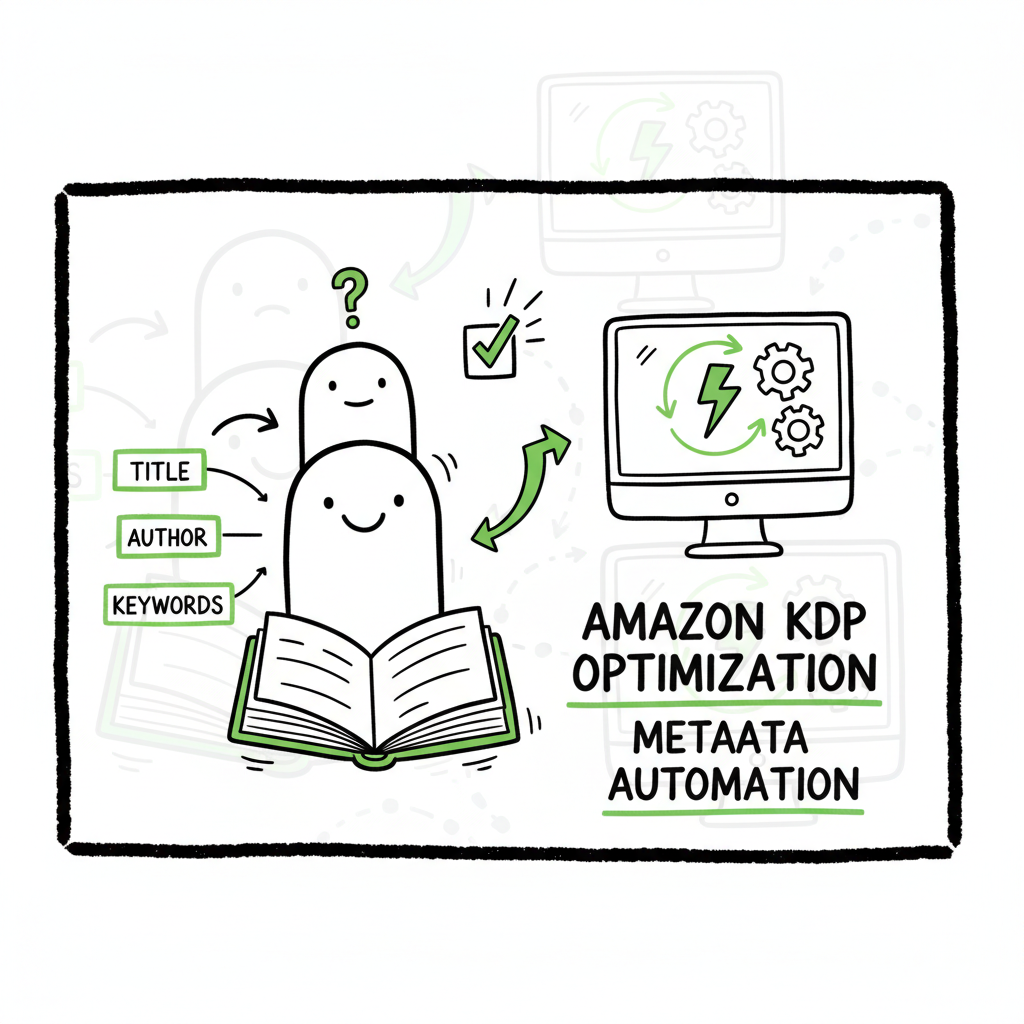
Amazon KDP Metadata Optimization and Automation Guide
Amazon KDP Metadata Optimization & Automation
Estimated reading time: 14 minutes
Key takeaways
- Metadata drives discoverability on Amazon. Good metadata is precise, compliant, and updated regularly.
- Automation turns manual uploads into repeatable templates, saving time and reducing errors across KDP and other platforms.
- Combine human judgment with automation: use keyword pools, CSV batch uploads, and performance reviews to scale safely.
Table of Contents
- Overview and why metadata matters
- Metadata elements and KDP rules
- Automation at scale: a practical process
- FAQ
Overview and why metadata matters
If you publish more than one title, Amazon KDP metadata optimization & automation becomes a practical necessity. Metadata is how Amazon’s A9 search connects readers to your work. It includes title, subtitle, description, contributors, up to seven KDP search keywords, and the two categories you select. Small changes in these fields can lift visibility. Done consistently, optimization improves discoverability and makes wide distribution manageable.
Metadata optimization is part craft, part data. You need to pick words readers use and avoid anything that looks like manipulation. KDP permits seven keyword slots and two categories; use them to mix broad terms and narrow, intent-driven phrases. Test and iterate. Automation helps you apply the same rules to dozens or hundreds of books without copying errors, and it frees time for writing and marketing.
When authors scale, they also need to create the files publishers expect: cover files, interior files, and distribution formats. If your process includes creating an ebook or paperback, a generation and distribution tool can simplify that step. BookUploadPro focuses on the next stage: once your files and metadata are ready, it automates the repetitive uploads across Amazon KDP, Kobo, Apple Books, Draft2Digital, and Ingram. The product connects platform-specific intelligence and CSV batch uploads so teams and solo authors save time, cut mistakes, and publish widely with fewer clicks. Automate the upload. Own the distribution.
This article looks at what matters in KDP metadata, the rules to follow, and how to automate safely at scale. I’ll keep the advice practical and operational: templates you can use, pitfalls to avoid, and how to measure impact.
Metadata elements and KDP rules
Metadata is the structured information that describes your book. On KDP, the primary fields are:
- Title and subtitle
- Series and edition fields
- Author and contributors
- Book description (HTML allowed)
- Up to 7 keyword slots (backend search terms)
- Two browse categories (BISAC or similar)
- Paperback specifics: trim size, ISBN, and description parity
Here’s how to treat each element in practice.
Title and subtitle
KDP expects the title on Amazon to match the cover. Keep the core title clear and readable. Avoid stuffing keywords into the title. A subtitle is a place for a short, useful descriptor or benefits statement. Aim for clarity over keyword saturation. Many publishers keep titles under ~60 characters to avoid truncation in feeds and to make the title scannable in search results and adverts.
Author and contributors
Use your author name consistently across formats and platforms. If you use a pen name, it should be the same on cover art and in metadata. For co-authored works or books with contributors, fill the relevant fields and include credit lines in the description only when they add discoverability or credibility.
Book description
Amazon allows basic HTML in descriptions. Use short paragraphs and a clear opening hook. Put the most important search words naturally in the body copy, but write for readers first. Treat the description as both a sales pitch and a place to reinforce relevant keywords the title or keyword slots can’t hold. Avoid keyword repetition in the description that looks like manipulation.
Keywords (the seven slots)
You get seven keyword fields on KDP. They are backend search fields and not visible in the product page. Use them strategically:
- Think like a reader: what phrases would a buyer type?
- Combine single- and multi-word phrases to cover both broad and niche queries.
- Use location, character type, theme, or setting if those are strong search triggers (for example, “cozy mystery small town”).
- Don’t repeat words that already appear in title or subtitle; KDP will treat repeats as redundant.
- Never use misleading metadata: no trending celebrity names if they’re not in the book, no unrelated keywords.
Categories
Choose two categories that describe the book’s primary market. KDP maps to BISAC (or comparable) categories. Use one broader category and one niche category when possible. If you can legitimately place a title in a higher-visibility niche, it’s often better than a very broad category where competition is intense.
Series and edition
Series data helps readers find other books you’ve written. Fill series fields consistently. If a book is a different edition, use the edition field and be explicit in the description.
Common KDP rules and best practices
- The title on the product page should match the cover.
- Keywords must be relevant and not misleading.
- Avoid keyword stuffing. KDP can remove or suppress listings that manipulate metadata.
- Update metadata every 3–6 months based on performance.
- Keep metadata consistent across formats (ebook, paperback, audio) to reduce confusion and improve cross-format discovery.
- Monitor your author page and product details to ensure no mismatches appear after updates.
Examples (simple)
- Bad keyword slot: “best seller free kindle” — looks manipulative and irrelevant.
- Better keyword slot: “time travel romance” — targeted to an actual search intent.
Tools and checks
Use tools to generate ideas, but don’t rely on them blindly. Automated keyword tools identify search volume and competition, but human oversight prevents category mismatch and guideline violations. Track placement and conversions after changes. If a keyword change does not improve click-through or sales, revert or try a new combination.
Automation at scale: a practical process
Automation is about reducing repetitive work while keeping human judgment in the loop. When you manage a single title, manual updates are fine. At scale, a generation and distribution tool helps you apply the same rules to dozens or hundreds of books without copying errors, and it frees time for writing and marketing. Here’s a practical narrative of how to put that into operation.
Start with canonical metadata templates
Create a canonical template for each imprint, genre, or series. A template is a CSV row with all the fields KDP and other platforms need: title, subtitle, author, series, keywords, categories, description, price, and file paths for covers and interiors. Templates prevent missing fields and inconsistent naming.
Build keyword pools, not single entries
Instead of one-off keyword strings, maintain a pool of candidate keywords per title type. For a mystery series, that pool might include location phrases, trope phrases, and character types. When you publish a new title, the automation picks combinations from the pool and fills the seven KDP slots. Pool-based management helps you track which keywords are used across many titles and which yield results.
Map platform-specific differences
Each retailer has quirks. KDP uses seven keyword slots and two categories. Apple Books handles categories differently. Kobo’s search weights some fields uniquely. A platform mapping step in your template converts the canonical fields into platform-ready values. Automation applies rules like trimming the title to fit feeds, selecting the right category codes, and formatting the description for HTML or plain text.
Use CSV batch uploads for speed and consistency
CSV uploads are the operational backbone of scale. Place your metadata in a CSV following the platform’s schema, attach file paths, and run a batch upload. Automation reduces keystroke errors and speeds up onboarding. When a platform changes a required field, update your mapping once and re-run the same CSV for hundreds of records.
Add guardrails and validation
Automation needs validation steps:
– File format checks: cover resolution, interior pagination, EPUB validation.
– Field checks: title length, disallowed characters, missing contributors.
– Category validation: ensure chosen categories exist for that platform.
Set automated alerts on validation failures so you can fix problems before they reach KDP.
Test with holdout samples
Rather than rolling changes to every title, test changes on a small holdout group. For metadata, apply a new keyword set to 5–10 titles and compare click-through and conversion after a fixed test window. Automation makes these tests repeatable. Protect long-tail titles by keeping one control group that receives no changes; this reveals the baseline trend.
Monitor analytics and iterate
Automation should feed performance data back into the system. Track page views, buy box placement, conversions, and Amazon’s rank where possible. Use these metrics to prune keyword pools and adjust category choices. Update metadata every 3–6 months; do more frequently during high-impact seasons like holidays or a book launch.
Platform-specific intelligence and error reduction
Automation platforms that add platform intelligence save time. For example, when a system knows KDP’s limit of seven keywords, it prevents overflow. When it knows a specific category is unavailable for certain trim sizes, it warns or selects the closest match. Those small checks prevent rejections and missing listings.
When to humanize
Automation is not a substitute for judgment. Use automation for repetitive mapping and uploads. Use human review for launches, series changes, or when you test a major repositioning. A hybrid model — machine applies the template, a human spot-checks a sample — strikes the best balance.
Operational checklist that isn’t a checklist
Think in cycles: prepare canonical data → map to platforms → validate files and fields → batch upload → monitor outcomes → adjust pools and templates. Repeat. This cycle reduces manual toil and keeps your metadata aligned across retailers.
How BookUploadPro fits
Software like BookUploadPro is designed for this cycle. It handles CSV batch uploads across KDP, Kobo, Apple Books, Draft2Digital, and Ingram. The automation adds platform-specific intelligence so a single CSV can turn into correctly formatted listings on each retailer. That saves time and reduces human errors, making multi-platform distribution practical. For authors who publish several titles a year, it’s an obvious upgrade: spend less time on uploads and more time on content and promotion.
Practical examples of automation value
- One author replaced manual uploads with batch templates and reduced upload time per title by ~90%.
- A small press used keyword pools and saw faster category placement and fewer metadata rejections across platforms.
- A multi-series publisher avoided dozens of listing errors by enforcing file validation and automated category mapping before any platform submission.
Compliance and risk control
Automation should include rules to avoid prohibited practices: no misleading keywords, no banned terms, and no intentional misclassification. Implement automated checks that flag suspicious keyword strings or titles that mismatch cover art. When a system warns, pause and human-review the listing.
Final tactical notes
- Keep a change log for every metadata update. If a change hurts performance, you can roll back.
- Version your CSV templates. Keep archives of previously used metadata for legal and operational needs.
- Use test accounts where possible before submitting live updates to big catalogs.
FAQ
Q: How many keywords can I use on KDP?
A: KDP allows seven keyword slots. Use them for distinct search phrases. Don’t repeat words already prominent in title or subtitle.
Q: Should my title include important keywords?
A: Yes, where it reads naturally. Put the core concept in the title. Avoid stuffing keywords that harm readability.
Q: How often should I update metadata?
A: Review every 3–6 months. Update sooner when testing new keywords, launching advertising, or shifting positioning.
Q: Will automation risk my listings being flagged?
A: Automation itself is neutral. Risk comes from the rules you encode. Avoid automated keyword stuffing and ensure the automation enforces KDP guidelines.
Q: Can one CSV be used for multiple platforms?
A: Yes if you build mappings for each platform. Your system should convert canonical fields into platform-specific formats before submission.
Q: How do I know which keywords work?
A: Track impressions, clicks, and conversions after changes. Use holdout samples and AB tests where possible.
Q: Do categories matter that much?
A: Yes. A well-chosen niche category can lift visibility more than a minor keyword tweak in many cases.
Q: What about consistency across formats?
A: Keep metadata consistent across ebook, paperback, and audio to avoid confusing readers and to support cross-format discovery.
Sources
- https://manuscriptreport.com/blog/7-proven-steps-to-optimize-book-metadata-for-amazon
- https://janefriedman.com/amazon-book-description/
- https://sellermetrics.app/amazon-kdp-metadata/
- https://www.youtube.com/watch?v=eZhulvPQrcU
- https://www.authorimprints.com/book-metadata-optimization-primer-self-publishing-authors-businesses/
- https://kdp.amazon.com/help/topic/G201298500
- https://theworldneedsyourpassion.substack.com/p/optimizing-your-amazon-metadata
Final thoughts
Metadata optimization is steady, operational work. It rewards attention to detail and a methodical approach. Automation makes that work repeatable and scalable, but it’s not a replacement for human judgment. Use templates, maintain keyword pools, validate files, and monitor results. When you publish seriously — multiple titles, multiple platforms — automation like batch CSV uploads and platform-specific mapping moves metadata from a bottleneck to a routine.
If you want to reduce upload time and errors while distributing across KDP, Kobo, Apple Books, Draft2Digital, and Ingram, visit BookUploadPro.com and try the free trial.
Amazon KDP Metadata Optimization & Automation Estimated reading time: 14 minutes Key takeaways Metadata drives discoverability on Amazon. Good metadata is precise, compliant, and updated regularly. Automation turns manual uploads into repeatable templates, saving time and reducing errors across KDP and other platforms. Combine human judgment with automation: use keyword pools, CSV batch uploads, and…