How to Publish Wide (KDP vs Draft2Digital vs Kobo)
How to Publish Wide (KDP vs Draft2Digital vs Kobo)
Estimated reading time: 12 minutes
Key takeaways
- Publishing wide means selling outside Amazon by using aggregators and direct retailer accounts to reach Apple, Kobo, B&N, and libraries.
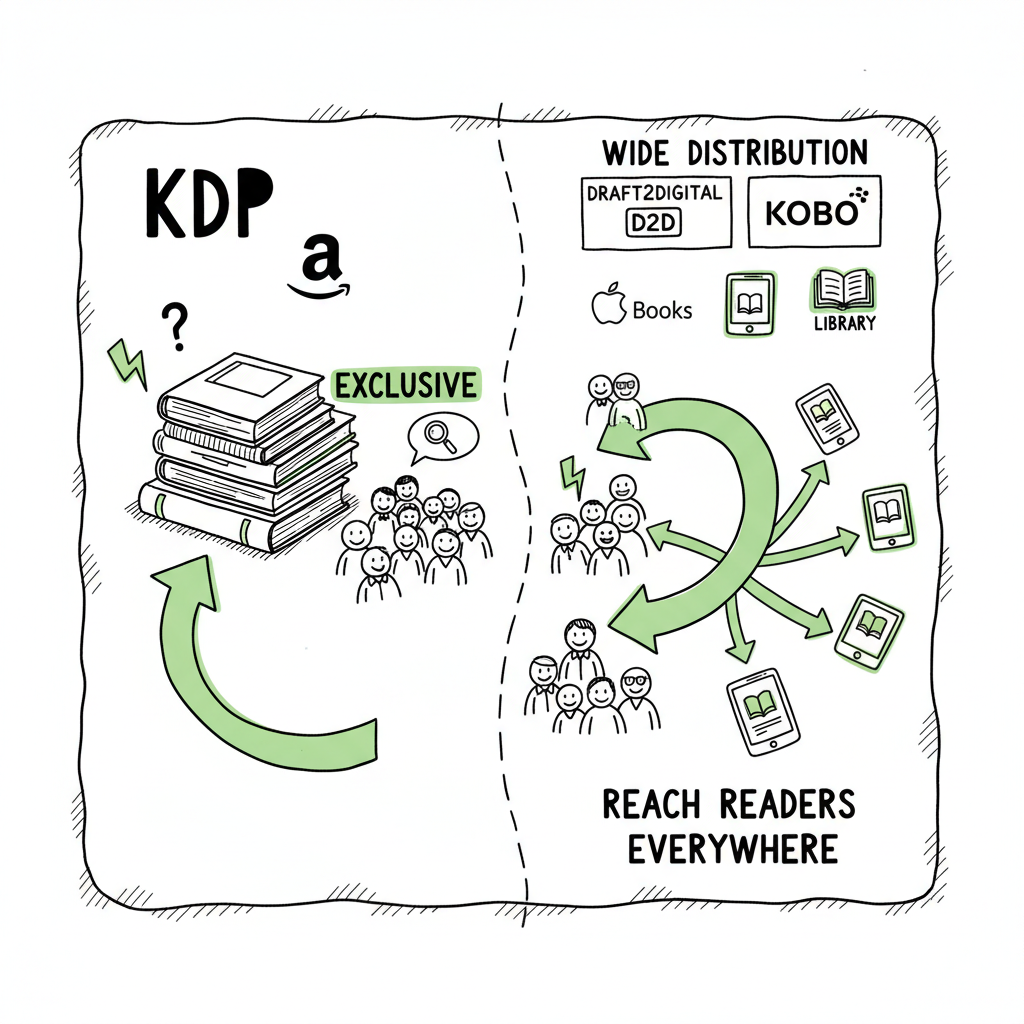
- KDP gives scale and strong royalties but enforces exclusivity with Kindle Select; Draft2Digital simplifies wide distribution with a fee; Kobo is useful for international reach.
- For scale, combine direct retailer accounts with an aggregator and automation to save time, reduce errors, and keep control of pricing and metadata.
Table of Contents
- Why publish wide?
- KDP vs Draft2Digital vs Kobo: what to expect
- A practical workflow to publish wide
- FAQ
- Sources
Why publish wide?
Publishing wide means intentionally placing your ebook and print editions on many retailers and library channels instead of locking into one store. Authors choose wide for three practical reasons: reach, resilience, and revenue control. Reach brings readers who don’t buy from Amazon. Resilience avoids relying on a single algorithm or policy change. Revenue control means you can set prices and promotions across stores without Amazon’s exclusivity rules snapping everything into one model.
If you’re learning how to publish wide (kdp vs draft2digital vs kobo) the technical choices matter but the operational pattern is consistent: prepare clean files (ebook EPUB and print-ready PDF), craft platform-specific metadata, and push to multiple stores with consistent settings. For EPUB conversion, many authors use a dedicated converter to avoid repeated format fixes — try a fast EPUB conversion tool if you need reliable results. If you plan to produce both ebook and paperback editions, consider a service that supports book creation workflows so you don’t repeat the same setup for each platform. And if you create covers or want automated cover variants, a cover processing tool will save time.
Early on, consider whether you want to control accounts directly or use an aggregator. Aggregators reduce the number of portals you log into, but they take a cut and sometimes limit promo options. Direct accounts give you more control in exchange for more setup work.
Note: For authors who publish several titles or run a series, automation becomes a business decision, not just a convenience. That’s where batch uploads, CSV templates, and platform-aware automation deliver the largest returns.
KDP vs Draft2Digital vs Kobo: what to expect
Each platform has strengths and trade-offs. Understanding them helps you pick a posture: single-platform, hybrid, or fully wide.
Amazon KDP — scale, promotions, exclusivity
Amazon KDP is the largest retailer in many markets and offers 70% royalties on most ebook sales within certain price bands. KDP Select gives promotional tools (Kindle Countdown Deals, free days) but requires 90-day exclusivity for the ebook. Expanded Distribution exists for print and some ebook channels, but its returns are small for many authors. If you value Amazon’s visibility and promotional tools, use KDP for Amazon while publishing wide elsewhere with a separate edition—just avoid enrolling the same ebook in KDP Select if you want full wide distribution.
Draft2Digital — aggregator convenience
Draft2Digital (D2D) aggregates to Apple Books, Kobo, Barnes & Noble, and library platforms. It charges no upfront fees but takes a percentage of sales (typically around 10%). For most authors, D2D improves net earnings compared with KDP’s limited expanded distribution, because it places books in more retail channels where readers already shop. D2D also simplifies formatting and metadata workflows, which is why many authors start there when they want broad reach without managing multiple portals.
Kobo Writing Life — direct international presence
Kobo lets you publish directly and tends to perform well in non-US English markets, especially Canada and parts of Europe. Kobo’s royalty structure is author-friendly, and direct publishing allows you to participate in platform-specific promotions. Kobo pairs well with D2D or direct Apple Books publishing as part of a wide strategy.
Practical comparisons and a hybrid approach
– Fees: KDP takes a fixed royalty structure; D2D takes a cut of sales; Kobo pays royalties directly. Fees affect net per-sale more than headline royalties when you factor returns and distribution.
– Control: Direct accounts give the most control for pricing and promos; aggregators reduce hands-on work.
– Reach: Amazon dominates US sales; Kobo and Apple matter for international and non-Amazon readers. Libraries and subscription partners are accessible through aggregators.
Many authors use a hybrid approach: publish directly to KDP for Amazon (but not KDP Select), publish direct to Kobo Writing Life, and use Draft2Digital to reach additional retailers and libraries. That blends control with convenience and avoids locking the ebook into exclusivity.
A practical workflow to publish wide
Publishing wide works best when treated like a repeatable operation. Here’s how a practical, human workflow looks when you’re handling multiple titles at scale.
- Prepare a single source of truth
Start with a clean manuscript file (Word or manuscript-format source). Export a solid EPUB and a print-ready PDF. If you prefer to avoid manual EPUB fixes, use a reliable EPUB converter early so you don’t repeat corrections for each store. For cover production, use a tool that exports sizes for both ebook thumbnails and wraparound paperback designs. - Standardize metadata
Create a CSV or spreadsheet that contains title, subtitle, series info, author name, BISAC/categories, keywords, price per territory, ISBNs (if using them), and publication dates. This file becomes your master for batch uploads. - Build platform-specific edits
Different stores have unique fields. Kobo and Apple accept different category structures and have different maximum keyword counts. Keep a small tab in your master sheet for platform notes so you only tweak what matters. - Batch and automate uploads
At this point the manual work is repetitive. If you publish more than a handful of titles, batching with CSV uploads or automation saves hours. Services that support CSV batch uploads and platform-specific intelligence eliminate typographical errors, normalized pricing mistakes, and incorrect files. For example, CSV-driven automation can push the same title to multiple retailers, adjust pricing by market, and attach store-specific categories without retyping details. - Choose promos and reporting
Set promotions and monitor sales by platform. Aggregators give consolidated reporting, but direct accounts provide raw data and more granular promo tools. Use a simple dashboard or consolidated report to compare performance and decide where to invest marketing time. - Iterate
Use the data to refine pricing, categories, and promotional timing. Series sequencing, cover tweaks, and metadata updates are lower-friction when your upload process is standardized.
Operational notes and tools
- If you need to create ebooks and paperbacks with a single workflow, a book creation service helps avoid repeated layout errors.
- For cover processing and consistent thumbnails across retailers, a cover processing tool speeds up production.
- When converting to EPUB you want a solution that preserves your table of contents, inline images, and typography.
If you handle cover creation, EPUB conversion, or both, use specialized tools that integrate into the batch workflow so you don’t rework files for each store. For cover work, a book cover processing service can automate size variants. For EPUBs, a dedicated EPUB converter reduces platform rejections and fixes. For full book creation—including paperback and ebook generation—use a book creation workflow that exports the required files and metadata in one place.
BookUploadPro and scaling wide distribution
Once you reach a steady publishing cadence—several titles a year or a series rollout—BookUploadPro becomes the operational choice. It automates repetitive uploads across Amazon KDP, Kobo, Apple Books, Draft2Digital, and Ingram; supports CSV batch uploads; and applies platform-specific intelligence to avoid common errors that slow down launches. For authors publishing seriously, this tooling is an obvious upgrade.
BookUploadPro reduces manual steps, cuts error rates, and lets you push consistent metadata to every retailer. If you want to maintain direct KDP control for Amazon while distributing wide, BookUploadPro supports that hybrid posture and handles the rest. Affordable pricing and a free trial let you validate the time savings on a single title before scaling.
Internal resource: If you want a practical guide for publishing on Amazon specifically, see Self Publish Book Amazon Kdp for step-by-step notes and account tips.
FAQ
Q: Should I enroll in KDP Select?
A: Only if the promotional tools meaningfully increase Amazon sales and you’re willing to give up wide distribution for the enrollment period. KDP Select requires ebook exclusivity, which blocks sales on other stores and library access during enrollment.
Q: What does Draft2Digital charge?
A: Draft2Digital typically takes a percentage of each sale rather than an upfront fee. That fee buys convenience and access to library and storefront partners without logging into multiple portals.
Q: Can I publish to Kobo and Amazon at the same time?
A: Yes, but you must avoid KDP Select exclusivity for the ebook. Publishing directly on Kobo Writing Life is straightforward; many authors publish direct to Kobo and Amazon (without Select) and use an aggregator for the remaining channels.
Q: Do aggregators affect royalties?
A: Aggregators take a cut, which reduces gross royalties compared to selling direct on a store where you keep the full retailer share. However, the extra distribution and library channels often increase total sales enough to offset the fee.
Q: How do ISBNs work in a wide strategy?
A: ISBNs are required for most print distribution channels and optional for ebooks. If you want complete control over editions, assign your own ISBNs and keep records in your master CSV.
Final thoughts
Wide publishing is an operational choice as much as a distribution strategy. You can get started with manual uploads and one or two titles, but when you publish multiple books or want consistent results across stores, a repeatable workflow and automation make publishing wide sustainable. Using direct retailer accounts where it matters (Amazon and Kobo) and an aggregator for breadth is a common, practical hybrid. Pair that with tools for EPUB conversion and cover processing to minimize rework.
Visit BookUploadPro.com to explore multi-platform automation and try the free trial.
Sources
Original sources:
- Earn More Money with Draft2Digital: A Simple Comparison with Amazon KDP
- The Pros and Cons of the Top 5 Self-Publishing Platforms
- The 17 BEST Self-Publishing Companies of 2025
- The 5 Best Self-Publishing Platforms, Compared
- 8 Best Self Publishing Companies in 2025 (Retailers & Aggregators)
- Top 10 Best Self-Publishing Platforms for Authors in 2025
Additional tools and resources:
- EPUB conversion tool
- Book cover processing
- Book creation workflow for paperback and ebook generation
How to Publish Wide (KDP vs Draft2Digital vs Kobo) Estimated reading time: 12 minutes Key takeaways Publishing wide means selling outside Amazon by using aggregators and direct retailer accounts to reach Apple, Kobo, B&N, and libraries. KDP gives scale and strong royalties but enforces exclusivity with Kindle Select; Draft2Digital simplifies wide distribution with a fee;…