KDP publishing review time — how long it takes to publish
kdp publishing review time (how long it takes)
Estimated reading time: 10 minutes
Key takeaways
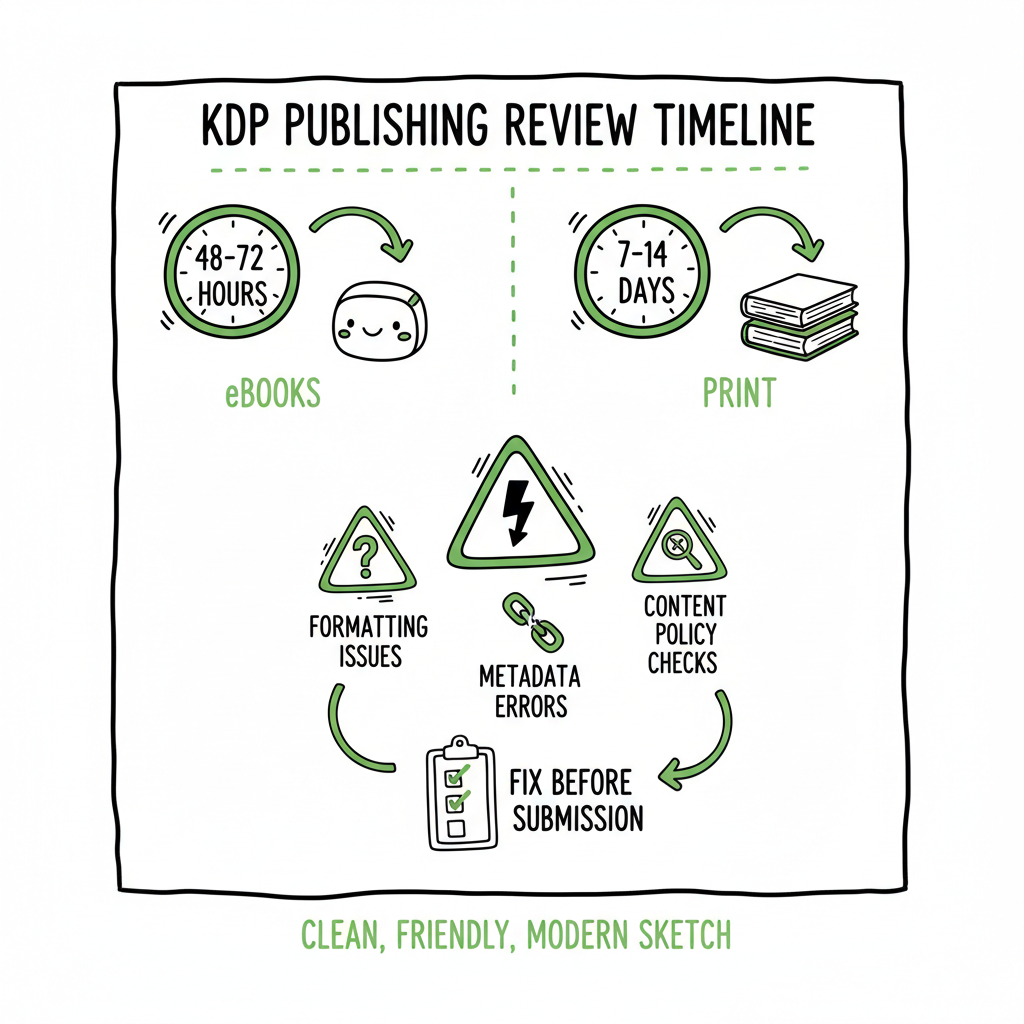
- KDP publishing review time varies: expect 48–72 hours for many eBooks but plan for up to 7–14 days for print or complex submissions.
- Delays come from formatting issues, metadata errors, content policy checks, and high review queues; fix these before submitting to shorten the wait.
- If you publish across platforms, automation with batch uploads and platform-specific checks saves time and cuts errors—an obvious upgrade once you start publishing seriously.
Table of Contents
- How KDP review works
- Typical timelines for eBook vs print
- What lengthens review and how to avoid delays
- Scaling publication and reducing wait with automation
- FAQ
How KDP review works
Amazon’s Kindle Direct Publishing (KDP) runs a mix of automated and human checks after you hit publish. The system looks at the file formats, cover and interior layout, ISBN or identifier matching, and basic policy compliance. For many titles the status moves from “In Review” to “Publishing” and then to “Live,” but that path can pause if a file fails validation or if the title raises a content or trademark flag.
The phrase kdp publishing review time (how long it takes) is often asked because the visible status doesn’t explain why a book is delayed. The short answer: Amazon gives conservative estimates, but real-world timing depends on format, queue length, and whether anything in your submission needs a fix.
If you’re focused on Amazon alone, this quick guide to Self Publish Book Amazon KDP explains the platform-specific steps and what reviewers check. That page is helpful when you want to see the end-to-end flow for a single-platform release.
Typical timelines for eBook vs print
KDP review timelines are not the same for every format. Here are realistic timeframes you can expect.
eBooks (Kindle)
- Amazon’s official guidance suggests a minimum window of 48–72 hours for many eBook submissions to go live.
- In practice many eBooks are live within 2–3 days, but some take a week or more if there’s a formatting issue, cover problem, or metadata mismatch.
- If you’re linking a print edition to an eBook or setting up Kindle MatchBook or pre-orders, allow extra time for the systems to link records.
Paperbacks and hardcovers
- Printed books go through file checks, cover bleed and spine calculations, and sometimes a more detailed manual review. Typical times range from a few days to two weeks.
- If the print file fails any dimension or bleed checks, reviewers will flag that and you’ll need to re-upload corrected files, which restarts the clock.
Why the difference? eBooks are binary files that Amazon can validate relatively fast. Print requires more checks because of production and distribution processes. If your paperback requires a barcode, or if the spine text triggers a formatting problem, reviewers pause the publishing path until corrections are made.
What lengthens review and how to avoid delays
Most delays are avoidable. Treat the review window like a project risk to manage—not an unpredictable lottery.
Common causes of hold-ups
- Formatting errors: incorrect margins, fonts not embedded, bad image DPI, or wrong page size. These create quick rejections.
- Cover problems: low-resolution images, incorrect spine calculation, or missing bleed.
- Metadata mismatches: title or subtitle inconsistencies, wrong ISBN entries, or mismatched author names.
- Content policy checks: trademark issues, potentially offensive content, or unverified author rights can trigger human reviews.
- High queue volume: during peak times or after policy updates, review queues lengthen.
- Low-content or bulk-submitted titles often get extra scrutiny because of higher abuse rates.
Practical steps to shorten review time
- Validate files before upload. Use a reliable EPUB validator for eBooks and a PDF check for print interiors. If you convert your manuscript to EPUB, run it through a validator to catch basic issues early.
- Build a consistent naming and metadata practice. Keep the title and author string identical across metadata fields and files.
- Use templates for print interiors to match KDP’s trim size and bleed specs exactly. That reduces rejections for spine and margin problems.
- Flatten or embed fonts in PDFs and export images at 300 DPI for print.
- Create covers with the correct spine width for page count. A quality cover generator will calculate spine dimensions and output a print-ready PDF.
- Allow buffer time for scheduled launches. Submit at least 2–4 weeks before your desired release date so you can fix any issues without pressure.
Real-world examples
- A simple fiction eBook with clean EPUB typically goes live in 48–72 hours.
- A children’s picture book with many colored images and large files might take a week because reviewers check image quality and color profiles.
- A series of low-content journals uploaded in bulk can trigger extra checks and take longer; reviewers look for patterns that indicate policy circumvention.
Scaling publication and reducing wait with automation
If you publish multiple books, trying to manage each platform manually becomes a bottleneck. That’s where multi-platform publishing automation pays off.
Why automation helps
- Batch CSV uploads let you push dozens or hundreds of titles with consistent metadata. That avoids manual typing errors that slow reviews.
- Platform-specific intelligence adapts files and metadata to each store’s requirements, reducing rejections and back-and-forth.
- Automation cuts repetitive work—reportedly ~90% time savings on uploads—so you can focus on quality control rather than clicking.
What good automation does
- Converts master files to platform-ready formats (EPUB, print PDF) and runs validations.
- Generates and tests cover files against trim and spine specs for each store.
- Applies platform-specific metadata rules and detects likely flags before submission.
- Queues and schedules releases across Amazon KDP, Kobo, Apple Books, Draft2Digital, and Ingram with a single control panel.
BookUploadPro’s approach to automation helps authors publish more efficiently. If you create covers or convert manuscripts often, tools exist that integrate cover generation and EPUB conversion into the upload pipeline. For example, a cover generator will produce production-ready art with correct spine and bleed, while an EPUB converter ensures the eBook meets KDP’s EPUB or MOBI requirements. When you combine these with automation, error rates drop and books move through review faster.
Self Publish Book Amazon Kdp is a practical example of how systematic publishing can work across platforms.
BookUploadPro’s approach
BookUploadPro automates repetitive uploads across Amazon KDP, Kobo, Apple Books, Draft2Digital, and Ingram. It uses CSV batch uploads and platform-specific intelligence to reduce errors and save time. For authors publishing seriously—multiple titles, series, or regular releases—this kind of automation becomes an obvious upgrade. Automate the upload. Own the distribution.
Practical checklist before you submit
- Run an EPUB validator and a print PDF check.
- Verify metadata matches across all fields.
- Ensure covers use required bleed and spine settings.
- Confirm ISBNs and identifiers are correct and belong to your imprint.
- Upload early and monitor the In Review status so you can act quickly if Amazon requests changes.
FAQ
Q: How long is KDP publishing pending before it goes live?
A: “In Review” can last from 48–72 hours for many eBooks. For print books or more complex cases, expect up to 7–14 days. If Amazon flags a problem, you’ll need to fix it and re-submit, which adds more time.
Q: Can I make changes while my book is In Review?
A: No. Once a submission is under review, changes aren’t accepted until the process completes or Amazon requests edits. That’s why pre-submission checks are essential.
Q: My status shows “Publishing” but the book isn’t live. What now?
A: “Publishing” often means the systems are linking records, generating store pages, or propagating distribution feeds. Wait 24–72 hours; if it stays stuck, open a KDP support case with details and screenshots.
Q: Do pre-orders get reviewed differently?
A: Pre-orders undergo the same review checks. Because you set a future release date, Amazon still validates the files and metadata before the launch window. Submit early to avoid surprises close to your release date.
Q: Are low-content books slower to approve?
A: They can be. KDP has tightened checks for low-content or repetitive-format titles. Make sure content meets policy, metadata is honest, and files are formatted correctly.
Q: Should I publish first on KDP, then push to other platforms?
A: You can, but repeated manual uploads multiply the same risks and opportunities for error. If you plan multi-platform distribution, use a tool that converts and validates files for each store once and then uploads them via CSV or API.
Sources
- Kindle Direct Publishing Help: Book Status
- How Long Does KDP Take to Publish a Book?
- Kindle Direct Publishing Approval Process Updates (video)
- KDP Community: How long to get approval?
- KDP Community: When will my book be approved?
kdp publishing review time (how long it takes) Estimated reading time: 10 minutes Key takeaways KDP publishing review time varies: expect 48–72 hours for many eBooks but plan for up to 7–14 days for print or complex submissions. Delays come from formatting issues, metadata errors, content policy checks, and high review queues; fix these before…