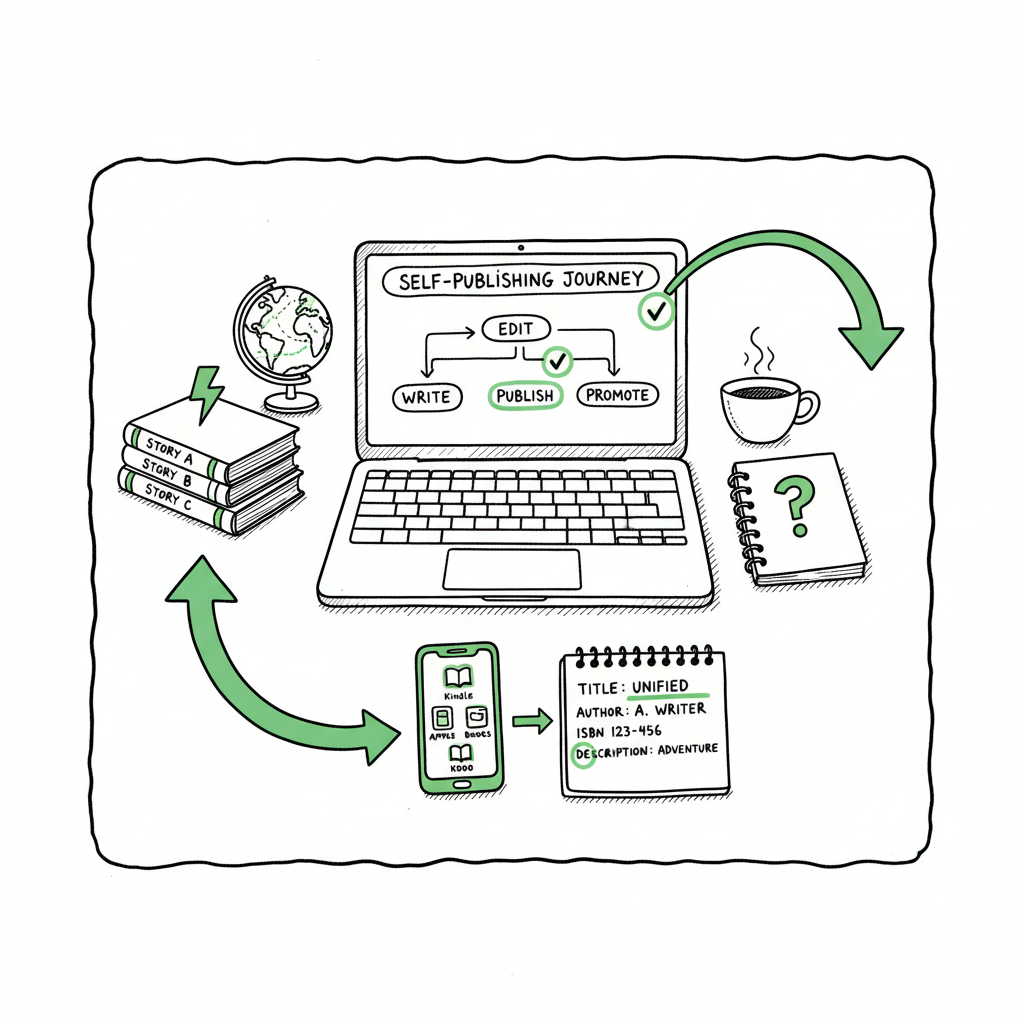
How to Publish Same Book Everywhere Step-by-Step Checklist
How to publish same book everywhere: a practical guide for self-published authors
Estimated reading time: 16 minutes
Key takeaways
- You can publish same book everywhere if you avoid ebook exclusivity and keep metadata consistent across platforms.
- Use owned ISBNs for print, platform-specific files for ebooks, and a reliable batch workflow to save time and reduce errors.
- Tools that automate multi-platform uploads make wide distribution practical — once you publish seriously, automation is an obvious upgrade.
Table of Contents
- Why publish same book everywhere
- How to publish same book everywhere — practical steps
- Platform differences, metadata, and formatting
- FAQ
Why publish same book everywhere
Publishing the same book everywhere—ebooks and print across Amazon KDP, Apple Books, Kobo, Draft2Digital, Ingram and others—is the simplest way to reach more readers. Saying you want to “publish same book everywhere” in your plan means you prioritize reach over platform exclusives, and that changes how you set up files, rights, and pricing.
There are three practical reasons most authors choose this route. First, different stores have different audiences. Kobo, Apple Books and Barnes & Noble each return sales that may never happen on Amazon. Second, some retailers have better access to libraries and international markets. Third, redundancy matters: if one platform changes rules or has issues, other stores keep selling.
If you want a clear process for doing this at scale, look for a Publish Wide Self Publishing Workflow that handles consistent metadata, per-platform files, and batch uploads. That workflow becomes the backbone of a repeatable publishing practice and lets you publish more books without redoing the same work for every title.
Why this matters now: authors who publish multiple titles—series, backlist, or a steady release schedule—lose time and introduce mistakes when they upload to each store manually. Automation and batch uploads reduce that work by roughly 90% while cutting formatting and metadata errors. In short: publish same book everywhere to expand reach, then automate the process to scale.
How to publish same book everywhere — practical steps
This section walks through concrete steps that an author or a small team can follow. Keep this as a checklist in your head: rights → files → metadata → upload → verify. Each step has vendor-specific details, but following the sequence keeps the work organized.
1. Choose your distribution strategy
- Decide whether you want to be exclusive to Amazon KDP Select for ebook perks. KDP Select requires 90-day ebook exclusivity, so you cannot publish the same ebook elsewhere while enrolled. If you prefer universal book distribution, do not enroll in Select.
- For wide distribution, choose either direct accounts (Apple, Kobo, Google Play) or aggregators (Draft2Digital, Smashwords). Aggregators simplify the upload process and reach multiple stores, but they take a cut of sales and sometimes limit publisher control.
2. Own your ISBNs for print
- If you publish a paperback or hardcover, buying your own ISBN means you own the edition record. Using your ISBN on both KDP and IngramSpark (for print distribution) keeps a single listing and reduces duplicate entries. Without the same ISBN, stores may treat each print version as a separate book, which confuses buyers and librarians.
3. Prepare platform-specific files
- Ebooks: Export a clean, validated EPUB for each store when possible. Some platforms accept MOBI or converted files, but a validated EPUB is the safest universal file. If you need to convert DOCX to EPUB, consider an automated epub converter to keep versions consistent and speed up the process.
- Print: Export print-ready PDF files sized to the correct trim and with proper bleed and margins. Use the same interior file for KDP and Ingram when possible, but check each service’s template requirements.
- Covers: Create high-resolution covers that meet each platform’s dimensions and spine calculations. If you need an automated option, a reliable book cover generator can speed up production without compromising quality.
4. Standardize metadata
- Title and subtitle: Use the exact same title text across stores. Small differences create separate catalog records.
- Author name: Pick one author name format and use it everywhere (for example, “Jane Q. Author” not “Jane Quinn Author” on one store and “Jane Q Author” on another).
- ISBNs and formats: Assign print ISBNs consistently. For ebooks, some platforms allow ISBNs; others use internal identifiers. Keep a spreadsheet that lists all identifiers by platform per edition.
- Keywords and categories: Optimize separately per store, but keep a master list. Some stores use different category names; map them to your master categories.
5. Price and royalty considerations
- Pricing rules differ by store and region. Some stores have minimum or maximum list price rules, and Amazon can match prices elsewhere. Decide whether you want consistent global pricing or platform-specific strategies.
- Remember that aggregators take a cut; direct uploads often give higher royalties but require more management.
6. Upload and verify
- Upload files to each store or to your aggregator.
- After upload, check live pages for metadata, cover display, ebook formatting, table of contents links, and preview issues.
- Order proof copies of print books from both KDP and IngramSpark as needed to catch physical issues.
7. Use batch tools and automation
- When you publish more than one title, manual uploads become a time sink. A CSV-based batch upload system lets you push metadata, files, and pricing to multiple platforms in one operation. That is the difference between tinkering and running a publishing pipeline.
- Automation reduces manual errors (mismatched ISBNs, wrong categories, incorrect file uploads) and frees you to focus on marketing and writing.
8. Post-release monitoring
- Track sales per store and watch for price parity enforcement or listing duplicates.
- Keep track of platform policy changes. For example, KDP’s exclusivity terms are strict; an accidental enrollment can block your ebook from other stores for 90 days.
Practical note on integrations: a good workflow also includes content conversion and cover processing. If you automate EPUB conversion and cover generation, your file handoffs stay consistent and predictable. Using an book creation workflow for the final ebook and a book cover generator for artwork removes two big sources of last-minute fixes.
Operational example
Imagine you have a five-book series. Using a publish-wide process:
– Build one master CSV with metadata for five titles.
– Link each title to its interior PDF and EPUB, and to a cover file sized for each platform.
– Run the batch upload. The system creates entries, flags missing fields, and reports back success or errors.
– Fix any flagged fields and re-run the upload only for the failed rows.
That workflow turns a multi-day, repetitive task into a reliable one-hour operation. When authors reach that point, automation is an obvious upgrade once they start publishing seriously.
Platform differences, metadata, and formatting
Every retailer has small differences that matter. Treat retailers as unique destinations rather than interchangeable stores. Below are the main platform-specific issues and how to handle them in a wide distribution plan.
Amazon KDP
- KDP Select: If you enroll, your ebook must be exclusive for 90-day periods. You can opt out at renewals, but plan the timing.
- Print through KDP: KDP print is convenient and automatically links to Amazon product pages. If you want wide brick-and-mortar and library distribution, use IngramSpark too, and use the same ISBN so listings unify.
- File rules: KDP accepts EPUB and KPF (Kindle Create). Use a validated EPUB or native KDP format for best results.
Apple Books
Strong in iOS ecosystems and often better for fixed-layout or illustrated books. Direct account or aggregator both work. Apple’s tools favor EPUBs, so a clean EPUB is essential.
Kobo
Strong in some international markets and often friendly to authors. Kobo Writing Life allows direct uploads and also uses EPUB as the primary format.
Draft2Digital and other aggregators
Aggregators can send your ebook to multiple stores with one upload. They take a cut and sometimes don’t provide the same depth of reporting as direct platforms. Aggregators are useful if you prefer a one-stop approach but want less control.
Ingram and IngramSpark
Ingram powers library and bookstore distribution through their wholesale channels. Using IngramSpark for print expands retail reach beyond Amazon. Use your own ISBN to avoid duplicate editions.
Metadata pitfalls and how to avoid them
- Inconsistent titles: Even a stray punctuation difference can create separate book records. Use copy-paste from your master metadata sheet.
- Multiple ISBNs per print edition: Use one ISBN per edition and stick with it across platforms.
- Author name variations: Decide on a single author string and use it everywhere.
- Duplicate listings on Amazon: If you create two print editions with different accounts or ISBNs, Amazon may create separate listings. A single ISBN reduces that risk.
Formatting pitfalls and fixes
- Broken links in table of contents: Validate EPUB TOC entries and test on real devices.
- Image DPI and color profiles: For print, ensure images are 300 DPI and in CMYK when required. For ebooks, use RGB images and keep file sizes reasonable.
- Margin and bleed issues: Use platform templates or generate PDFs with proper bleed settings for the trim size.
Quality checks
- Use device previews and online store previews after each upload.
- Order a proof for print to confirm spine text, cover colors, and paper choices.
- Keep a checklist for each platform so nothing is left to chance.
Scaling with automation and CSVs
When you publish in volume, use CSV batch uploads so you don’t retype everything. Batch uploads should include file references, ISBNs, pricing, categories, and keywords. A well-built automation system will prevent common mistakes, track errors, and let you reprocess only failed items.
Why authors choose automation
Authors who publish more than a few titles quickly find the manual route slows production and increases mistakes. Automation gives consistent results: same metadata across stores, correct files, and fewer re-uploads. A system that handles platform-specific intelligence—like file format conversion and price mapping—lets you manage dozens of titles without hiring a production assistant.
Practical links and tools
For batch uploads and distribution, tools that combine CSV uploads with per-store intelligence make wide publishing practical and reliable. book creation workflow.
For EPUB conversion, use a reliable epub converter to ensure your ebook meets store validations. For cover processing, a book cover generator speeds production and ensures correct dimensions across platforms.
For batch uploads and distribution, tools that combine CSV uploads with per-store intelligence make wide publishing practical and reliable.
Final operational notes
Publishing wide is a strategy, but executing it well is about systems. You need control over rights, files adapted to each store, and a repeatable upload process. Put your effort into making the process repeatable rather than making one perfect listing. If you do that, each new title becomes a predictable operation rather than a scramble.
FAQ
Q: Can I publish the same ebook everywhere if I enroll in KDP Select?
No. KDP Select requires 90-day ebook exclusivity. Do not enroll in Select if you want to publish the same ebook on Apple, Kobo, Barnes & Noble, or other stores during that period.
Q: Should I buy my own ISBNs?
Yes for print editions. Owning ISBNs lets you control edition records and keeps listings unified across retailers. For ebooks, ISBN use varies by platform; some stores assign their own identifiers.
Q: What about duplicate listings on Amazon?
Duplicate Amazon listings often come from using different ISBNs for essentially the same print edition or small metadata differences. Use one ISBN per edition and consistent metadata.
Q: Will aggregators reduce my royalties?
Aggregators usually take a percentage of sales or a distribution fee. Direct uploads often yield higher per-unit royalties but require more work to manage.
Q: How do I handle different file requirements?
Create a verified EPUB for ebooks and print-ready PDFs for print. If you need help with file creation, use services that automate EPUB conversion or cover generation to ensure platform compliance.
Q: How can I speed up wide distribution?
Use CSV batch uploads and a system that knows each platform’s rules. Automation saves time and reduces errors as you scale.
Sources
- https://blog.bookbaby.com/how-to-self-publish/self-publishing/can-you-self-publish-a-book-on-multiple-sites
- https://www.bestsellingpublisher.com/publish-your-ebook-on-multiple-platforms
- https://www.youtube.com/watch?v=4ZyjqHqhQ2M
- https://www.kdpcommunity.com/s/question/0D58V00007tkAXuSAM/publishing-books-at-another-platforms-along-with-kdp?language=en_US
- https://bookuploadpro.com
How to publish same book everywhere: a practical guide for self-published authors Estimated reading time: 16 minutes Key takeaways You can publish same book everywhere if you avoid ebook exclusivity and keep metadata consistent across platforms. Use owned ISBNs for print, platform-specific files for ebooks, and a reliable batch workflow to save time and reduce…