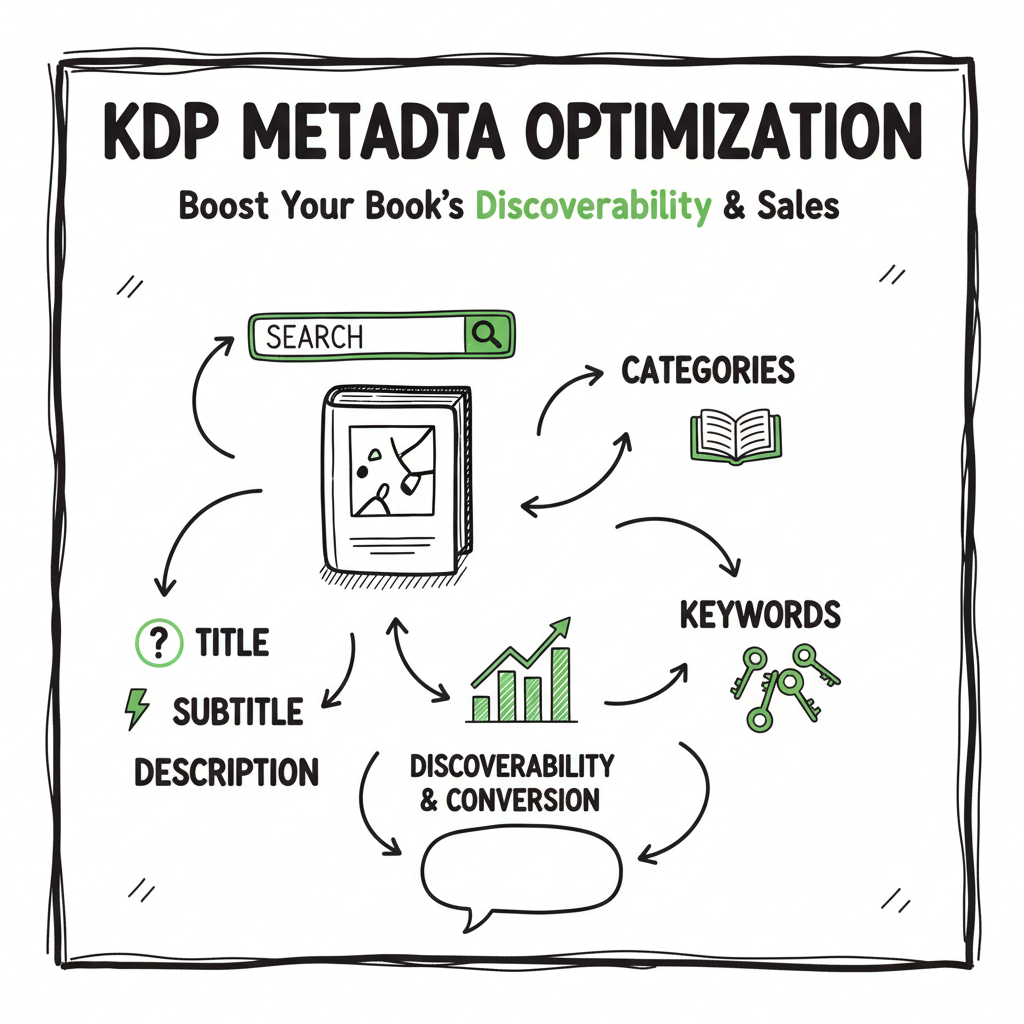
KDP metadata optimization practical guide for authors
kdp metadata optimization: A practical guide to improve discoverability and conversion
Estimated reading time: 10 minutes
Key takeaways
- KDP metadata optimization is the fastest, highest‑leverage way to make your book show up for the right readers: title, subtitle, categories, keywords, and description work together.
- Use reader‑language keyword phrases, niche categories, and a scannable description; update and test metadata every 3–6 months.
- When you scale to multiple platforms, automate the repetitive uploads and keep platform-specific intelligence in place to save time and reduce errors.
Table of Contents
- What is kdp metadata optimization?
- Practical steps to optimize your KDP listing
- Common mistakes, testing, and monitoring
- Scaling metadata work across platforms
- FAQ
What is kdp metadata optimization?
KDP metadata optimization means setting every visible and hidden field on your Amazon product page so Amazon’s systems and real readers instantly understand what the book is and who it’s for. That includes the title, subtitle, series field, categories, the seven keyword slots, publisher name, and the product description. Do this well and you get better search placement, better browse placement, more clicks, and higher conversion when people land on the page.
This is not about stuffing keywords or hiding promotional copy in the title. Amazon’s rules are clear: the title must match the cover, keywords should be relevant and reader‑facing, and descriptions must reflect the actual content. If you’re juggling many books, you’ll reach a point where a reliable upload workflow is necessary — and a guide like Self Publish Book Amazon Kdp can help you move from one‑off uploads to repeatable publishing. For context, see Self Publish Book Amazon Kdp.
Practical steps to optimize your KDP listing
1) Start with an honest title and subtitle
- Use the title field for the book’s title only, exactly as it appears on the cover. Don’t add tags, extra keywords, or marketing phrases to the title itself.
- Use the subtitle for a short, searchable phrase that clarifies the hook or audience (e.g., “Slow‑burn Small‑Town Romance for Adults”).
- Why: Amazon treats the title as a primary search attribute; mismatches or keyword stuffing hurt trust.
2) Choose focused categories and match them to reader intent
- Pick the most specific categories that accurately describe the book. Avoid the biggest categories unless your book can compete there.
- Consider whether your book fits niche categories where you can realistically rank.
- Why: Categories are where you earn ranking and visibility; a narrow, accurate category is better than a broad one where you’re invisible.
3) Use the seven keyword fields strategically
- Think in reader language: “slow burn small town romance,” “postpartum anxiety memoir,” or “beginner watercolor florals.”
- Avoid single words and avoid repeating words that are already in title or subtitle; use the fields to add new, relevant search phrases.
- Combine modifiers (audience, theme, setting, trope) in natural phrases rather than listing isolated terms.
- Why: These fields are a direct signal to Amazon about search relevance. Use 5–7 natural phrases that reflect how readers describe the book.
4) Write a scannable, front‑loaded description
- Open with your hook in the first 1–2 lines (what the book is and for whom).
- Use short paragraphs and a few bullets to make the page easy to skim on mobile.
- Include one or two of your highest‑priority keywords naturally in the first lines and the subtitle.
- Why: The description is a conversion surface — it must match search intent and persuade quickly.
5) Match cover, title, and metadata
- Make sure the cover title exactly matches the KDP title field.
- If your book is part of a series, use the series field; don’t put series information awkwardly into the title.
- Why: Consistency reduces friction for reviewers and buyers and prevents metadata flags.
6) Don’t forget backend fields and distribution metadata
- Fill in publisher and imprint consistently across platforms.
- For paperback and ebook, use clean filenames and consistent ISBN/publisher metadata where applicable.
- If you need one tool to create and process a cover quickly, consider a dedicated cover tool rather than wrestling with manual export steps — a cover generator can speed the work and keep files compliant.
7) Format and file conversion
- Convert to EPUB cleanly for stores that intake EPUBs; validate the file and check the table of contents.
- For paperback interior, use a template that matches trim size to remove last‑minute reflow problems.
- If you don’t want to handle EPUB conversion yourself, a reliable converter removes a common source of delays — EPUB converter.
Common mistakes, testing, and monitoring
Mistakes that reduce discoverability
- Keyword stuffing and repetition: repeating the same term across title, subtitle, and all seven keyword fields looks spammy and adds no new relevance.
- Misleading keywords: using terms that don’t describe your book’s content can lead to poor conversion and may violate KDP rules.
- Overly generic categories: a crowded top‑level category makes ranking impossible.
How to test and iterate
- Baseline: record current traffic and sales for the ASIN before a metadata change.
- Change one thing at a time: swap keywords, update the subtitle, or change one category. Wait 4–8 weeks to see the impact.
- Use sales and impressions signals: higher impressions and better CTR indicate better visibility and relevance.
- Schedule regular reviews: every 3–6 months, review keyword phrases, bestseller lists in your categories, and reader searches.
When to change metadata
- Seasonal shifts: holiday or topical demand can justify temporary keyword updates.
- Poor performance: if CTR is low, test revisions to the cover blurb and subtitle.
- Market signals: if reader vocabulary or popular subgenre labels shift, update to match.
How platform rules shape testing
- KDP allows metadata changes; other stores have similar rules but different interfaces. Keep a changelog so you can roll back if performance drops.
Scaling metadata work across platforms
Design a central metadata spreadsheet
- Keep a single CSV that contains canonical title, subtitle, author name, series, keywords (grouped by store), descriptions, price, and distribution channels.
- Track platform flags: which retailers allow publisher-imprint, which need EPUB vs. MOBI, and category mappings.
Automate repetitive uploads where possible
- CSV batch uploads for multiple titles save time and reduce human error.
- Platform‑specific intelligence: let the system map your central keywords into the correct stores and category taxonomies.
- When you’re ready to move from manually filling forms to automated distribution, tools that support CSV batch uploads and platform-specific logic remove the tedium and cut mistakes. For many authors who publish seriously, this kind of automation is an obvious upgrade — it can deliver ~90% time savings on uploads and keep metadata consistent across Amazon KDP, Kobo, Apple Books, Draft2Digital, and Ingram. If you’re preparing files for multiple retailers, a single place to generate paperback and ebook files keeps metadata and content aligned. BookAuto AI.
Platform-specific notes
- Amazon KDP: title must match cover; use Amazon‑style keyword phrases; choose categories via BrowseTree or request additional BISAC codes through distribution partners.
- Kobo/Apple: both accept EPUB; check subtitle display rules and category options.
- Ingram: categories map to BISAC; distribution requires consistent publisher metadata.
Quality control checklist before upload
- Title and cover match exactly.
- Subtitle contains one strong keyword phrase if it helps clarify the hook.
- Seven keyword slots filled with reader phrases, no repetition.
- Two accurate categories chosen on KDP; check narrower BISAC categories for Ingram.
- Clean EPUB and paperback files exported with matching metadata in the file.
How BookUploadPro helps at scale
- Unified multi‑platform publishing with platform‑specific intelligence removes the manual mapping for each store.
- CSV batch uploads and templates let you push dozens of books with consistent metadata in a few minutes.
- Error reduction through validation rules and automatic cover/title checks prevents rejected uploads.
- Makes wide distribution practical and affordable — an obvious upgrade once authors start publishing seriously.
Automate the upload. Own the distribution.
FAQ
Q: How often should I change my KDP keywords?
A: Review every 3–6 months or after any meaningful shift in sales or search behavior. Change one element at a time and track results to see what moves the needle.
Q: Can I use the same keywords on every platform?
A: Use the same reader‑language concepts, but adapt to each platform’s format. For example, Amazon has seven keyword slots; other stores accept longer keyword lists or use category mappings. Use your central spreadsheet to maintain consistency while tailoring fields.
Q: What’s more important: cover or metadata?
A: Both matter. The cover and title create the first impression and drive CTR; metadata determines which readers see the page. A strong cover with weak metadata will limit discoverability; strong metadata with a poor cover will limit conversion.
Q: Are there tools to automate uploads to KDP and other stores?
A: Yes. Automation tools that handle CSV batch uploads and platform-specific mapping save time, prevent errors, and keep metadata consistent. When you scale, automation is the practical way to publish widely.
Q: Should I change my subtitle to include keywords?
A: Only if the subtitle remains an honest, useful description. The subtitle is visible and should clarify the hook for readers; use it to include one high-priority phrase if it improves clarity and search relevance.
Final thoughts
Investing time in kdp metadata optimization pays steady, measurable dividends. The work is not glamorous, but it is high leverage: better discoverability and conversion with relatively low ongoing cost. When you publish multiple titles, the right workflow and automation move metadata from a recurring chore to a repeatable process. Systems that validate covers, convert files cleanly to EPUB, and let you batch upload via CSV let you scale without losing control.
If you create covers or need quick file conversions, a cover tool and EPUB converter remove common friction points in the pipeline.
Call to action Try BookUploadPro to automate uploads across KDP, Kobo, Apple Books, Draft2Digital, and Ingram. Visit BookUploadPro.com and start the free trial.
Sources
- https://manuscriptreport.com/blog/7-proven-steps-to-optimize-book-metadata-for-amazon
- https://writelightgroup.com/2025/10/amazon-self-publishing-best-practices-2025/
- https://sellermetrics.app/amazon-kdp-metadata/
- https://kdp.amazon.com/help/topic/G201298500
- https://kdp.amazon.com/help/topic/G201097560
- https://kindlepreneur.com/amazon-book-keyword-rules/
- https://blog.bookbaby.com/how-to-promote-your-book/book-promotion/optimizing-amazon-meta-description
- https://hmdpublishing.com/kdp-publishing-secrets-mastering-self-publishing-in-2025/
- https://www.missdemeanors.com/meta-data-for-amazon-google-libraries/
- https://www.youtube.com/watch?v=eZhulvPQrcU
kdp metadata optimization: A practical guide to improve discoverability and conversion Estimated reading time: 10 minutes Key takeaways KDP metadata optimization is the fastest, highest‑leverage way to make your book show up for the right readers: title, subtitle, categories, keywords, and description work together. Use reader‑language keyword phrases, niche categories, and a scannable description; update…