How to Publish Same Book Everywhere for Wide Distribution
How to publish same book everywhere: a practical guide to wide distribution
Estimated reading time: 12 minutes
Key takeaways
- You can publish the same title across retailers as long as you avoid platform exclusivity terms like KDP Select; consistency in metadata and formatting matters.
- Use a repeatable process for files, ISBNs, and pricing to avoid duplicate listings and platform conflicts.
- Automation and batch uploads cut the time cost dramatically; a dedicated wide-publishing workflow makes wide distribution practical at scale.
Table of Contents
- Why publish same book everywhere?
- How to publish same book everywhere at scale
- Frequently asked questions
- Sources
Why publish same book everywhere?
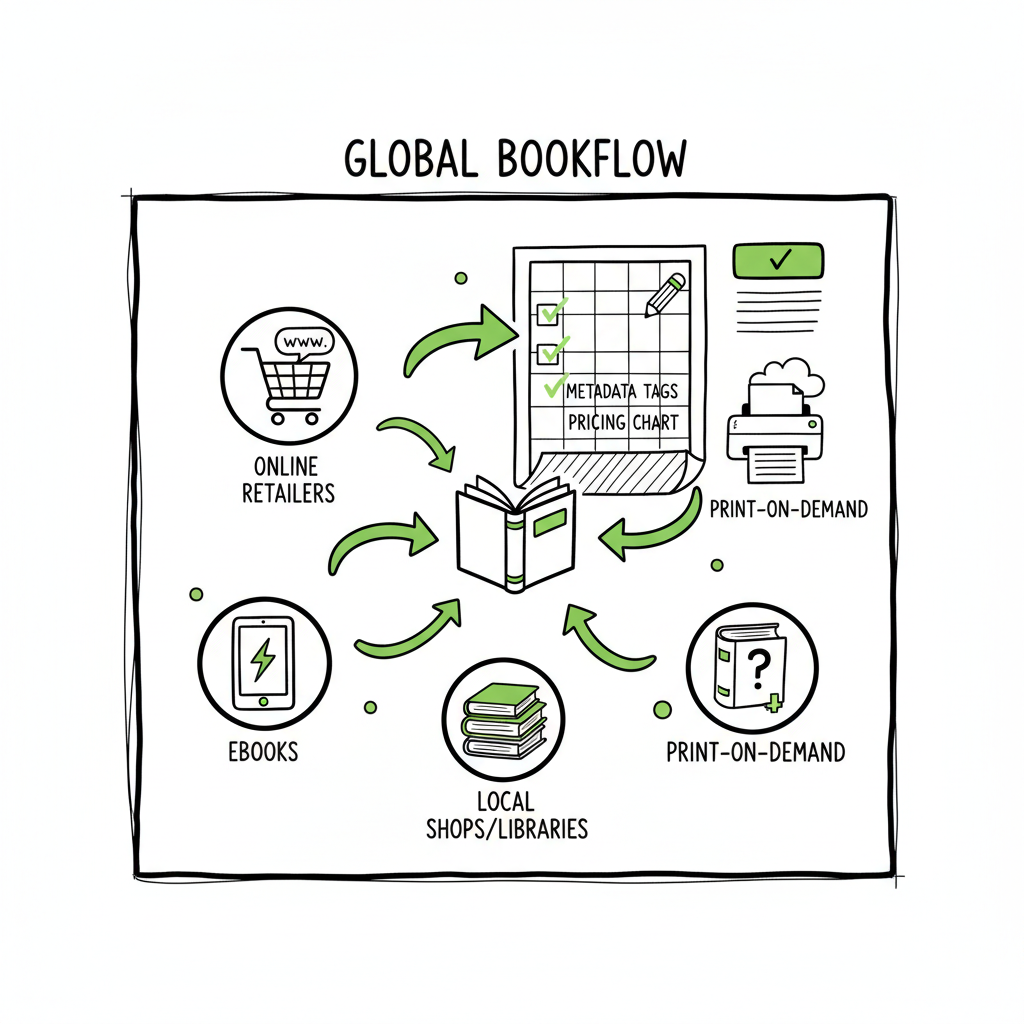
Publishing the same book everywhere — also called going wide or universal book distribution — is a deliberate choice. For most authors the decision comes down to three questions: reach, control, and time. If you want readers to find your work where they already buy books, wide distribution makes sense. It expands reach beyond Amazon to Apple Books, Kobo, Barnes & Noble, Google Play, and independent stores that prefer to work with aggregators.
Going wide is practical. Most platforms allow non-exclusive publishing, so the same ebook or print edition can sit in multiple stores. The main exception is Amazon’s KDP Select program for ebooks, which asks for 90 days of exclusivity in exchange for promotional tools. If you want to publish the same book everywhere, you simply skip Select or opt out after testing it.
There are trade-offs. Amazon still drives a large slice of book sales, and some promotional tools only work inside its ecosystem. Wide distribution spreads discoverability but requires consistent metadata, formatting, and pricing. If you use different titles, author variants, or mismatched metadata, platforms can create duplicate listings or reject uploads. That’s why the operational parts of wide publishing matter as much as the sales strategy.
Practically, authors who want to publish the same title across stores need three things in place:
– Clean, consistent files (ebook and print).
– A publishing plan that handles ISBNs, paperback/print options, and territories.
– A repeatable upload process to avoid re-keying the same data on multiple sites.
If the publishing workload grows — several titles, series, translated editions, or reprints — you quickly hit a labor problem. That’s where automation and batch uploads become crucial. For example, many authors reach a point where using a tool that automates CSV batch uploads and handles platform-specific differences saves about 90% of the time spent on manual uploads. When you’re ready to scale, consider a publish-wide self publishing workflow to standardize metadata and reduce errors early in the process; it’s an obvious upgrade once authors start publishing seriously.
Going wide also affects print. For paperbacks, using the same ISBN across retailers can prevent duplicate listings and keep Amazon’s marketplace clean; for wider bookstore distribution, services like Ingram provide global print-on-demand reach that complements retailer-specific print products. Matching trim, interior files, and cover design between platforms helps avoid production issues.
Finally, remember distribution is not marketing. Publishing the same book everywhere increases availability, but discoverability still requires cover design, metadata that sells, and promotion. The technical work is the foundation. Once that’s solid, distribution actually becomes an asset.
BookUploadPro offers unified multi-platform publishing with CSV batch uploads and retailer-aware processing. The goal is simple: stop repeating tedious data entry and let your publishing pipeline scale. Automate the upload. Own the distribution.
When you’re ready to formalize those steps into a repeatable system, Publish Wide Self Publishing Workflow turns ad hoc uploads into a standard operating procedure that saves time and reduces mistakes.
How to publish same book everywhere at scale
Scaling wide distribution means turning the one-off upload into a repeatable, low-friction operation. Below I outline a practical, operator-focused workflow that covers files, metadata, ISBN decisions, platform quirks, and automation options.
Start with a single source of truth
- Keep a master folder for each title: manuscript, interior PDF/EPUB, cover files, metadata spreadsheet, and marketing copy. Treat this as the canonical set.
- Use consistent file naming and version control. A simple pattern like Title_Format_Version (e.g., ShadowWalks_EPUB_v1.epub) avoids confusion.
- Store metadata in a CSV or spreadsheet that includes title, subtitle, author, contributors, series title and number, description, BISAC/subject codes, language, publication date, ISBN, retail prices per territory, and keywords.
Create platform-ready files
- Ebooks: Produce a validated EPUB and a clean MOBI/Kindle-ready file if needed. Many retailers accept EPUB; Amazon KDP can use EPUB or KPF, but testing is essential.
- Print: Create a print-ready PDF interior and a print-ready cover with appropriate bleed and spine width. Choose trim sizes used consistently across platforms to avoid reflow issues.
- Conversion: If you don’t want to hand-format each file, use a conversion tool that produces clean EPUBs and print-ready PDFs. A reliable EPUB converter that preserves layout and metadata makes uploads faster.
If you use an EPUB converter, make sure it preserves a valid table of contents and embedded metadata. A solid conversion step prevents many retailer rejections. (If you need a tool, consider an EPUB converter that handles batch jobs efficiently.)
Decide how to handle ISBNs
- For ebooks, most stores do not require ISBNs. If you plan to distribute wide, reserving ISBNs for print editions makes sense.
- For paperbacks, using the same ISBN across retailers can prevent duplicate Amazon listings and keeps the book unified in databases. If you use a platform-supplied ISBN (like KDP’s free ISBN), know that it will tie the edition to that platform.
- For global bookstore distribution, use a publisher-owned ISBN (from your own imprint) so you control metadata and can replace files without losing listing continuity.
Set pricing and territorial strategy
- Keep a price schedule in your metadata spreadsheet. Include local currency equivalents for major markets.
- Be aware that Amazon sometimes matches prices across retailers for the same ebook. If you intend to maintain a lower price on a competitor or run promotions, plan pricing carefully.
- Decide whether to allow retailers wide rights in all territories or restrict some markets. This is typically managed per-platform during upload.
Handle metadata consistency
- Exact-match title and author across platforms matter. Small differences (middle initial included on one platform but not another) can fragment listings.
- Use the same cover image and description copy wherever allowed. Platforms vary in how much HTML or formatting they accept, so keep a plain-text version ready alongside a formatted version.
- Use consistent subject categories and keywords. Different sites use different classification systems, but keeping a mapping in your master metadata sheet saves time.
Choose your upload approach
- Manual: Upload directly to each retailer. This gives control but increases time. Manual uploads are fine if you have a small catalog or occasional releases.
- Aggregator: Use Draft2Digital, Smashwords, or similar to push your EPUB to many retailers for you. Aggregators take a cut and may exclude some channels or handle certain metadata differently.
- Automation service: For authors who publish multiple titles or frequently update files, an automated multi-platform uploader that supports CSV batch uploads, platform intelligence, and error-checking is a better investment. These systems translate your master metadata into the right fields for each retailer, handle platform-specific requirements, and reduce copy-paste errors.
If you plan to move from manual uploads to automation, map the differences first. List every mandatory field for each platform and the common failure points. That mapping is the blueprint for any automation you adopt.
Batch uploads and CSV workflows
- Export your metadata in a standard CSV that maps directly to each platform’s upload template. Keep a single row per edition and columns for every field a retailer needs.
- For print, include ISBN, trim, paper type, and barcode requirements in the CSV.
- Test with one title first. Upload and verify the listing appears correctly in each store. Fix issues before you scale.
Cover and interior design at scale
- Use consistent templates for covers and interiors. A repeatable system for spine width calculation and layout spacing reduces revisions.
- If you create new covers often, consider a cover generator or batch-processing tool to export multiple sizes quickly. When you need to convert interiors or generate EPUBs from source files, a conversion tool that can process a queue saves hours.
Conversion and cover processing often appear as bottlenecks. Using tools that handle batch EPUB conversion and cover processing avoids repeating manual steps for every retailer.
Platform-specific notes
- Amazon: KDP Select requires 90-day exclusivity for ebooks enrolled. Paperbacks on KDP are not affected by KDP Select. Amazon’s pricing and matching can complicate wide pricing strategies.
- Apple Books, Kobo, Barnes & Noble, Google Play: These stores accept wide distribution. Each has its own metadata requirements and category lists.
- Ingram: For bookstore and library reach, Ingram’s print-on-demand and global distribution are essential. Use a publisher-owned ISBN to keep the Ingram edition aligned with other channels.
Quality control and updates
- After each upload, buy a proof or preview across platforms. Check formatting, cover wrap, and metadata display.
- Keep a changelog in your master file: who uploaded, when, files used, and any platform notes. That makes updates predictable.
- If you update interior files or covers, remember to update all platforms or note which platform uses a specific edition. Automation systems and aggregators will often version-control these changes for you.
Avoiding duplicate listings on Amazon
- If you publish the same paperback on KDP and IngramSpark with different ISBNs, Amazon may list them separately. Using a single ISBN for the print edition keeps the marketplace cleaner.
- If you must use multiple print providers (for wider in-store availability), take care with ISBN assignment and metadata synchronization.
When scale matters: automation and platform intelligence
- For authors publishing multiple titles, the marginal time to publish another store manually adds up. Automation that understands retailer-specific rules — like accepted file types, required metadata, and price formatting — prevents common errors.
- A platform that supports CSV batch uploads plus platform-specific intelligence reduces upload time by large percentages and cuts error rates. When you reach a catalog of dozens of titles, this becomes the difference between a day’s work and a week’s work.
BookUploadPro offers unified multi-platform publishing with CSV batch uploads and retailer-aware processing. The goal is simple: stop repeating tedious data entry and let your publishing pipeline scale. Automate the upload. Own the distribution.
Practical checklist before upload (do these once per book edition)
– Finalize master files: validated EPUB, print-ready PDF, and cover files.
– Confirm ISBN assignments and imprint details.
– Prepare a pricing schedule for all territories.
– Check metadata for exact title/author consistency.
– Test final files on device previews and order a physical proof for print.
– Prepare a launch-ready metadata row for your CSV or your aggregator upload.
Operational examples
– Single-title author: Manual upload to KDP and one aggregator is often enough. Keep metadata single-sourced.
– Small publisher with series: Use CSV batch uploads and a managed workflow. Match ISBNs for print and keep records per edition.
– High-volume indie author: Adopt an automation tool that pushes to Amazon, Kobo, Apple, Draft2Digital, and Ingram with one upload command. This reduces repetitive tasks and supports promotions across platforms efficiently.
If your operations include converting manuscripts and processing covers at scale, add batch-processing tools early. For instance, use a cover processing tool when resizing covers and creating back-cover/bleed variants. And use an EPUB converter that can handle multiple files in a queue to prepare platform-ready ebooks quickly.
Practical example sentence linking to a publishing workflow resource:
When you’re ready to formalize those steps into a repeatable system, adopting a Publish Wide Self Publishing Workflow turns ad hoc uploads into a standard operating procedure that saves time and reduces mistakes.
Frequently asked questions
Q: Can I publish the same book on Amazon and other stores at the same time?
A: Yes. Most retailers allow non-exclusive distribution. The main caveat is KDP Select, which requires 90 days of exclusivity for enrolled ebooks. If you want to publish the same book everywhere, do not enroll that ebook in KDP Select.
Q: Will publishing the same title everywhere hurt my Amazon sales?
A: Not necessarily. Being available in more stores generally increases discoverability, but Amazon still has a large customer base. Some authors test KDP Select for a period, then go wide afterward. Maintain consistent pricing and metadata to avoid Amazon’s price-matching complications.
Q: Do I need separate files for each retailer?
A: You need platform-ready files. A single validated EPUB often works across many ebook stores. Amazon has its own preferences, so producing one EPUB and one Kindle-optimized file is a common approach. For print, you typically prepare one print-ready PDF and adjust trim sizes if needed.
Q: How should I handle ISBNs for paperback editions?
A: Use one publisher-owned ISBN for the same paperback edition across platforms to avoid duplicate listings. If using a platform-supplied ISBN, be aware it ties that edition to the platform.
Q: Should I use an aggregator or upload manually?
A: It depends on volume and control needs. Aggregators simplify distribution but take a cut and may have restrictions. Manual uploads give you more control. For scale, an automation platform that supports CSV batch uploads and platform-specific handling is the best choice.
Q: What tools help with file conversion and cover processing?
A: Use an EPUB converter to produce clean, validated EPUBs and a cover processing tool to generate print-ready covers with correct spine and bleed. These tools save time and reduce upload failures.
Sources
- https://help.leanpub.com/en/articles/117414-can-i-sell-my-book-on-leanpub-and-on-amazon-or-on-other-self-publishing-platforms-at-the-same-time
- https://blog.bookbaby.com/how-to-self-publish/self-publishing/can-you-self-publish-a-book-on-multiple-sites
- https://www.bestsellingpublisher.com/publish-your-ebook-on-multiple-platforms
- https://www.youtube.com/watch?v=4ZyjqHqhQ2M
- https://www.kdpcommunity.com/s/question/0D58V00007tkAXuSAM/publishing-books-at-another-platforms-along-with-kdp?language=en_US
How to publish same book everywhere: a practical guide to wide distribution Estimated reading time: 12 minutes Key takeaways You can publish the same title across retailers as long as you avoid platform exclusivity terms like KDP Select; consistency in metadata and formatting matters. Use a repeatable process for files, ISBNs, and pricing to avoid…