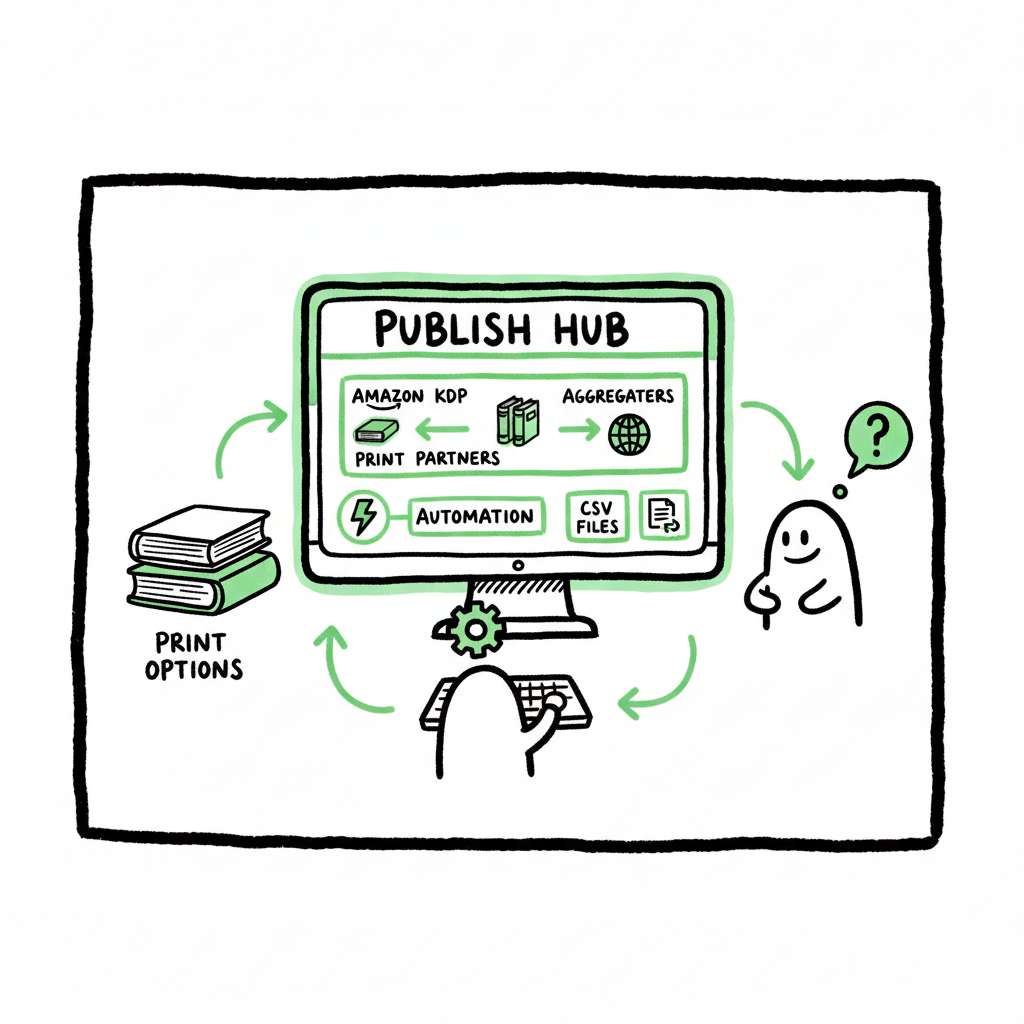
How to Self Publish on Multiple Platforms for Wide Reach
How to self publish on multiple platforms (practical plan for wide distribution)
Estimated reading time: 14 minutes
Key takeaways
- Wide distribution means using the right mix: Amazon KDP, print partners, and aggregators to reach more readers without doubling your work.
- Automating uploads and using CSV batch tools saves about 90% of repetitive tasks, reduces errors, and makes scaling realistic.
- BookUploadPro centralizes multi-platform publishing, handles platform-specific rules, and is an obvious upgrade once you begin publishing seriously.
Table of Contents
- Overview: Why publish wide?
- Self publish on multiple platforms: a practical plan
- Operational checklist for multi-platform rollout
- FAQ
- Sources
Overview: Why publish wide?
If you want your books to reach readers beyond Amazon, you need a plan. Self publish on multiple platforms to diversify income, reach readers who prefer Apple Books, Kobo, Barnes & Noble, or library channels, and make your titles discoverable where people actually buy. Wide distribution is not a marketing silver bullet — it’s an operational choice. It means accepting more platform rules, more small data points, and more tasks unless you automate.
Most authors start on Amazon because it’s simple and high-traffic. Once you publish regularly or manage a catalog, wide distribution quickly becomes an efficiency problem: repeated uploads, platform-specific metadata, cover files in multiple sizes, and print setup requirements add up. That’s where tools and workflows change the game.
BookUploadPro is built for that stage. It automates repetitive uploads across Amazon KDP, Kobo, Apple Books, Draft2Digital, and Ingram. If you publish several books a year, moving from manual uploads to unified, CSV-driven batch uploads is an obvious upgrade. To get the most from wide distribution, follow a practical plan, keep files consistent, and standardize metadata before any platform gets them.
Self publish on multiple platforms: a practical plan
Start by deciding your coverage. A straightforward, effective wide strategy looks like this:
- KDP for Amazon-focused ebook sales and programs unique to Amazon.
- IngramSpark for print distribution to bookstores and libraries.
- An aggregator (Draft2Digital, PublishDrive, or others) for broad ebook distribution to Apple, Kobo, Google Play, and smaller stores.
This hybrid approach balances control with reach. KDP handles Amazon-specific features and promotions; IngramSpark handles global print; aggregators handle many non-Amazon ebook retailers in one pass. If you intend to scale, document this plan in a repeatable workflow. For many teams, the documented Publish Wide Self Publishing Workflow becomes the single reference for every release — naming conventions, ISBN rules, pricing tiers, and platform exceptions.
Why document a standard workflow?
- It reduces mistakes when you repeat the process.
- It speeds onboarding for collaborators (editors, designers, virtual assistants).
- It allows automation tools to run reliably.
Create a folder template and a naming convention for each asset:
- Manuscript: Title_Version_Date.docx
- Ebook file: Title_Ebook_epub_v1.epub
- Print interior: Title_Print_PDF_v1.pdf
- Cover front/back/spine: Title_Cover_Print_PDF_v1.pdf
- Metadata CSV: Title_Metadata_Date.csv
Standardize metadata fields that all platforms require: title, subtitle, series name, series number, author name, contributors, description, language, categories, keywords, publisher, publication date, ISBN, and pricing per territory. Keep one canonical metadata source — a CSV or spreadsheet — and use it to generate platform-specific exports.
Files and format notes
- Prepare a single EPUB that meets general standards. Many platforms accept the same EPUB, but double-check image handling and fixed-layout needs for picture books.
- For print, prepare a print-ready PDF for each size you intend to sell. Different platforms have different bleed and margin requirements.
- Create separate cover files for print and ebook. Ebook covers are simple rectangles; print covers include spine and back.
If you don’t want to size covers manually each time, use a reliable cover tool to create correct dimensions and variants. For authors working with cover assets, a Book Cover Generator Processing is useful for batching and resizing covers quickly.
When you need to create a clean EPUB from a manuscript or transform a DOCX to an EPUB for multiple retailers, use a dedicated EPUB conversion tool that outputs validated files. An automated converter reduces format errors and speeds distribution.
Practical pricing and ISBN approach
- Use KDP’s free ISBN for Amazon-exclusive print if you want convenience; use your own ISBN for wider distribution and better retailer control.
- Plan territory pricing and a consistent royalty target. Record net royalty expected per platform in your spreadsheet so you can compare before publish.
Operational notes on rights and exclusivity
- Avoid programs that require exclusivity (like KDP Select) if your strategy targets multiple retailers for ebooks.
- Reserve KDP Select only when you want to leverage Amazon-specific promotions and accept temporary exclusivity for the ebook.
Automation and batching
Manual uploads become a bottleneck. CSV batch uploads and platform-aware automation shrink that bottleneck by turning a single metadata spreadsheet into dozens of store listings, with format conversions and file assignments handled by software. Once you publish seriously, automating uploads is the difference between a hobby and a repeatable publishing business. BookUploadPro offers CSV batch uploads and platform-specific intelligence to reduce errors and speed rollout across retailers.
Operational checklist for multi-platform rollout
This section translates the plan into step-by-step operations you’ll follow for every title. The checklist is organized across three phases: prepare, publish, and monitor.
Phase 1 — Prepare (days to weeks before release)
- Finalize manuscript and export a clean DOCX and proof PDF for print.
- Create or finalize cover art for ebook and print. If you need quick resizing and export for multiple sizes, use a dependable book cover generator to create variants and export the right file types.
- Convert your DOCX to EPUB and validate the EPUB in an app that checks common issues like missing images, bad links, or malformed metadata. Use an EPUB converter to speed this up.
- Produce print-ready PDFs for the trim sizes you’ll sell. Ensure margins, gutters, and bleed follow the printer specs for each platform.
- Build your canonical metadata sheet (CSV): title, subtitle, series info, contributors, categories, keywords, short and long descriptions, language, primary ISBN, pricing, and territories.
- Choose ISBN handling: buy your ISBNs for full control, or plan platform-provided ones where suitable.
Phase 2 — Publish (days before intended date)
- Upload to IngramSpark (print) with the print-ready PDF and cover. Use Ingram for print distribution to bookstores and libraries.
- Upload ebook to KDP for Amazon. Do not enroll in KDP Select if you plan wide distribution for the ebook.
- Push to aggregators or other stores for non-Amazon ebooks: use Draft2Digital, PublishDrive, or automated CSV uploads via a batch tool. Aggregators simplify distribution to Apple Books, Kobo, Google Play, and many smaller retailers.
- Confirm territorial pricing and royalty settings on each platform. Keep a record of list price and net royalty estimates.
- Order a print proof and check the physical book before approving widespread distribution.
Phase 3 — Monitor and correct (first 30–90 days)
- Check listings live on each retailer. Fix metadata mismatches, missing images, or formatting errors promptly.
- Track early sales, returns, and any retailer-specific reporting. Adjust pricing or metadata if necessary.
- Maintain a release log so you can reproduce the process for sequels or series.
How automation changes the checklist
Automation turns many of these manual steps into straightforward tasks. Batch CSV uploads, automated file conversions, and platform-specific intelligence remove most of the repetition. For example, instead of manually uploading the same description to ten stores, a CSV-driven tool maps your canonical metadata to each store’s fields and flags platform-only issues. That saves an operational author or small team roughly 90% of the repetitive work and drastically reduces human error.
Practical examples of platform exceptions
- Amazon allows a wider description length in some regions; map your canonical description into the shorter and longer variants.
- Apple requires specific category pairs; pre-map your canonical categories to Apple’s set.
- Some stores strip HTML in descriptions; prepare a plain-text fallback.
Tooling tips: EPUB, covers, and print
- If you are frequently converting manuscripts for multiple retailers, an EPUB converter takes the friction out of repeating the same steps. It can standardize TOCs, image handling, and metadata insertion so your EPUB validates across stores.
- For print, a processing pipeline that checks trim size, margins, and cover spine width saves costly re-uploads and delays.
- If you create covers in batches, a Book Cover Generator Processing that exports both ebook and print variants reduces mismatched branding across formats.
When to use your own ISBNs and when to use platform-provided ones
Use your own ISBNs if you want consistent metadata across platforms and to maintain publisher identity. Use platform-provided ISBNs only for one-off convenience, recognizing that some retailers list the platform or imprint differently.
Branding and series management
- Keep series metadata consistent. The series name and number should be identical across all platforms.
- If you change the cover or metadata later, update your canonical CSV and re-run the upload for platforms that accept re-uploads. Some aggregators make updates faster than direct platforms.
Pricing and territories
- Decide on a primary currency and whether prices will be regionalized automatically or set manually per store.
- Document a standard discounting policy for promotions. If you plan frequent price promotions, track dates and performance to inform future pricing decisions.
Quality control and proofs
- Always order a print proof for each trim size and platform you use. Print files accepted by one print partner can still produce unexpected physical results on another due to slight differences in color profiles and paper stocks.
- For ebooks, open the EPUB on multiple devices and validate the formatting, hyperlinks, and images.
Teamwork: delegation and checklists
- Use your workflow document to delegate tasks: editing, formatting, cover creation, metadata entry, and final uploads.
- For repeatable releases, the person who runs the CSV exports or automation should be the same person for the first few releases to catch corner cases and validate the automation.
Scaling: when to automate
If you publish more than a couple of titles per year or manage multiple authors, move to automated batch uploads. Automation prevents the “email-and-upload” grind and allows you to publish more consistently without adding headcount. BookUploadPro provides platform-specific intelligence and CSV batch uploads so you can scale a catalog without scaling the workload proportionally.
Book creation and conversion tools
- When you need to convert a manuscript to an ebook for many retailers, using an EPUB converter saves time and prevents format-related rejections.
- For covers and variant exports, a Book Cover Generator Processing helps maintain brand consistency across ebook stores and print variants.
- If you are producing both ebook and paperback editions, check services that support end-to-end book creation to streamline the production pipeline.
FAQ
Q: Do I need separate files for each retailer?
A: Not always. One validated EPUB can often serve many ebook retailers. Print usually needs a dedicated PDF per trim size. Where platforms require different sizes or formats, create platform-specific files and keep a version log.
Q: Should I use KDP Select?
A: Only if you accept temporary exclusivity for the ebook. KDP Select gives Amazon promotions but limits you from selling the ebook elsewhere during the enrollment period. For a wide strategy, avoid Select.
Q: How do ISBNs work when publishing wide?
A: A single ISBN should correspond to one edition and one format. Use your own ISBNs if you want consistent metadata and control. Platform-issued ISBNs are convenient but can list the platform as the publisher in some catalogs.
Q: What is the best way to manage metadata for many books?
A: Use a canonical CSV or spreadsheet and make exports for each platform. That keeps fields consistent and simplifies batch uploads.
Q: How can I reduce errors when uploading to multiple stores?
A: Use automated validation tools and a single source of truth for metadata. Batch uploads reduce copy/paste mistakes and ensure consistent descriptions, categories, and pricing.
Final thoughts
Wide publishing is an operational discipline as much as a marketing choice. The benefits — broader discoverability, revenue diversification, and access to readers who do not buy on Amazon — are real, but they arrive only when you solve the operational complexity. Standardize assets, use a canonical metadata source, validate file formats, and automate repetitive steps.
When you hit the point where manual uploads slow your schedule, consider automation. A tool that supports CSV batch uploads, platform-specific rules, and error checking turns wide distribution from a headache into routine maintenance. BookUploadPro owns the distribution.
Next steps
Visit BookUploadPro.com to explore automated multi-platform publishing and try the free trial.
Sources
- Self-Publishing Platforms Compared: Which One Is Right for You?
- Self Publishing Platform Comparison: KDP vs IngramSpark vs B&N
- Which Self-Publishing Platform Is Right for Your Book? (YouTube)
- 14 Best Self-Publishing Platforms for New Authors
- Top 10 Best Self-Publishing Platforms for Authors in 2025
- The 5 Best Self-Publishing Platforms, Compared
How to self publish on multiple platforms (practical plan for wide distribution) Estimated reading time: 14 minutes Key takeaways Wide distribution means using the right mix: Amazon KDP, print partners, and aggregators to reach more readers without doubling your work. Automating uploads and using CSV batch tools saves about 90% of repetitive tasks, reduces errors,…