Wide Publishing Workflow Practical Guide for Authors
Wide publishing workflow: a practical guide for authors who want to go wide
Estimated reading time: 12 minutes
Key takeaways
- A clear wide publishing workflow turns one-off uploads into repeatable, scalable production.
- Focus this process on metadata, format checks, retailer rules, and batch steps that can be automated.
- Tools that handle CSV batch uploads, platform intelligence, and error reduction make wide distribution practical and fast.
Table of Contents
- What a wide publishing workflow is and why it matters
- Core stages and wide publishing process steps
- Tools, batching, and multi retailer upload workflow at scale
- FAQ
What a wide publishing workflow is and why it matters
“Wide publishing workflow” describes the repeatable set of actions you use to prepare a book and publish it across many retailers. That includes Amazon KDP, Kobo, Apple Books, Draft2Digital, and Ingram — and the same steps apply whether you publish one title or a hundred. For authors who intend to publish seriously, having a documented process saves time and avoids costly mistakes.
Early on, publishing wide looks like extra work. You need more formats, different metadata fields, and retailer-specific rules. Without a reliable process, the work expands and stalls: versions get out of sync, files fail validation, or metadata errors cause rejections. A strong wide publishing workflow standardizes the work so you can do it fast and accurately.
If you want a tested, operational approach to go-wide publishing, see Publish Wide Self Publishing Workflow for a practical example that teams use to move faster and reduce errors. A good process maps responsibilities, sets acceptance criteria for each stage, and defines the exact deliverables for upload.
Why this matters in practical terms:
– Less manual rework. Once rules are set, the same assets go to each retailer with small, controlled variations.
– Faster release cycles. You can schedule multiple releases because the path from manuscript to live listing is known.
– Fewer lost sales. Clean metadata and platform-specific intelligence reduce the chance of listing mistakes that hurt visibility.
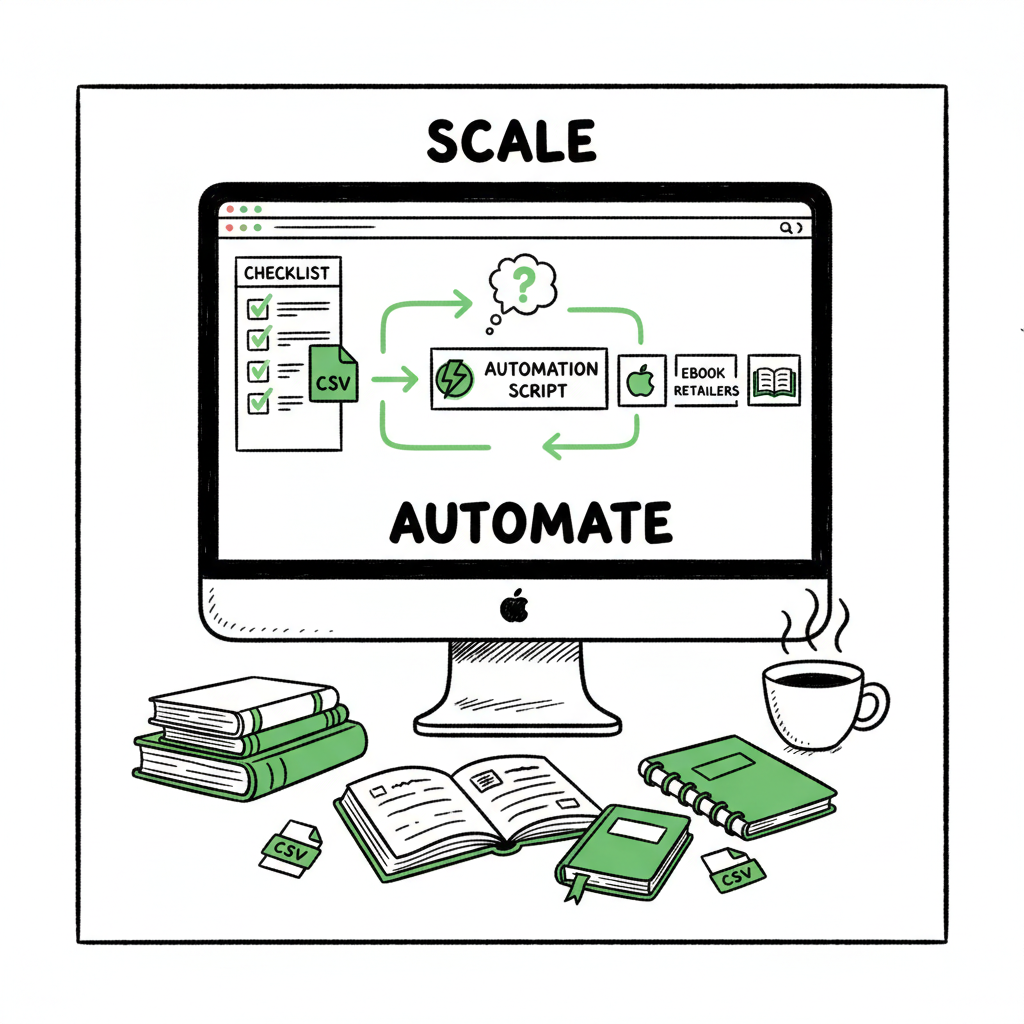
BookUploadPro is built for that reality. It automates repetitive uploads across retailers, supports CSV batch uploads, and applies platform-specific checks so you save roughly 90% of the time you would spend doing uploads by hand. That makes wide distribution practical for authors who publish multiple titles or series. Automate the upload. Own the distribution.
Core stages and wide publishing process steps
A reliable wide publishing workflow breaks the project into clear stages. Each stage has a deliverable, a quality check, and a responsible person. The exact names can change, but the process below is the one most teams use. Keep the language simple and keep acceptance criteria strict.
1) Plan and metadata design
Start with a planning sheet that lists the title, series information, ISBNs, price targets by retailer, territories, and release windows. Plan the key metadata up front: primary keyword choices, categories, and short vs long descriptions. A simple CSV template works well when you need to publish many books.
What to deliver: a filled metadata CSV for each title and a priority list for launch dates.
2) Manuscript finalization and editorial checks
Finish the manuscript. Run structural edits first, then copyedits, and a final proofread. Use a version system so you never upload an earlier draft by mistake. Keep a changelog for any last-minute fixes.
What to deliver: a final manuscript file (DOCX or other source), and a plain-text proofread checklist that includes page count and special elements like images or tables.
3) Formatting and file generation
Create the files each retailer needs. For ebooks, that means properly set up EPUB files. For paperbacks, it means print-ready PDFs sized to the selected trim and bleed. If you are creating a paperback or ebook, use a service you trust to generate the files and check the output on multiple devices.
What to deliver: final EPUB, MOBI/legacy files if needed, and print-ready PDF. If you convert to EPUB, validate it with an EPUB validator to catch common errors early. If you use an automated converter, it saves time; if you handle many titles, a dedicated converter is worth the investment.
Tip: For cover creation and image work, use a fast, consistent process so covers follow the same spine and blur rules. If you generate covers or need processing, consider a managed cover pipeline to avoid format errors.
4) Quality assurance (QA)
QA is an explicit step, not something the uploader does as they go. QA verifies metadata fields, checks the book in previewers, validates EPUB files, confirms pricing and territory settings, and ensures the ISBN and barcode match the product. Have a short checklist and fail-fast criteria. For example: if the EPUB fails validation, stop and fix it before uploading anywhere.
What to deliver: a signed-off QA checklist and screenshots or validation logs as evidence.
5) Platform-specific preparation
Each retailer has quirks. Amazon supports KDP Select; Apple Books wants specific thumbnail dimensions and description formatting; IngramSpark requires particular PDF color settings. Map the differences and make small conditional edits to your standard files. Maintain a short cheat sheet for each retailer that lists the top reasons uploads fail.
What to deliver: retailer cheat sheets and the adjusted files or metadata variations for each store.
6) Upload, schedule, and monitor
Use batch upload where possible. Uploads are not finished when the website accepts a file; you must confirm the listing looks right in the store, pricing is correct, and distribution options are set. Schedule the release dates and monitor the first 72 hours after release for errors or takedowns.
What to deliver: published URLs, confirmation of worldwide availability where applicable, and monitoring notes for the first few days.
7) Post-launch maintenance
After a book goes live, track performance, and update metadata or pricing as needed. Keep a log of changes and any errors encountered. If you update files, follow the same process and version control so every update is safe.
Putting acceptance criteria on each stage prevents back-and-forth. For example, a manuscript only moves to formatting when the editorial checklist is green. A file only moves to upload after QA validation passes. The discipline saves you time in the long run.
Operational roles and responsibilities
Assign clear roles: an author or lead who signs off on manuscript changes, an editor, a formatter or designer, and an ops person who handles uploads and scheduling. For a one-person team, write the role names in the workflow and treat them as checkboxes you must complete.
Common wide publishing process steps (summary)
- Plan: metadata, ISBNs, territories, price
- Edit: structural, copyedit, proofread
- Format: EPUB, print PDF, internal checks
- QA: validations, preview checks, metadata review
- Adapt: platform-specific files and metadata tweaks
- Upload and monitor: batch where possible, confirm live
- Maintain: updates, performance tracking, and reissues
Tools, batching, and multi retailer upload workflow at scale
If you publish one book every year, manual uploads may be fine. When you start publishing multiple books or editions, the operational picture changes. You need batching, CSV templates, and a single place to store master assets. Here’s what works in practice.
A) Use a single source of truth
Store every asset in one location: manuscript DOCX, final EPUB, print PDF, cover art, metadata CSV, and rights information. That location should be accessible to any collaborator and should have version control or dated filenames. When you need to republish, you grab the latest set and move through QA.
B) Batch uploads with CSVs
Many platforms accept CSV or spreadsheet-based batch uploads. That is the difference between 60 minutes per title and 6 minutes. Build a CSV template that includes basic metadata fields and retailer-specific columns. Test the CSV with one title first, then expand to multiple titles.
C) Platform-specific intelligence
Retailers have rules that change often. The best operational setups include a small rules engine or cheat sheet that tells you:
– Amazon: description limits and KDP Select implications
– Kobo: cover requirements and territory settings
– Apple Books: accepted EPUB features and thumbnail size
– Ingram: print PDF bleed and color profile checks
Document these rules near your CSV template so uploaders don’t need to hunt for details.
D) Error reduction through validation
Before you upload, run validation checks. That includes EPUB validation, PDF checking, and metadata sanity checks (e.g., do the ISBNs match? Do page counts in the metadata match the PDF?). Automating these checks tags files that are ready and flags those that need work.
E) Cover and file processing
Covers must be consistent. If you create a paperback or ebook, use the same design language and ensure the final images meet retailer specs. For large catalogs, outsource or standardize cover generation. If you are converting manuscripts to EPUB, use a converter and validate output on multiple readers.
If you need reliable cover processing, consider a dedicated cover processing pipeline that handles resizing and export. For automated cover processing and generation, tools exist to speed the work. If your plan involves EPUB conversion at scale, use a proven EPUB conversion service to avoid manual fixes.
F) Publishing platforms and distribution strategies
Decide when you go exclusive (like KDP Select) and when you go wide. Many authors use exclusivity for marketing bursts and widen after promotions. Your wide publishing workflow should include a branch that prepares for exclusive periods and a branch that prepares for full wide distribution.
G) Integration points and CSV outputs
Make the CSV the center of integration. The CSV should populate uploader fields, create campaign lists for marketing, and feed inventory into reporting. If you work with a service that supports CSV batch uploads, you can push files in bulk to all retailers and let the service handle the specific mapping.
Operational checklist for multi retailer upload workflow
- Master asset repository is current
- Metadata CSV populated and reviewed
- EPUB and PDF validated
- Cover art confirmed for all sizes
- Retailer-specific tweaks applied
- Batch upload executed and monitored
- Live-check and first-48-hour monitoring completed
How automation helps in practice
Automation reduces repetitive steps: mapping CSV fields to retailer fields, generating basic EPUB from a source DOCX, and running validation checks. When set up well, automation saves time and reduces human error. BookUploadPro automates repetitive uploads across Amazon KDP, Kobo, Apple Books, Draft2Digital, and Ingram. It supports CSV batch uploads, applies platform-specific intelligence, and reduces errors so you can publish at scale. For authors who publish multiple titles, it becomes an obvious upgrade.
A few practical notes on conversion and covers
- EPUB conversion: a clean EPUB saves hours of debugging on Apple and Kobo. Use a reliable converter and then validate. If you need a dedicated converter, there are services that specialize in EPUB conversion and validation so you don’t reformat by hand.
- Creating paperbacks and ebooks: When you produce print-ready PDFs and digital EPUBs, standardize templates for trim sizes and internal styles. This reduces mismatch errors and keeps page counts and pagination predictable.
- Cover design: generate covers with consistent spine and trim settings. Run a final export in the exact color and DPI the retailer expects.
If you are working on these assets regularly, the small extra time to automate file processing and validation pays off quickly. For cover generator processing, EPUB conversion, or comprehensive creation of paperbacks and ebooks, use the right services so those parts of the chain do not become bottlenecks.
Practical example: a 10-book batch
- Day 1: Finalize manuscripts and populate CSV template.
- Day 2: Generate EPUBs and print PDFs; create covers.
- Day 3: Run validation and QA; fix flagged issues.
- Day 4: Execute batch upload; schedule releases and confirm live pages.
With a manual approach, this could take several days per title. With a batch process and the right tooling, the cycle compresses into a single coordinated run. That is where you get the ~90% time savings when you move from ad-hoc uploads to a repeatable, automated process.
FAQ
Q: What exactly is the difference between going wide and staying exclusive?
A: Going wide means distributing your book to as many retailers as possible. Staying exclusive usually refers to programs that limit distribution to one platform (for example, KDP Select on Amazon). Exclusive programs can offer promotional tools in exchange for limiting distribution. A wide approach prioritizes reach and diversified presence.
Q: Can I use one EPUB for all retailers?
A: Often yes, but you must validate the EPUB for each store. Some platforms reject advanced EPUB features or require specific metadata. The EPUB should be clean and validated before upload.
Q: How do I handle pricing and territories across retailers?
A: Plan pricing in your metadata stage. Decide on base list prices and then map them to retailer price formats. Some publishers maintain a pricing matrix in their CSV so uploads are consistent across territories.
Q: How much time does a wide publishing workflow save?
A: The time savings depend on scale. For single titles, you might not save much. When you publish multiple titles or editions, the right process plus batching and tooling can save about 80–90% of the time spent on uploads and fixes compared to manual, per-platform uploads.
Q: Is it worth automating uploads if I’m a one-person operation?
A: Yes, if you plan to publish more than a couple of titles per year. Automation makes the work predictable and allows you to schedule releases reliably. If you intend to publish a series or multiple backlist titles, automation pays for itself quickly.
Q: What about creating EPUBs, covers, and print-ready PDFs at scale?
A: Use dedicated services for cover processing, EPUB conversion, and PDF generation so those steps don’t create bottlenecks. For cover processing, a dedicated pipeline speeds exports and reduces format errors. For EPUB conversion, use an established converter and run a validator. For print PDFs, use templates for each trim size to ensure proper margins and bleeds.
Q: How should I monitor releases after upload?
A: Check listings in each retailer within the first 48-72 hours. Confirm that descriptions render correctly, pricing is correct, and that the book is available in the expected territories. Keep screenshots and notes for your log.
Q: Will automation remove the need for human checks?
A: No. Automation reduces repetitive tasks and catches many errors, but human QA remains vital. Use automation to handle mapping and validation, and use human reviewers for content and design checks.
Final thoughts and next steps
A wide publishing workflow turns complex, multi-retailer publishing into a repeatable operation. Start small: document the steps you already take, define acceptance criteria, and create one CSV template and one QA checklist. Then add tooling to automate repetitive tasks and batch your uploads. The goal is to move from manual uploads to a predictable production line that you can scale.
BookUploadPro is built for authors and small teams who need to publish across Amazon KDP, Kobo, Apple Books, Draft2Digital, and Ingram without repeating the same manual steps. It supports CSV batch uploads, applies platform-specific intelligence, and reduces errors to make wide distribution practical and affordable. For authors who publish seriously, automating uploads and owning distribution is the obvious upgrade.
Automate the upload. Own the distribution.
Visit BookUploadPro.com to try the free trial.
Sources
- How to Build a Content Publishing Workflow – Activepieces
- Publishing Workflow Management: 8 Steps for Easy Setup – Automateed
- The Ultimate Editorial Workflow Guide – Multicollab
- How to Develop an Editorial Workflow – Elite Editing
- Hybrid workflow how-to: introduction & editorial steps – Network Cultures
- 5 Tips For The Perfect Publishing Process | PublishOne
- How to Develop Efficient Editorial Workflows – State of Digital Publishing
Wide publishing workflow: a practical guide for authors who want to go wide Estimated reading time: 12 minutes Key takeaways A clear wide publishing workflow turns one-off uploads into repeatable, scalable production. Focus this process on metadata, format checks, retailer rules, and batch steps that can be automated. Tools that handle CSV batch uploads, platform…