Backend Keyword Indexing Test for Amazon KDP Authors
Backend Keyword Indexing Test
Estimated reading time: 8 minutes
Key takeaways
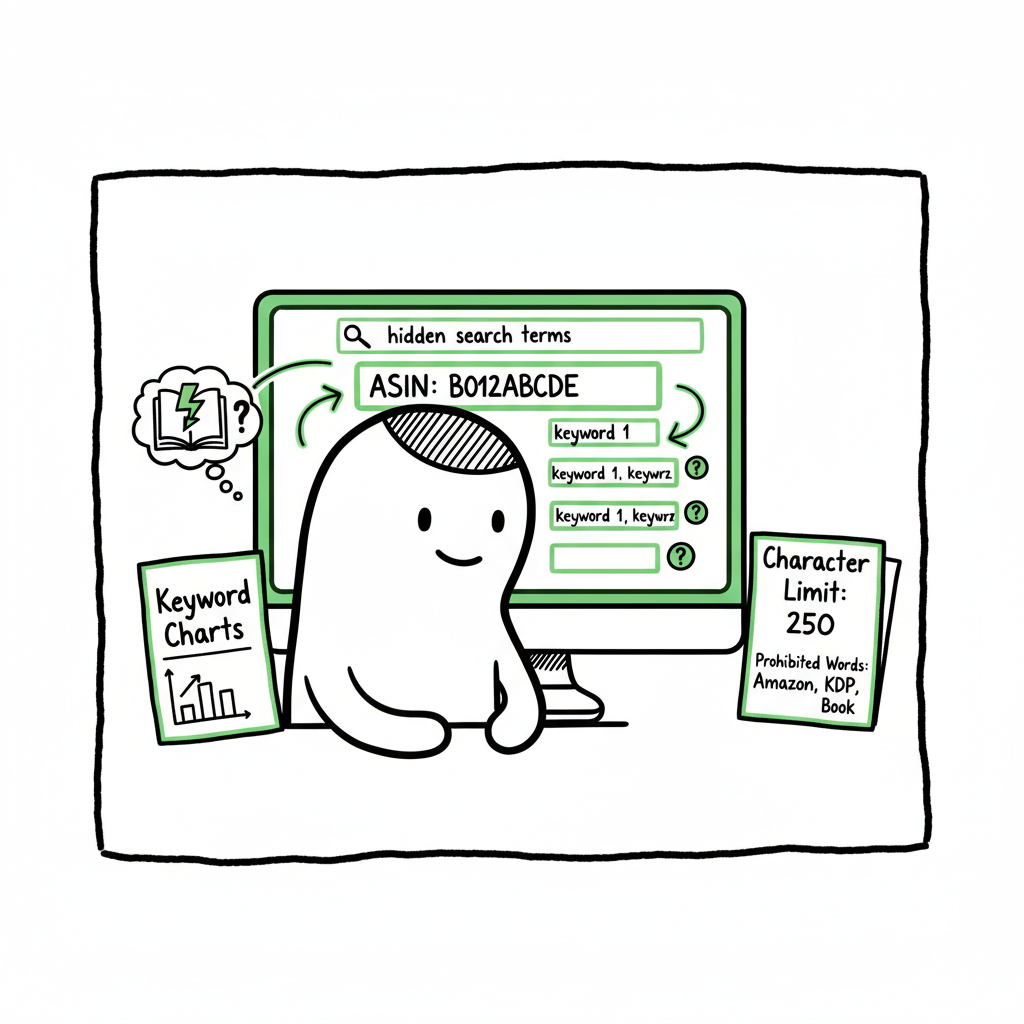
- A backend keyword indexing test tells you if Amazon recognizes hidden search terms you add for a KDP book.
- The simplest reliable test is a manual ASIN + keyword search; tools help scale tests for many keywords.
- Fixes focus on character limits, prohibited words, duplicates, and testing on fresh listings; automation saves time when publishing at scale.
Table of Contents
- Overview
- How to run a backend keyword indexing test on KDP
- Common indexing failures and practical fixes
- Monitoring, scaling, and automation for serious authors
- FAQ
- Sources
Overview
A backend keyword indexing test checks whether Amazon has accepted the hidden search terms you put into your KDP listing. For authors, those hidden fields matter: they help your book show up for searches you didn’t (or couldn’t) fit naturally into the title or description.
A simple manual test will often give a clear yes/no answer inside a day or two. If you want a short guide to listing-level SEO and practical tactics that work for books, see Amazon Book SEO for Authors. That page covers front-end and back-end tradeoffs so you can decide which terms belong where.
How to run a backend keyword indexing test on KDP
This section shows practical steps. Keep a clean, repeatable process so tests give useful answers.
- 1) Prepare a single keyword to test
- Pick one keyword or short phrase you want to verify.
- Avoid special characters or long multi-word strings for a clear result.
- 2) Find your ASIN
- On your KDP dashboard, open the book’s Amazon product page and copy the ASIN from the URL or product details.
- Use the ASIN rather than the title to reduce false positives.
- 3) Wait for processing
- After you save changes to backend search terms, Amazon can take 24–48 hours to reprocess. Plan tests after this window.
- 4) Manual ASIN + keyword search (the gold-standard)
- In Amazon’s main search bar type: [ASIN] [keyword] (ASIN first, then the keyword).
- If your book appears anywhere in the results, that keyword is indexed.
- If not, it likely isn’t indexed yet.
- 5) Test on a new listing to isolate effects
- If you can, use a fresh listing or a newly uploaded test book. New listings isolate backend changes from frontend content and make indexing status clearer.
- 6) Scale testing when needed
- For many keywords run a single ASIN + keyword check for each term. For larger catalogs, use index-checker tools that accept bulk lists and return pass/fail results faster.
If you package many ebooks or paperbacks, remember basic production steps like EPUB conversion, cover work, and final file creation. Reliable file processing speeds up distribution to multiple retailers, and tools exist to handle EPUB conversion and cover generation if you need to standardize batches.
Common indexing failures and practical fixes
Indexing can fail for several predictable reasons. Treat these as a checklist when a keyword won’t index.
- Prohibited or restricted words
Amazon filters out certain terms (trade names, offensive words, or words that violate policy). Replace or remove flagged words. - Duplicate or repeated keywords
Repeating the same terms across backend fields, title, subtitle, or description can confuse processing or waste space. Use distinct terms. - Byte or character limits
Different Amazon interfaces may enforce byte or character limits. Keep each entry conservative and avoid long phrases; prioritize unique, high-value terms. - Irrelevance or low term quality
Amazon’s system favors terms that clearly relate to the product. Tighten relevance: use terms a real reader would search. - Timing and caching
Changes may need 24–48 hours. If you test too soon, you’ll get false negatives.
Fixing failures
- Remove duplicates and compress phrases into single, compact terms.
- Replace suspect words with synonyms or longer tail phrases that match reader language.
- Wait the full processing window before repeating tests.
- For persistent issues, try moving the term into visible content (e.g., subtitle) on a test listing and re-test to see if front-end content is a factor.
Monitoring, scaling, and automation for serious authors
If you publish one book, manual checks are fine. At scale, manual work becomes a bottleneck and a source of errors.
- Use a mix of manual checks and tools
Manual ASIN + keyword checks remain the most reliable single check. For hundreds of keywords across dozens of books, index-checker tools can batch queries and track results over time. - Keep a testing cadence
Run a full indexing test after any major metadata change, quarterly for evergreen titles, and after advertising campaigns to capture new search behavior. - Centralize metadata and bulk uploads
A CSV-driven workflow reduces repetitive typing and mistakes. When you publish across Amazon KDP, Kobo, Apple Books, Draft2Digital, and Ingram, a unified process saves time and prevents mismatched metadata. That’s why many authors treat a dedicated publishing automation service as an obvious upgrade once they start publishing seriously: it cuts error rates and frees time to write. - Automate file production
Automating tasks like EPUB production and cover processing removes formatting friction. If you need an automated EPUB pipeline, consider tools built specifically for batch conversion to keep your distribution moving quickly.
Practical automation notes
- Record every change and test result in a simple CSV. That makes it possible to audit what you changed and when.
- Where possible, automate the upload of identical metadata to each retailer to avoid manual mismatch.
- Track PPC and search term reports from Amazon Ads to find candidate keywords to add to backend fields.
If you need an automated EPUB pipeline, you can see EPUB Converter.
FAQ
Q: How long should I wait after updating backend keywords?
A: Wait 24–48 hours. Amazon reprocesses listings and caches before changes fully take effect.
Q: Can tools reliably replace manual ASIN checks?
A: Tools scale well. They give quick pass/fail results for many keywords, but the manual ASIN + keyword search remains the final authority for a single keyword.
Q: Will repeating the same word in multiple fields help indexing?
A: No. Repetition wastes space and can trigger filters. Use unique, relevant terms instead.
Q: Should I test on fresh listings?
A: Yes. Fresh listings help isolate backend changes from frontend content and clarify indexing status.
Q: How do I scale indexing tests across many keywords?
A: Use a CSV-based workflow and batch index-checker tools to run large keyword sets efficiently, then audit results over time.
Q: Are there common mistakes to avoid?
A: Avoid duplicate terms, avoid low-relevance keywords, and give the system time to process changes before re-testing.
Final thoughts
A backend keyword indexing test is a small, practical experiment that answers a useful question: is Amazon honoring the hidden terms I set? For authors who plan to publish multiple books or update metadata often, pair manual checks with scaled tools and a standardized workflow. Automate repetitive steps where possible: consistent EPUB conversion, cover processing, and CSV-driven uploads reduce errors and save time. Automate the upload. Own the distribution.
Call to action: Visit BookUploadPro.com and try the free trial to see how CSV batch uploads, platform-specific intelligence, and multi-platform automation save time and reduce errors..
Sources
- https://leadadvisors.com/blog/amazon-backend-keywords/
- https://www.webretailer.com/amazon/backend-keyword-search-indexing-amazon/
- https://www.analyzer.tools/step-by-step-guide-to-back-end-keywords-on-amazon/
- https://www.helium10.com/blog/how-to-find-backend-amazon-keywords/
- https://myamazonguy.com/seo/amazon-backend-keywords/
Backend Keyword Indexing Test Estimated reading time: 8 minutes Key takeaways A backend keyword indexing test tells you if Amazon recognizes hidden search terms you add for a KDP book. The simplest reliable test is a manual ASIN + keyword search; tools help scale tests for many keywords. Fixes focus on character limits, prohibited words,…